When you purchase through the links on my site, you support the site at no extra cost to you. Here is how it works.
Autopan plugins have been around since the first hardware panners started showing up in studios in the 70s, and the basic idea hasn’t changed much since then: an LFO moves a signal between the left and right speakers so that a static sound picks up some motion.
What has changed is how much control you get over the shape of that movement, how it locks to tempo, and whether the panning reacts to the audio itself or just runs on its own clock. When it comes to modern autopan plugins, I’d say the difference between a stock DAW panner and a dedicated tool is mostly in those three areas.
With that being said, I’d like to share with you the ones I think are worth your time, specifically: Soundtoys PanMan, Rhodes V-Pan, AudioThing Things Motor, Audio Damage Panstation 2, and some more favorites.
Let’s go:
1. Soundtoys PanMan
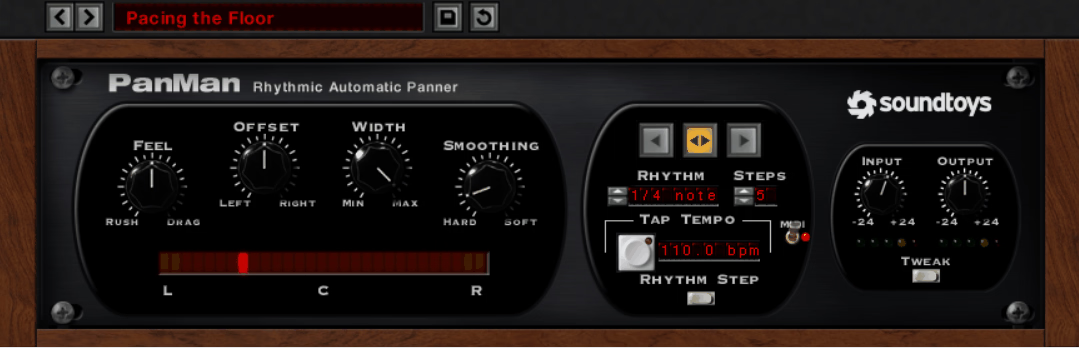
This is the plugin thar is closest to my heart when it comes to autopanning.
Soundtoys PanMan is the plugin I’d point to when someone asks what a hardware autopanner actually did that a DAW can’t, because Soundtoys went and found the original boxes, specifically the Spanner and the PanScan, and pulled the behaviors out of them.
Basically, you get six panning modes including LFO, step, random, and two rhythm modes, and every one of them can lock to your session tempo. As a result, you have a plugin that covers everything from slow cinematic drift to hard rhythmic ping-pong without switching tools.
What stands out to me is that PanMan treats panning as a modulation source with its own groove, not just a position that moves.
In addition to that, the whole thing runs through seven analog emulation algorithms borrowed from the rest of the Soundtoys catalog, so the movement carries a little color with it. So if you ask me, that’s what keeps it from sounding like a utility plugin even when you’re doing something simple.
- Trigger Divider
Lifted directly from the PanScan hardware, the trigger divider sets how many trigger events it takes to move to the next pan position, so you can have the sound step from left to right over three hits instead of one
- Step and Shape Rhythm Modes
Step mode lets you pick a new pan position on each beat with up to five hard positions synced to tempo, while Shape mode opens a library of custom panning curves or lets you draw your own
- Dynamics-Controlled Speed and Width
Set a threshold and the incoming audio’s level can drive the speed, offset, and width of the panning in real time, which means a vocal can pan faster as it gets louder or a pad can widen on its swells.
I appreciate how this ties the movement to the performance rather than to a clock, and in my opinion it’s the most underused feature in the plugin.
2. MeldaProduction MAutoPanMB
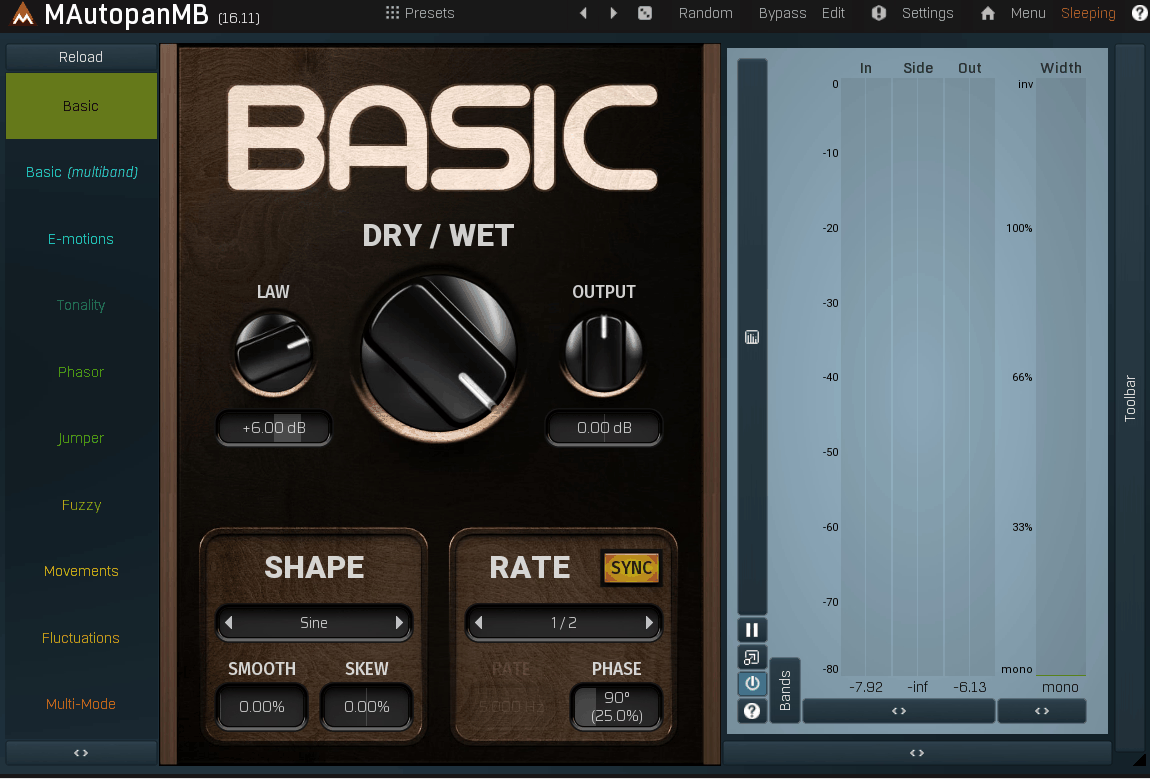
Six bands of independent panning is the headline here, and it’s genuinely the thing no other plugin on this list offers at the same depth. Each band gets its own oscillator, its own depth, and its own crossover behavior, so you can leave the sub frequencies dead center while the mids sweep slowly and the highs chop on 16ths.
MAutoPanMB is the one I would reach for when a single panning motion across the whole signal is exactly the wrong approach, which is why I’d say it belongs on buses more than on individual tracks.
- Multiband Splitting by More Than Frequency
You can separate the signal by level, panorama, mid-side, transients versus sustain, tonal versus noise, or run bands in parallel, and each split method changes what “band” even means.
Panning only the transients of a drum loop while the sustain stays centered is a real thing you can set up here in a couple of minutes, and honestly, I don’t know of another autopanner that does it.
- Three Crossover Algorithms
When you do split by frequency, you choose between analog, linear-phase, and hybrid crossovers with adjustable slopes. From my experience the linear-phase option is the one you want if this is going on a bus, because the bands recombine without smearing the transients.
- Continuously Adjustable Oscillator Shape
The pan LFO is built from a mix of predefined shapes, a drawable envelope, a step sequencer, and algorithmic post-processing, so the waveform can be anything from a clean sine to a stepped, skewed, harmonically enriched curve.
3. Rhodes V-Pan
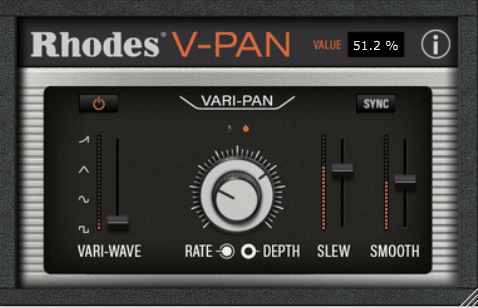
The reason V-Pan earns a spot next to the more feature-heavy panners is the character of the movement. It’s a modeled circuit, not an idealized LFO, and I feel like it sounds like one. On the flip side, it’s a narrow tool, and if you need rhythmic patterns or multiband control this isn’t where you’ll find them.
- Audio-Rate Modulation
The rate range runs from nearly stopped all the way into audio-rate territory, which is where the panning stops reading as movement and starts producing ring-mod style sidebands, bit-crushed textures, and synth-like tones
- Vari-Wave Continuous Morphing
Instead of picking from four waveforms, the Vari-Wave fader morphs continuously from square through sine, triangle, and ramp. Personally, I think the in-between positions are where the interesting shapes live.
- Slew and Smooth Controls
Slew rounds off the edges of the waveform and Smooth softens the transitions, so a square wave can be pulled back from a hard switch toward a gentler swing without changing the waveform selection
4. AudioThing Things Motor
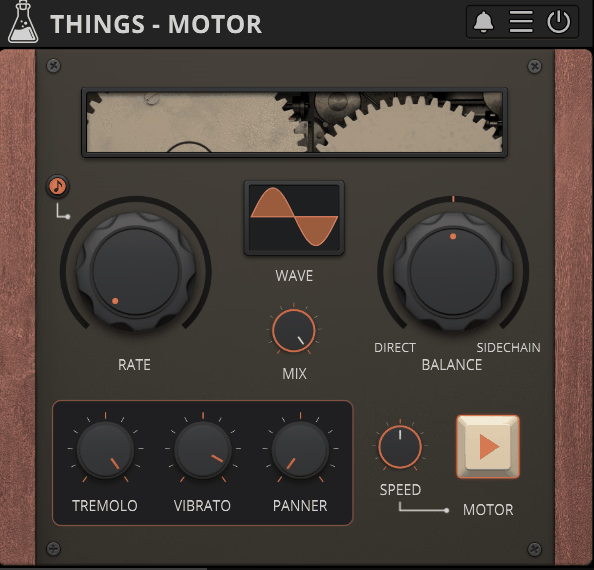
AudioThing Things Motor approaches panning from a strange angle, and I mean that as a compliment. It’s based on the Crystal Palace, a physical device built by Dave Young that used a real motor to switch between two signals, and it was developed with Berlin composer Hainbach.
In the plugin, the “motor” is a variable-shape LFO that continuously blends between your main input and a sidechain input, and the panner is one of three modulation lanes riding on that motor.
Because of this, Things Motor is really a modulated crossfader with tremolo, vibrato, and panning attached, and the panning only makes full sense once you’re feeding it two sources-..
- Panner Locked to Motor Timing
The panner, tremolo, and vibrato lanes all follow the same motor clock, so their movement stays phase-related. From what I can tell that’s why the combined result sounds cohesive rather than like three separate effects stacked, and at the same time it means you can’t offset them from each other.
- Sidechain Signal Morphing
Two audio sources feed the plugin and the motor crossfades between them at the LFO rate, so the panner isn’t just moving one sound left to right, it’s moving between two sounds while it does
- Ten LFO Waveforms
The motor runs on sine, triangle, ramp up, ramp down, square, sine up, sine down, exponential up, exponential down, and sample-and-hold. In my opinion the asymmetric shapes are the useful ones, because they give you panning that lingers on one side longer than the other.
5. Audio Damage Panstation 2
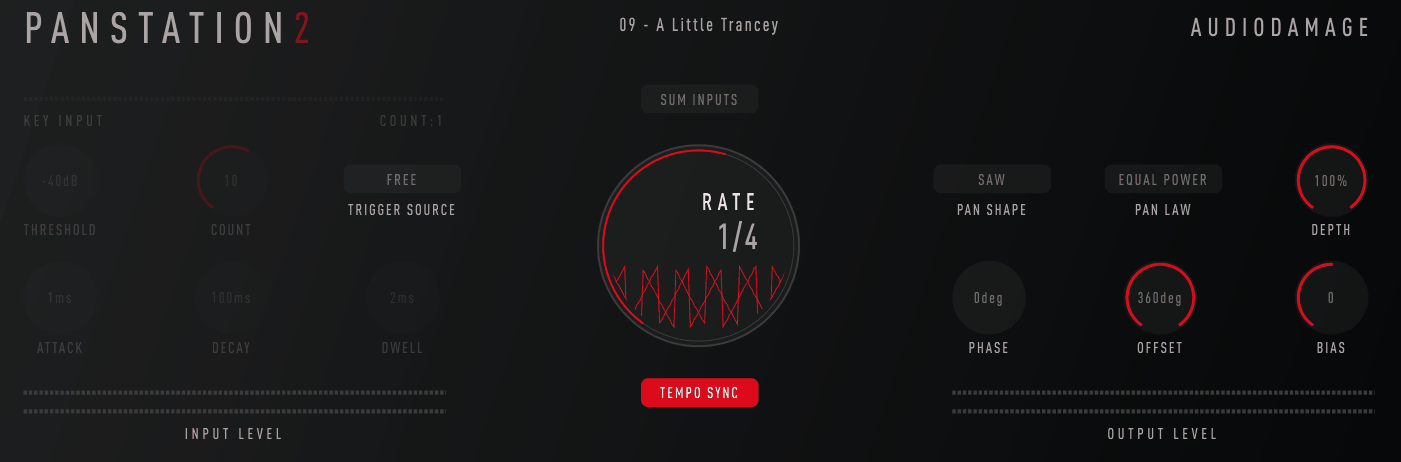
Audio Damage Panstation 2 is a ground-up rebuild of a plugin that was already one of the better hardware-style panners, and the pedigree is specific.
The panning engine is loosely modeled on the Drawmer M500, and the trigger counting features come from the Audio & Design PanScan, which is the same box Soundtoys studied for PanMan. Audio Damage went a step further and included an exact 1:1 clone of the M500 pan law as one of the selectable options, and I’m a big fan of that kind of specificity.
- Multiple Pan Laws Including the M500 Clone
You choose between several pan laws, and one of them is a precise copy of the Drawmer M500’s curve. The pan law governs how loud the signal is as it passes through center, and I found that the M500 law has noticeably less center-image dip than the others, which gives the panning a more dramatic, three-dimensional swing. In other words, the sound seems to leave the middle instead of passing through it.
- Relative Phase Control
Because each channel’s LFO has its own phase, setting them 180 degrees apart gives you autopan, 0 degrees gives you tremolo, and anything in between is a blend. Widening effects live in the partial offsets. I appreciate how one control covers what would otherwise be two or three separate plugins.
- Audio Trigger Counting
The PanScan-style trigger counter lets you specify how many trigger events must arrive before the pan actually advances, using either incoming audio above a threshold or MIDI. Pair it with the triggered attack, hold, and decay envelope that shapes intensity and you get panning that follows the rhythm section instead of the grid. If anything, I’d recommend starting here before touching the LFO controls.
- External Sidechain Input
Version 2 added an external sidechain, so the trigger source can be a different track entirely. Kick on the sidechain, pad on the insert, and the pad jumps position on every kick. Basically, it’s the same idea as sidechain compression applied to position instead of level.
6. Waves Brauer Motion
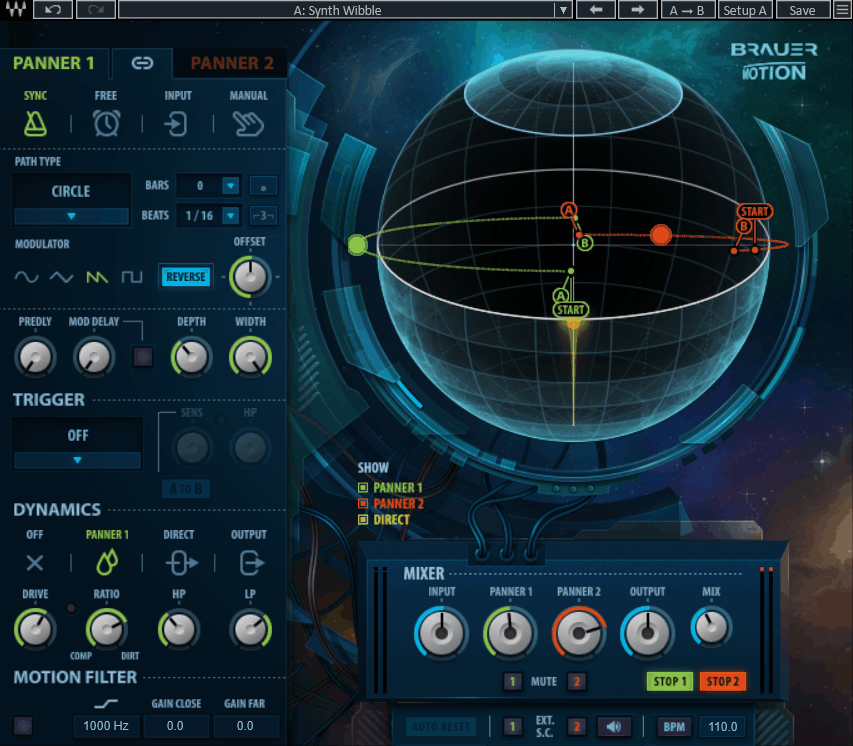
Waves Brauer Motion runs two independent panners that can move around each other, sync to each other, or operate on completely separate paths, and the motion includes a front-to-back depth axis as well as left-right.
That depth dimension is what makes it different. On top of that, the plugin includes a motion filter, a dynamics section, and a saturation stage with separate wet and dry drive, so the moving signal can be filtered and colored differently from the static one. In the bigger picture, I’d describe it as a panner for people who mix with movement as a deliberate emotional device rather than as a special effect, and I’m a big fan of that framing.
- Circular and Multi-Mode Motion
The Circular mode moves the sound through 360 degrees of rotation including front-to-back, and the other modes reshape that path: Cross blinks between sides, Cradle rocks back and forth, Shuffle steps across the field, and Classic gives you flat left-right panning with no depth.
I noticed that Cradle in particular does something on sustained pads that a straight sine autopan never manages, because the sound seems to decelerate at the edges.
- Two Panners with Dual Paths
Both panners have independent speed, width, and depth, and they can run synced or free. Running one slow and one fast on the same source produces a compound motion that, from my experience, is hard to replicate any other way. Not to mention, the two paths can be set to opposite directions.
- Input-Driven Trigger Modes
The trigger modes include a threshold mode where the sound moves only while the level is above a set point, a single-revolution mode that completes one orbit and stops, a return-to-start mode, and an Aural manual trigger. In Input mode the signal’s amplitude directly drives the rate, so a rising level pushes the panner forward along its path and a falling level pulls it back. Personally, I think this is where the plugin earns its name, because the motion becomes a response to the playing.
- Separate Wet and Dry Saturation
The Drive and Clip controls can be applied to the moving signal, the centered dry signal, or both. Distorting only the panner while keeping the center clean gives you a moving layer with grit sitting over an anchored core, and I like how that separation keeps the effect from muddying the whole track.
7. Cableguys PanShaper 4
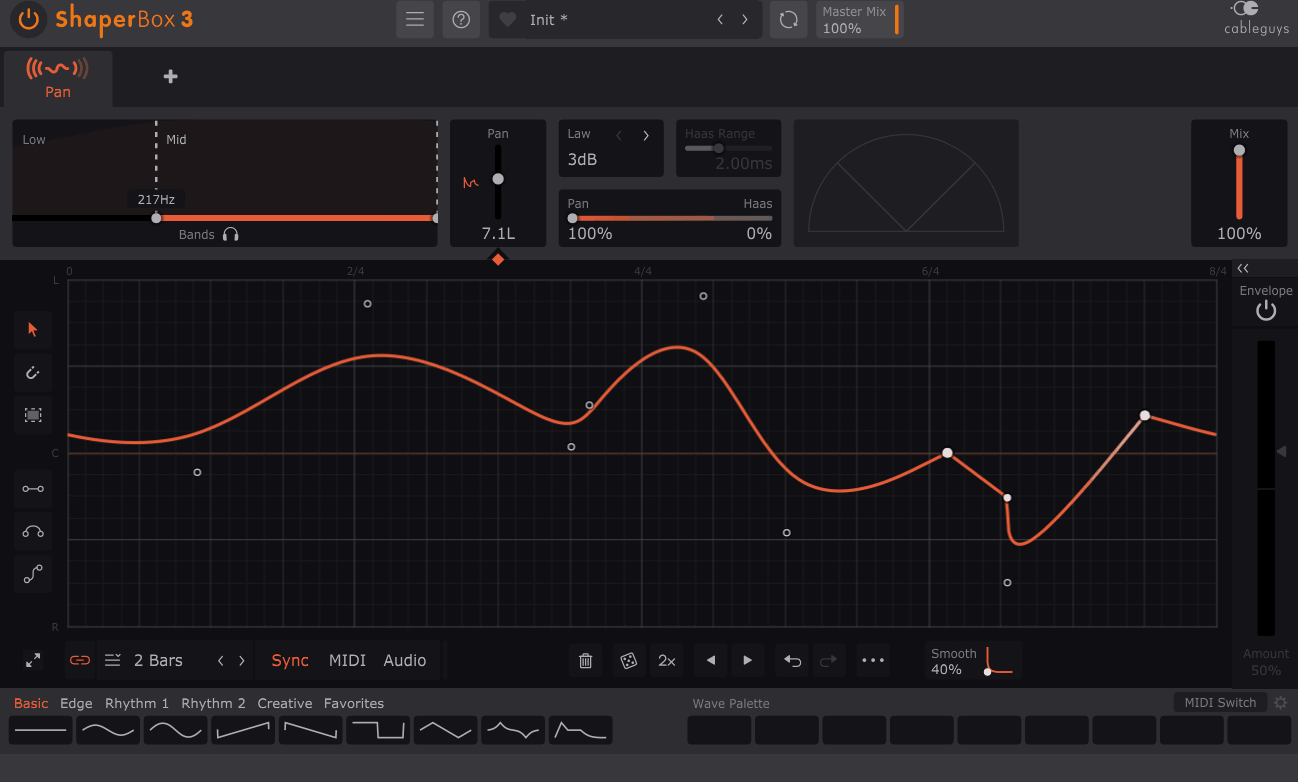
Cableguys PanShaper 4 runs inside ShaperBox 3, which means you can stack it with the other Shapers and they’ll all share the same LFO editing logic. That being said, if you only want a panner, running it inside the ShaperBox host feels like more infrastructure than the job needs. It’s a trade you make for the drawing tools, and I guess whether it’s worth it depends on how many of the other Shapers you already use.
- Haas Panning Blend
The panning modes include Balance at 0, 3, 4.5, and 6 dB pan laws plus a Stereo Combined mode that mixes level panning with Haas-effect delay panning.
Delay-based panning creates the impression of position through timing rather than volume, which reads as more three-dimensional, and pushed to extremes it produces pitch-bending Doppler effects.
I found that the blend is the reason PanShaper sounds different from every other panner on this list, even on a simple sine sweep. One thing I’ve noticed is that it also holds up better in mono than pure level panning does.
- Envelope Follower Per Band
Every band has its own envelope follower with an analog-style Adaptive Release, so the pan position can track the input level independently in the lows, mids, and highs.
8. Cableguys PanCake 2 (free)
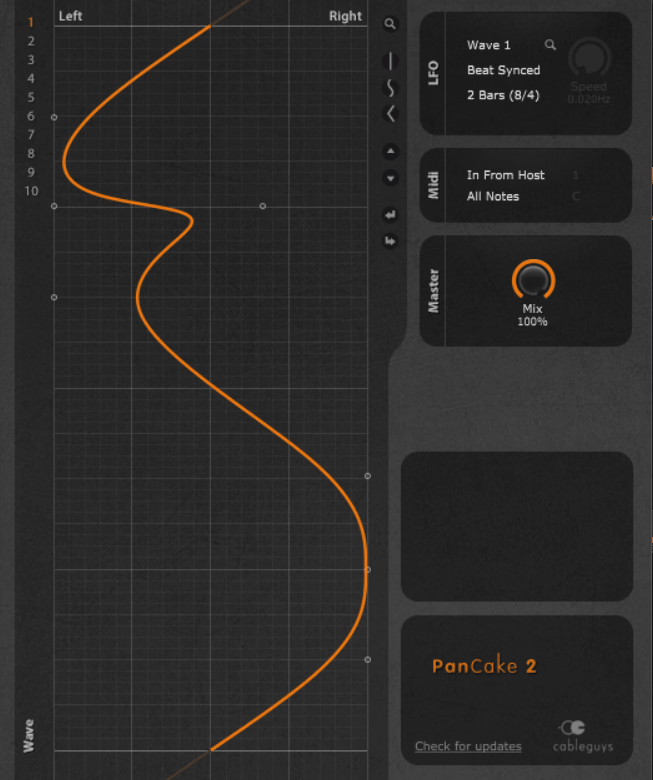
Here, you get up to four modulation curves per instance and you can automate switching between them, so the panning pattern can change per section of a track without loading a second plugin.
Cableguys PanCake 2 gives you that editor, tempo sync, and not a great deal else, and I think that restraint is part of why it has stayed popular for as long as it has.
In general it’s a tool for one job, and the job is drawing a pan shape and having it follow the beat. If you need multiband control or envelope following, that’s PanShaper’s territory, and I’d suggest going straight there rather than trying to work around PanCake’s limits.
- Drawable Modulation Curve
The pan curve is edited like DAW automation, with points, bezier curves, and step shapes, and it sits over the live waveform so you can see the pan position against the audio. I’d say the visual alignment is what makes drawing rhythmic patterns fast, because you’re placing the movement against the transients you can see. Right off the bat, that’s more than most paid panners give you.
- Four Switchable Curves
Store up to four curves and switch between them via automation, which effectively gives you four pan patterns in one instance for verse, chorus, breakdown, and whatever else. That’s a workflow feature you’d normally expect from a paid plugin, and I appreciate how Cableguys didn’t strip it out of the free version.
9. MeldaProduction MAutopan (Free)
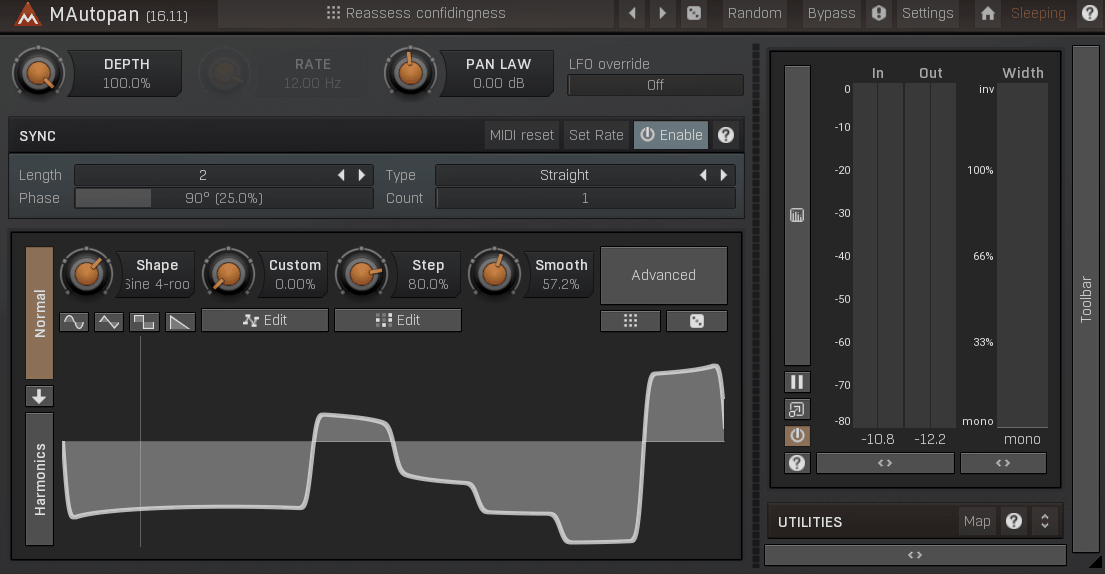
Free panners usually give you a sine wave and a rate knob, and that’s roughly the extent of it. This one doesn’t behave like a free panner.
It’s the single-band version of MAutoPanMB, and while it drops the band splitting and most of the modulation matrix, it keeps the continuously adjustable oscillator shape, tempo sync down to 1/128 with triplets and dotted values, and a selectable pan law, which puts it ahead of most paid panners on the shape-control front alone.
I’d recommend MAutoPan it as the first panner to try if you’ve only used your DAW’s stock one, because it shows you how much of the character of a panning effect comes from the curve shape and the pan law rather than the rate.
- Adjustable Pan Law
Most panners fix the pan law and don’t tell you what it is. MAutopan lets you set it, which changes how the level behaves as the signal crosses center, and I found that alone changes whether a slow sweep sounds like it’s dipping in the middle or staying constant. As a matter of fact, this is the first thing I’d check on any panner that offers it.
- Sample as Oscillator Shape
The oscillator shape can be built from predefined waves, a drawable envelope, or an imported audio sample used as a wavetable, and you can add harmonics with individual volume and phase control to the resulting curve. Building a pan LFO out of a sample is not something I expected to find in a free plugin, and to be honest, I’m still a little bit surprised it’s here.

Hey, I’m Vil, I started this site to help you find the best audio plugins covering various categories including synths, pianos, strings, and effect tools of all sorts as well. I pick these plugins based on various criteria so it best matches the actual topic.