When you purchase through the links on my site, you support the site at no extra cost to you. Here is how it works.
I went through a pile of distortion plugins for this one, and these are the nine best distortion plugins I’d actually keep around: Ohm Force Ohmicide[S], Minimal Audio Rift 2, Arturia Dist COLDFIRE, Arturia Dist TUBE-CULTURE, Eventide CrushStation, Heavyocity FURY, iZotope Trash, Output Thermal, and Excite Audio Motion: Harmonic.
At its core, distortion works by pushing a signal past clean amplification and into some form of clipping, saturation, or waveform reshaping, which generates new harmonic content that wasn’t in the original sound.
Depending on the algorithm, that can mean anything from a subtle analog-style warmth that just adds weight and character, to a hard digital clip that reshapes the waveform almost beyond recognition.
I tried my best, picking from various brands where lots of plugins comes with trial, so definitely check these out first! That said, here is my list:
1. Ohm Force Ohmicide[S]
Plugins that go away for good rarely come back, but Ohm Force Ohmicide[S] is one of the few that actually did, returning after the original spent close to two decades as one of the more quietly beloved distortion tools in electronic music production.
I think what’s interesting here is the comeback genuinely holds up, since the algorithm count alone puts this in a different league than most distortion plugins on the market right now.
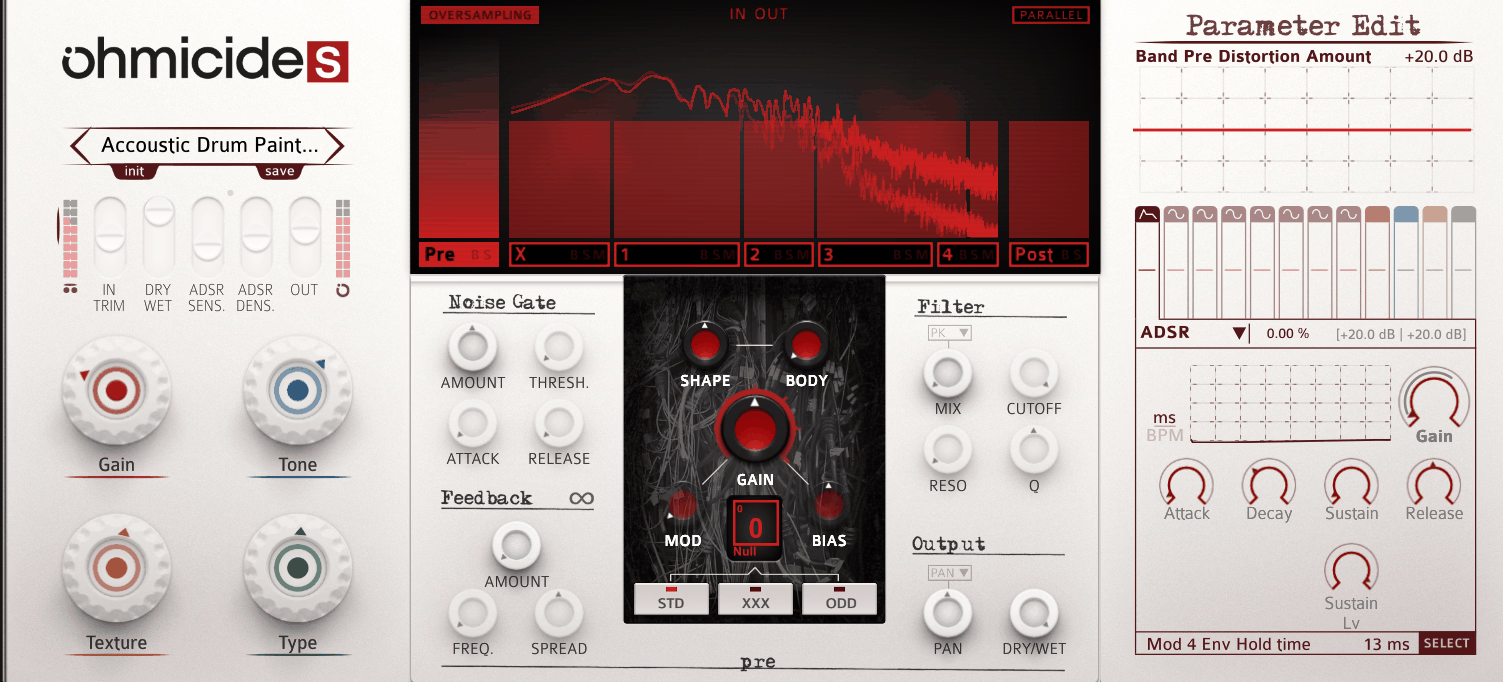
At first glance the interface could look overwhelming, laid out almost like a periodic table of distortion types, but I found that browsing it feels more inviting than intimidating.
What stands out to me most is how deep the routing goes underneath that surface, letting you treat this less like a single distortion box and more like a small modular rig built entirely around destruction.
- 111 Distortion Algorithms
Thirty-seven core algorithms each run through three behavior modes, Standard, XXX, and ODD, working out to 111 total flavors of grit. Honestly, the range surprised me.
- Multiband Sound Surgery
You can split your signal into bands by frequency or run them in parallel, and there’s always a dedicated low-end X band available so your bass doesn’t get chewed up by accident.
Pre and post band routing lets you chain distortion stages in series too, which opens up some genuinely strange serial-distortion territory. I’d say this is where the plugin stops feeling like a single effect and starts feeling like a small signal-processing playground.
- Macro² Controllers
Four fully customizable Macro² controllers let you map basically any parameter to a single knob, complete with your own control range and response curve. Set subtly, they work like gentle correction tools, but pushed further one twist can mangle a sound completely, and I like having that much range from a single control.
- Deep Modulation Engine
Built-in envelopes, envelope followers, LFOs, and step sequencers let you modulate virtually every parameter, and you can even modulate the modulators. I appreciate that presets rarely stay static for long once you start turning knobs.
- Flexible Gate And Filter Routing
You can gate the noise or gate the signal itself, filter frequencies out or push them into a scream, and choose mono or stereo processing per band. I like how these choices stay independent per band, so one part of your sound can stay clean while another gets destroyed.
2. iZotope Trash
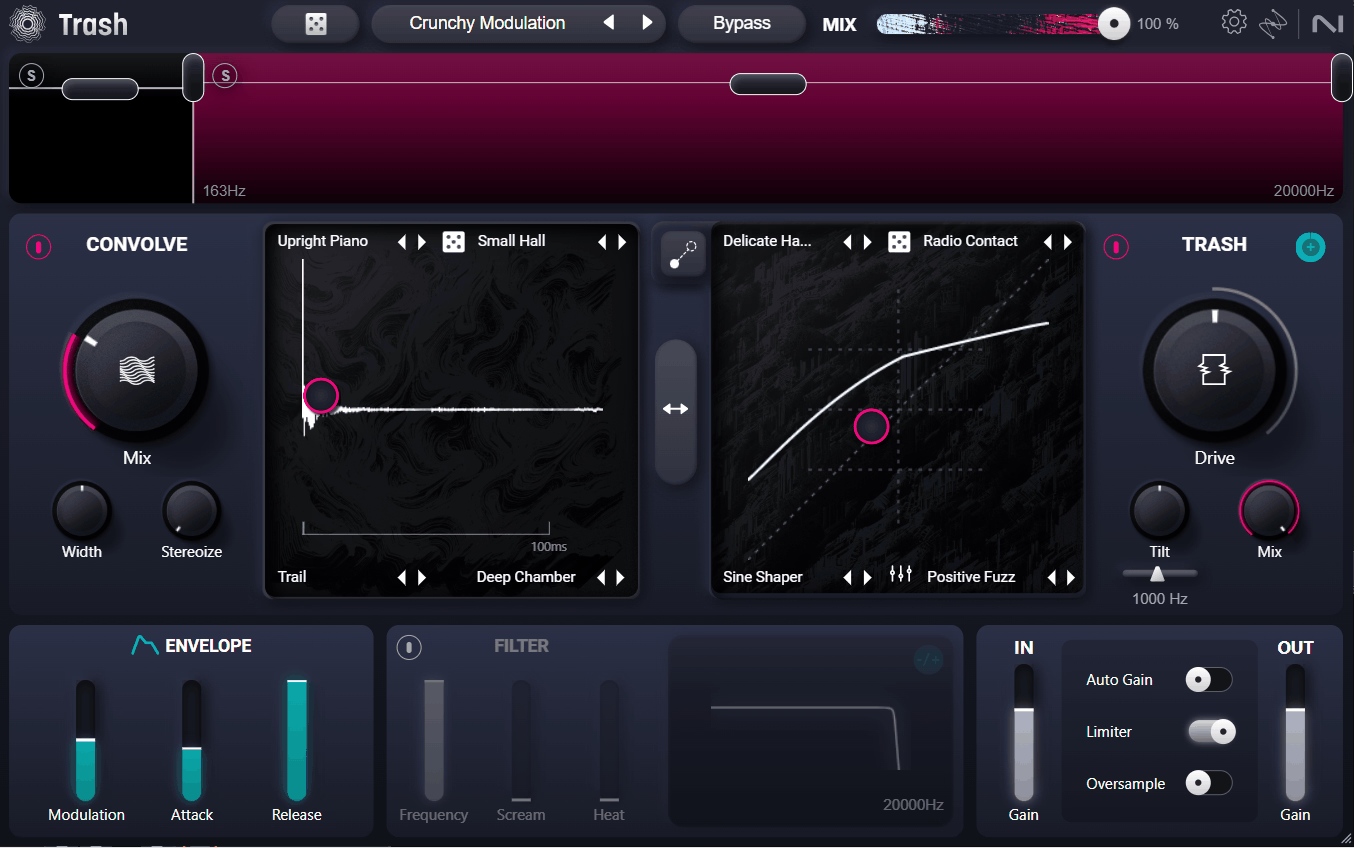
iZotope Trash comes back after a long stretch off the market, rebuilt from scratch with well over 600 distortion types and impulse responses packed into one interface.
What I like about it is that the two core modules, Trash and Convolve, cover completely different territory, one reshapes the waveform itself, the other reshapes the space around it.
On the flip side, you don’t need to touch the deeper multiband or modulation options at all if you just want quick, musical grit, which is honestly rare for a plugin this capable underneath.
- 60+ Distortion Types
I noticed the Trash module’s algorithm list runs from clean-ish saturation all the way to genuinely unpredictable noise generation, with names like Rusty Bits and Distropia hinting at how far it goes.
You can blend up to four distortion settings at once using an XY pad, and modulating the Drive control adds movement instead of a flat, static crunch.
- 600+ Impulse Responses
Convolve ships with over 600 impulse responses, covering realistic amp and cabinet modeling as well as completely unnatural spatial effects.
I like how the Impulse Response Loader lets you bring in your own audio file.
- Multiband Distortion Splitting
Splitting your signal into low, mid, and high bands means you can add a little grit to just the top end of a vocal, or go wild and mangle everything at once. I appreciate that you’re not stuck applying distortion across the full spectrum every single time.
3. Arturia Dist COLDFIRE
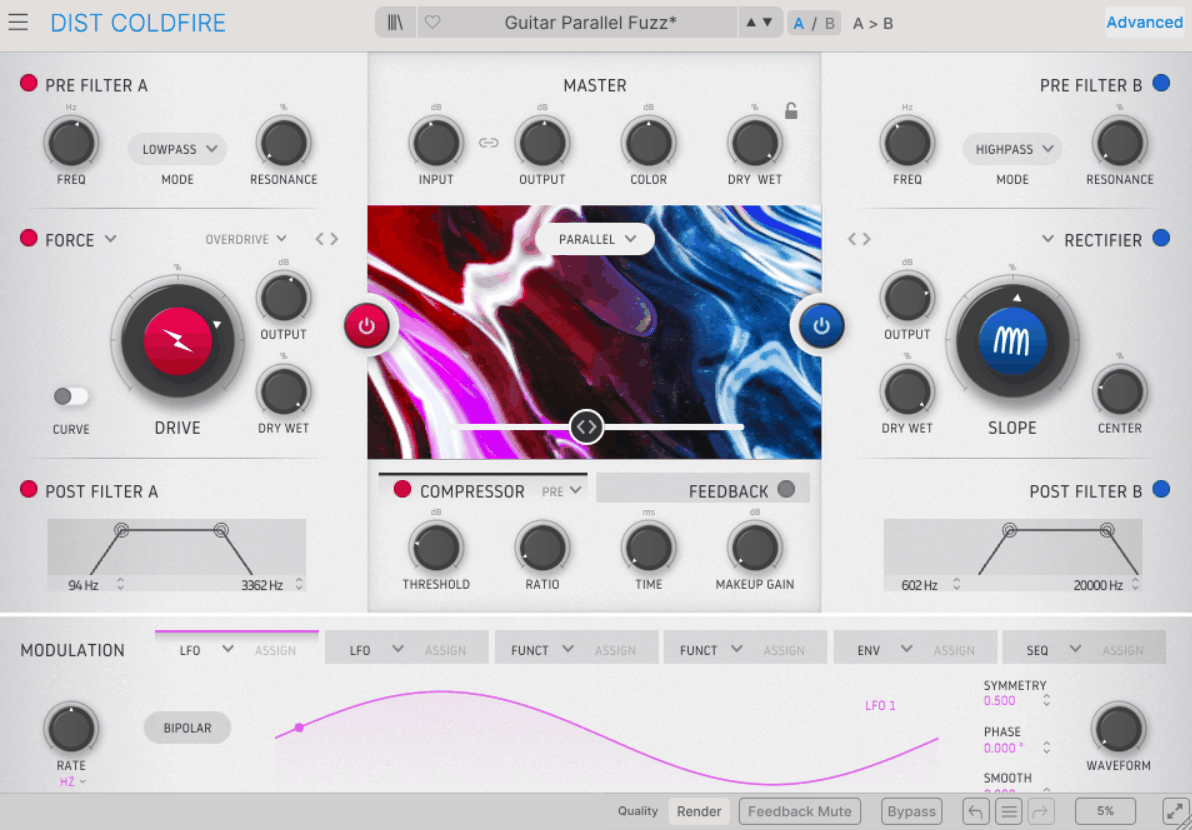
Two distortion engines running side by side sounds like a gimmick on paper, right up until you actually start blending them together. Arturia Dist COLDFIRE builds its whole identity around that idea, pairing any two of its 11 distortion algorithms across five different routing modes.
I’ll admit the algorithm list alone got my attention: Tape, Tube, Transistor, Transformer, Rectifier, Germanium, Force, Bit Crusher, Bit Inverter, Wavefolder, and Waveshaper cover a genuinely wide stylistic range.
- 150+ Presets
The main feature I’d say is that you get over 150 built-in presets cover drums, synths, vocals, and full mixes
- Dual Distortion Engines
I like that two independent distortion units run side by side here, and you can pair any combination of algorithms between them. Routing balance blends the two with a real-time visualizer.
- Five Routing Modes
Serial, parallel, stereo, mid/side, and band-split routing are all available, and each one changes how the two engines interact with the stereo field. Band-split routing in particular opens up frequency-specific distortion without needing a separate multiband tool.
- Six-Mode Pre-Filter
Before your signal even reaches the distortion algorithms, the pre-filter can shape it in six different ways, including high-pass, low-pass, band-pass, notch, and two comb filter variations.
- Modulation And Dynamics
Six modulation slots, each offering an LFO, function generator, envelope follower, or 16-step sequencer, sit alongside a dynamics module with compressor, multiband, and limiter modes. I think being able to place the dynamics stage before or after distortion is what makes this genuinely flexible.
4. Heavyocity FURY
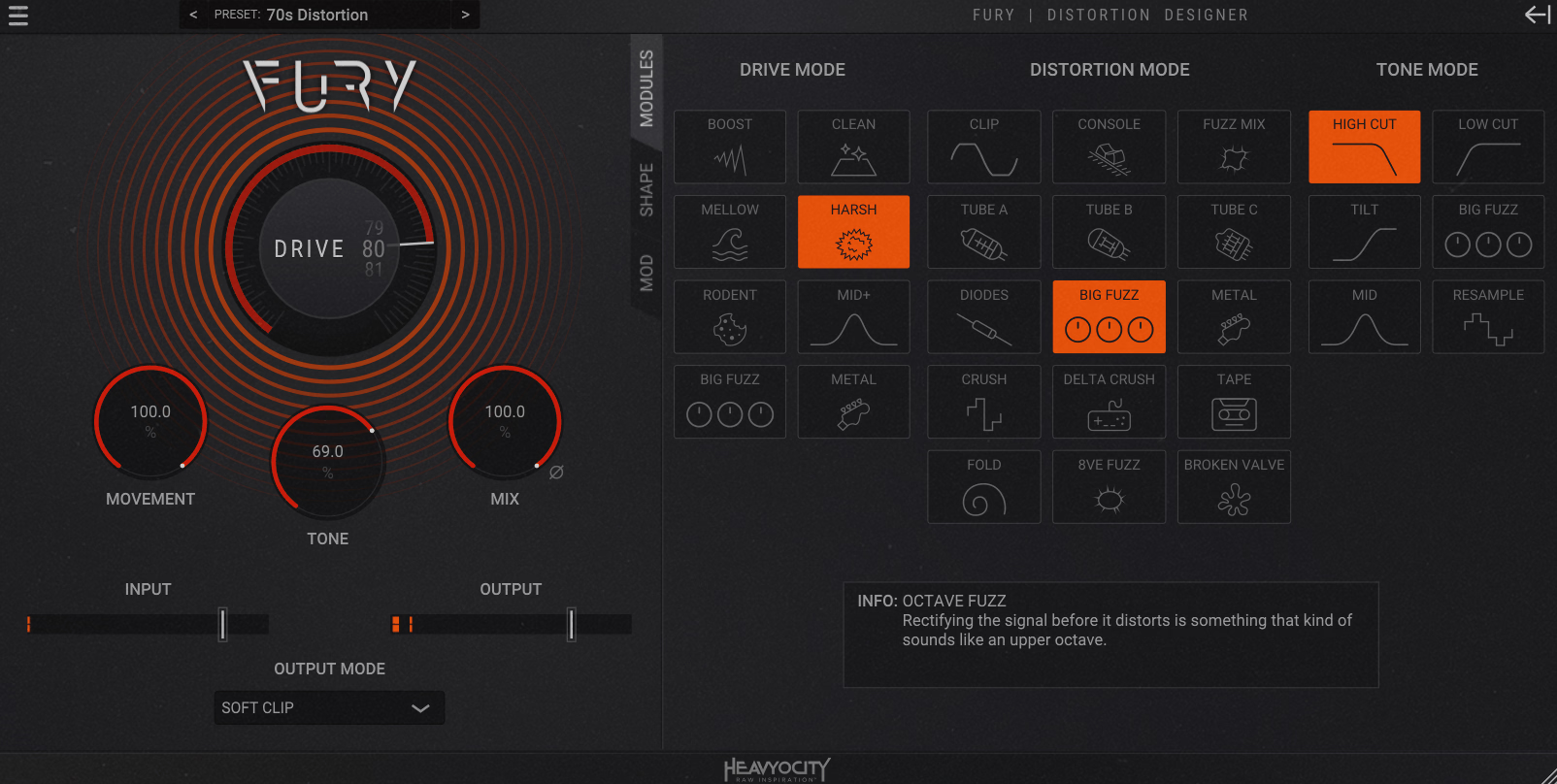
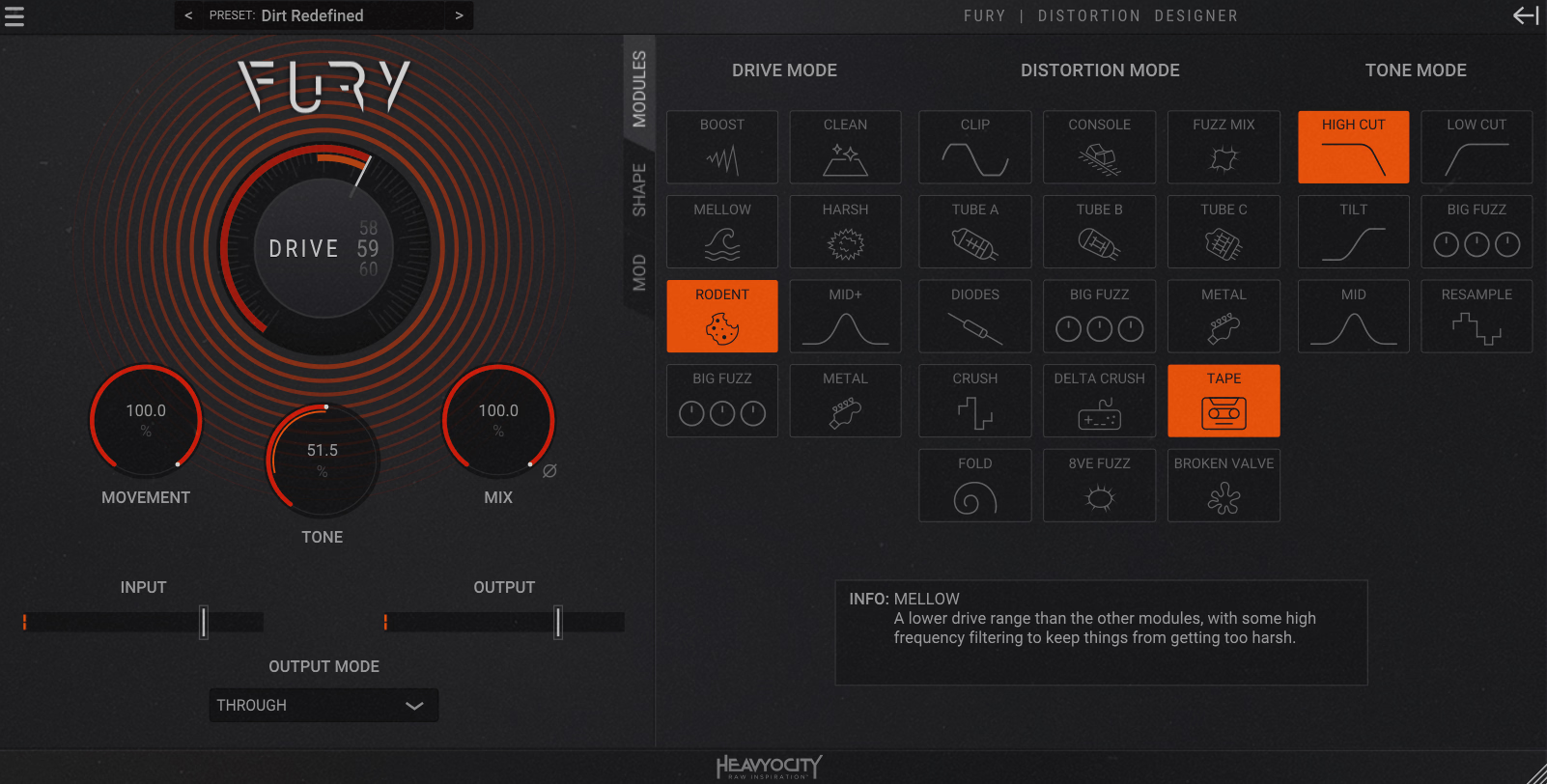
Semi-modular tools usually ask you to build a signal chain from scratch, but Heavyocity FURY hands you three pre-organized sections instead, Drive, Distortion, and Tone, and lets you swap modules within each one.
I mean, on paper that sounds simple, but with over 700 possible combinations between the sections, the actual range of character on offer is hard to overstate. In my opinion the Distortion section is where the real personality lives, since it includes tubes, fuzz, console-style clipping, bit-crush, wavefolding, and a genuinely unpredictable broken valve mode that breaks up faster than the others under heavy drive.
I’d recommend spending real time in the Tone section too, since it works like a real one-knob filter and EQ combo instead of an afterthought.
- 700+ Module Combinations
I found that three core sections, each holding multiple swappable modules, combine to create over 700 total variations. Because of this, dialing in a genuinely unique distortion character rarely takes more than a few clicks once you get a feel for how the modules interact.
- Broken Valve Mode
It’s modeled after a tube breaking up under pressure, and it degrades unevenly instead of clipping in a predictable, symmetrical way
- Four Output Modes
The main output stage offers Hard Clip, Soft Clip, Limit, or a clean Through setting. I think that gives you one more layer of control over the final signal.
- 128 Presets Across Six Categories
Presets are organized into Essentials, Drums, Experimental, Guitars and Bass, Keys and Synth, and Rhythmic categories, 128 total. I like that the categorization makes it easy to jump straight to something usable.
5. Eventide CrushStation
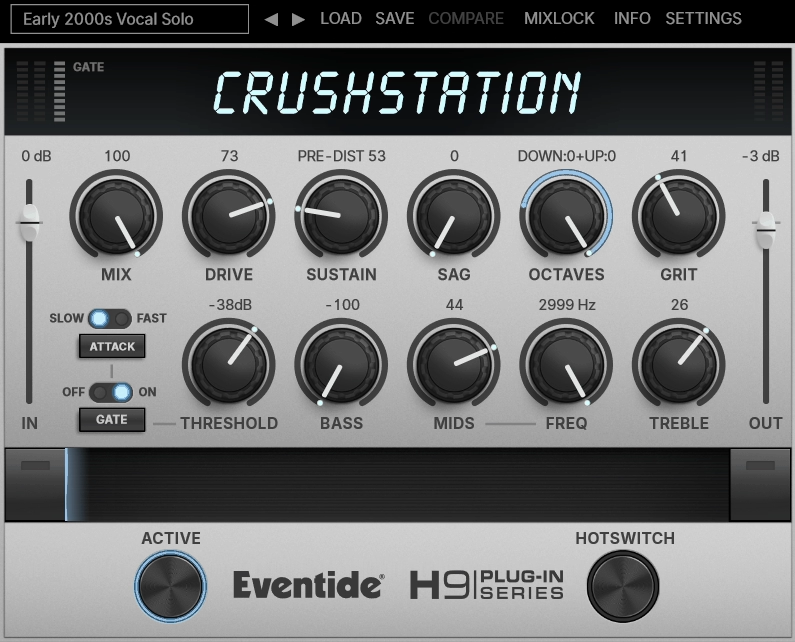
Eventide CrushStation built originally for the H9 Harmonizer hardware pedal, and it carries that stompbox character over almost perfectly into plugin form.
What stands out to me is the Sag control, modeled after the sound of dying analog gear: the power rail sags, the amp starts sputtering, and the whole thing sounds pleasantly broken in a way that’s genuinely hard to fake digitally.
I appreciate that this one doesn’t try to out-feature everything else on this list, it just does overdrive, EQ, and a few character controls really well.
- Sag And Grit In Practice
I’d recommend pairing Sag with a fairly heavy Drive setting, since that’s where the control actually earns its keep, adding an unstable, slightly wobbly character that a straight overdrive setting just doesn’t have.
The separate Grit control adds preamp-style distortion that’s particularly effective on low end and kick drums, so I’d recommend it specifically for basses that need extra harmonic weight.
- 3-Band EQ And Compression
A built-in 3-band EQ shapes tone before or after the distortion stage, and compression adds sustain while evening out dynamics. I think together they let CrushStation function as a small mixing channel.
- Ribbon, Hotswitch, And Mixlock
Ribbon lets you sweep continuously between two saved configurations in real time, while Hotswitch jumps straight to an alternate setting instantly. I like that Mixlock keeps your dry/wet balance constant while you audition presets, which sounds minor until you notice how often that setting resets.
6. Minimal Audio Rift 2
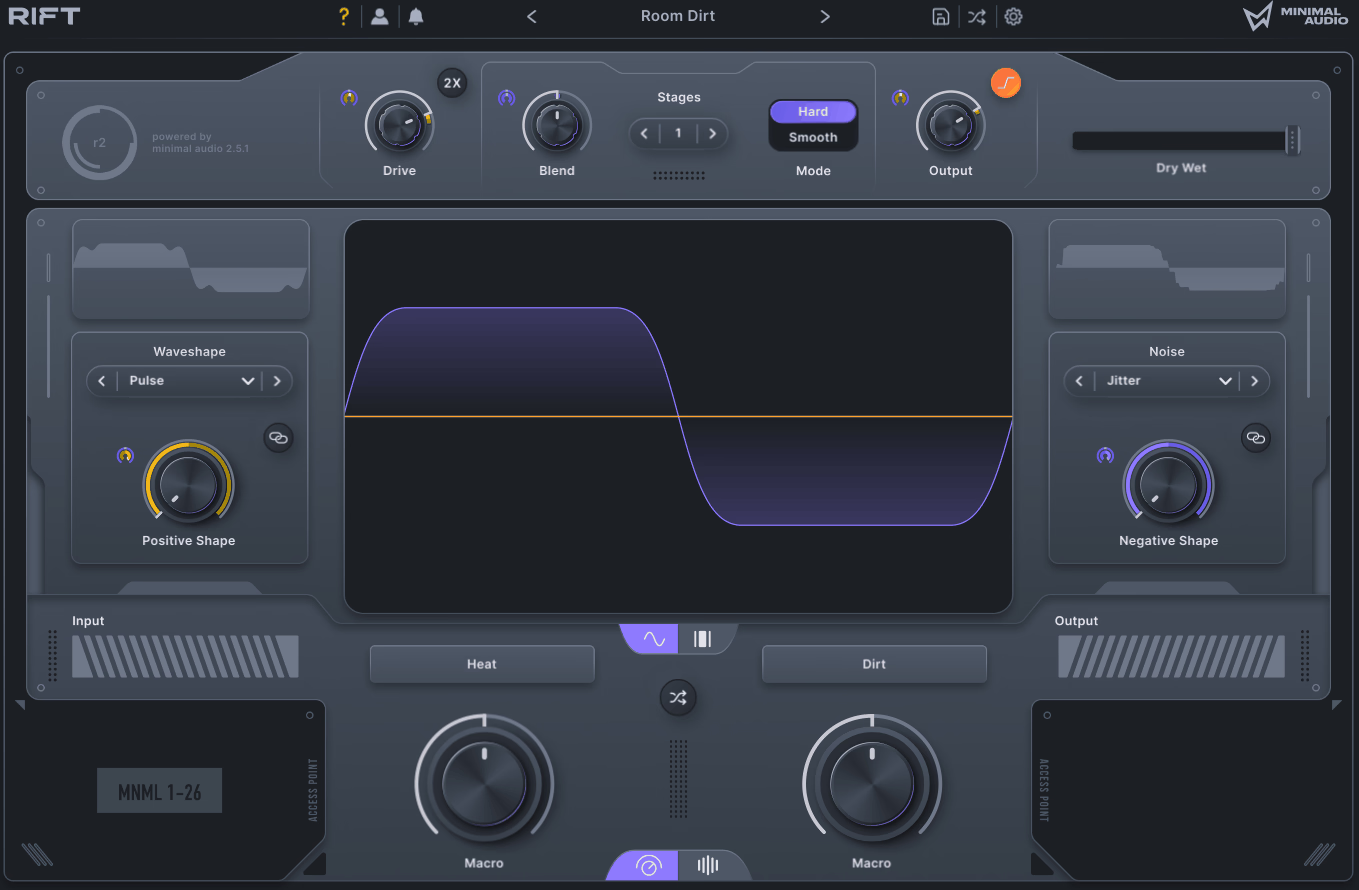
Most distortion plugins treat a waveform as one continuous signal to shape as a whole. This one doesn’t, it splits the positive and negative halves apart and processes each side independently, which is a rare enough technique that it genuinely changes how the distortion behaves.
Thirty custom algorithms sit at the core, spanning familiar wave shapers and folders alongside a handful of processors you honestly won’t find anywhere else. Minimal Audio Rift 2 blends these algorithms together in its own waveform engine, giving you precise control over how the two sides recombine.
- 30 Custom Algorithms
I noticed the algorithm list runs from classic wave shapers and folders to entirely original processors developed specifically for this plugin. You can drive the distortion harder for increasingly rich harmonics.
- 400+ Presets With Randomizer
I like that over 400 built-in presets are organized into themed packs, and a randomizer feature generates fresh starting points. A dedicated Play View simplifies things down to a handful of macros.
- 24-Type Morphing Filters
Filtering can happen before or after distortion, using 24 unique stereo filter types. I like that cutoff can be tuned to musical scales or incoming MIDI too.
- Physical Modeling Feedback
The feedback processor goes beyond a standard delay repeat, creating tuned resonators and twisted, evolving echoes. I appreciate that locking it to scale or MIDI keeps even extreme settings from drifting into pure noise.
7. Excite Audio Motion: Harmonic
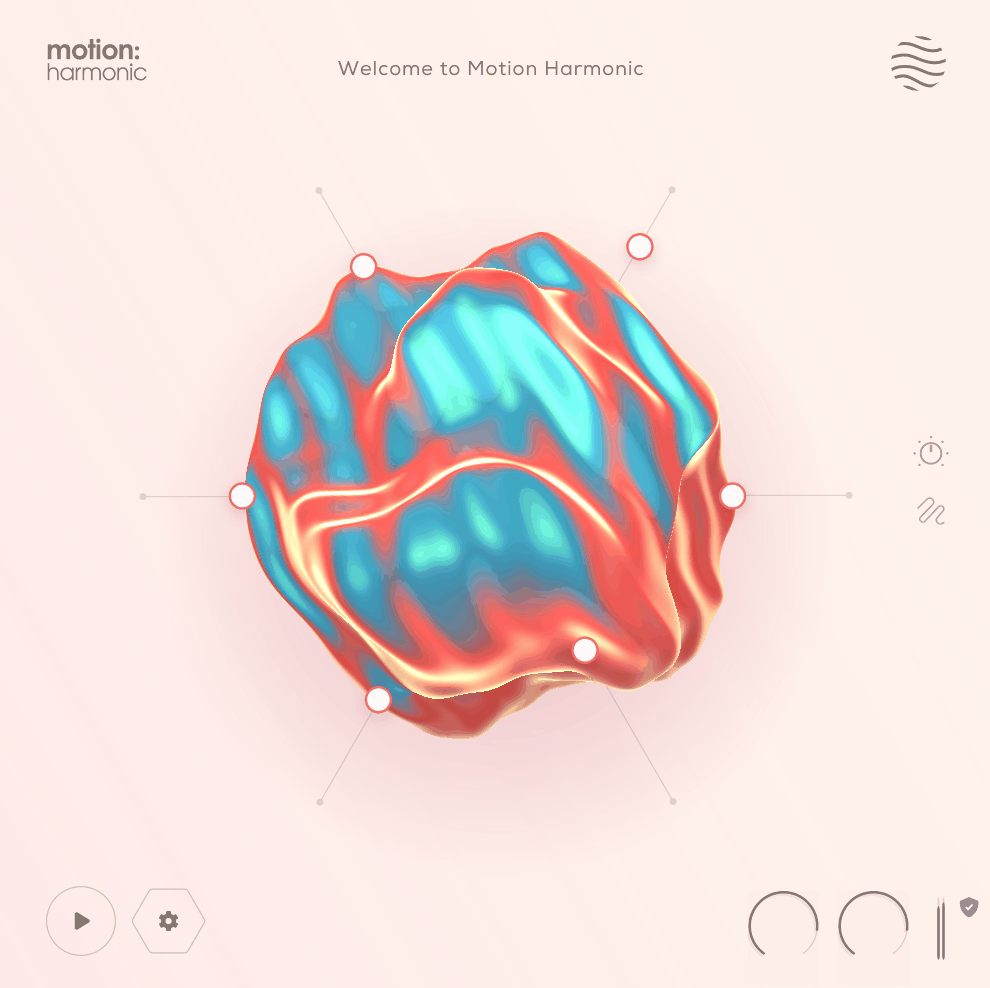
Excite Audio Motion: Harmonic uses that Hexagon controller to drive its distortion, bitcrushing, and filtering parameters all at once.
At first glance it looks more like a toy than a serious tool, but I found the underlying parameters are genuinely deep once you dig past the visual gimmick.
What I like about it is that moving effect parameters toward the center of the hexagon lets their behavior get modulated by the incoming audio level automatically.
- 250 Presets
I noticed over 250 factory presets are included, covering everything from subtle warming to intense modulated signal destruction. Browsing presets often means watching the whole interface come alive.
- Reactive Hexagon Controller
Cursor paths can be recorded freely with the mouse, drawn out directly, or pre-programmed for exact, repeatable playback. I appreciate that you’re not stuck improvising every time, since a drawn path behaves the same way on every single pass.
- Dedicated Distortion Section
I think Drive and Character controls shape the core distortion tone well, while Dynamic and Tone parameters refine how that distortion sits in the mix.
A separate Feedback stage adds its own amount and frequency controls for resonant, self-reinforcing textures, and I’d recommend keeping it low at first since it can build up fast.
- Bitcrusher Module
Bit depth and sample rate reduction run independently here. I find that keeping this separate from the main distortion section makes it easier to dial in exactly how much digital grit you want.
8. Output Thermal
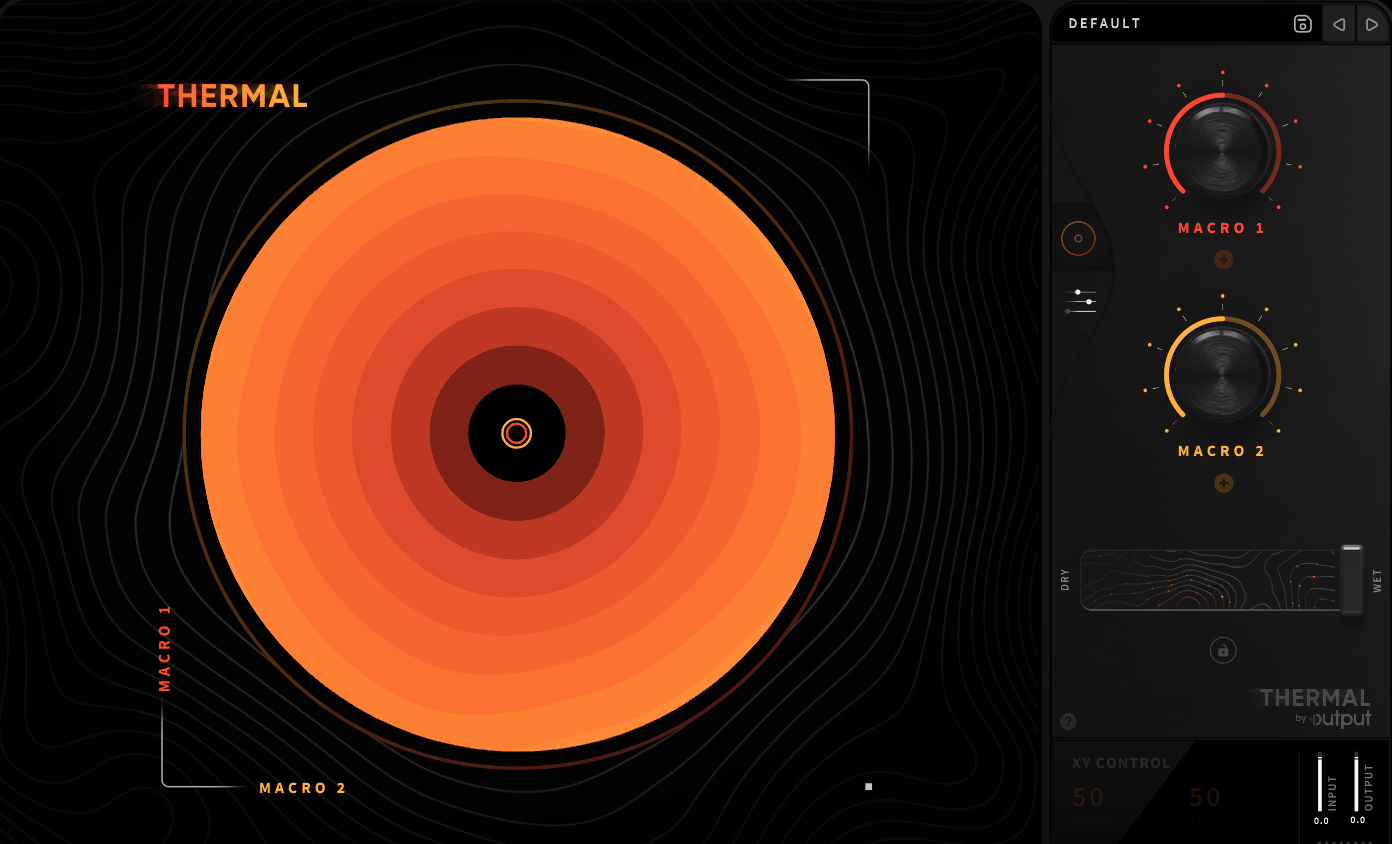
Most multi-stage distortion plugins stop at the distortion itself and call it a day. Output Thermal keeps going, pairing a 3-stage distortion engine with a second effects slot that can act as a compressor, filter, delay, reverb, or modulation effect depending on what a given stage actually needs.
I like how the whole thing is built around a two-level interface: a simple circular XY control up front tied to two macro parameters, and a much deeper Advanced view underneath for when you actually want to get into the weeds.
Honestly, most presets are designed around that front-page XY control, so you can get a usable, evolving sound before you’ve ever opened the deeper page, which I think is the right call for a plugin this capable.
- 3-Stage Distortion Engine
I noticed each of the three separate distortion stages offers 19 algorithms of its own, and every stage can be band-split independently using adjustable high and low cutoff points. Each stage also carries its own high and low shelf EQ, so different distortion types can apply to different frequency ranges.
- Second Effects Slot
Alongside the distortion stages, a second module can function as a compressor, filter, delay, reverb, or modulation effect, chosen independently per stage.
- Mid-Side And Time-Based Width
Each stage includes its own width control, adjusting both side-signal volume and time-based stereo width independently. In my experience, this is what keeps aggressive multi-stage settings from collapsing into a mono mess once several stages are stacked.
9. Arturia Dist TUBE-CULTURE
Vacuum tube emulation is one of the most crowded categories in the plugin world, and to be honest, most entries sound pretty interchangeable.
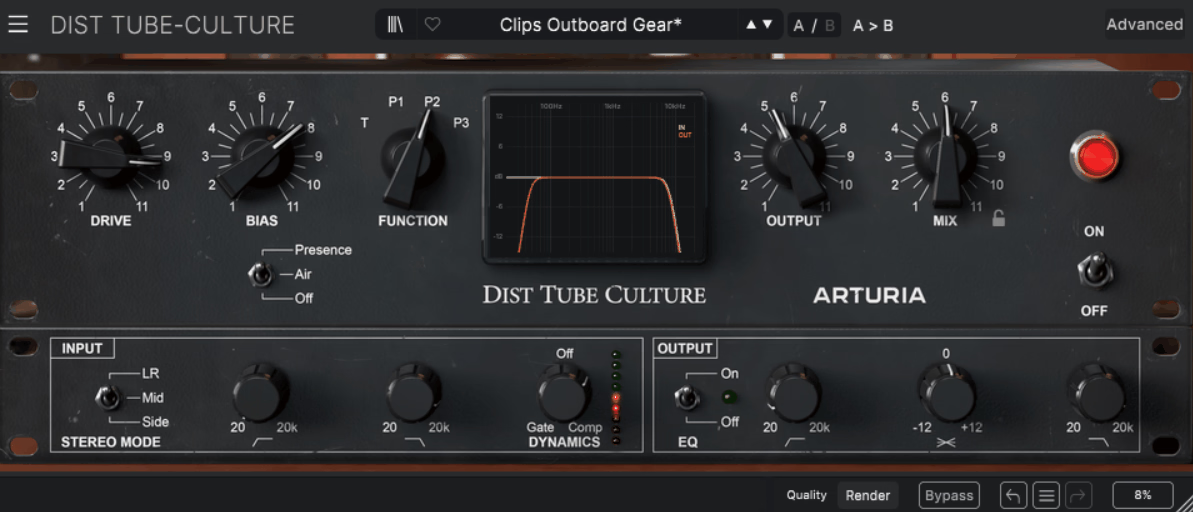
Dist TUBE-CULTURE models one specific piece of hardware instead of a generic composite tube sound, drawing directly from Thermionic Culture’s all-valve Culture Vulture rack unit.
Four tube configurations are on offer, Triode and three Pentode modes, and I noticed the difference between them is more than cosmetic, Triode leans warmer and more natural, while the Pentode options bring higher output and noticeably more varied dynamics.
What I appreciate most is that Arturia didn’t just stop at faithful emulation, they added a handful of modern conveniences that the original hardware simply doesn’t have.
- Tube Mode Selection
Switching between the four modes changes the fundamental harmonic behavior, not just the intensity of the saturation. I’d reach for Triode on a vocal or mix bus, and save the Pentode modes for drums.
- Presence And Air Switch
A slight boost to upper midrange or high frequencies adds detail without reaching for a separate EQ. I find this particularly effective on topline vocals and percussion.
- Flexible Stereo Processing
Processing can apply to the full left-right signal, just the center, or only the sides, so you can saturate a stereo bus asymmetrically. I think that’s not a decision most tube plugins even let you make.
- Single-Knob Dynamics
One control handles both gating and compression depending on which direction you turn it.
- Post-Distortion EQ
High-pass and low-pass filters sit after the distortion stage, along with a ±12dB tilt centered at 630Hz. I’d recommend using the tilt control to balance warmth against clarity once the tube stage has done its work.

Hey, I’m Vil, I started this site to help you find the best audio plugins covering various categories including synths, pianos, strings, and effect tools of all sorts as well. I pick these plugins based on various criteria so it best matches the actual topic.