When you purchase through the links on my site, you support the site at no extra cost to you. Here is how it works.
Free plugins used to mean compromised plugins, but that hasn’t been true for a while. Several of the tools on this list are open-source projects with years of development behind them, a few are free versions of commercial products with one feature locked, and the rest are giveaways from established developers who want you in their ecosystem. All of them run natively on macOS as AU and VST3, and most are Apple Silicon native.
I’ve organized this roughly by category, starting with synths and instruments, moving through effects, and finishing with mixing and utility tools. Where a plugin has a real limitation, I’ve said so, because free doesn’t help you if the tool doesn’t do what you need.
1. Matt Tytel Vital
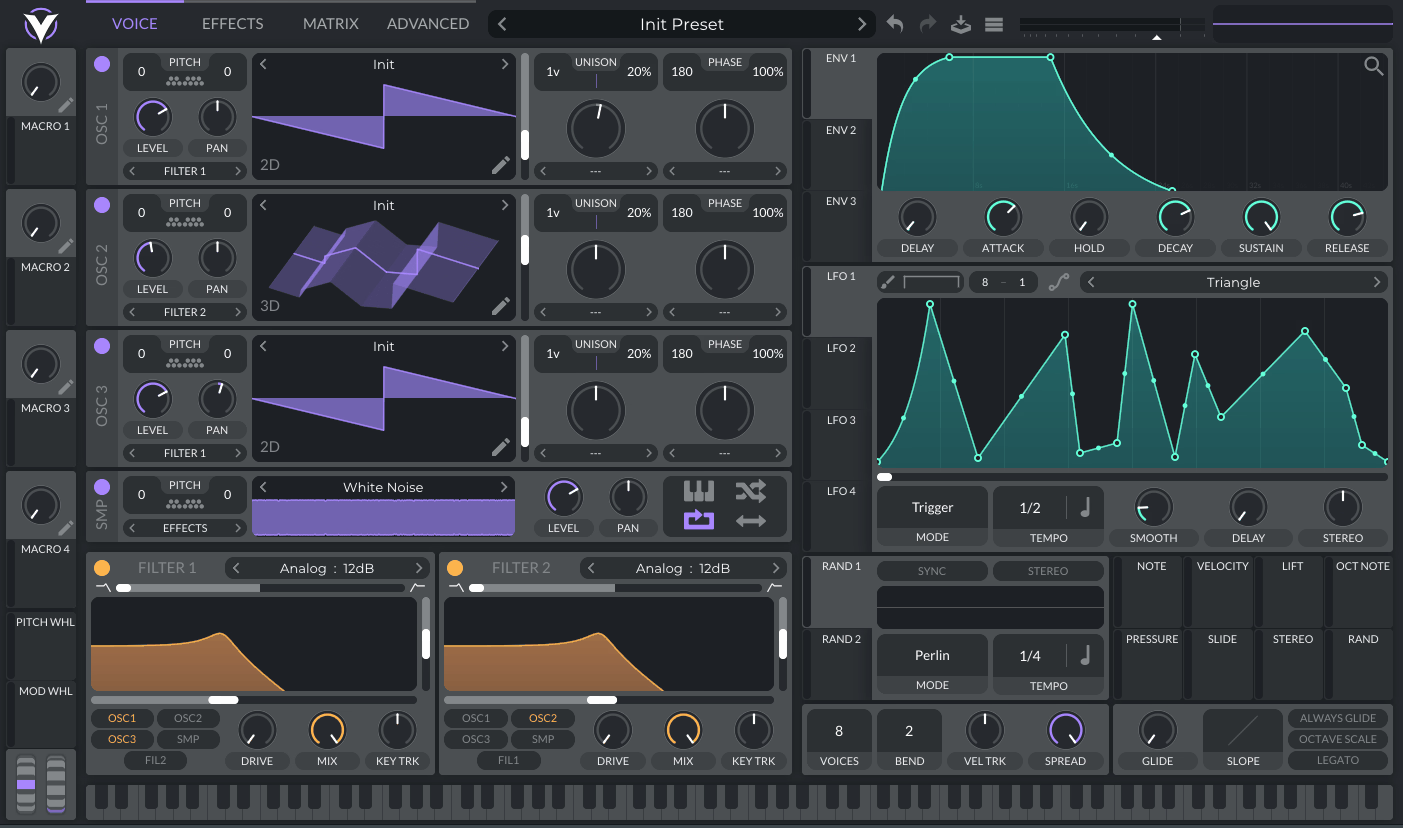
Matt Tytel Vital is a spectral warping wavetable synth with a drag-and-drop modulation system, and the free version is the full synth minus the larger preset library and wavetable pack that come with the paid tiers. It stands alongside Serum in capability, and I’ve watched it replace Serum for a lot of producers who tried both.
- Spectral Warping
What gives Vital its own sound is the collection of spectral warp modes, which can stretch, shift, and redistribute the harmonics inside a wavetable instead of simply scanning through it. I find that especially useful when I want a familiar oscillator source to turn into something more animated or synthetic without immediately reaching for external effects.
- 16-Voice Unison
For wide electronic patches, Vital can stack up to 16 unison voices per oscillator, with stereo detuning and oscillator interaction available on top. That combination makes it possible to build very large pads and leads from a relatively simple starting waveform.
- 75 Presets and 25 Wavetables
The free edition of Vital includes 75 presets and 25 wavetables, while keeping the underlying synth engine intact rather than removing core synthesis functions. I like that approach because you can learn the full instrument and expand the library later instead of hitting a functional wall.
- Audio-to-Wavetable Editing
One of the more useful parts of Vital is its wavetable editor, where you can create oscillator material from audio rather than relying entirely on the included tables. That gives me a direct route from a recorded sound into a playable synth source.
2. Sixth Sample & Integraudio Deelay
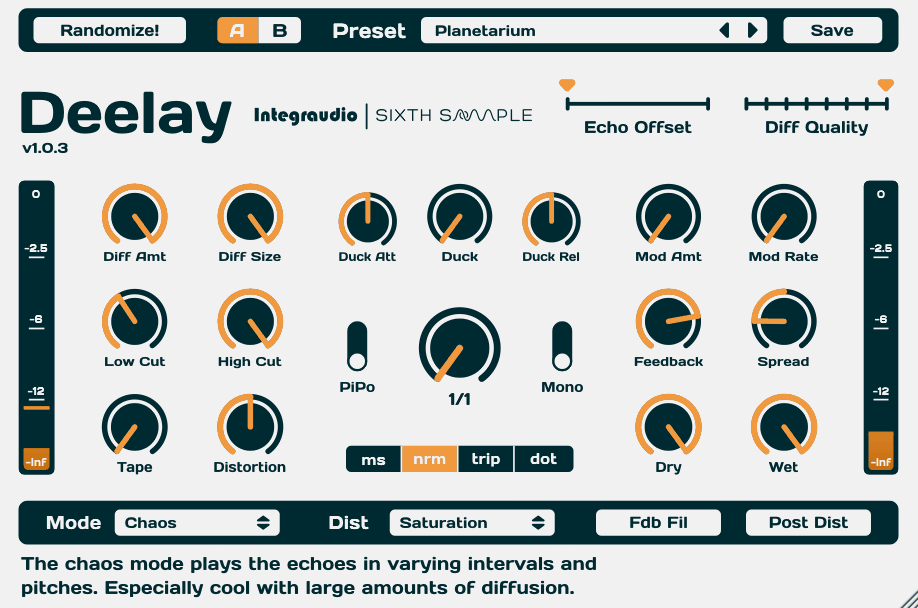
Most free delays cover the basics and stop there, and the reason Sixth Sample Deelay stands out is how far past the basics it goes. It was built in collaboration with Integraudio and includes five delay modes, eleven distortion types, diffusion, and ducking in a single interface.
- Five Delay Modes
The defining part of Deelay is its five modes: Normal, Reverse Forward, Pure Reverse, Chaos, and Reverse Chaos. I can move from conventional repeats into much more fragmented, reverse-oriented textures without changing plugins.
- Chaos Processing
Once Deelay moves into its Chaos modes, the repeats can break apart into granular-like fragments rather than staying as clean echoes. I find that particularly useful when a normal delay sounds too predictable but a full granular effect would be overkill.
- Eleven Distortion Types
Instead of adding another saturation plugin after Deelay, I can choose from 11 distortion types, including saturation, tube, rectify, crackly, and pixelated styles. That gives the feedback path its own tonal identity and makes the delay useful for sound design as well as straightforward echo.
- Diffusion and Ducking
A combination of diffusion controls and wet-signal ducking lets Deelay move between spacious washes and tightly controlled repeats. I especially like the ducking because it keeps a vocal or lead clear while the delayed texture continues underneath it.
3. Spitfire LABS
Every month or so, Spitfire adds another instrument to the collection, and each one is a professionally recorded sample library that would sell for real money under a different name. Spitfire LABS now covers over 60 instruments including strings, pianos, choirs, synths, drums, and unusual sound sources, all free and all run through Spitfire’s own player.
- Over 60 Instruments
What makes LABS unusual is the sheer range of the library, with 60-plus free instruments covering strings, piano, choir, synths, drums, and more experimental sources. I can therefore use the same player for a conventional keyboard part one day and something much stranger the next.
- AIR Studios Recordings
A major part of Spitfire LABS is the recording pedigree, with libraries captured at AIR Studios and other professional spaces. That matters most on the acoustic instruments, where the room and performance feel are doing as much work as the samples themselves.
- Regularly Expanding Collection
The library keeps growing with new free releases, so LABS is less like a fixed plugin and more like an expanding collection. I find that useful because older sounds can stay relevant while new additions gradually widen what the player can cover.
4. Kontakt Player

Kontakt Player is the free version of Native Instruments’ sampler, and its value on this list comes from the libraries it unlocks more than from anything it does on its own. It runs any Kontakt Player-licensed library at full functionality, and the free Komplete Start bundle includes several of them.
- Full Kontakt Player Compatibility
With Kontakt Player, any library carrying the Kontakt Player designation runs without the usual time restriction. That opens access to a large number of third-party instruments while avoiding the 15-minute demo limit applied to non-Player libraries.
- Komplete Start
Registering Kontakt Player also brings in Komplete Start, which supplies a group of free instruments and effects covering drums, keys, bass, and world sounds. I see it less as one instrument and more as the gateway to a much larger free library ecosystem.
- NKS Support
For libraries built around NKS, Kontakt Player provides the same browser and controller-mapping workflow used by the broader Native Instruments ecosystem. That becomes particularly useful once you have several compatible libraries installed and want to browse them as one collection.
5. Surge XT
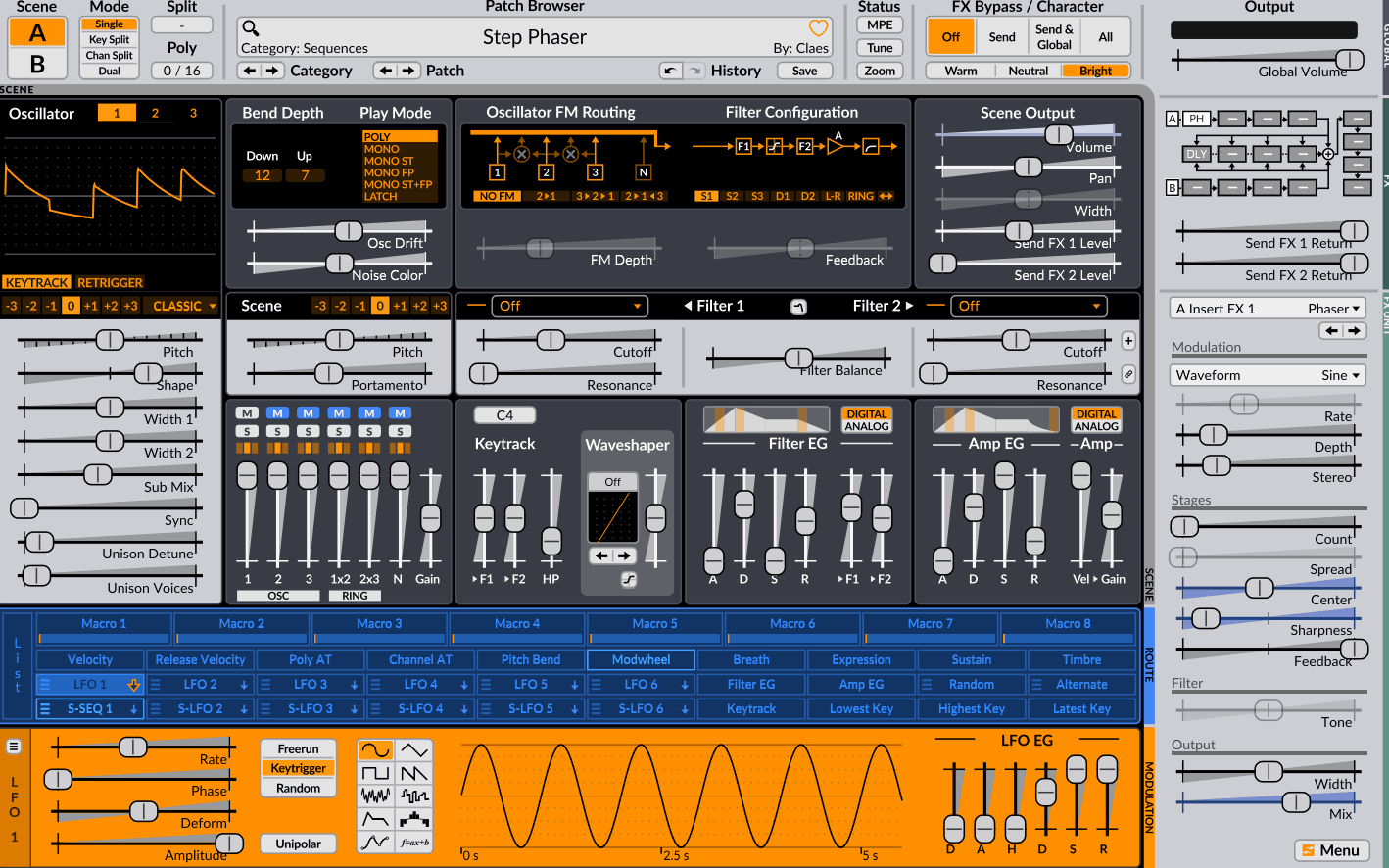
Open-source projects sometimes exceed commercial products, and Surge XT is the clearest example on this list. It started as a commercial synth, was released as open source, and has since grown into a hybrid synth with 12 oscillator types, 14 filter types, 12 effect slots, and a modulation system deep enough to rival any paid instrument.
- 12 Oscillator Types
The part of Surge XT I return to most is the oscillator architecture, which offers 12 types ranging from classic and wavetable approaches to FM, string, twist, audio input, and modern modes. That gives me several synthesis approaches inside one instrument instead of forcing every patch into the same architecture.
- 14 Filter Types
Filter duties are handled by 14 filter types, with multiple subtypes and routing options that include serial, parallel, and ring-modulated configurations. For me, that makes the filter section almost another synthesis stage because the character can change substantially before the signal even reaches the effects.
- 12 Effect Slots
A single patch can host 12 effect slots, with Surge XT also incorporating a substantial collection of Airwindows processors alongside its own effects. That is useful when I want to build a self-contained patch instead of immediately spreading one sound across several inserts.
- MTS-ESP, SCL/KBM and MPE
For specialist work, Surge XT supports MTS-ESP, SCL/KBM tuning, and MPE. Those features make it far more suitable for microtonal and expressive controller-based playing than its price would suggest.
6. Dexed
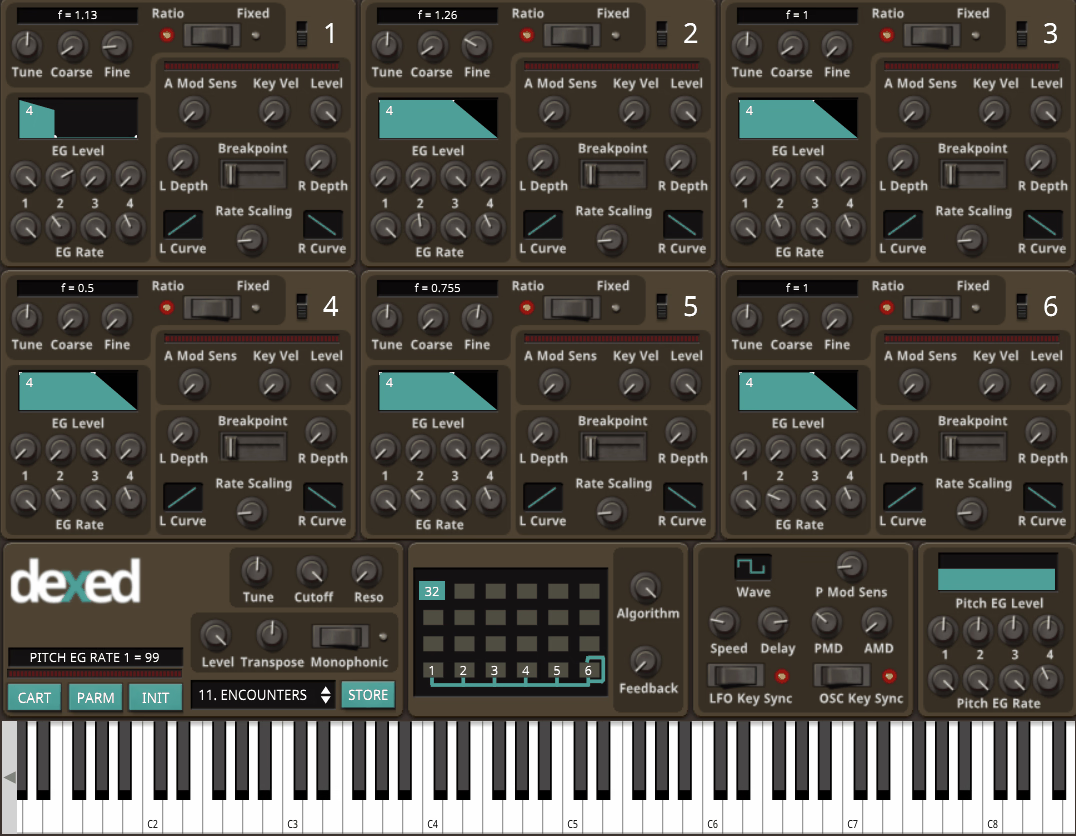
The Yamaha DX7 defined FM synthesis, and the plugin that models it most faithfully at no cost is Dexed. It reproduces the six-operator FM engine with the original’s 32 algorithms, loads DX7 SysEx patches directly, and has become the reference for FM sounds in free software.
- 32 FM Algorithms
What makes Dexed more than a generic FM synth is its reproduction of the DX7’s 32 operator algorithms and the way those operators are routed. I can therefore work inside the same structural framework that produced the original DX7 patches rather than using a simplified FM interpretation.
- DX7 SysEx Loading
One of the biggest practical advantages is direct support for original DX7 SysEx patches, which opens up decades of archived sounds. I can load those banks into Dexed and start from authentic DX7 material rather than trying to recreate every electric piano or bass from memory.
- Six-Operator Editing
The complete six-operator architecture is exposed for editing, including envelopes and keyboard scaling. That makes Dexed useful both as a preset player and as a proper FM programming environment when you want to understand where those classic sounds actually come from.
7. Odin 2
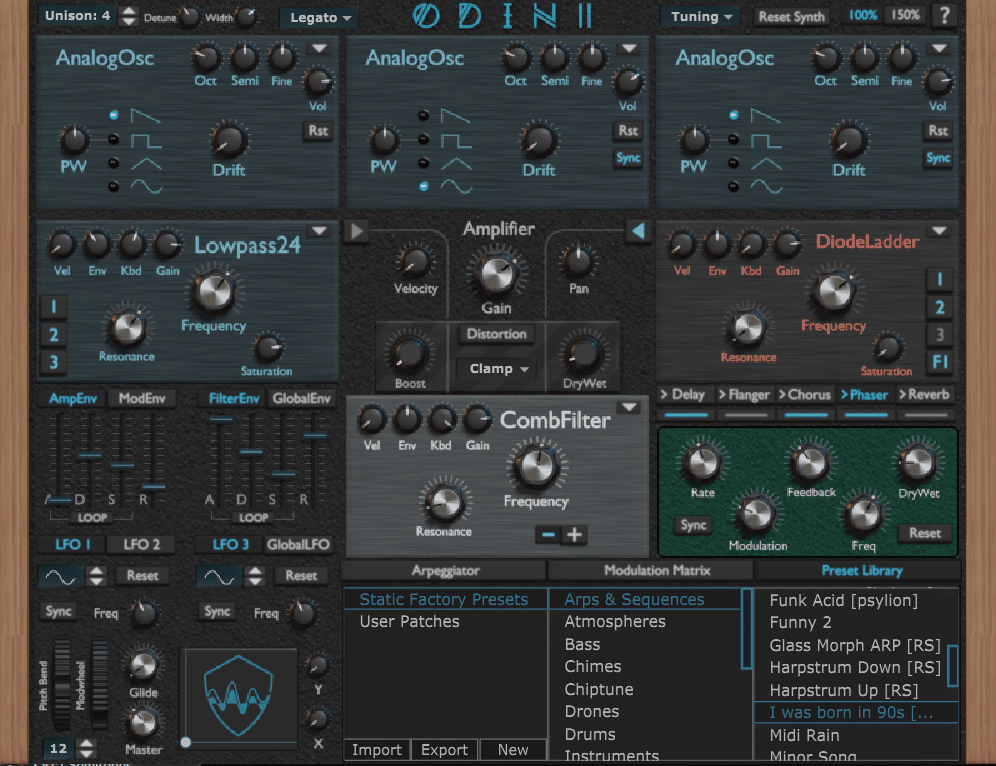
Odin 2 is a 24-voice hybrid synth built as a free project with three oscillators that each switch between analog, wavetable, multi, vector, chiptune, FM, phase modulation, noise, and wavedraw modes. It includes eight filter types, a modulation matrix, and an arpeggiator, and it’s one of the more capable free synths that isn’t Vital or Surge.
- Nine Oscillator Modes
The attraction of Odin 2 starts with the nine oscillator modes available to each slot, including vector, wavedraw, specdraw, FM, phase modulation, and chiptune options. I can move between traditional subtractive sounds and much more digital material without leaving the same synth.
- Vector and Wavedraw Synthesis
With Odin 2, the vector oscillator can morph between four sources on an XY pad, while wavedraw and specdraw let me create oscillator material directly. Those are much more distinctive features than simply having another collection of standard waveforms.
- Eight Filter Types
The filter section contains eight types, including ladder, diode, Korg 35, SEM, formant, comb, ring modulation, and dual-filter modes. I find the formant and comb options especially useful when a conventional low-pass starts feeling too predictable.
8. Matt Tytel Helm
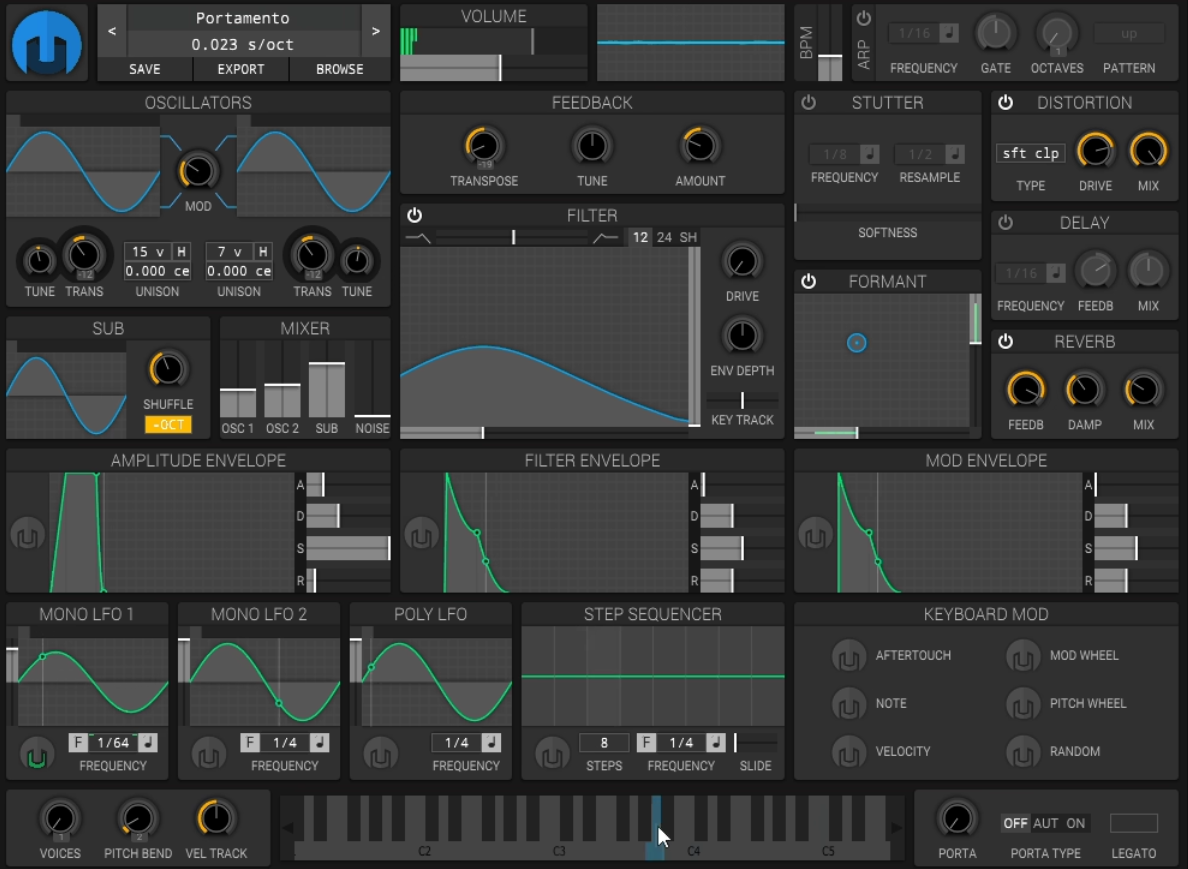
Before Vital, Matt Tytel released Helm, a polyphonic subtractive synth that’s fully open source and still worth having. It’s simpler than Vital, runs lighter, and its modulation system with drag-and-drop routing was the prototype for what became Vital’s interface.
- 15-Voice Unison
The more unusual part of Helm for such a lightweight synth is its ability to reach 15 unison voices across the oscillator section. I can get a surprisingly wide sound without building the patch from multiple instances.
- Stutter and Formant Modules
Two features give Helm a little more personality than a basic subtractive synth: a dedicated stutter effect and a formant filter. I like having those available at the synthesis stage because rhythmic chopping and vowel-like movement can become part of the patch itself.
- Open-Source Architecture
Because Helm is fully open source, its code and platform support are unusually accessible for a synth of this kind. That also means the same instrument is available across macOS, Windows, and Linux rather than being tied to one operating system.
9. TAL-Noisemaker
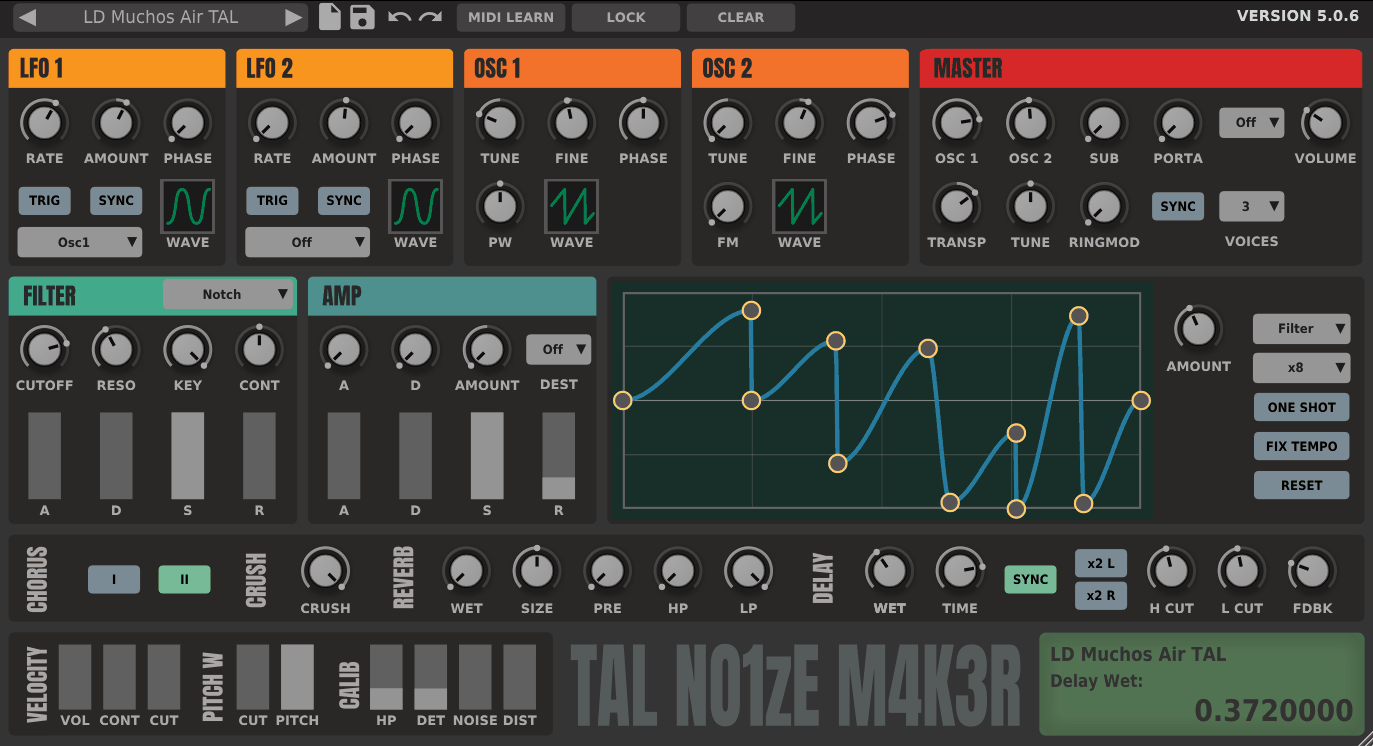
TAL-Noisemaker is a virtual analog synth from the developer behind TAL-U-NO-LX, and it covers subtractive basics with three oscillators, a self-oscillating filter, and a set of built-in effects. It’s the synth I’d point a beginner toward first, because it makes analog-style sound design clear without hiding anything.
- Self-Oscillating Filter
At the centre of TAL-Noisemaker is a filter that can self-oscillate, giving resonance enough authority to behave almost like another pitched sound source. I find that useful for everything from bass emphasis to sharper lead tones where the filter itself needs to become part of the sound.
- Juno-Style Chorus
The built-in effect section includes a Juno-style chorus alongside chorus, delay, reverb, and bitcrusher processing. That particular chorus option gives TAL-Noisemaker a direct route into the wide, slightly softened character associated with classic Roland-style synth textures.
- 256 Presets
The factory library contains 256 presets, covering the expected bass, pad, lead, and effect territory. I like that the presets are substantial enough to show off the synth without making the instrument feel like a preset-only player.
10. TyrellN6
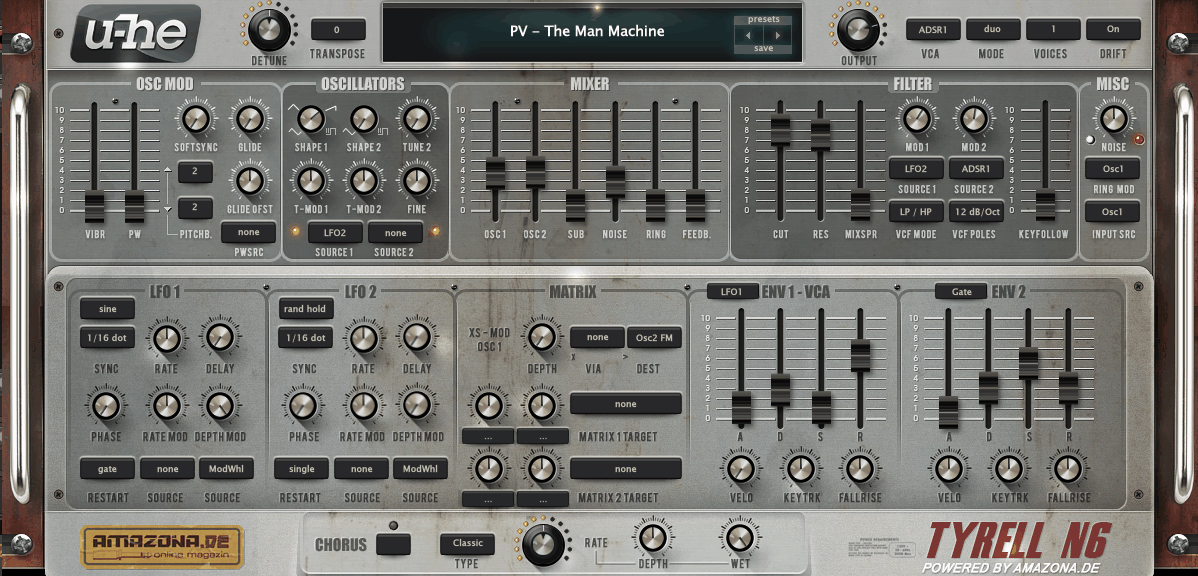
Designed by u-he in collaboration with a German music magazine, the plugin known as TyrellN6 is a virtual analog synth based on a concept for a hardware unit that was never built. It has two oscillators, a sub, a noise generator, and a multimode filter, and it carries u-he’s analog modeling quality.
- Oscillator Sync and FM
One of the more useful combinations in TyrellN6 is the way its two oscillators can use sync and FM, with a ring modulator available in the mixer. I can take what starts as a straightforward virtual-analog patch into much more aggressive territory without adding another synth.
- 12 and 24 dB Filter Slopes
The filter section gives 12 dB and 24 dB slopes across its low-pass, high-pass, and band-pass modes, with feedback available for additional character. That makes the filter flexible enough to move from soft analogue-style shaping toward more pronounced resonance.
- Eight-Slot Modulation Matrix
An eight-slot modulation matrix gives TyrellN6 considerably more routing depth than its compact panel suggests. I find that useful when a simple two-oscillator patch needs more movement but I still want to keep the underlying architecture easy to understand.
11. Lunacy Audio Haze
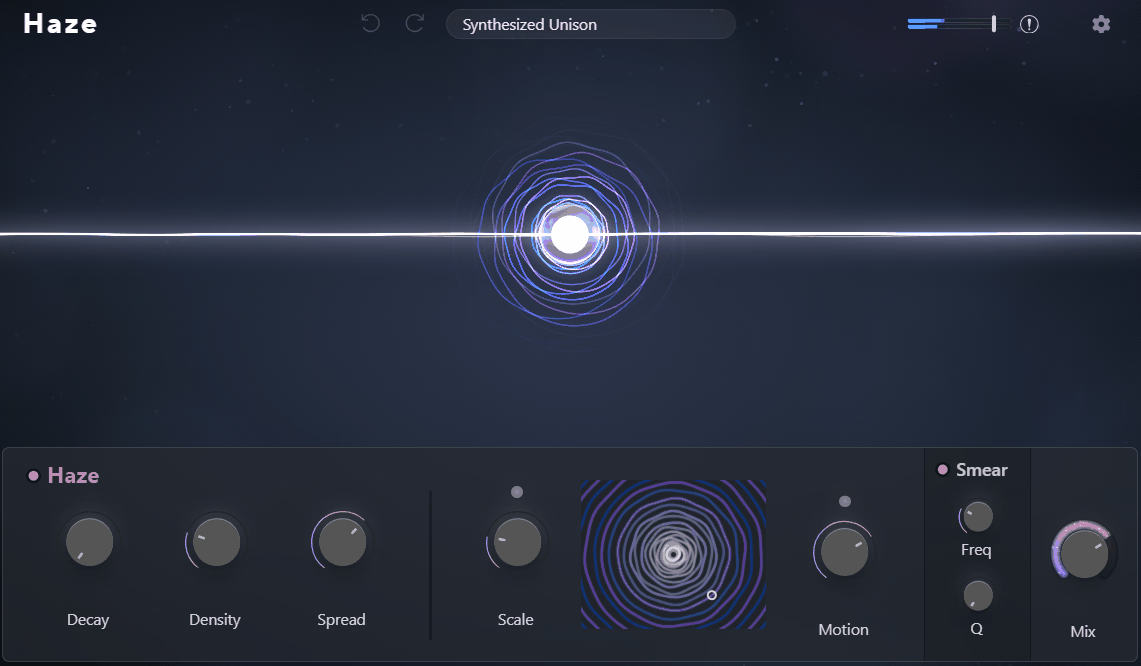
Lunacy Audio Haze blends chorus, phasing, algorithmic reverb, and a spectral dispersion engine into a single effect designed to turn any sound into a shimmering, atmospheric texture. It’s part of Lunacy’s Beam ecosystem and runs standalone.
- Spectral Dispersion
What separates Haze from a standard reverb is its spectral dispersion engine, which can smear frequency content so the processed signal becomes more diffuse and atmospheric. I reach for that kind of processing when a pad or vocal needs to lose some of its original definition without simply being drowned in reverb.
- Motion and Scale
The interaction between Motion and Scale gives Haze an evolving character that can move from relatively open textures toward more metallic or unstable ones. I like using that movement on sustained sounds where the source itself is static but the background needs to keep changing.
- Smear Filter
The dedicated Smear section adds resonant spectral shaping on top of the spatial processing. That makes Haze useful for sound design because I can create a tonal texture from the effect itself instead of treating the reverb as a final wash.
12. Analog Obsession BUSTERse
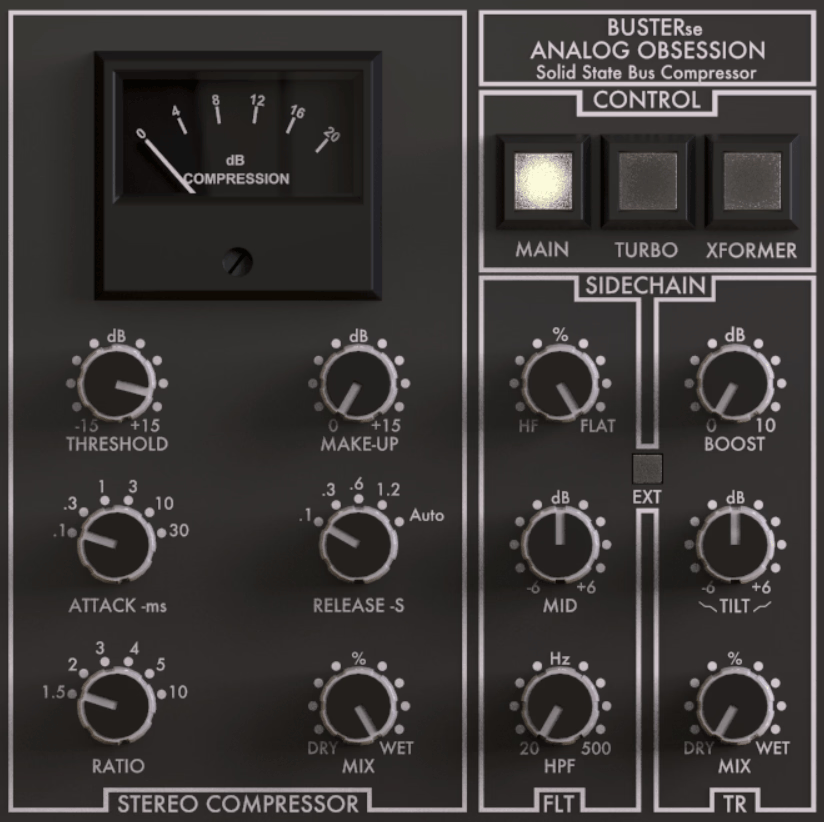
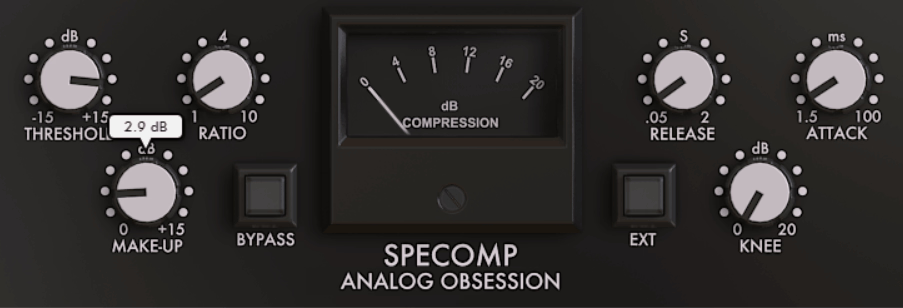
Bus compression in the style of a certain British console is something most producers want at some point, and the free take on it from Analog Obsession is BUSTERse. It models the VCA bus compressor circuit with a few additions the hardware didn’t have.
- Transformer Stage
Before the compressor even gets to work, BUSTERse offers a dedicated transformer stage that adds harmonic density to the signal. I find that useful when the bus is dynamically fine but still feels a little too clean.
- Mid/Side Compression
A standout addition is mid/side operation, which lets the compressor treat the center and side information differently. That gives me another way to control a stereo bus without forcing both channels to behave identically.
- Sidechain High-Pass
The detector can use a sidechain high-pass filter, keeping heavy low-end hits from dominating the compression response. On drum and mix buses, that can preserve the low-end weight while the rest of the material receives the glue effect.
13. Magic7 M7 Reverb
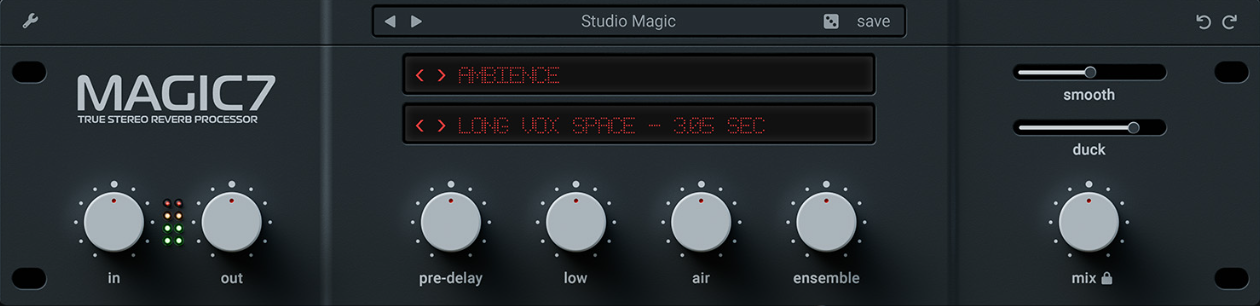
Magic7 M7 Reverb is a free algorithmic reverb inspired by high-end hardware reverb design, and it delivers a smooth, dense tail that competes with paid options for the basic job of putting a source in a space.
- Hardware-Style Hall and Plate Algorithms
The more useful part of Magic7 M7 Reverb is its collection of hall and plate-style algorithms, which keep the tails dense without becoming obviously metallic. I find that particularly helpful when I want a vocal or synth to sit in a space without drawing attention to the reverb itself.
- Separate Early and Late Reflections
With independent control over early reflections and the late tail, M7 lets me decide whether a sound should feel close to a room or surrounded by a longer ambience. That distinction becomes especially useful when the source needs width without a huge wash.
- Hardware-Oriented Damping
The combination of high and low damping with pre-delay gives the reverb a more deliberate decay shape. I can shorten the perceived distance without necessarily reducing the overall decay time.
14. TDR Nova
TDR Nova is a parallel dynamic equalizer with four bands plus high and low pass filters, and it’s the free tool most engineers reach for when they need dynamic EQ without paying for Pro-Q. Each band works as a standard parametric or switches to dynamic mode with threshold, ratio, attack, and release.
- Four Dynamic Bands
The heart of TDR Nova is its four-band dynamic EQ, where each band can operate either as a conventional EQ section or as frequency-specific dynamics. I use that when a vocal or synth only becomes harsh or muddy at certain moments and a static cut would remove too much of the original tone.
- Wideband Compression
A wideband compression mode turns Nova into more than a frequency processor, allowing the same plugin to perform broadband dynamics alongside its dynamic EQ bands. That can be handy when you want corrective EQ and compression to live in one insert.
- Band Solo and Spectrum Display
The spectrum analyzer and per-band auditioning make TDR Nova particularly useful for finding exactly what a dynamic band is reacting to. I find that much easier than guessing from the threshold control alone.
15. iZotope Ozone EQ
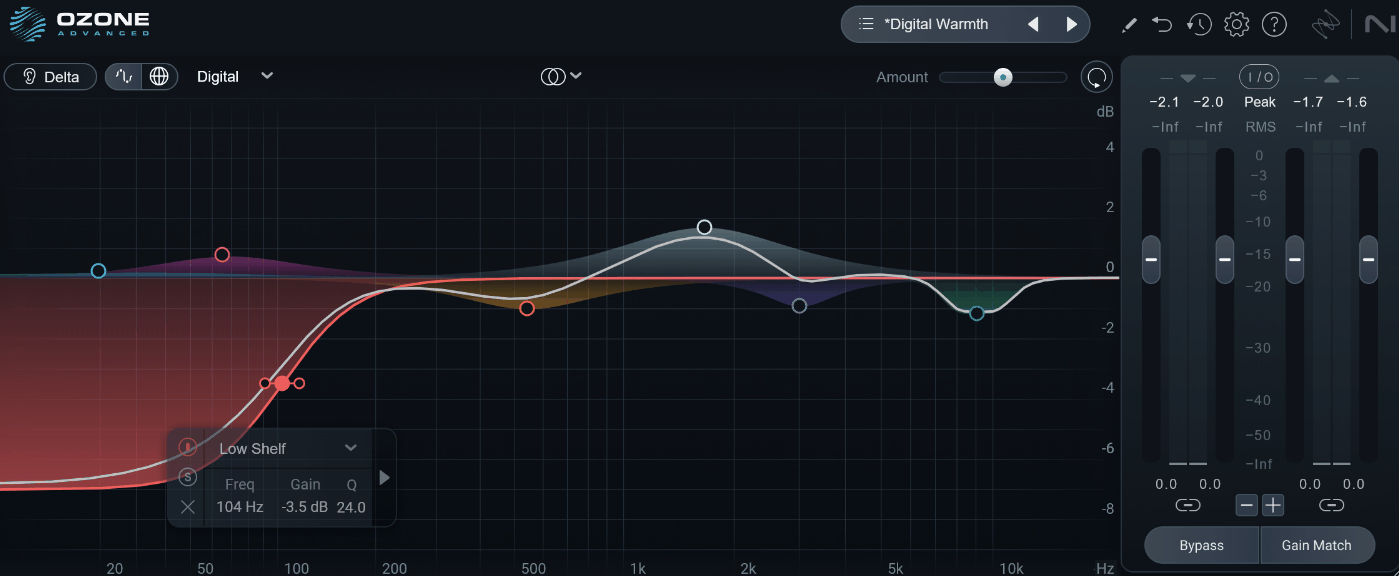
The equalizer module from iZotope’s mastering suite is available on its own at no cost, and iZotope Ozone EQ gives you the same 8-band EQ with analog-matched and digital filter modes that the full Ozone uses. It’s a mastering-grade EQ for free.
- Eight-Band Architecture
What makes Ozone EQ useful for mastering is its eight-band layout, which leaves enough room for broad tonal work without turning the interface into a surgical laboratory. I can keep corrective and tonal moves inside the same processor.
- Analog and Digital Modes
Each section can move between analog and digital filter modes, giving Ozone EQ two distinct approaches to the same tonal decision. I like having that choice because the analog behaviour can feel more characterful while digital processing keeps the correction more controlled.
- Baxandall Shelves
Among the available shapes are Baxandall-style shelves, which are particularly useful for broad low-end or high-end mastering moves. They let me make a tonal adjustment across a large part of the spectrum without relying on several narrow bands.
16. Caelum Audio Flux Mini 2
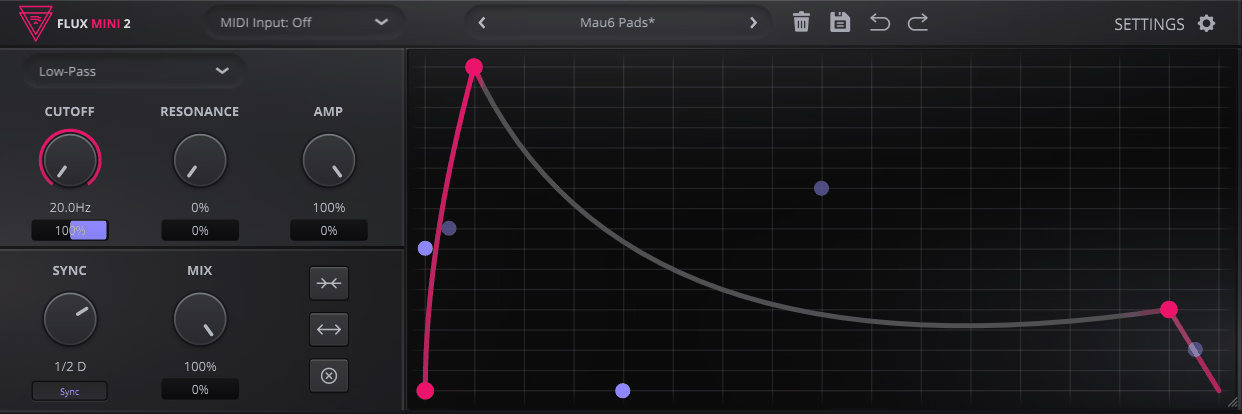
Caelum Audio Flux Mini 2 is a modulation effect that applies a drawable curve to volume, filter cutoff, or pan, and it’s the free tool that covers sidechain-style pumping, rhythmic gating, and filter movement without an LFO Tool license.
- Three Modulation Targets
The useful part of Flux Mini 2 is that one drawable modulation curve can control volume, filter cutoff, or pan. I can therefore create pumping, rhythmic filtering, or stereo movement without rebuilding the pattern in separate processors.
- Audio and MIDI Triggering
Unlike a simple looping LFO, Flux Mini 2 can respond through audio or MIDI triggering, giving the curve a more direct relationship with the track. That makes it easier to create movement that starts when the music actually calls for it.
- Tempo-Synced Drawing
The curve can be designed against a tempo-synced grid, which keeps rhythmic volume and filter patterns tied to the host tempo. I find that much quicker for exact sixteenth-note or eighth-note patterns than manually automating each event.
17. Dragonfly Reverb
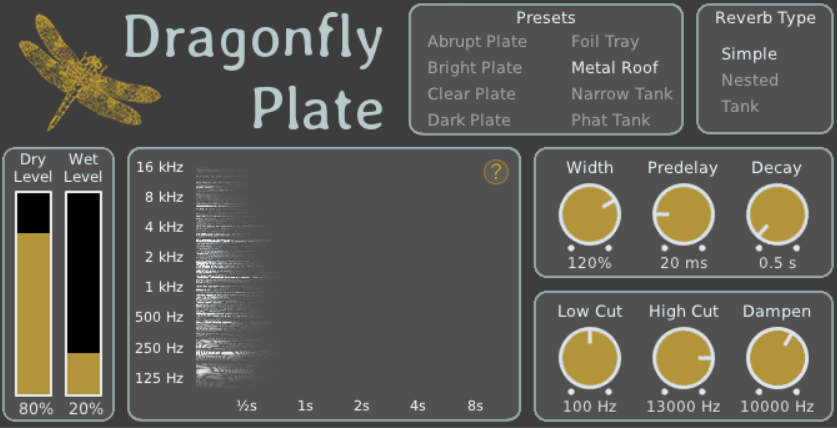
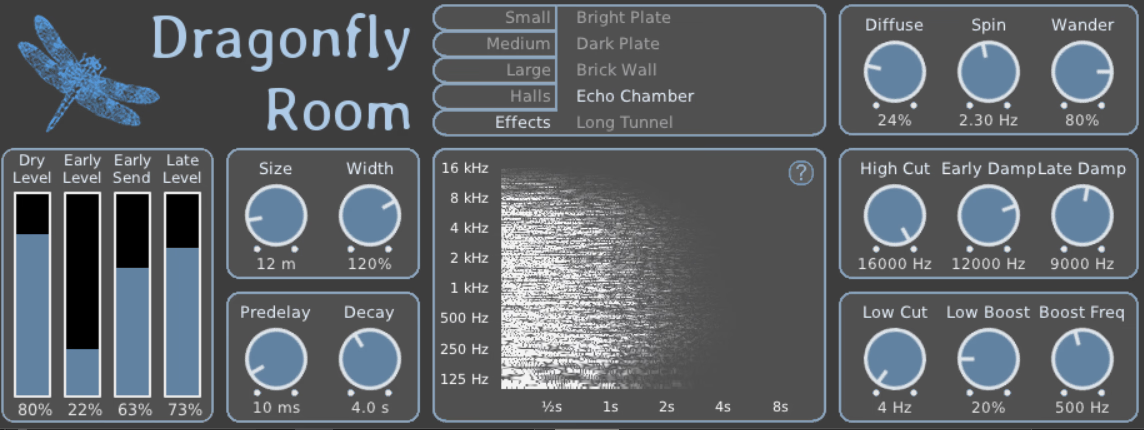
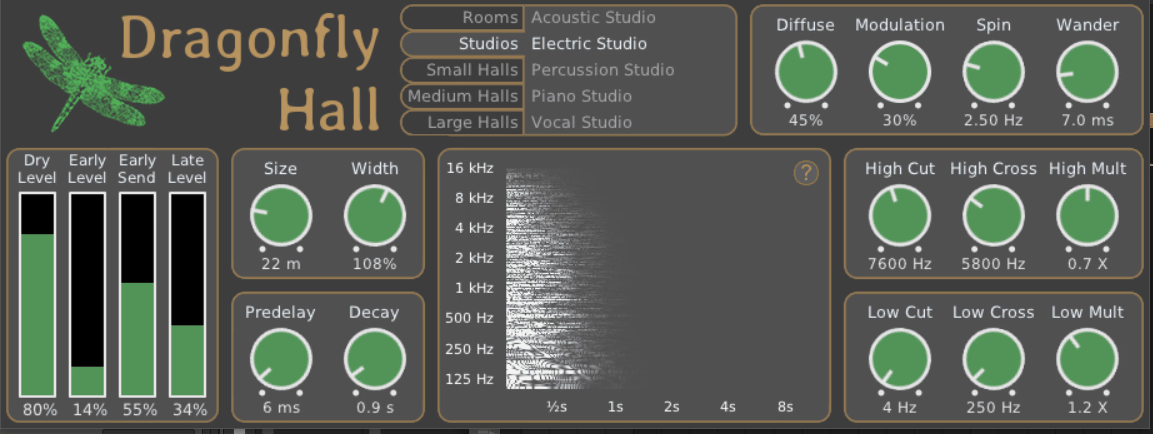
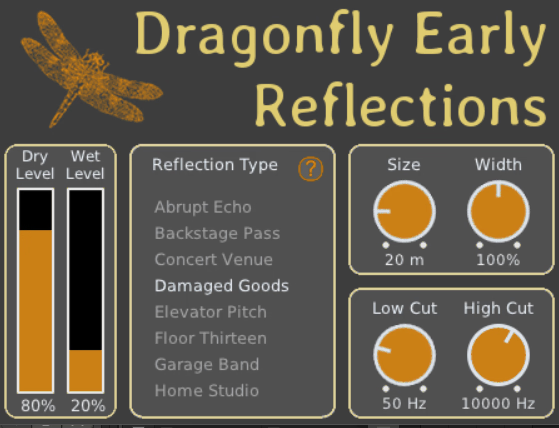
Built on the Freeverb3 library, the collection known as Dragonfly Reverb is a set of four separate reverb plugins, Hall, Room, Plate, and Early Reflections, each tuned for its space type. It’s open source and sounds considerably better than its origins suggest.
- Four Dedicated Reverbs
The key distinction with Dragonfly Reverb is that you get four separate algorithms: Hall, Room, Plate, and Early Reflections. I can therefore choose a reverb based on the type of space I want rather than forcing every source through one general algorithm.
- Detailed Early and Late Control
The Hall and Room versions provide separate control over early and late reflections, along with size, width, pre-delay, diffusion, and modulation. That gives Dragonfly enough range to move from short ambience into much larger spaces.
- Open-Source Development
Because the collection is open source, the underlying project remains unusually transparent for a free effects package. I also like that the four reverbs can be treated as separate tools instead of one oversized all-in-one interface.
18. Native Instruments Replika
Native Instruments Replika is the free delay that ships with Komplete Start, and it covers three delay modes with an integrated filter and phaser on the feedback path.
- Three Delay Modes
The three modes in Replika are Modern, Vintage Digital, and Diffusion, giving you clean repeats, early-digital character, and smeared ambience from the same plugin. I find the Diffusion mode particularly useful when a delay needs to start behaving like a reverb.
- Feedback-Loop Phaser
A standout part of Replika is the fact that its phaser sits inside the feedback path, so successive repeats keep changing as they circulate. That gives the tail motion that a straightforward delay with a post-phaser cannot reproduce in quite the same way.
- Vintage Digital Character
The Vintage Digital mode intentionally introduces the narrower, more coloured behaviour associated with early digital delay units. I use that when perfectly clean repeats feel too modern for the source.
19. Sonimus DelaySon
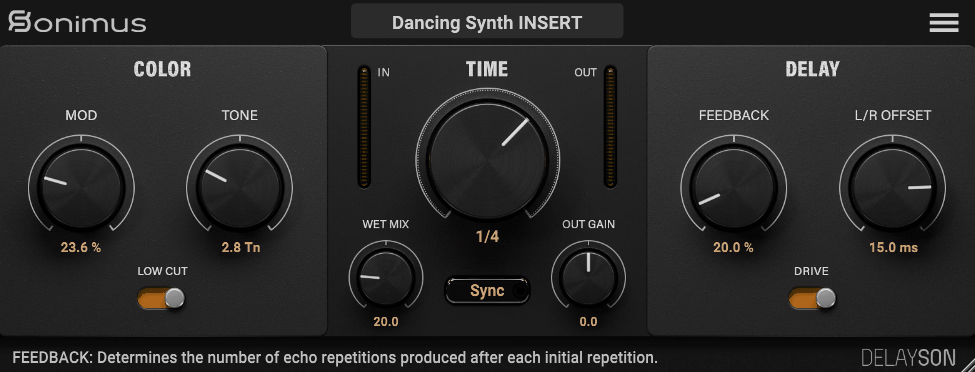
Sonimus is better known for console emulations, and Sonimus DelaySon is their free delay, built with the same attention to analog character. It provides a tape-style delay with saturation and modulation in a compact interface.
- Tape-Style Repeat Behaviour
What gives DelaySon its character is the way the repeats progressively move toward a darker, more saturated tape-like sound. I like that because a vocal or guitar can start with a fairly clear echo and gradually dissolve into the background.
- Wow and Flutter
The modulation section adds wow and flutter rather than just a generic chorus movement. That small detail makes the repeats feel less static and gives the delay a more believable tape character.
- Dotted and Triplet Sync
For rhythmic work, DelaySon can follow host tempo using dotted and triplet divisions as well as standard synced timings. I find those divisions especially useful for building echoes that reinforce the groove instead of simply filling space.
20. Tritik Tymee
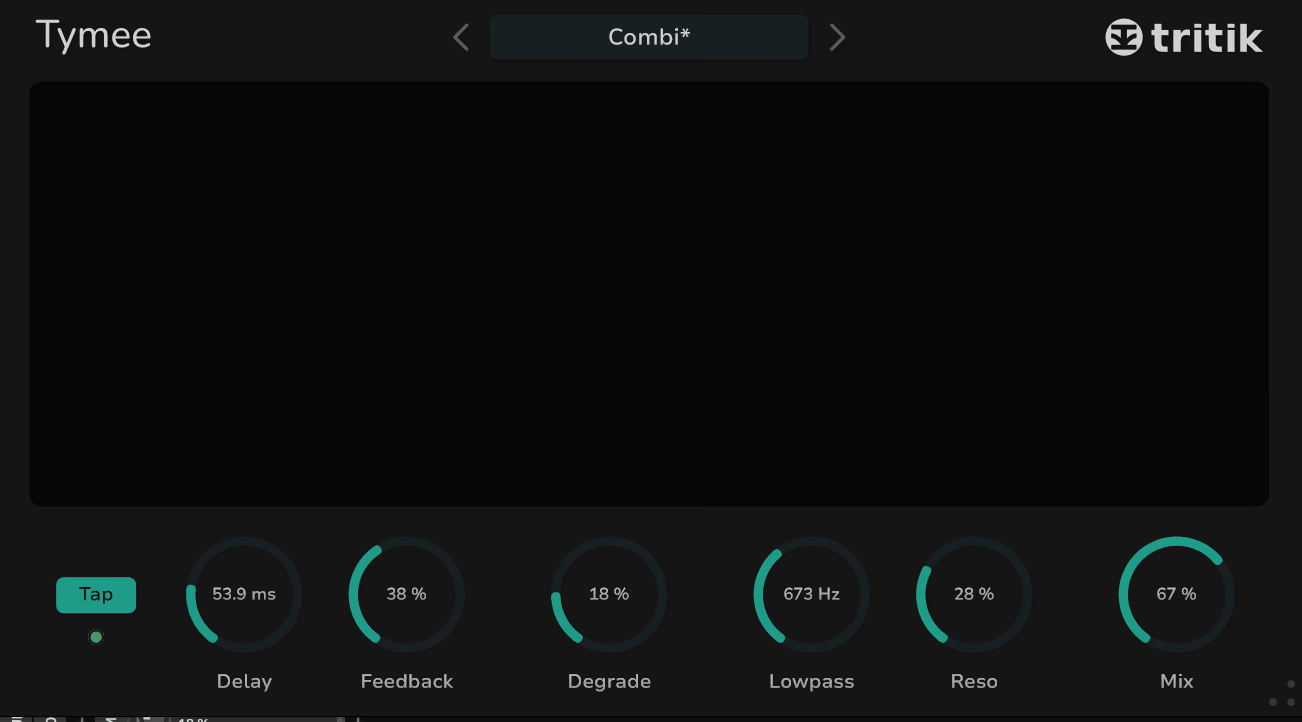
From the developer behind Krush comes Tritik Tymee, a free tempo-synced delay with a modulation section designed to add movement to the repeats. It’s simple but the modulation gives it a character that plain delays lack.
- Free and Tempo-Locked Timing
The useful thing about Tymee is that the delay time can either follow the host tempo or run freely, while ping-pong remains available for wider repeats. I can therefore move between rhythmic echoes and more unstable timing without switching processors.
- Delay-Time LFO
A dedicated LFO modulates delay time, which means the pitch of the repeats changes along with the timing. I find that useful when a static echo needs a little movement rather than a clean, perfectly repeating response.
- Filtered Feedback
The feedback path includes low and high filtering, allowing each repeat to lose selected frequency ranges as it recirculates. That keeps long feedback settings from becoming an undifferentiated wall of sound.
21. TAL-Vocoder
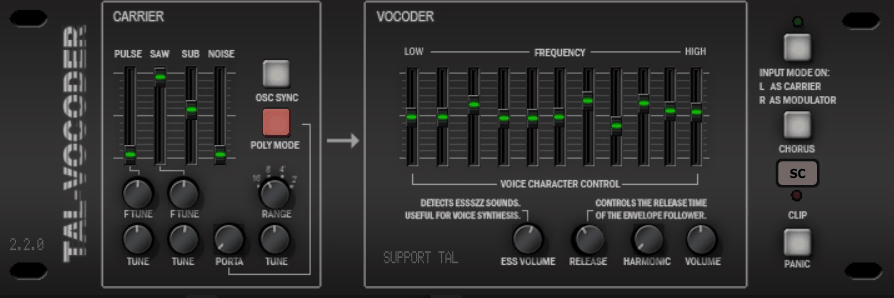
TAL-Vocoder models a vintage 11-band vocoder and includes its own carrier synth, so it works without a separate synth feeding it. It’s the free vocoder that most people end up using.
- 11-Band Vocoder
The defining architecture inside TAL-Vocoder is its 11-band analysis and synthesis section, which gives the vocal its classic robotic, band-limited character. I like that it stays recognizably old-school rather than trying to turn the effect into a general-purpose modern vocal processor.
- Built-In Carrier
Instead of requiring external routing, TAL-Vocoder includes its own carrier source with saw, pulse, noise, and sub components. That makes it much faster for me to build a patch and hear the vocoder immediately.
- Harmonic and Unvoiced Controls
The separate Harmonic and Unvoiced controls give me a way to manage brightness and consonant information without replacing the underlying carrier. That is particularly useful when the robotic effect sounds right but the words have started to disappear.
22. Brainworx bx_masterdesk Classic
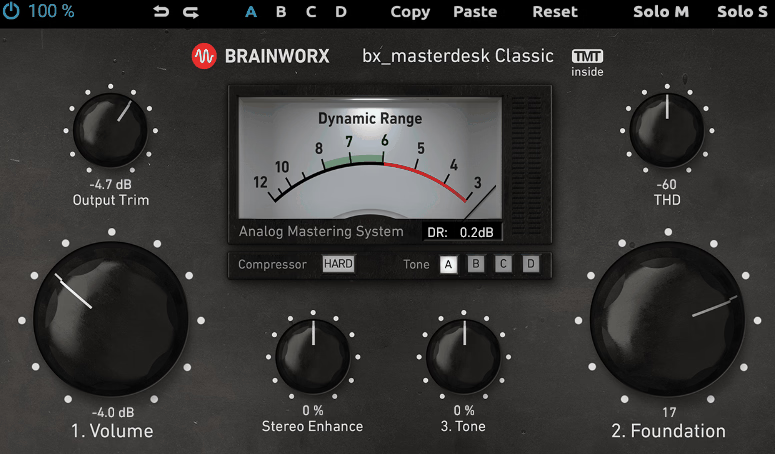
A simplified version of Brainworx’s mastering chain, bx_masterdesk Classic puts compression, EQ tone shaping, stereo width, and limiting into a single interface with a handful of controls and TMT channel variation. It’s a free way to hear what a complete mastering chain does.
- Integrated Mastering Chain
What makes bx_masterdesk Classic different is the fixed signal path, which combines input, compression, tone shaping, stereo width, and limiting inside one mastering-oriented processor. I can therefore get a complete chain moving before worrying about individual plugins.
- Foundation and Tone
The two broad shaping controls, Foundation and Tone, give bx_masterdesk Classic a quick way to alter the overall balance without opening a full EQ. I find those especially useful when the master needs a broad tonal correction rather than several narrow adjustments.
- TMT Channel Variation
Brainworx’s Tolerance Modeling Technology introduces subtle differences between channels to imitate the behaviour of analogue hardware. That gives bx_masterdesk Classic a little more character than a completely symmetrical digital mastering chain.
23. Xfer OTT
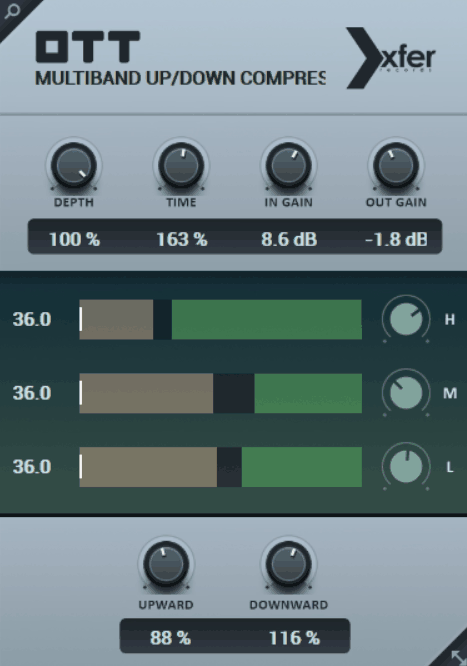
Xfer OTT is a free recreation of Ableton’s Over The Top multiband compressor preset, and it applies upward and downward compression across three bands with a single depth control. It’s become a standard tool in electronic production for making sounds louder and more present.
- Three-Band Upward and Downward Compression
The central trick in OTT is that it compresses loud material downward while simultaneously bringing quieter material upward across three frequency bands. I can therefore expose details inside a synth or effect that would normally remain tucked behind the louder parts.
- Depth Control
A single Depth control lets me move from restrained enhancement toward the deliberately flattened character the processor is known for. That makes Xfer OTT unusually quick when I want more density without building a full multiband chain.
- Time Scaling
The Time control scales the attack and release behaviour of OTT together, changing how quickly the three-band processing reacts. I find that particularly useful when the same preset feels too sharp on one source and too slow on another.
24. Valhalla Supermassive
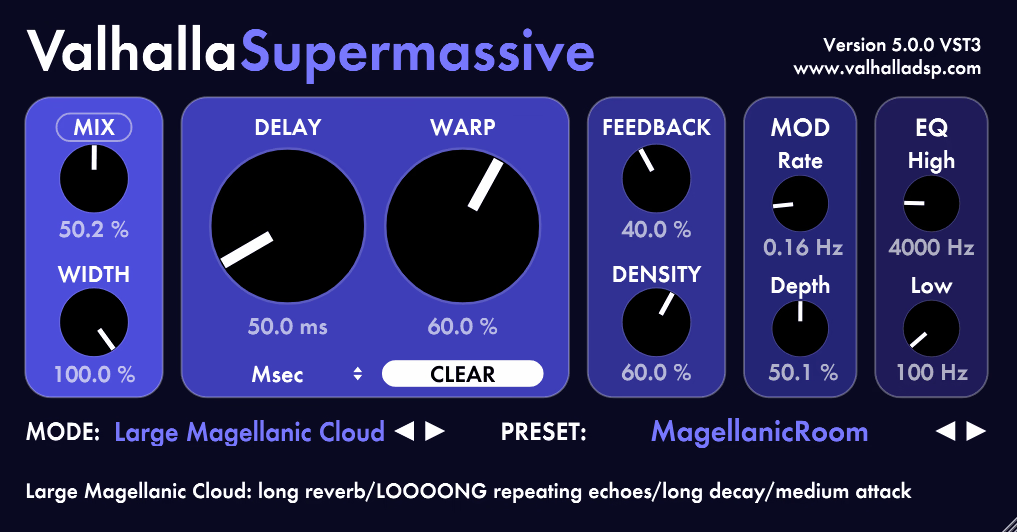
Valhalla Supermassive is a feedback delay network reverb and delay with algorithms named after galaxies and nebulae, and it produces the enormous, evolving, ambient spaces that Valhalla’s paid reverbs are known for. It’s the free plugin that many producers cite as their favorite reverb regardless of price.
- Galaxy and Nebula Algorithms
The standout feature of Supermassive is its long list of themed algorithms, including Gemini, Hydra, Centaurus, Sagittarius, Great Annihilator, Andromeda, Lyra, Capricorn, and Triangulum among others. I can move from echo-heavy behaviour into huge, diffuse ambience while staying inside the same plugin.
- Warp and Density
Two controls do much of the heavy lifting in Supermassive: Warp changes the internal delay-network structure, while Density moves the effect toward more reverb-like behaviour. I find those controls far more musically useful than simply turning decay and mix upward.
- Feedback and Modulation
With adjustable feedback, modulation rate, and modulation depth, Supermassive can sustain a tail long after the original note has disappeared. That makes it particularly effective for creating transitions and atmospheric beds from very short source material.
25. Chow Tape Model
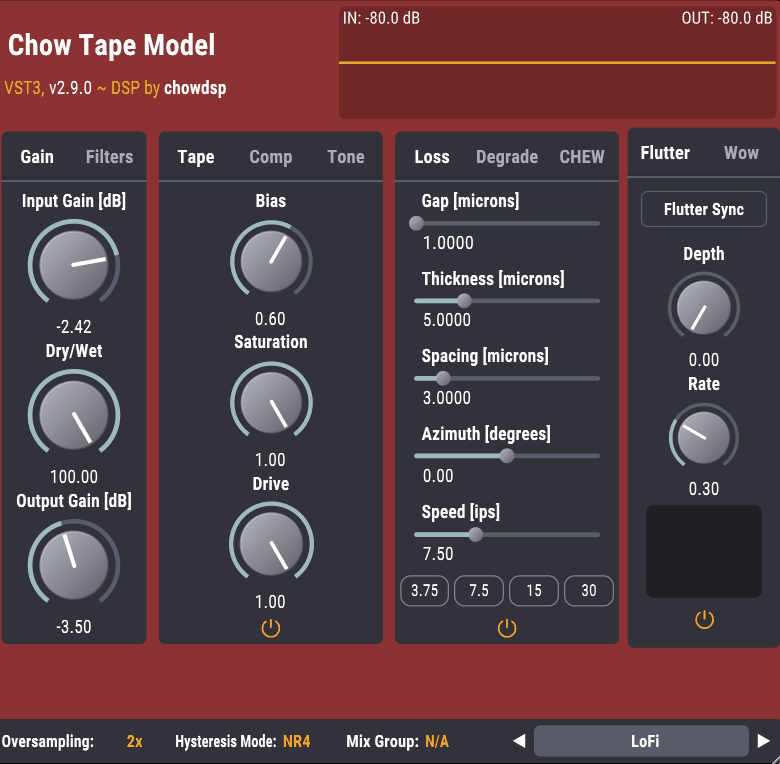
Chow Tape Model is a physically modeled tape emulation based on the hysteresis behavior of magnetic tape, and it’s open source. It models the saturation, loss, wow and flutter, and degradation of a tape machine in more detail than most paid tape plugins expose.
- Physical Hysteresis Model
At the core of Chow Tape Model is a physical hysteresis model, giving the saturation stage behaviour that goes beyond a basic waveshaper. I like that because changing drive does not simply make the signal louder and dirtier; it changes how the tape itself responds.
- Tape Loss and Speed
The loss section accounts for factors such as tape speed, spacing, thickness, and gap width, giving Chow Tape Model a more detailed approach to high-frequency loss than a simple low-pass filter. I can therefore make the tape sound slower, softer, or more degraded from inside the model.
- Wow, Flutter, Chew and Degrade
A particularly useful collection of controls covers wow, flutter, chew, and degrade, giving the plugin several distinct forms of tape instability. That means I can keep the pitch movement subtle for a mix or deliberately push the machine toward damaged-media territory for sound design.
26. Slate Digital Fresh Air
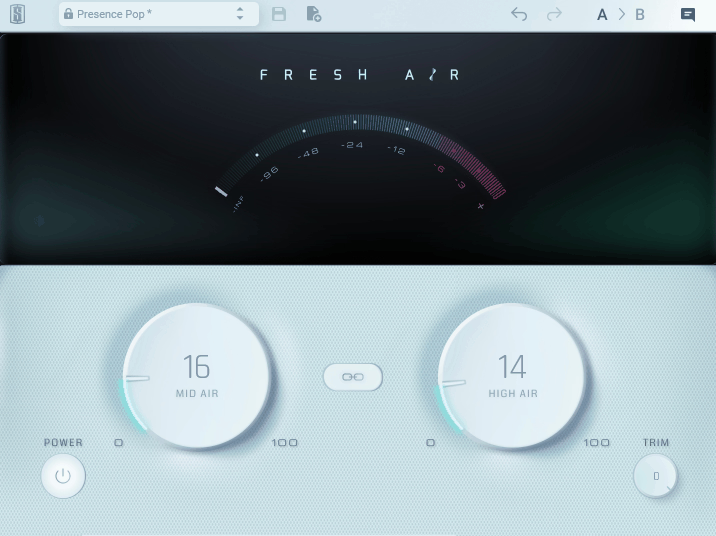
Air and presence are what Fresh Air adds, and it does one thing with two knobs. It’s a high-frequency exciter inspired by a classic hardware enhancer, with separate controls for the mid air and high air ranges.
- Mid Air and High Air
The defining controls in Fresh Air are its separate Mid Air and High Air sections. I can therefore add presence and top-end openness independently instead of pushing the entire upper spectrum with one broad enhancer.
- Two-Band Excitation
Because Fresh Air splits its processing into two frequency regions rather than one general brightness control, it is easier to decide where the added harmonic information belongs. I find that useful on vocals when the top end needs energy but the upper mids are already forward.
- Mix and Trim
A dedicated Mix control allows the exciter to be blended back into the original signal, while Trim keeps the output level under control. That makes it easier for me to judge the tonal change without letting the processed version win simply because it is louder.
27. Kiive Audio XTRESSOR NUKE
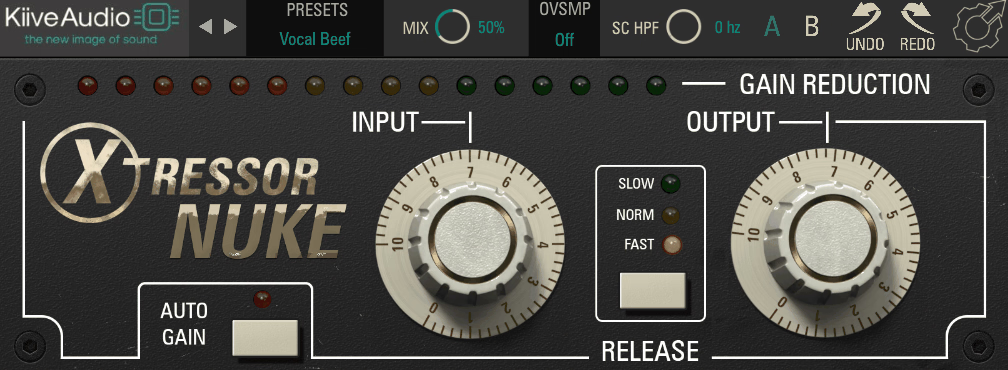
The Nuke setting on a certain famous compressor is the one that crushes drums flat, and XTRESSOR NUKE is a free version of Kiive’s Distressor-style plugin locked to that 20:1 ratio mode. It’s a single-purpose tool for aggressive parallel drum and room compression.
- 20:1 Nuke Mode
What makes XTRESSOR NUKE so specific is its fixed 20:1 Nuke ratio, which pushes it toward the explosive, heavily compressed drum sound associated with that setting. I would use it when I want compression to become an obvious part of the drum character rather than something that stays invisible.
- British Mode Character
The processing includes the British mode character associated with the Nuke-style setup, giving the aggression a different shape from simply turning any compressor up to extreme settings. That helps the effect retain some of the attitude people expect from this particular compression sound.
28. Analog Obsession CHANNEV
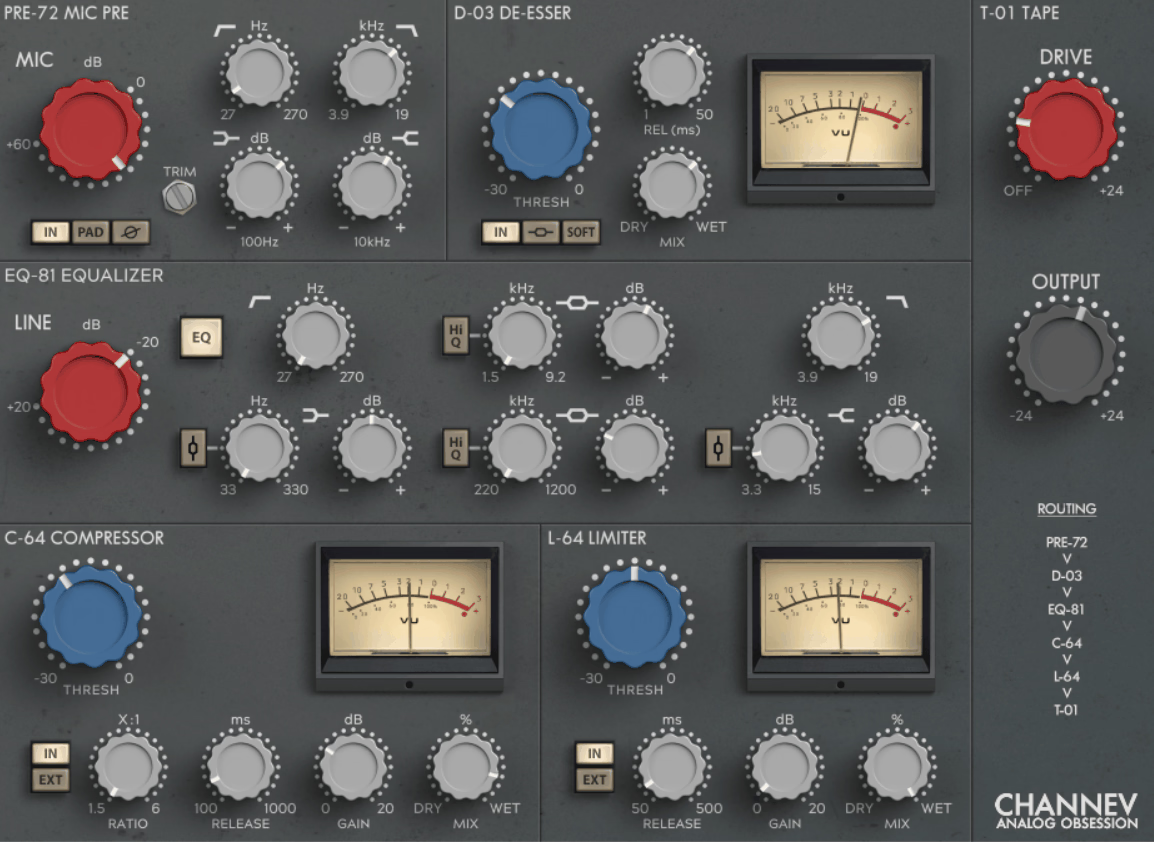
CHANNEV is a free channel strip modeled after a classic British console design, and it includes a preamp, EQ, compressor, limiter, de-esser, and tape saturation in one plugin. It covers the full signal path a vocal or instrument channel would run through.
- Console-Style Signal Path
What makes CHANNEV stand out is how many stages are combined into one strip: preamp, EQ, compressor, limiter, de-esser, and tape saturation. I can build the whole channel sound inside a single insert instead of collecting separate processors for every stage.
- Four-Band EQ
The EQ uses a four-band console-style layout with high and low shelves plus two mid bands, giving the processing a broad, hardware-oriented approach. I prefer that kind of structure when I want the tone to move naturally rather than making a series of extremely narrow corrections.
- Integrated De-Esser and Limiter
Having a de-esser and limiter inside the same channel strip gives CHANNEV a practical vocal workflow that goes beyond a simple console EQ and compressor. I can control harshness and peaks without immediately opening another plugin window.
- Tape Saturation
A final tape stage adds another layer of harmonic colour after the main channel processing. I find that useful when the individual stages sound right but the signal still needs a little more cohesion and density.
29. Voxengo SPAN
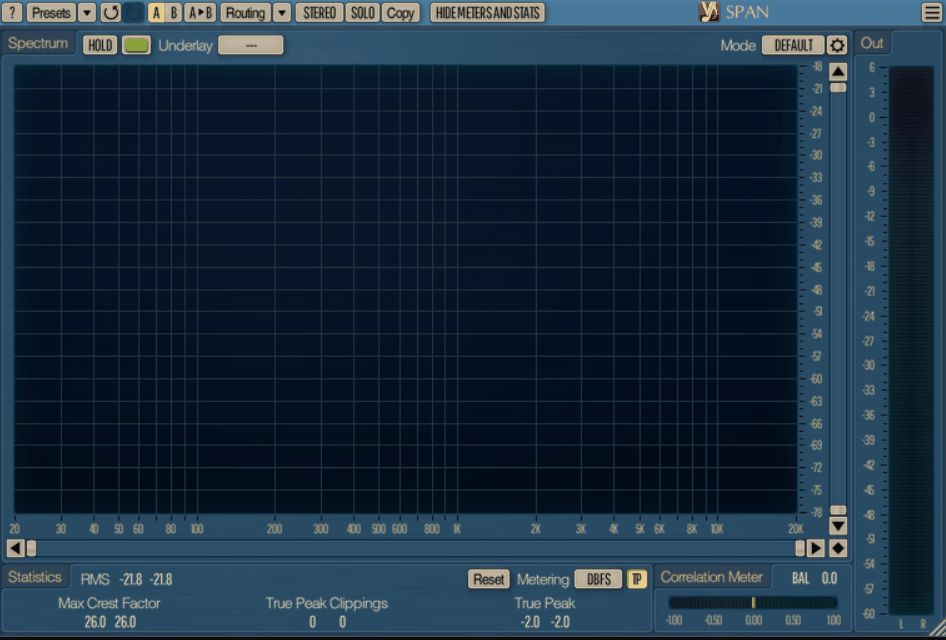
Every mixer needs a spectrum analyzer, and Voxengo SPAN has been the free standard for years. It provides a real-time FFT display with adjustable resolution, smoothing, and slope, plus correlation and level metering.
- Adjustable FFT Analysis
The standout part of SPAN is how much control it gives over the FFT display, including block size, overlap, averaging, and slope. I can make the analyzer more responsive for transient work or smoother for judging broader tonal balance.
- Multi-Channel and Sidechain Comparison
With SPAN, I can overlay multiple channels or a sidechain signal in the same analyzer, which makes source-to-reference comparisons much easier. That is particularly useful when I want to see whether two tracks are occupying the same part of the spectrum rather than judging them independently.
- Correlation and Crest Factor
Alongside the spectrum, SPAN provides stereo correlation, RMS, peak, and crest-factor information. Those readings give me a second layer of information when the visual spectrum alone does not explain what is happening in a mix.
30. Caelum Audio Tape Cassette 2
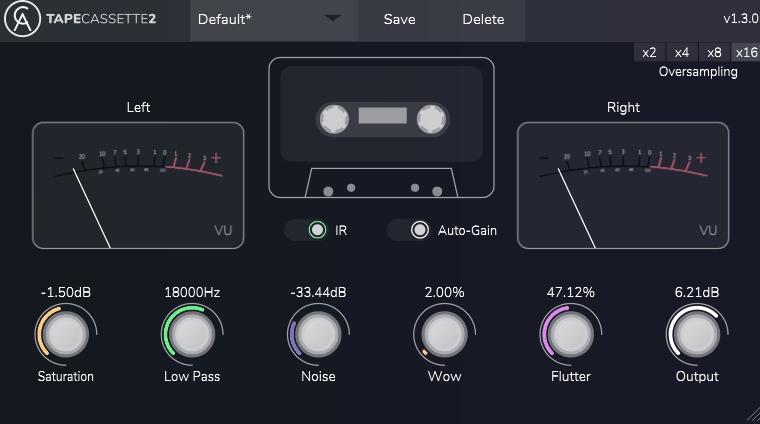
Caelum Audio Tape Cassette 2 is a lo-fi cassette emulation that applies the frequency response, saturation, noise, and wow and flutter of a consumer cassette deck. It’s the tool for the deliberately degraded, nostalgic sound that lo-fi and bedroom pop production uses.
- Cassette-Specific Tone
What gives Tape Cassette 2 its identity is the combination of cassette-style frequency response and saturation, which changes the overall tonal balance rather than simply adding a layer of distortion. I like it when a clean digital source needs to feel smaller, softer, and less precise.
- Saturation and Hiss
Separate saturation and noise controls, including a hiss layer, let me decide how much of the cassette character is coming from harmonic distortion and how much is coming from the medium itself. That makes it easier to build a believable degraded sound without turning the effect into pure noise.
- Randomized Wow and Flutter
The wow and flutter section includes a random element so the pitch movement does not repeat mechanically. I find that important on sustained keys and pads because predictable modulation can make a cassette effect sound like a regular chorus with extra noise.

Hey, I’m Vil, I started this site to help you find the best audio plugins covering various categories including synths, pianos, strings, and effect tools of all sorts as well. I pick these plugins based on various criteria so it best matches the actual topic.