When you purchase through the links on my site, you support the site at no extra cost to you. Here is how it works.
The free tier of mastering plugins has gotten genuinely good over the last few years, to the point where you can build a full chain without spending anything.
To mention few, I will talk about TDR Nova, Ozone EQ, Analog Obsession plugins and more freebies!
Here are twelve I’d genuinely put in your mastering folder, covering everything from spectrum analysis to full mastering chains in one plugin.
1. TDR Nova
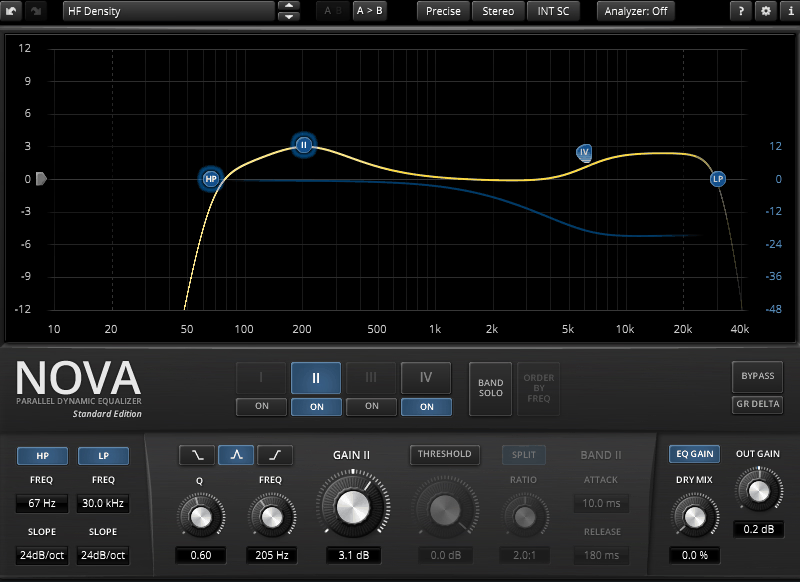
TDR Nova combines a parametric EQ layout with a full dynamics section on every band, running in parallel so each band processes independently of the others. It covers parametric EQ, dynamic EQ, frequency-selective compression, and wideband compression all in one free plugin from Tokyo Dawn Records.
I’m a big fan of how much ground this one plugin covers. You could build most of a mastering chain around it alone if you needed to.
- Four Dynamic EQ Bands With HP/LP Filters
Each of the 4 bands carries a complete dynamics section for compression or expansion, alongside high-pass and low-pass filters.
- Equal Loudness Function
This compensates for perceived loudness changes as you adjust the EQ, so you’re judging a change on its tonal merit instead of being fooled by it simply being louder. It changes how you evaluate your own EQ moves.
- Per-Band Solo Listening
A solo function on each band lets you isolate exactly what a given band is targeting, which is especially useful for pinpointing a sibilance problem or a resonance before committing to a setting.
- Parallel Processing Architecture
Because each band processes independently instead of in series, pushing one band hard doesn’t drag the others out of balance the way a series-wired EQ can. You genuinely notice this once you start stacking several bands at once on a busy master.
2. iZotope Ozone EQ
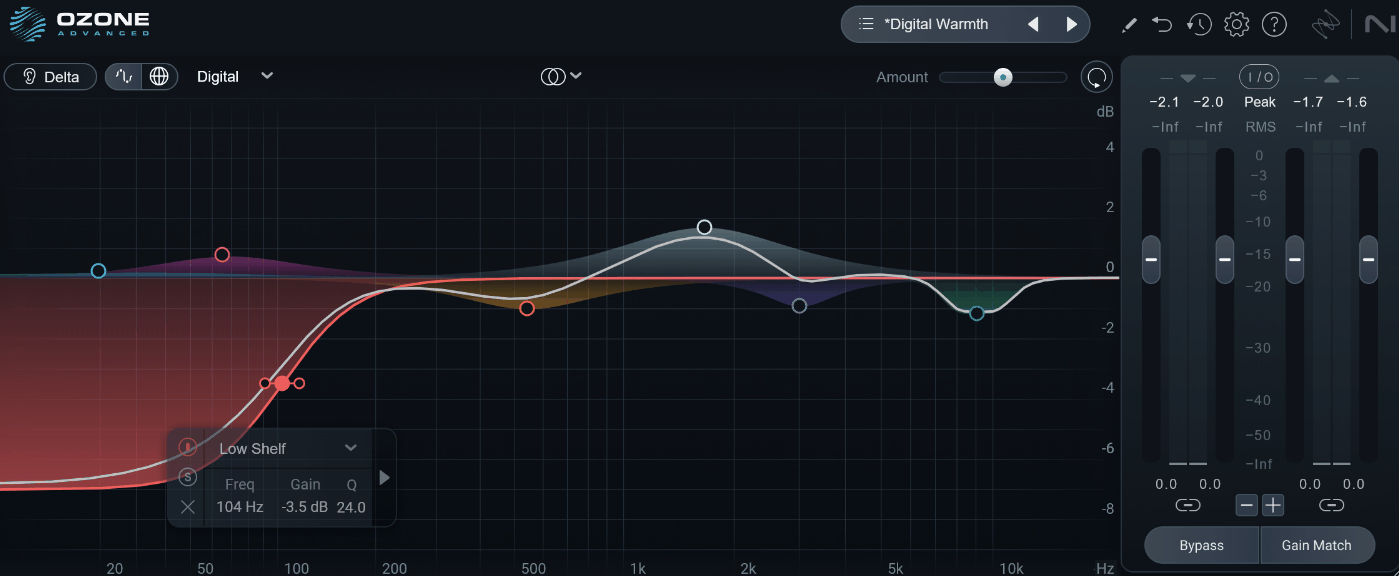
Wit this EQ, you can switch between a modeled analog character and a cleaner digital precision mode, and this changes the underlying filter behavior instead of just adding a coloring layer on top. I’d recommend Digital for corrective work and Analog whenever you want the EQ to add a touch of warmth.
iZotope Ozone EQ also lets you EQ the transient, or attack, portion of a sound completely separately from its sustain, or decay, portion. What I like about it is how specific a problem this actually solves, since brightening a snare’s attack without making its body harsh used to need a much more complicated setup.
- Mid/Side And Delta
Full Mid/Side processing treats the center and sides of your stereo image independently, and the Delta button lets you hear only the frequencies you’re actually boosting or cutting
- Resizable, Modern Interface
As you can see, window resizes freely and the metering stays smooth even at small sizes, which matters more than it sounds like once you’re running several instances across a session.
3. Voxengo SPAN
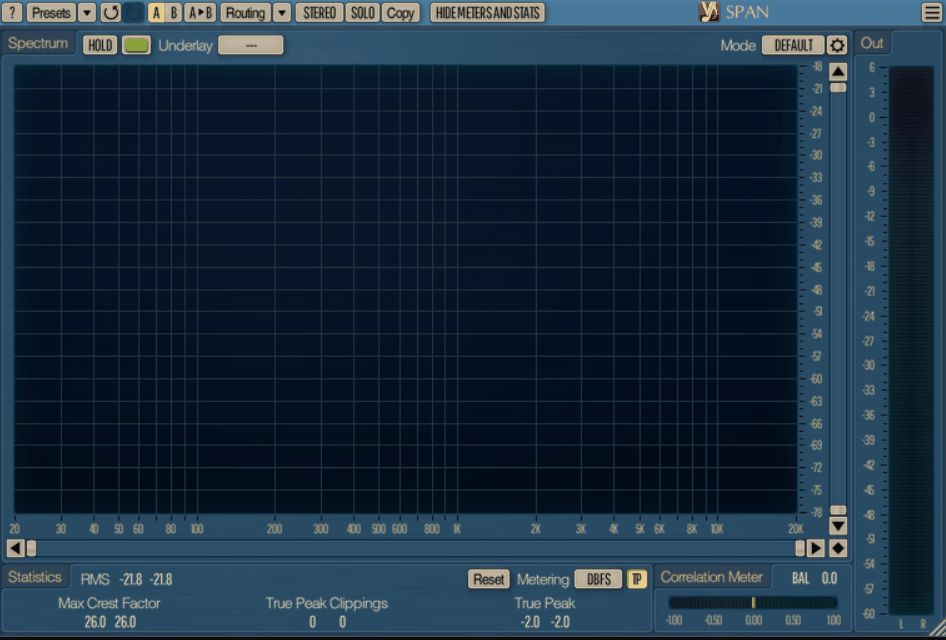
Voxengo SPAN has been a standard reference tool in mastering setups for years. I still open it from time to time.
Here is what you get:
- Flexible FFT Mode System
You can specify the Fourier block size, adjust FFT window overlap, and control the spectrum’s visual slope, all from the same settings panel
- Multi-Channel And Mid/Side Analysis
SPAN supports displaying spectrums from two different channels or channel groups simultaneously, including full Mid/Side analysis which makes it easy to compare how your center and sides differ across the spectrum at a glance.
- Loudness And True Peak Metering
Output level metering comes with adjustable ballistics, EBU R128 loudness measurement, and true peak and clipping statistics built right in. and you genuinely don’t need a separate loudness meter once this is loaded.
4. Outobugi Toner
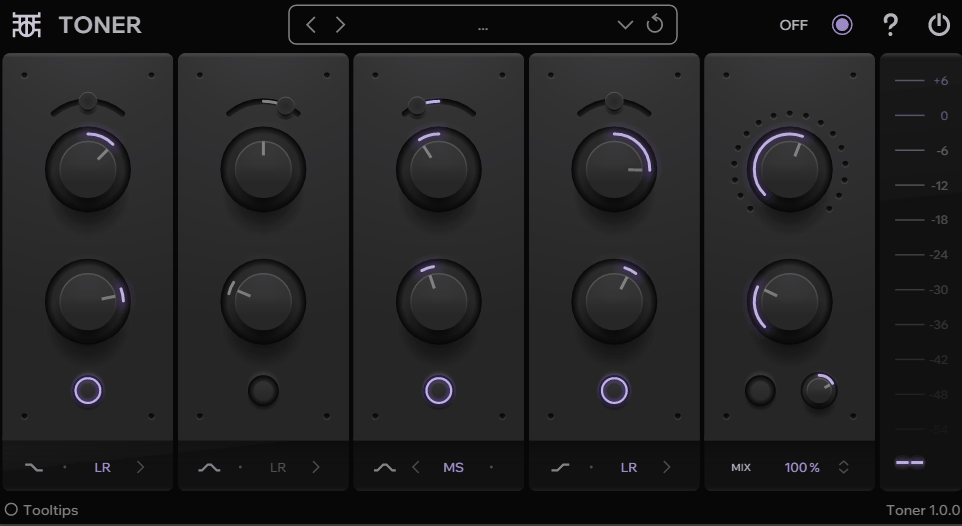
A four-band tone EQ with built-in saturation is a genuinely useful shape for a free plugin to take, since it covers broad tonal moves without pretending to be a surgical corrective tool.
Outobugi Toner pairs frequency and gain controls on each of its four bands with a Balance knob and a choice between Left/Right and Mid/Side modes per band.
The low and high bands run as shelving filters while the two middle bands work as bell filters, giving it a genuinely mastering-style layout.
- Four-Band Shelving And Bell Design
The Low and High bands operate as shelving filters while the two Mid bands work as bell filters, giving you a layout built for broad tonal shaping instead of pinpoint correction
- Per-Band Left/Right And Mid/Side Modes
Every band can independently switch between Left/Right and Mid/Side processing, so you can widen the highs on the sides while keeping the lows centered without setting up separate routing
- Saturation And De-Emphasis
A Saturation knob adds warmth by introducing odd harmonics after the EQ stage, and the De-EQ control applies an inverted EQ setting for de-emphasis work.
I’d start with Saturation subtle and build up from there, since it stacks noticeably with the EQ moves underneath it.
- Delta And Output Controls
The Delta control subtracts the dry signal from the wet, letting you hear exactly what Toner is adding to the sound, and a dedicated Output knob adjusts gain after the Delta stage but before the final mix. It can be useful if you’re trying to gain-stage precisely.
5. Variety of Sound Density MKIII

Density MKIII was built specifically around mastering-grade transient response, rendering what the developer describes as a genuinely three-dimensional audio image instead of a flat, glued-together one.
A VCA color model handles the saturation side, and switching into Mid/Side mode with a single switch lets you tweak both channels independently. I’ve found it holds up well against plenty of paid bus compressors.
- Stateful Saturation And VCA Color
The VCA color model adds harmonic saturation that’s dialed in to taste instead of fixed, giving the compressor a character you can push from clean to noticeably colored. I like that it doesn’t force one flavor of saturation on every source.
- Mid/Side Mode With Independent Range
A single switch engages Mid/Side processing, and the RANGE controls let you work on each channel independently once you’re in that mode. This is genuinely useful for widening a stereo image without touching the center.
- Soft-Knee COMP Mode
The COMP mode uses a soft-knee curve for smoother gain reduction, and the RELAX option lets you speed up attack times when a source needs faster response. I would likely reach for RELAX on anything with quick transients that the default timing feels sluggish on.
6. Slate Digital Fresh Air
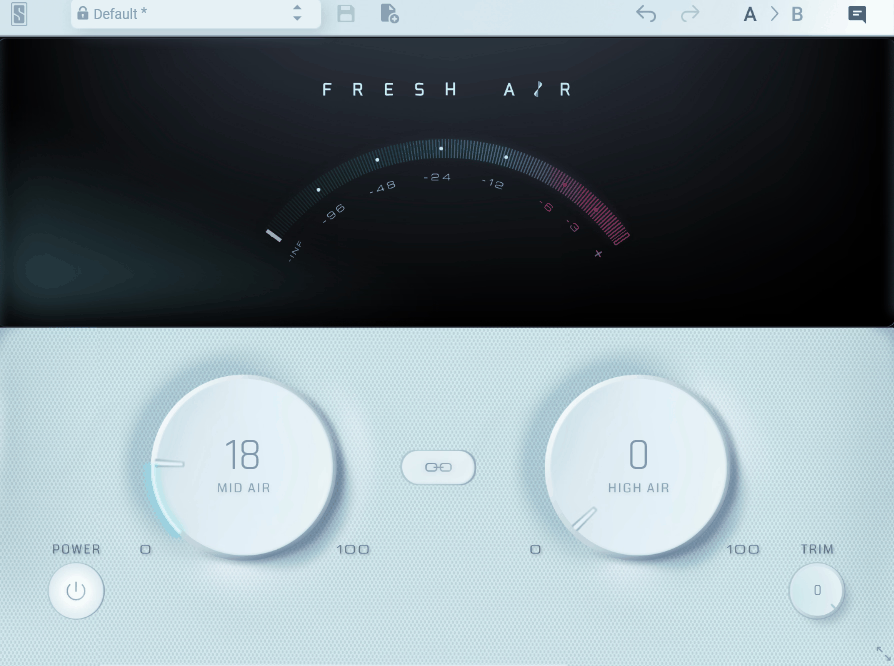
Boosting air on a dull master usually means reaching for a high shelf and hoping you don’t cross into harshness before you get enough brightness.
That being said, Slate Digital Fresh Air is based on vintage exciter circuits originally modeled from Dolby-A noise reduction hardware that got repurposed for tone shaping.
And here is what you get:
- Mid Air And High Air
Mid Air boosts high-mid frequencies for presence, while High Air lifts the very top of the spectrum for shine, and both can be linked with a single switch. I would usually start with Mid Air on vocals since it does more of the actual presence work.
- Trim And Auto-Gain Behavior
A Trim knob adjusts output gain, which is useful both when Fresh Air sits before other processors and when you’re using it on a full mix and need to avoid clipping. It’s a small control that saves you a separate gain plugin downstream.
7. Analog Obsession OAQ
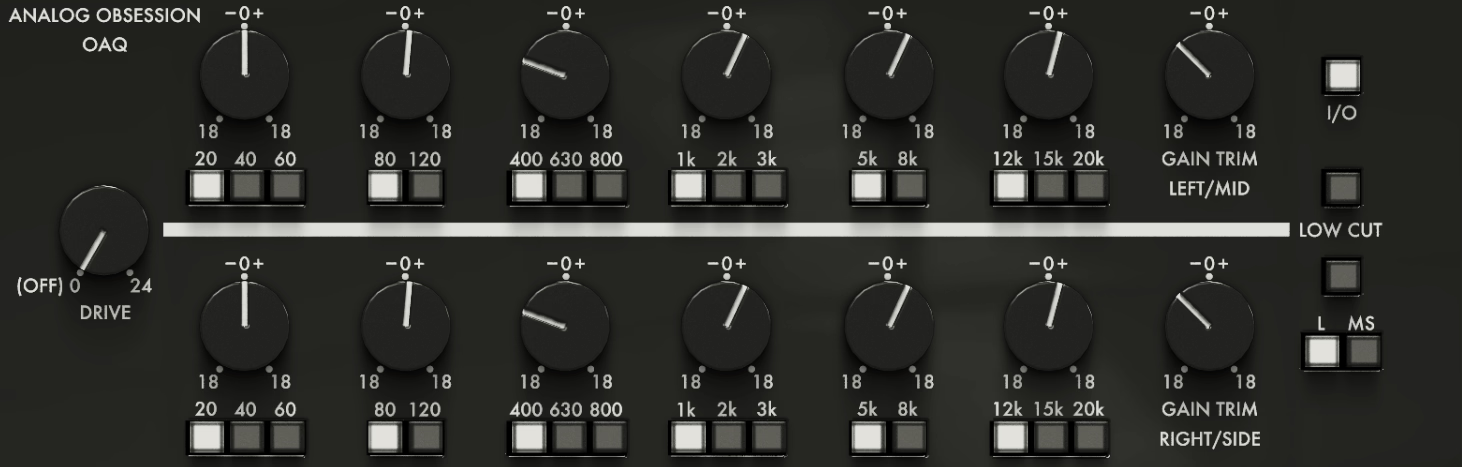
Analog Obsession OAQ gives you six EQ bands with pre-selected, stepped frequencies instead of a fully sweepable dial, which sounds limiting until you realize that’s exactly how a lot of high-end mastering EQs are actually built.
Each band offers up to 18 dB of boost or cut, and a Drive knob adds analog-style saturation when you push past 0 dB. I found the stepped frequency choices force better decisions than an infinitely variable dial sometimes does.
- Six Stepped Frequency Bands
Low A covers 20, 40, or 60 Hz, Low B covers 80 or 120 Hz, and the mid and high bands follow the same stepped pattern up through 20 kHz, each with up to 18 dB of range.
- Dual-Mono, Stereo, And Mid-Side
An LR/MS switch moves between processing modes, and a Link control ties the right or side channel to the left or mid channel when you want both moving together.
I mostly work unlinked in Mid-Side mode when I’m shaping the stereo field specifically.
- Drive With 4x Oversampling
The Drive control ranges from 0 to 24 dB, and engaging the oversampling label runs the saturation stage at 4x to keep it clean under heavy drive. Also, oversampling only matters once Drive is actually engaged, so there’s no reason to leave it on for transparent settings.
8. TDR Kotelnikov
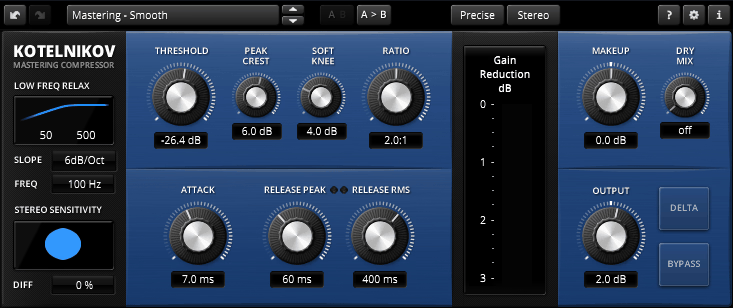
This compressor measures dynamics using crest factor instead of plain peak or RMS detection.
It lets you set separate release times for peak and RMS content independently. So I’d say that combination is part of why mastering engineers still reach for it.
Also, TDR Kotelnikov doesn’t model any piece of hardware at all, which puts it in a small category of compressors that are proudly, deliberately digital instead of chasing a vintage sound.
- Independent Peak And RMS Release
Here, you can set completely different release behavior for peak content versus RMS content, which lets transients recover at a different speed than the overall body of the signal.
This is the main reason it avoids the pumping that simpler compressors fall into.
- Sidechain High-Pass Filter
A high-pass filter on the sidechain stops low-frequency content from over-triggering the compressor, which matters a lot on anything with real sub-bass
- Delta Preview
Flip on Delta and you hear only what the compressor is actually doing, isolated from the rest of the signal, instead of guessing from the processed output alone. It’s fast way to judge whether the gain reduction is doing what you think it is.
- Advanced Stereo Linking
Lastly, stereo linking options let you control how tightly the two channels react together, which affects how much the compressor narrows or preserves your stereo image under gain reduction
9. Brainworx bx_masterdesk Classic
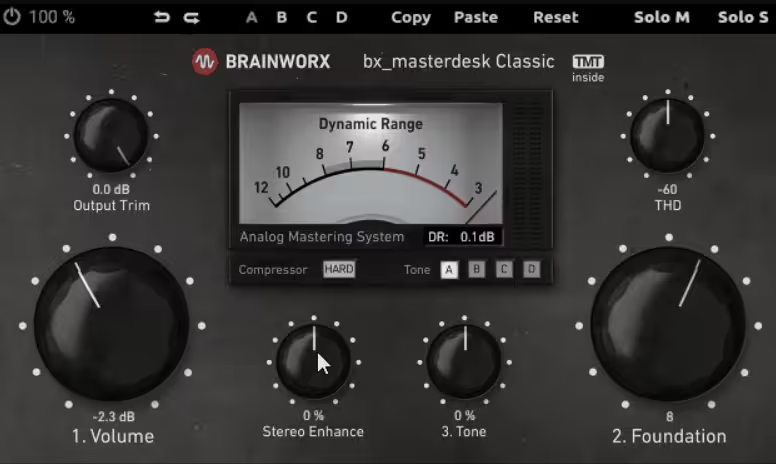
A full analog-modeled mastering chain usually comes with more knobs than anyone actually needs for a fast, confident decision. Brainworx bx_masterdesk Classic strips that down to three: Volume, Foundation, and Tone, while still running the same underlying analog-modeled processing as the full version, isn’t that cool?
In addition, it’s built on Brainworx’s Tolerance Modeling Technology (TMC), the same component-level modeling used across their paid channel strips. That being said, I feel like the three-dial approach is exactly right for anyone who wants a fast, confident master without a steep learning curve.
- Volume For Perceived Loudness
The Volume control dials in overall perceived loudness first, with a Dynamic Range VU meter helping you find a level that’s loud without collapsing the mix..
- Foundation For Tonal Balance
When it comes to Foundation, it shapes the overall balance between lows and highs, letting you push the master warmer or brighter without opening a separate EQ. It’s a broad-stroke control, and that’s genuinely the point.
- Tone For Vibe
Tone fine-tunes the character from bright to dark on top of whatever Foundation already set
- THD And Stereo Enhancement
Optional THD and stereo enhancement controls add girth and width if you want to push further than the three main dials, without ever being required for a finished result.
I would only reach for these on masters that genuinely need more size, so keep that in mind..
10. Analog Obsession BUSTERse
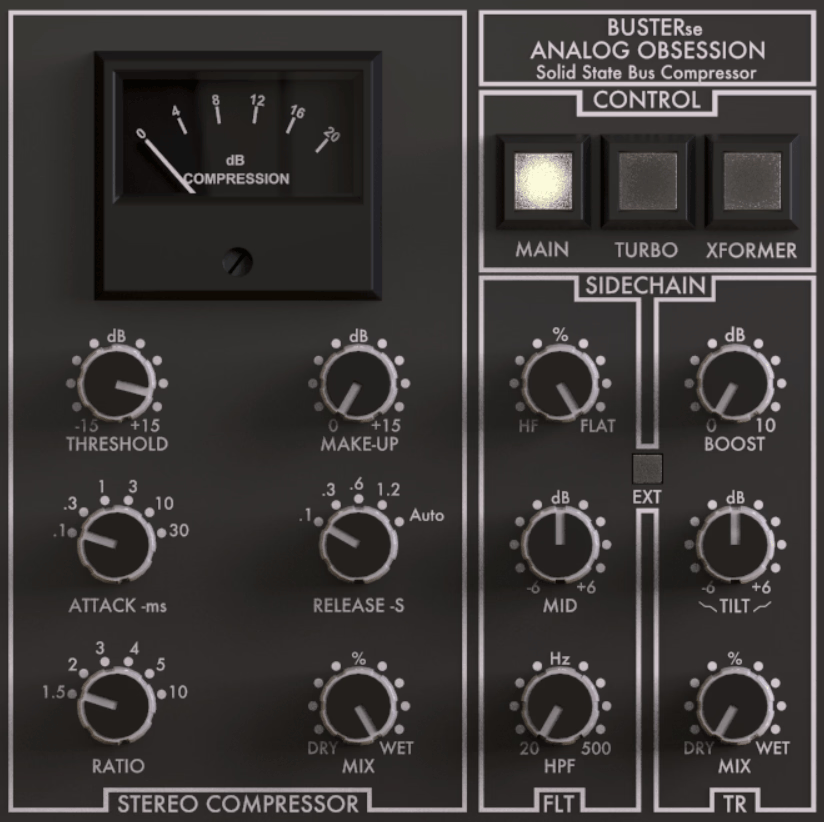
SSL-style bus compression built its reputation over decades of records that shared a certain glued-together cohesion, driven by a twin-VCA gain-reduction design most engineers couldn’t fully explain by ear alone.
What BUSTERse basically does, is that it models twin-VCA design directly, adding a 3-band sidechain filter and a Transient Boost control the original hardware never had.
That said, it let you decide exactly what triggers compression instead of just accepting whatever the sidechain naturally responds to.
In a nutshell, here is what you get:
- Filtered Sidechain With Transient Boost
A 3-band sidechain filter lets you decide exactly what triggers compression, and a Transient Boost control with its own frequency tilt makes the compressor more sensitive to attacks in a chosen range.
Setting the filter so it reacts mainly to drum hits is where this earns its place over a plain bus compressor
- Turbo And Xformer Modes
Also, I would want to mention that Turbo switches the compressor from midrange-focused to affecting the entire frequency range, closer to how the real hardware behaves, while Xformer engages an emulated transformer circuit that colors tone and balance.
I usually leave both off for transparent glue and switch them on when a master needs more obvious character..
11. Variety of Sound ThrillseekerXTC

Exciters live or die on whether the added harmonics sound like they belong to the source material or sit obviously on top of it as an effect.
ThrillseekerXTC takes our actual hearing sensitivity into account, specifically how we perceive transients, masking, and loudness, instead of just adding a fixed amount of harmonic content across the board.
That said, it’s built around three parallel coupled equalizers, each containing its own stateful saturator, covering Low, Mid, and Air frequency ranges independently.
I think that per-band saturation is what keeps it from sounding like one generic brightness boost.
- Three Parallel Bands
Each of the Low (70 to 450 Hz), Mid (0.8 to 5 kHz), and Air (3.2 to 18 kHz) bands runs its own non-linear, frequency-dependent saturator with memory, so each range gets treated with its own character.
I found the Mid band especially useful for adding presence without harshness.
- Opto-Electrical Mid-Band Compression
The Mid band also performs compression through a modeled opto-electrical circuit, adding a touch of dynamic control alongside the harmonic content.
- Two Gain-Staging Flavors
For this feature, a Black version is calibrated for conservative levels around -18 dB RMS, while a Blue version targets hotter signal levels, so you pick the flavor that matches your own gain-staging habits.
I would default to Black for most mastering work and switch to Blue when I’m working hotter in-the-box.
12. Analog Obsession MaxBax
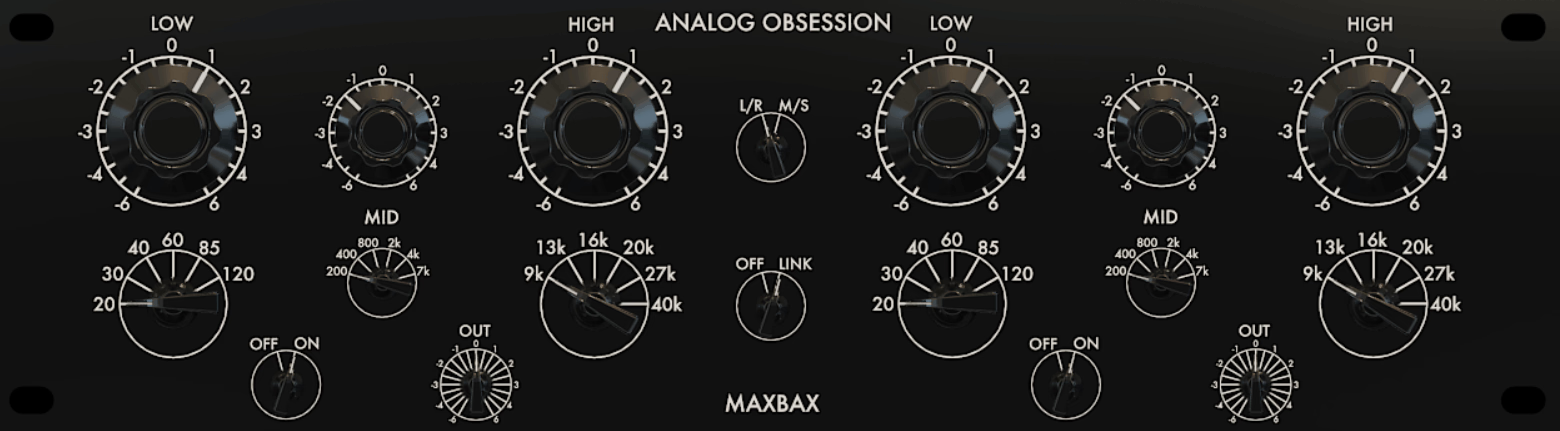
Analog Obsession MaxBax is a fully passive-style Baxandall EQ with an added Mid band, something the classic Baxandall circuit never originally included. It’s the successor to the developer’s earlier MASBAX plugin, rebuilt with a genuine third band and finer stepped control throughout.
I feel like the extra Mid band is what turns a simple shelving EQ into something you can actually finish a master with.
- Three Stepped Bands
- Dual-Mono Or Mid-Side With Link
Lastly, an LR/MS switch moves between dual-mono and Mid-Side processing, and a Link control ties the left and right channels together when you want symmetrical moves. I work unlinked more often than not, since asymmetry is usually where the interesting decisions happen.

Hey, I’m Vil, I started this site to help you find the best audio plugins covering various categories including synths, pianos, strings, and effect tools of all sorts as well. I pick these plugins based on various criteria so it best matches the actual topic.