When you purchase through the links on my site, you support the site at no extra cost to you. Here is how it works.
For this list, I picked the best plugins for beginners, ranging from synths to effects like saturation, reverb, exciters, and delays. Every single tool is completely free, and lot of them hold their own against paid tools I’ve used.
I’m kicking things off with Vital, Pendulate, Surge XT, Odin 2, Ample Guitar M Lite II, and BUSTERse. From there, I’ll get into tape saturation, reverb, exciters, delay, EQ, and a couple more lo-fi tools worth having in your folder.
1. Vital by Matt Tytel (Synth)
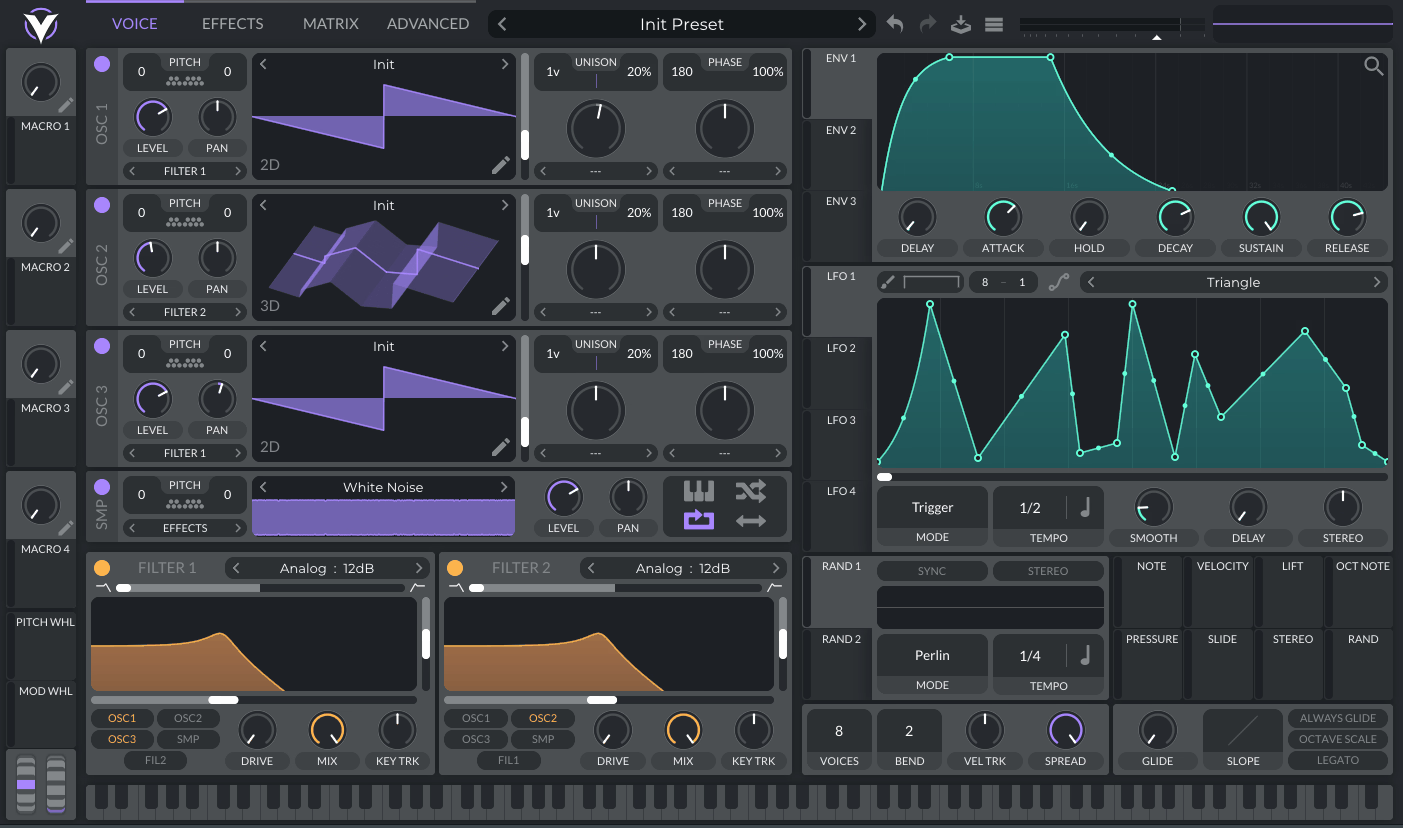
If you’re just getting started with sound design, Vital is probably the first synth I’d point you toward. It’s a free wavetable synthesizer built by Matt Tytel.
I noticed that a lot of beginners get intimidated by synths because the interface looks like a spaceship cockpit, but Vital actually does the opposite. The layout is clean, and the modulation is visual, you can literally see the wavetable moving and morphing in real time.
The free version already gives you three oscillators, a full modulation system, and a solid built-in preset library to start from, so you’re not working with some stripped down demo. I’d say that’s rare for a free plugin, and it’s part of why I recommend it often to people just starting out.
- Visual Wavetable Editing
You can watch the wavetable actually morph and animate as you turn knobs, which I found genuinely helpful for understanding why a sound changes instead of just guessing. Most synths hide this process behind numbers and menus, but Vital puts it right in front of you in the main display.
I like how you can trace a modulation source to the exact frame of the wavetable it’s affecting, in real time.
- Built-In Spectral Warp Modes
Vital comes with several distinct warp modes, including bend, sync, formant, and smear, that let you twist a wavetable’s harmonic content in real time. I like how these give you weird, evolving textures without needing extra effects stacked on top of the synth.
- Flexible Modulation System
Every knob and slider in Vital can be a modulation destination, and you assign modulators by simply dragging and dropping them onto the control you want. It removes a lot of the “which menu do I click” friction that trips up beginners on other synths.
- Built-In Effects Chain
Chorus, distortion, delay, reverb, a multiband EQ, a compressor, and a phaser are all baked directly into the signal path!
2. Newfangled Audio Pendulate (Synth)
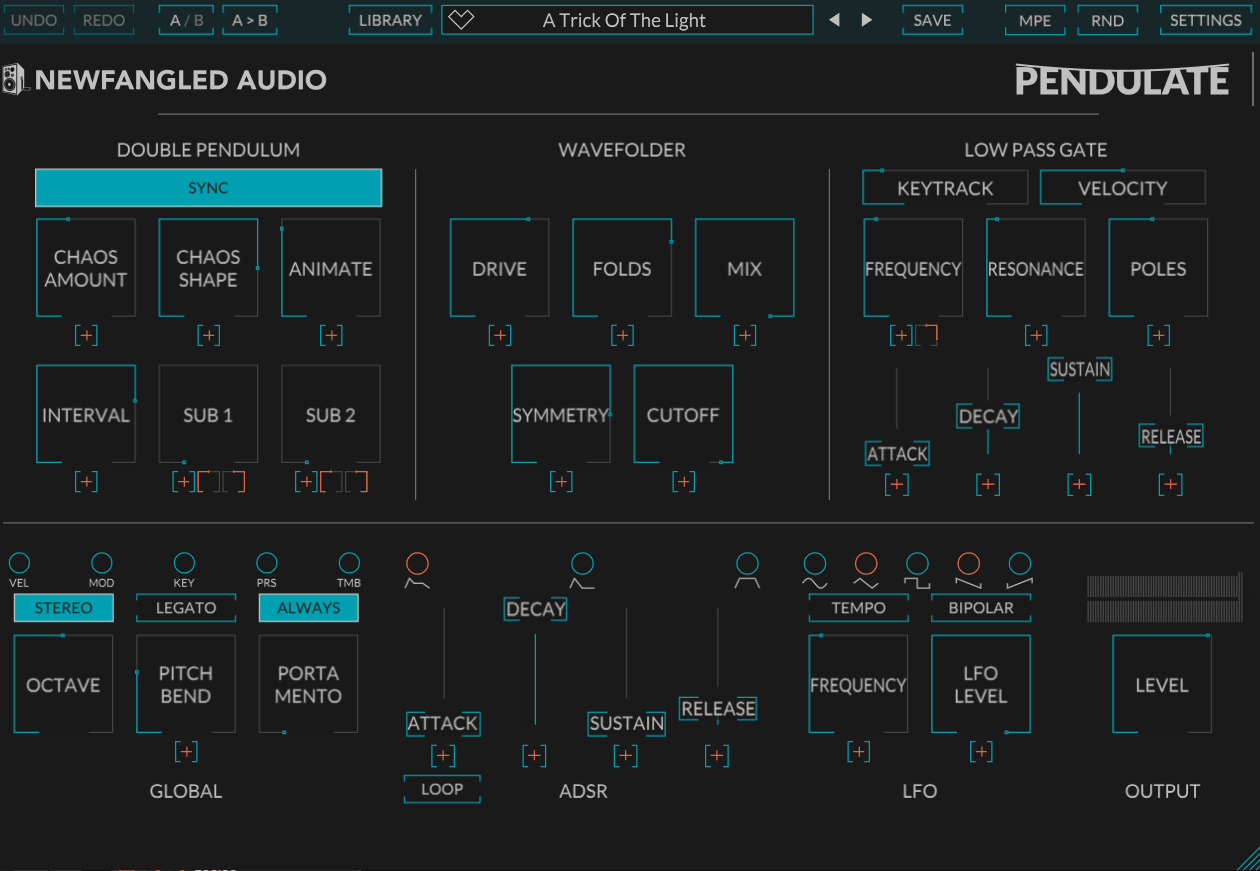
Every once in a while a free plugin comes along that genuinely doesn’t sound like anything else out there. Newfangled Audio’s Pendulate is exactly that kind of plugin.
It’s built by the team at Newfangled Audio in partnership with Eventide, and instead of using a normal oscillator, it generates sound based on the physics of a double pendulum. That might sound abstract, but it means you get organic, chaotic textures a standard subtractive synth just can’t produce.
In additino, Pendulate ships as a monosynth, so it’s built for basses, leads, and textures rather than big polyphonic chords. It also comes with over 200 professional and artist presets right out of the box, giving you a solid head start on what this oscillator can actually do.
- Double Pendulum Chaotic Oscillator
This is the heart of the whole plugin, a chaotic oscillator based on double pendulum physics instead of a traditional waveform generator. I found that you can smoothly morph from a plain sine wave all the way into total chaos using a single control.
- Built-In Wavefolder
Also, Pendulate includes a wavefolder directly in the signal path, inspired by classic Buchla style West Coast synthesis. Instead of just distorting the signal, folding actually bends the waveform back on itself, which creates rich, harmonically dense tones.
3. Surge XT
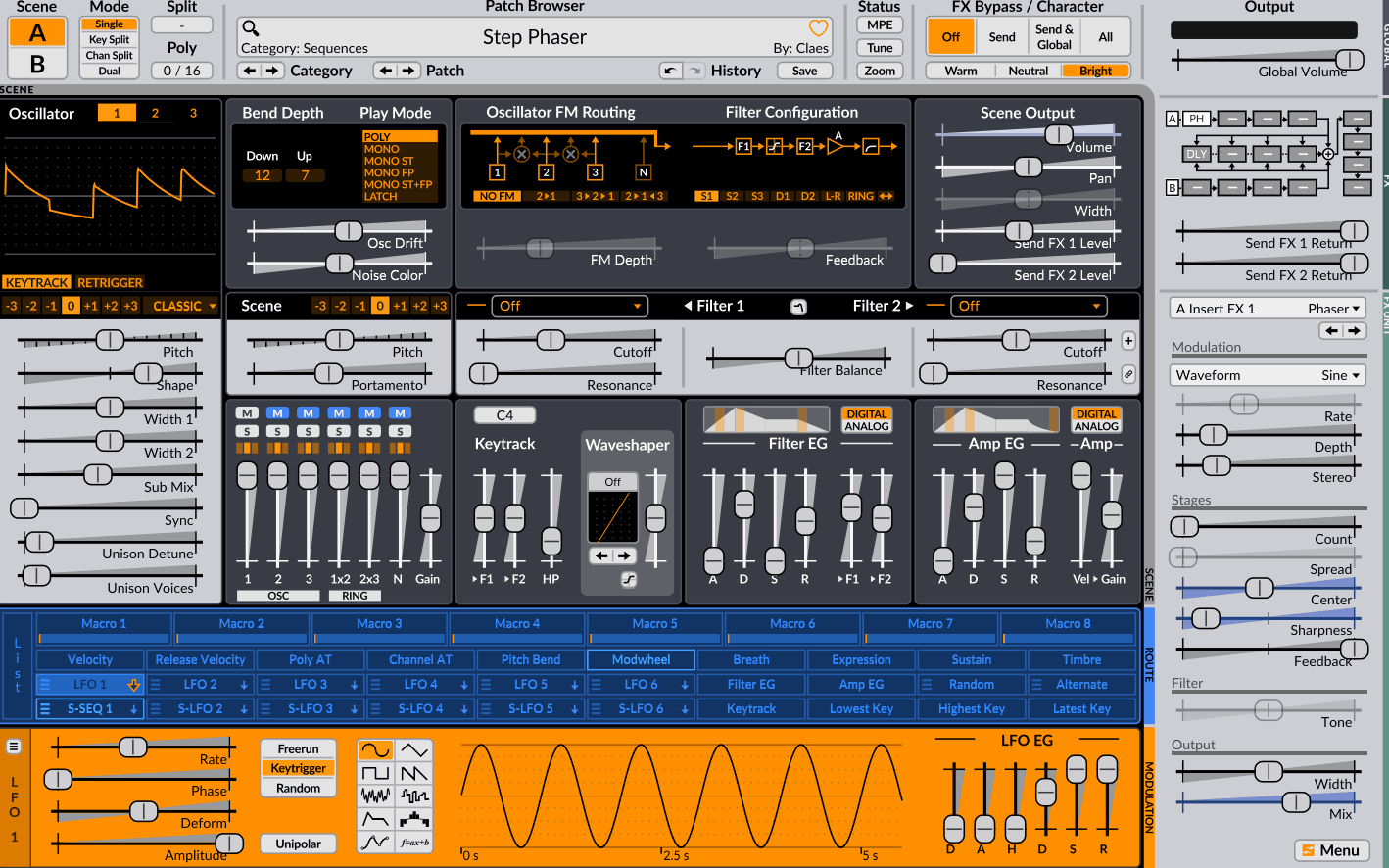
If you ever feel like you’ve outgrown the beginner synths, Surge XT is where I’d send you next. It’s a free, open-source hybrid synthesizer that’s been rebuilt by a whole community of developers since it was first released back in 2018.
It comes packed with over 2,800 factory presets and 700+ wavetables, so you’ve got a massive library to explore from day one. It also gives you 12 different oscillator algorithms, covering everything from classic subtractive to wavetable, FM, and even string modeling.
- Dual Scene Architecture
Every patch in Surge XT is built from two separate scenes, and each one is basically its own complete synth engine.
- 12 Oscillator Algorithms
You get 12 distinct oscillator types per scene, ranging from Classic and Wavetable to FM, String, and even a Twist mode inspired by Eurorack modules.
This gives you room to grow, since you can start simple and work your way into weirder synthesis methods over time.
- Massive Modulation Matrix
Surge XT gives you 12 LFOs, envelope generators on every one of them, and a step sequencer and MSEG with up to 128 nodes. I’ve noticed almost every parameter in the synth can be modulated, which makes it one of the most flexible free synths or building evolving and animated sounds.
- Dual Filters with 14 Algorithms
The filter section includes two filters you can run in series or parallel, chosen from 14 different algorithms, including ladder, comb, and diode types. I’d recommend spending time here specifically, because switching filter types alone can completely change the character of a patch.
- Built-In Effects Rack
Surge XT includes a full effects section with reverb, delay, chorus, flanger, phaser, and distortion, and you can even use these effects on their own as a separate plugin. On top of that, it supports MPE and microtuning, which is a nice bonus once you’re ready to get more advanced.
4. TheWaveWarden Odin 2
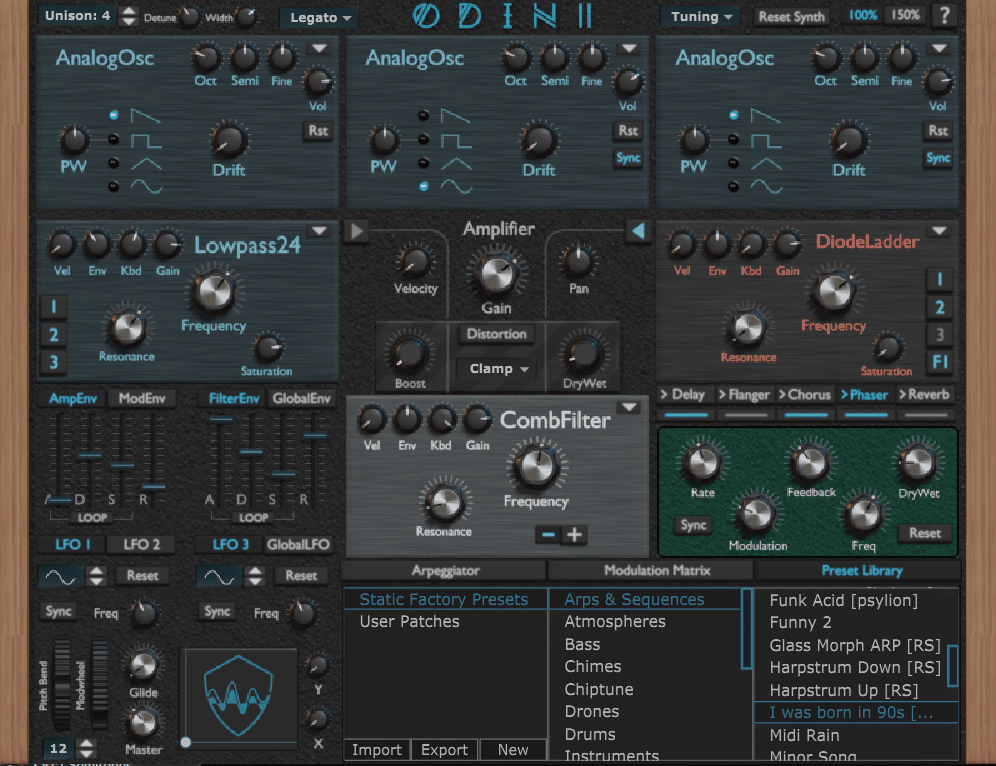
Some free synths give you three or four oscillator waveforms and call it a day. Others hand you an entire toolbox and trust you to figure out what to build with it. Odin 2 falls firmly into the second camp, and it’s built by the developer TheWaveWarden as a completely free, open-source hybrid synthesizer.
I’d say it’s often compared to Reason’s Thor, and once you open it up, you’ll understand why. It’s a 24-voice polyphonic synth with three oscillator slots, and each one can be switched between 11 different synthesis modes, including analog, wavetable, vector, FM, and chiptune.
- Multi-Mode Oscillators
Each of Odin 2’s three oscillators can independently run analog, wavetable, vector, FM, phase modulation, chiptune, or even a fully drawable custom waveform.
What I like about this is you’re not locked into one synthesis style per patch, you can blend an analog oscillator with an FM one in the same sound and get genuinely hybrid textures most free synths can’t touch.
- Three Filter Slots with Classic Emulations
Here, you get three filter slots, loaded with emulations of legendary hardware filters like the Moog Ladder, Korg-35, and SEM. I found that routing oscillators through two filters before the amp and one after gives you a surprising amount of tonal control
- Arpeggiator and Step Sequencer
Built right in is an arpeggiator and step sequencer combo, complete with two dedicated modulation lanes for shaping individual steps.
5. Ample Guitar M Lite II
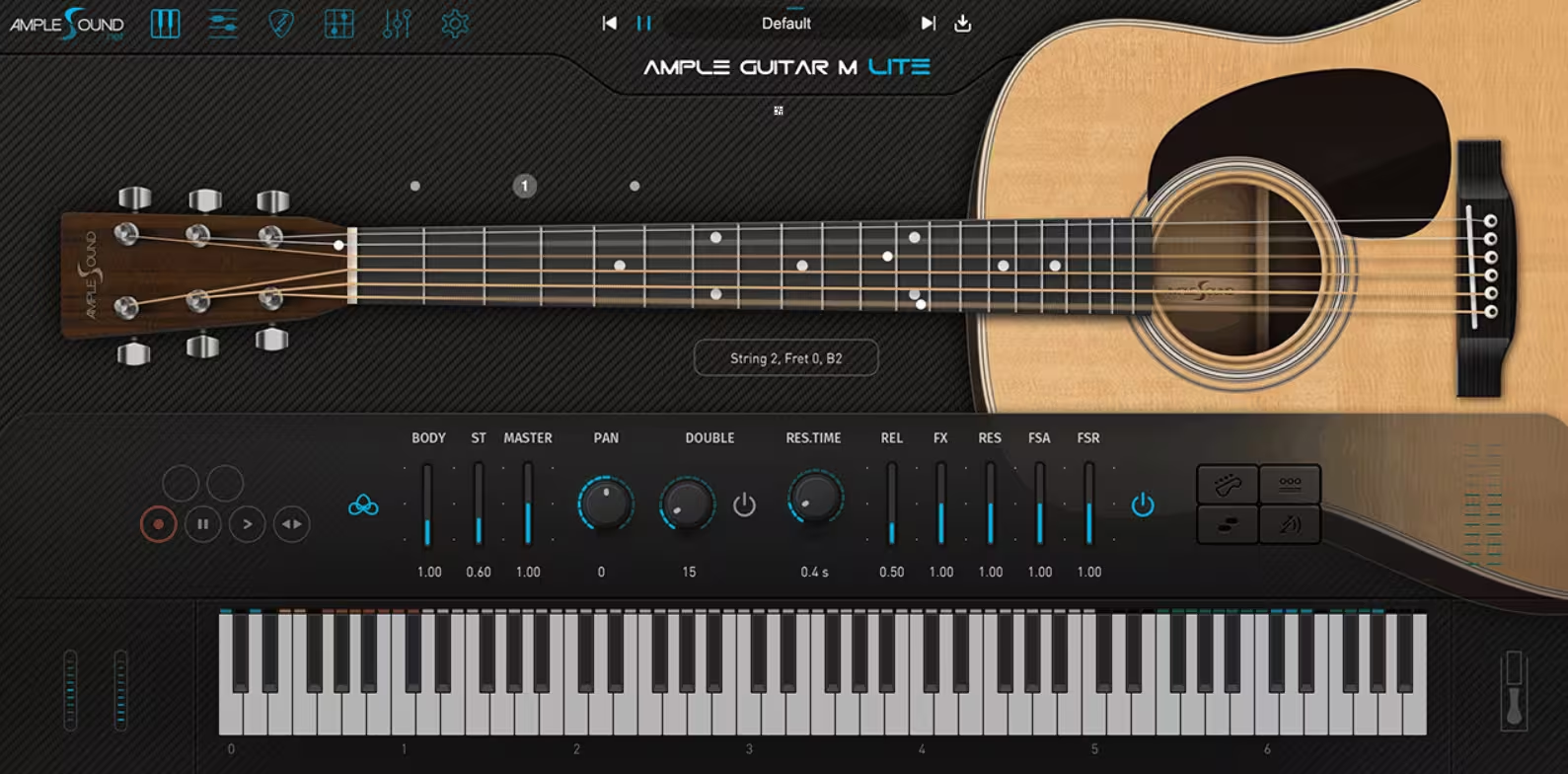
Acoustic guitar is one of those sounds that’s incredibly hard to fake convincingly with MIDI, mostly because every note carries little imperfections that our ears instantly recognize as real. Ample Guitar M Lite II by Ample Sound is one of the few free instruments that actually gets close, and it’s built around a sampled Martin D-41.
The library behind it contains 866 individual samples, which is a lot of detail packed into something that costs nothing. I have to say, the realism genuinely surprised me the first time I loaded it up.
- Strummer Mode
This is the feature that makes Ample Guitar M Lite II stand out from basically every other free guitar plugin. You can search, browse, and drag and drop chord patterns directly onto your track, and it’ll strum them realistically without you needing to know actual guitar fingering. I found this useful even as someone who plays guitar, since programming realistic strums by hand is tedious.
- Five Core Articulations
The plugin includes sustain, hammer on, pull off, palm mute, and popping, all triggered through velocity or dedicated keyswitches.
- Rich Fingering Noise
Ample Guitar M Lite II includes actual finger noise and string resonance sampled alongside the notes themselves. It seems like a small detail, but it’s one of the reasons this plugin sounds real instead of digital.
6. Analog Obsession BUSTERse
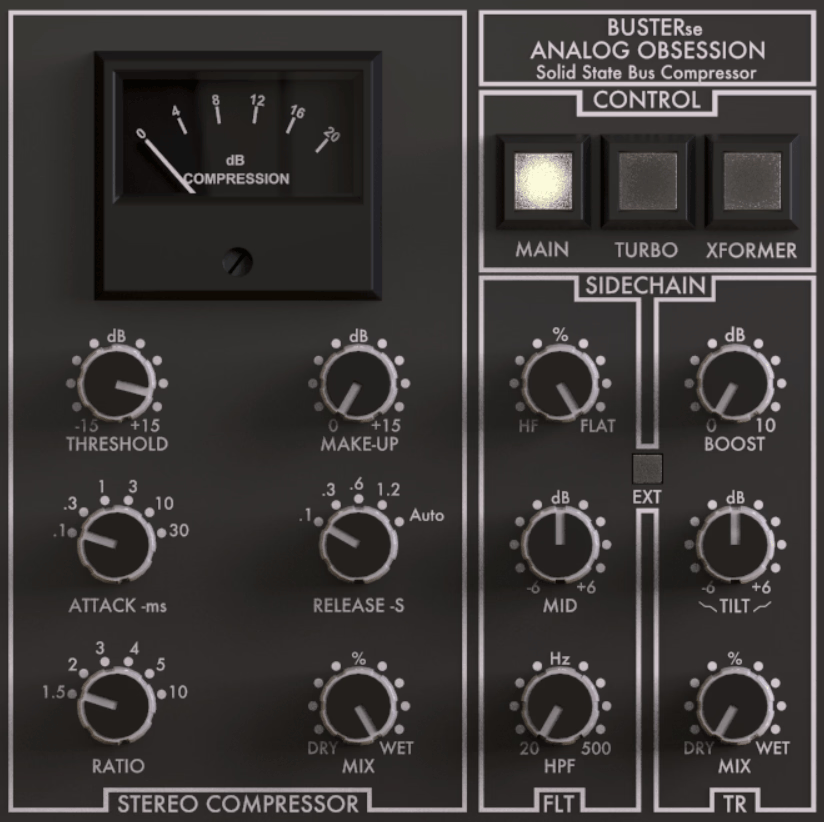
Almost every hit record from the 80s and 90s ran through the same piece of hardware without listeners ever realizing it, an SSL bus compressor sitting quietly at the very end of the mix.
That single processor is largely responsible for the sense of glue you hear holding those mixes together. BUSTERse by Analog Obsession is a free plugin built specifically to recreate that exact sound inside your DAW.
You get:
- Classic Bus Compressor Circuit
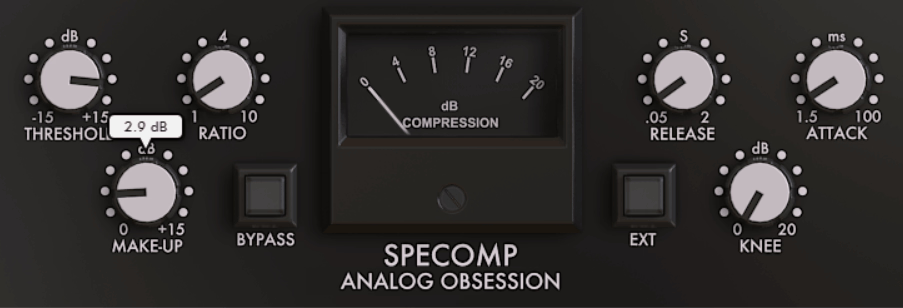
BUSTERse is modeled after the iconic SSL G-Series bus compressor, giving you that same sense of cohesion and gentle punch on a mix bus. In addition, the ratio control ranges from a gentle 1.5:1 up to a more aggressive 10:1, so you can dial in anything from subtle glue to noticeable pumping depending on the material..
- Program Dependent Auto Release
Instead of locking you into a fixed release time, BUSTERse includes an Auto Release setting that adapts to your material in real time
- Sidechain Filter Section
There’s a dedicated filter section (FLT) in the sidechain, including a high pass filter and a high frequency shelf that behaves like an optical tube compressor.
This basically lets you stop low end or harsh highs from triggering the compressor unnecessarily, which keeps the low end of a mix feeling stable instead of pumping
7. CHOW Tape Model
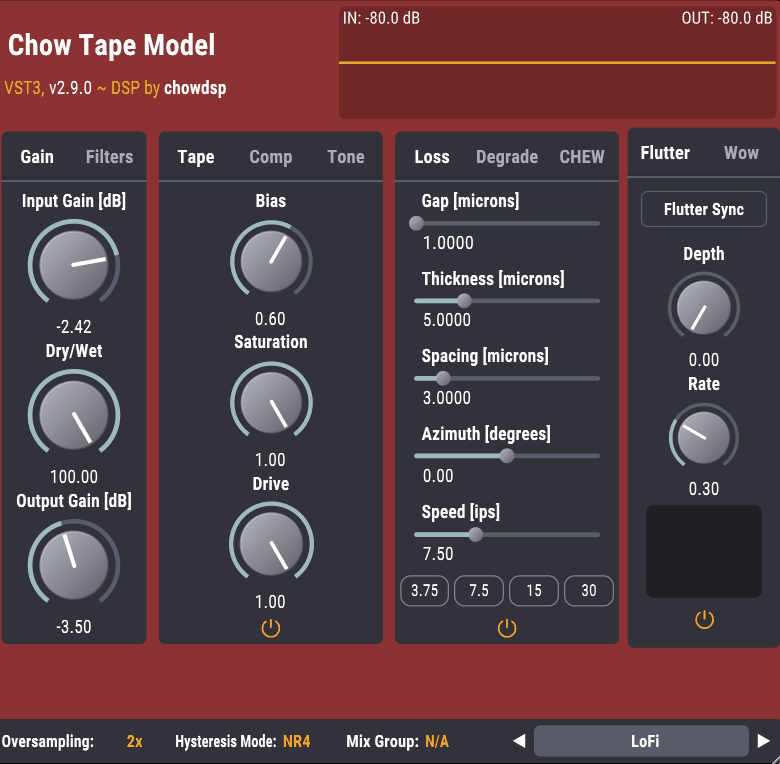
CHOW Tape Model is honestly one of my favorite free plugins to reach for when a mix feels too clean and digital. You know that feeling when everything sounds technically correct but somehow lifeless, that’s exactly the problem this thing fixes for you.
It’s built by Jatin Chowdhury, and it actually started as a class project at Stanford’s CCRMA program. Instead of just faking a tape sound with a distortion curve, this plugin is genuinely modeling the physics of how magnetic tape behaves.
You get real hysteresis modeling, which is a fancy way of saying it simulates how tape actually saturates, not just an approximation.
- Physically Modeled Hysteresis Engine
I love how you can pick between several equation solvers, so you can trade off between CPU usage and how accurate you want the saturation to sound. At the core of CHOW Tape Model is a genuine hysteresis engine, which is a mathematical model of how magnetic particles on tape actually saturate under drive.
- Full Playhead and Loss Modeling
You also get control over playhead geometry, including gap, spacing, thickness, and azimuth, plus speed dependent loss modeling. You’re shaping exactly how the “tape machine” itself colors your sound, which gives you way more control than a typical one-knob saturator.
- Massive Preset Library
You also get a huge number of built-in presets covering everything from subtle mix bus warmth to extreme, degraded lo-fi textures. I’d recommend starting there if you’re new to tape saturation..
8. epicPLATE mkII
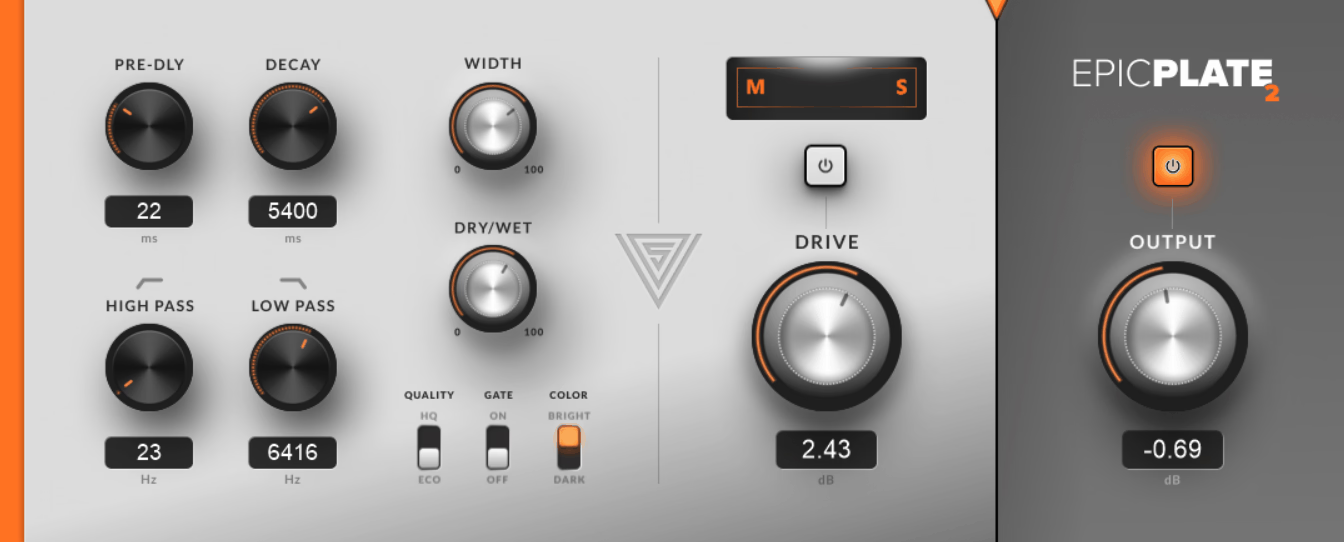
Every mix has a moment where something just sounds a little too dry, like it’s sitting right on top of your speakers instead of living inside a space. Reverb is what fixes that, and plate reverb specifically is what gives vocals and drums that smooth, dense shimmer you hear on so many classic records.
That said, epicPLATE mkII recreates exactly that sound, and it does it remarkably well for something that costs nothing.
What you get:
- True Stereo Reverb Processing
It runs on true stereo processing, which means the left and right channels are genuinely independent instead of just a mono signal spread wide.
I noticed this gives the reverb tail a much more natural, spacious feel, especially on vocals and full drum busses.
- Dedicated Drive Control
There’s a built in Drive knob that adds subtle amplifier style saturation directly into the reverb signal.
Keep in mind that leaving it near 0dB keeps things clean, but pushing it slightly adds a bit of grit and character you won’t get from a purely digital reverb algorithm.
- Accurate Width Control
The Width control here is genuinely impressive for a free plugin, letting you widen the stereo image of the reverb tail without collapsing your mix in mono
9. Slate Digital Fresh Air
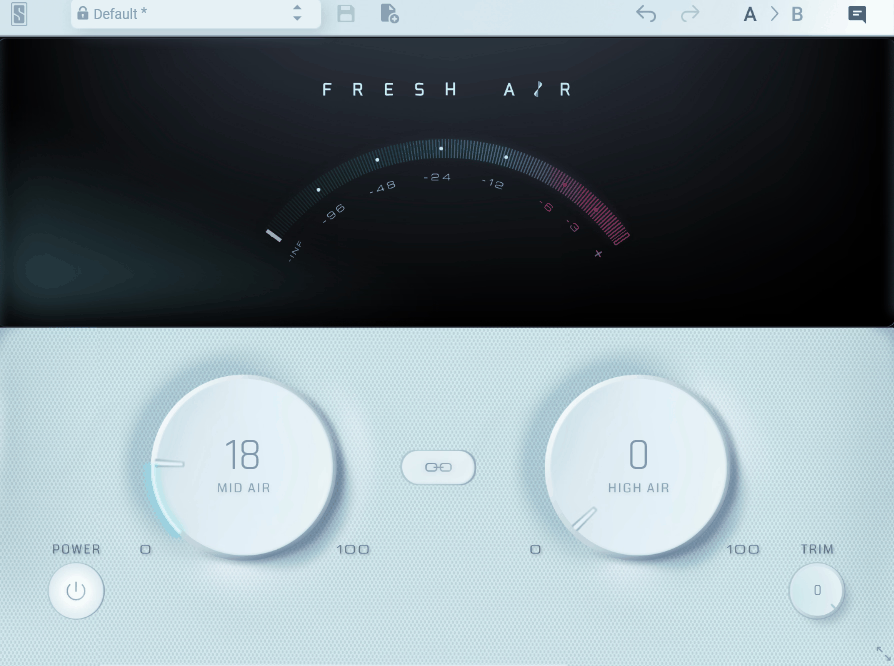
Slate Digital is proof that you don’t always need a complicated interface to fix a mix problem. Most producers reach for an EQ when a mix feels dull or lacks sparkle, but boosting highs with a shelf can quickly turn brittle or harsh.
Fresh Air is modeled after vintage Dolby-A noise reduction circuits that were cleverly repurposed as exciters. Instead of just boosting frequencies, it blends in parallel processed high end that adds shine without the harshness a typical EQ boost introduces.
- Mid Air Control
The Mid Air knob boosts the high mid frequencies, giving vocals and instruments more presence and clarity in the mix. It can work pretty well on vocals specifically, since it brings a track forward without making it sound thin or overly bright.
- High Air Control
The High Air knob focuses purely on the top end, adding that airy, open sheen you’d normally chase with an EQ boost
- Parallel Processing Design
Under the hood, Fresh Air uses parallel high pass and compressed signal paths that get blended back into your original audio. Because of this, you’re not just adding a static boost, the effect responds dynamically to what’s actually happening in the track.
- Works on Anything
You can use Fresh Air on individual tracks, groups, or your entire mix bus, and it behaves consistently across all of them. I’d recommend trying it on a full mix first, since that’s honestly where I noticed the biggest, most immediate improvement.
10. Integraudio & Sixth Sample Deelay
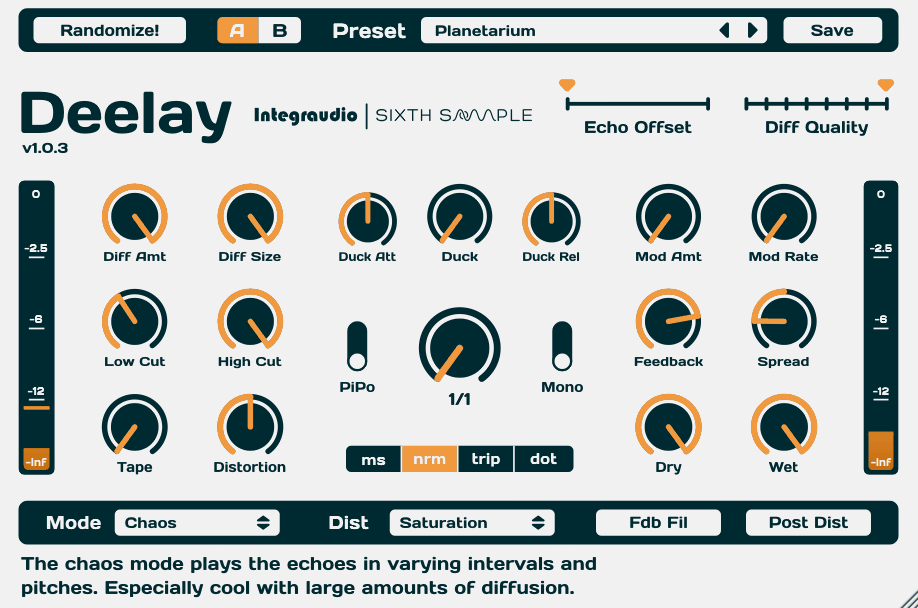
Most stock delays in your DAW do exactly one thing, they repeat a signal at a set time and slowly fade it out. Deelay gives you a genuine sound design that blends delay, reverb, distortion, and modulation into one plugin, and somehow keeps the interface simple despite everything going on under the hood.
- 100 Factory Presets and A/B Testing
That said, Deelay delivers with over 100 factory presets, which is a lot for a free plugin, plus built-in A/B split testing so you can compare two settings instantly. It’s a small workflow feature that a lot of paid plugins still don’t bother including.
- Five Delay Modes
Deelay includes five distinct delay modes, ranging from a normal repeat to reverse forward, pure reversed, chaos, and reversed chaos.
I like how switching between these completely changes the character of the effect, chaos mode especially can turn a simple echo into something unpredictable and genuinely interesting.
- Eleven Distortion Types
You also get a distortion stage with eleven different types, ranging from subtle saturation to aggressive waveshaping. I’d recommend blending distortion into your delay repeats specifically, it adds a texture that clean digital delays just can’t give you on their own.
11. iZotope Mastering EQ
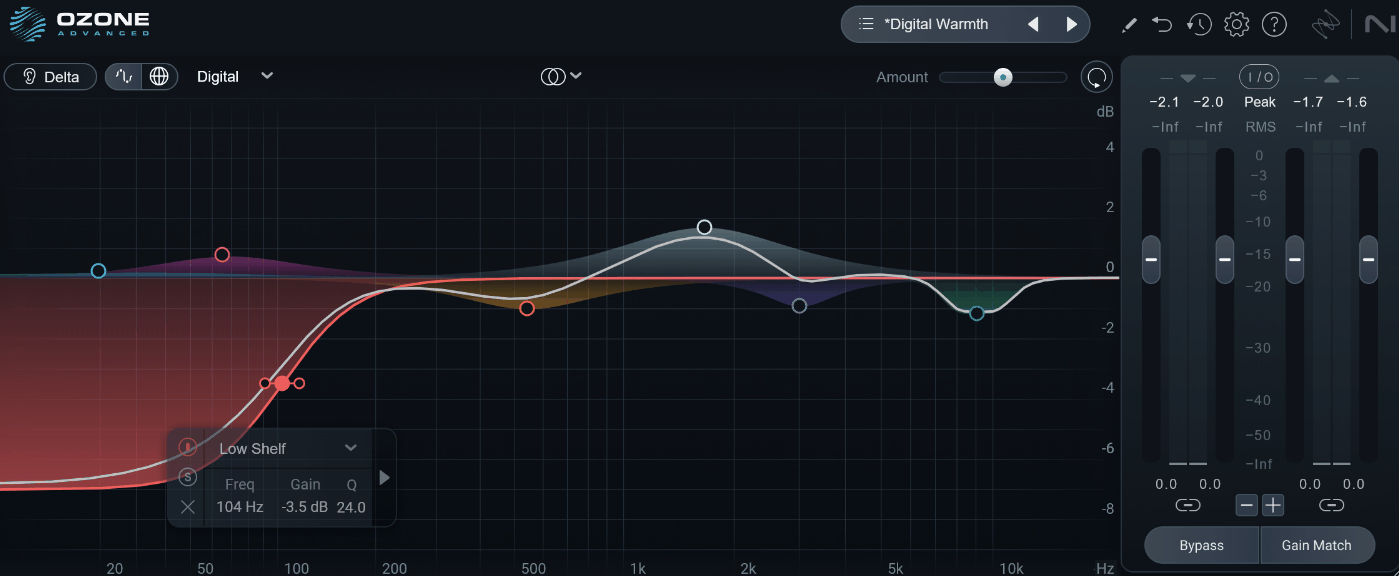
Most free EQs give you a handful of bands and call it done, which works fine until you actually need to make a critical mastering decision. iZotope Mastering EQ is pulled directly from the algorithms inside Ozone, iZotope’s flagship mastering suite, and it’s available as a completely free standalone plugin.
Also, I should say this isn’t a tripped down demo version at all. It’s the same engine professionals use on Ozone, just packaged into a lighter tool you can drop on any track.
- Delta Listening Mode
The Delta button lets you hear only the frequencies you’re actually boosting or cutting, rather than the full processed signal. This simply removes a lot of the guesswork, you’re not second guessing whether a change is even doing anything anymore.
- Mid/Side Processing
You can EQ the mid and side channels independently instead of just left and right. This is honestly one of the more advanced mastering techniques you’ll come across, and having it built into a free EQ is pretty rare.
- Analog and Digital Filter Modes
It lets you switch between Analog and Digital filter behavior, each giving your curves a slightly different character.
I’d recommend trying both on the same track, the analog mode tends to feel a bit smoother and more musical on broad tonal moves.
- Up to 8 EQ Bands with Phase Control
You get up to 8 individual EQ points, and you can fine tune the phase response of each filter in Digital mode. On top of that, there’s a built in spectrum analyzer, so you can see exactly what you’re adjusting instead of relying purely on your ears.
12. Caelum Audio Tape Cassette 2
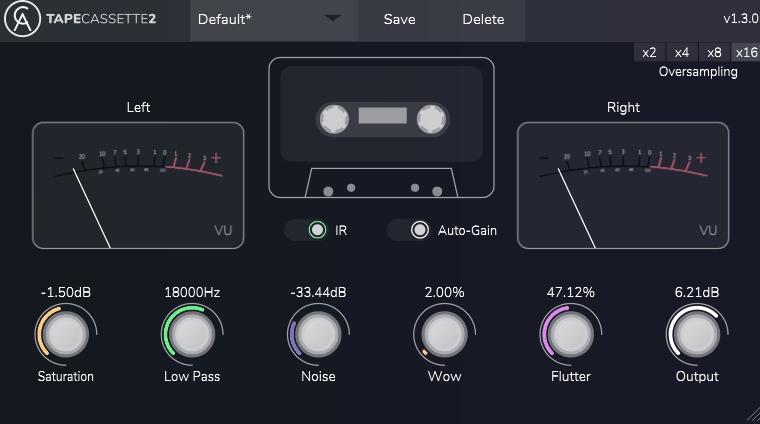
Cassette 2 is what I would reach for when a sound needs to feel a little worn in.
Lo-fi hip hop and lo-fi house both lean heavily on this kind of texture and it’s one of the fastest ways to add character to something that sounds too polished and digital.
It’s built around a real Type 1 cassette impulse response, which means the frequency coloring you hear isn’t guessed at, it’s captured from an actual tape.
I like how it doesn’t just clip or distort but saturates the way an actual cassette deck would, with built in oversampling to keep things from turning harsh. The saturation engine models real hysteresis behavior, the same nonlinear magnetic effect that gives physical tape its warmth.
- Real Sampled Tape Noise
Instead of generating synthetic hiss, Tape Cassette 2 uses actual recorded noise sampled from a Type 1 cassette. It changes how convincing the effect feels, that background texture is doing a lot of work to sell the vintage vibe.
- Rebuilt Wow and Flutter Engine
The wow and flutter engine was completely rebuilt for smoother pitch and speed instability, and you can push it from subtle to completely unhinged.
I’d recommend automating flutter on a vocal chop sometime, it’s a quick way to get that classic warped tape feel people love in lo-fi production.

Hey, I’m Vil, I started this site to help you find the best audio plugins covering various categories including synths, pianos, strings, and effect tools of all sorts as well. I pick these plugins based on various criteria so it best matches the actual topic.