When you purchase through the links on my site, you support the site at no extra cost to you. Here is how it works.
Multiband compression solves a problem I run into often when mixing: one part of the frequency spectrum needs different dynamics treatment from everything around it. The trouble is that it is easy to overcomplicate the process, use more bands than necessary, or compress each range so heavily that the original sound starts to feel flat.
I listed plugins where some are better for surgical correction, while others make more sense for electronic compression, vintage-style processing, bus work, or quick sound shaping. A few also combine compression with expansion, saturation, or more flexible sidechain options.
Let’s get started:
1. FabFilter Pro-MB
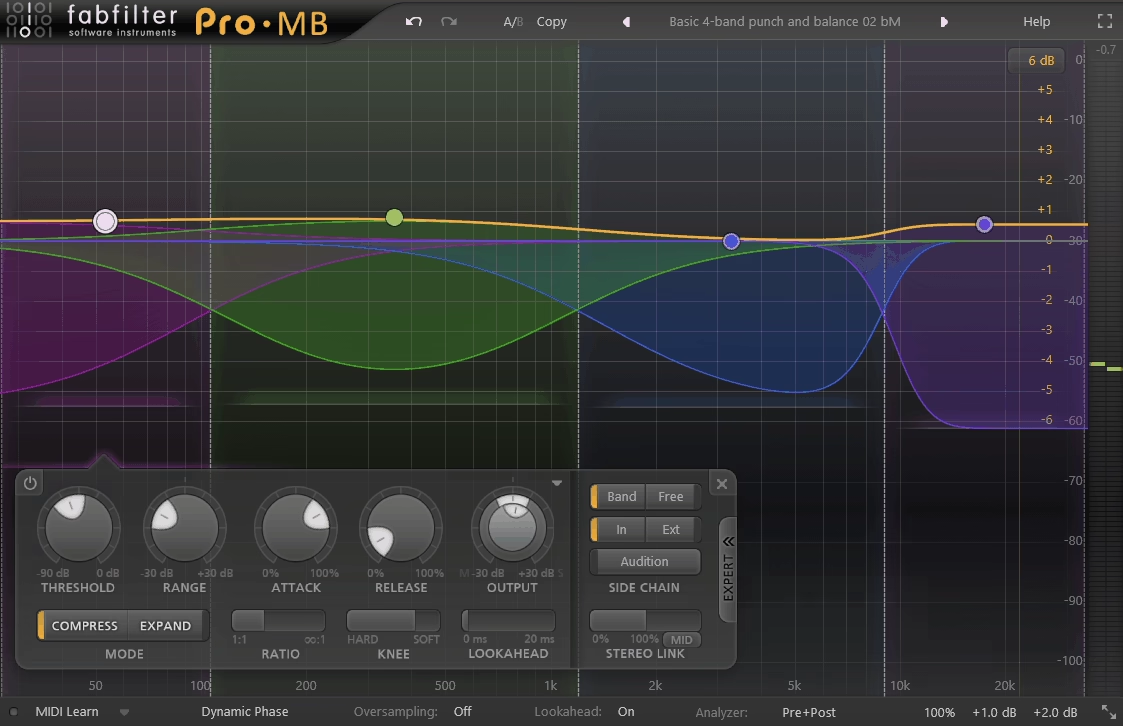
When I need to control a specific part of a mix without making the rest of the signal follow along, FabFilter Pro-MB is the first multiband compressor I would consider. Its main advantage is not simply having six bands, but being able to place those bands exactly where a problem exists and leave the rest of the spectrum largely untouched.
That makes it a strong choice for low-end buildup, inconsistent vocal ranges, harsh frequencies, drum peaks, and other problems where broad multiband treatment would be excessive.
- Six Bands
I like that a new instance does not force you to work with unnecessary bands, because you can start with one problem and add more only when you actually need them.
Each band has its own threshold, range, ratio, knee, attack, release, output, and lookahead controls
- Dynamic Phase Mode
Dynamic Phase is one of the reasons I find Pro-MB useful for transparent processing. FabFilter designed it to give you the benefits of multiband processing while avoiding the constant phase shift associated with traditional minimum-phase crossover filtering.
In addition to that, you also get Linear Phase and Minimum Phase modes, so you can choose what suits the material. If you are doing corrective work on a mix or master, Dynamic Phase is usually the first mode I would try, while the other options are there when you need a different response.
- Per-Band Direction
Here, each band can handle downward compression, upward compression, or expansion independently. I would recommend this when one part of a source needs tighter peaks while another needs more dynamic movement.
For example, you can control the low end with downward compression while using upward expansion higher up to bring out some extra detail without adding another processor.
2. Slate Digital MO-TT
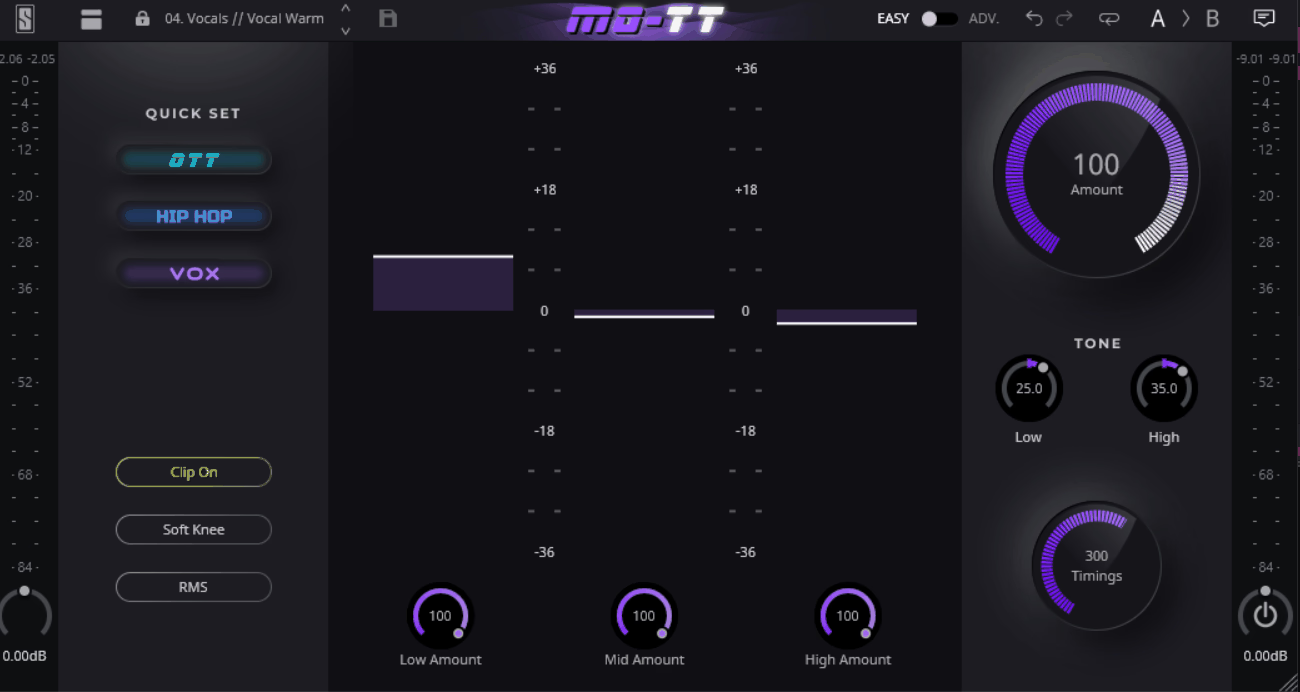
If the goal is subtle correction, I would look elsewhere; this approach is about deliberately making a source denser, louder, and more controlled. Slate Digital MO-TT makes that aggressive OTT-style behavior easier to shape, so I find it more useful for synths, electronic drums, basses, effects, and vocals than for transparent mix repair.
The main appeal is being able to start with a recognizable compression style and then adjust how much of that character each frequency range receives.
- Quick Set Modes
The three starting points are OTT, Hip-Hop, and Vox, each aimed at a different type of result. If you want to get close to a particular sound quickly, this is more practical than starting with separate band thresholds and ratios.
I normally treat them as starting points rather than finished settings because the default processing is fairly strong.
- Timing Styles
In addition, Classic, Smooth, and Smack change how the dynamics respond to transients. I find Smack useful when a part needs more punch and don’t want to immediately add a separate transient processor.
You can therefore change how the compression responds without rebuilding the basic sound.
- HPF And LPF
The additional high-pass and low-pass filters give you more control over which parts of the spectrum receive the effect. I use this when I want the sub region to remain fairly stable while the rest of a bass or synth gets more heavily compressed.
3. Devious Machines Multiband X6
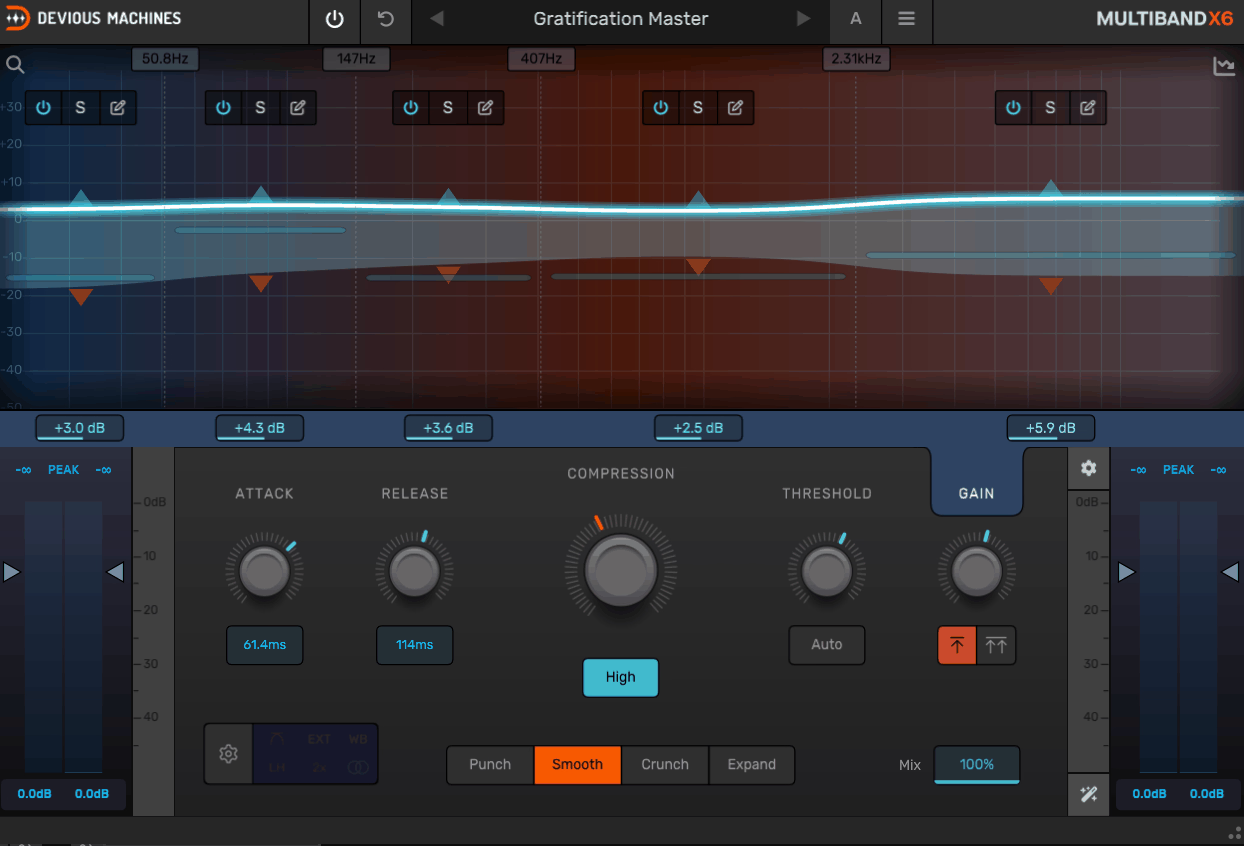
Multiband X6 is more useful when I want to choose a general dynamic character first and then refine the bands around it.
That makes it a good middle ground between straight corrective processing and more obvious sound-shaping, especially when Smooth, Punch, Crunch, or Expand can take the source in different directions before I start fine-tuning.
The main modes include Smooth, Crunch, Punch, and Expand. Punch adds more character to loud material, while Expand gives you a way to increase dynamic range instead of simply reducing it.
I like having those choices because you can change the general behavior of a band before getting into the finer compressor settings, which can save time when you are trying to find the right direction.
- Configurable Crossovers
Crossover slopes can reach 48 dB/octave, with options for different phase approaches and oversampling. If you are pushing the compression hard, these options give you more control over how the signal is split and how much processing you want to use.
- Mid-Side Processing
- Flexible Sidechain
The sidechain can operate wideband, filtered, or per band, and it can also respond to an external source. That makes it useful when you want one sound to control a specific frequency range of another.
4. Softube Tube-Tech SMC 2B
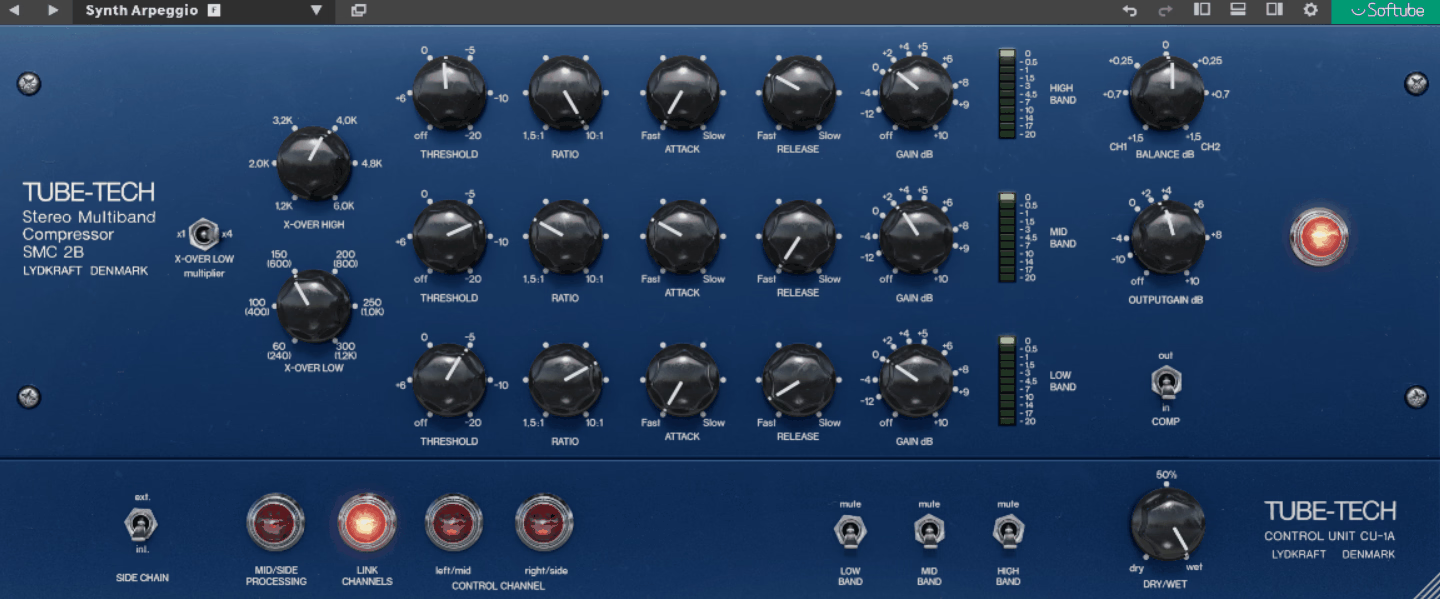
I would not compare this directly with Pro-MB or C6 as a precision tool, because its strength is doing something quite different. Softube Tube-Tech SMC 2B is built around smooth optical-style compression, which makes it more appealing on buses, instrument groups, vocals, and complete mixes where I want the processing to blend into the source.
It is the kind of choice I make when the compression itself should contribute to the overall feel rather than simply solve a narrow frequency problem.
- Three Optical Bands
Low, mid, and high frequencies each pass through their own optical compressor, with the bands divided by 6 dB/octave crossover filters. The crossover ranges are adjustable, so you can decide where the three sections meet.
I find the optical behavior useful when you want the gain reduction to feel smoother than a harder-sounding dynamics processor.
- Mid-Side And Dual Mono
The plugin provides Mid/Side operation and unlinked Dual Mono processing in addition to normal linked stereo behavior
5. BLEASS Multiband Compressor
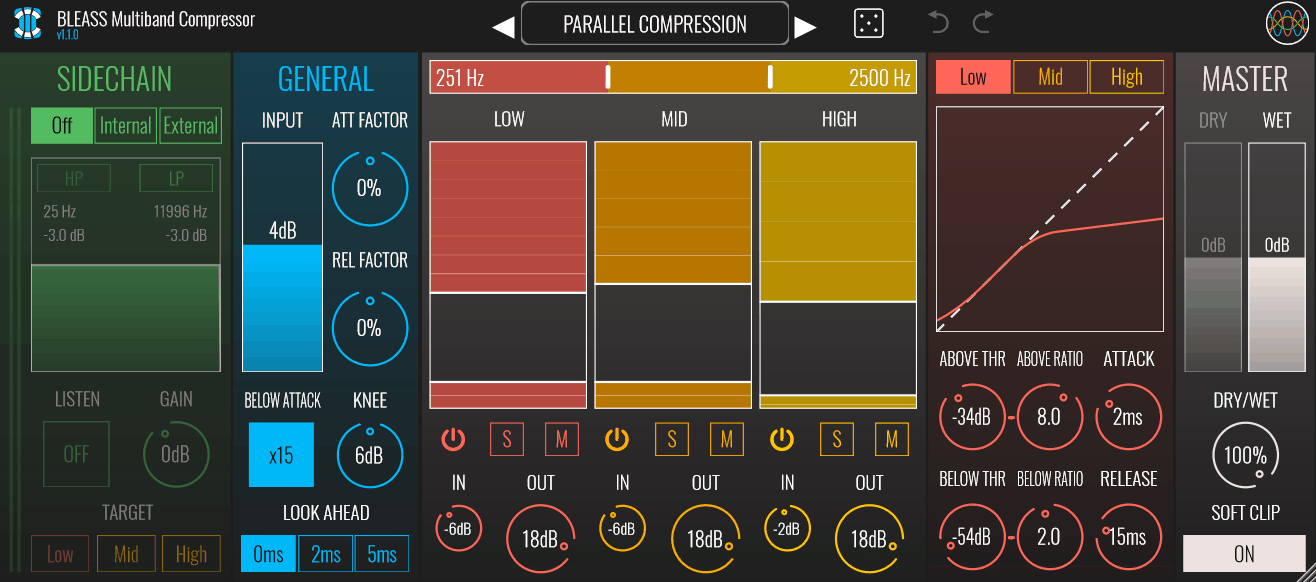
The useful thing here is that each frequency band can have two separate dynamic behaviors instead of forcing the entire band to react in one direction. BLEASS MB Compressor lets you deal with material above and below a threshold independently, which is especially practical when a source contains both excessive peaks and weak low-level detail.
That gives it a different role from conventional multiband compressors: you can shape the dynamic range from both ends inside the same bands, which can be particularly useful on vocals, drums, and sound-design material.
- Dual-Stage Bands
Each of the three bands contains an Above and Below stage. The Above stage reacts when the signal exceeds its threshold, while the Below stage reacts when it falls underneath its threshold.
I like this because you can tame peaks and bring up quieter material in the same frequency range without stacking two separate processors.
- Compression Or Expansion
Both stages can operate as compression or expansion depending on the ratio. This gives you more options than a standard downward-only multiband compressor.
Let’s say you can compress aggressive vocal peaks while using expansion elsewhere to restore some dynamic movement, rather than treating the entire source with one behavior.
- Flexible Sidechain Keying
You can choose whether individual bands respond to the normal input, a filtered signal, or an external sidechain. You can use this when you want to control a resonance, sibilance, or another frequency-specific problem without necessarily processing the same frequency range that is generating the trigger.
6. Minimal Audio Fuse Compressor
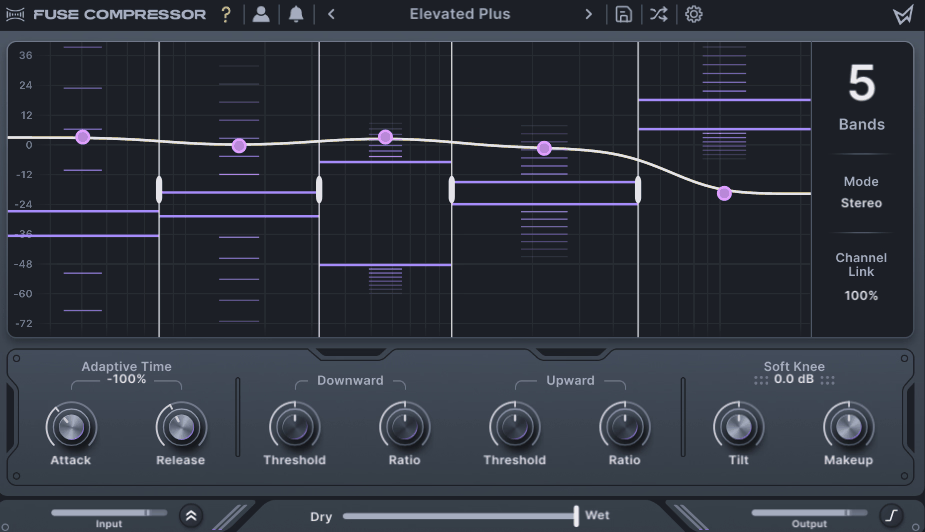
Minimal Audio Fuse Compressor is the one I would reach for when I want to experiment with the overall dynamic shape. Its visual approach makes it easy for me to see how upward and downward compression are changing different parts of the spectrum, which I find useful during sound design and early mix decisions.
Instead of competing with Pro-MB on surgical control, it is better suited to quick broad shaping, creative compression, and finding a useful direction before getting more precise.
- Six Dual Bands
That said, each band can apply both upward and downward compression, allowing you to emphasize quieter information and control louder material within the same frequency range. You can use anywhere from one to six bands, so the plugin can also work as a simpler compressor when you do not need a full multiband setup.
- Spectral Tilt
The Tilt control changes how the compression is distributed between lower and higher frequencies. I find that useful as a first adjustment because you can set the general direction of the processing before fine-tuning the individual bands.
- Mid-Side Processing
- Macro Ratio And Threshold
The macro controls let you adjust multiple bands together.
I would usually use them when I want to change the overall intensity without having to rebalance every band individually, then return to the individual controls once the general amount feels right.
7. Waves C6
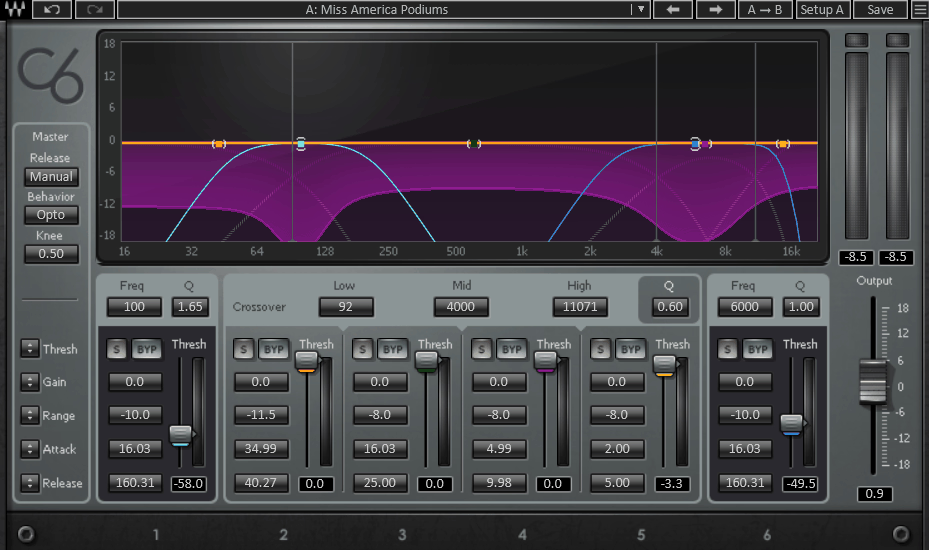
Waves C6 combines four conventional crossover bands with two movable bands, so I can treat the broad spectrum normally and then place extra control exactly where a resonance, sibilance area, or harsh frequency appears.
That makes it especially useful for problem-solving tasks where flexibility at a few specific frequencies matters more than having the most elaborate multiband architecture.
- Four Plus Two Bands
Four fixed crossover bands provide the main structure, while two additional bands can be placed wherever you need them. Those floating bands can work well when one problem does not line up neatly with your other crossover points.
- Five Processing Types
In adition, the bands can perform compression, expansion, upward expansion, limiting, or dynamic EQ-style processing depending on the chosen mode. That gives you several ways to deal with different problems without changing plugins.
- Range Instead Of Ratio
Also, the Range control limits how much gain change a band can apply. I find that helpful because you can let the compressor respond without allowing it to change the source more than you want, which is especially useful for corrective work.
8. SSL G3 MultiBusComp
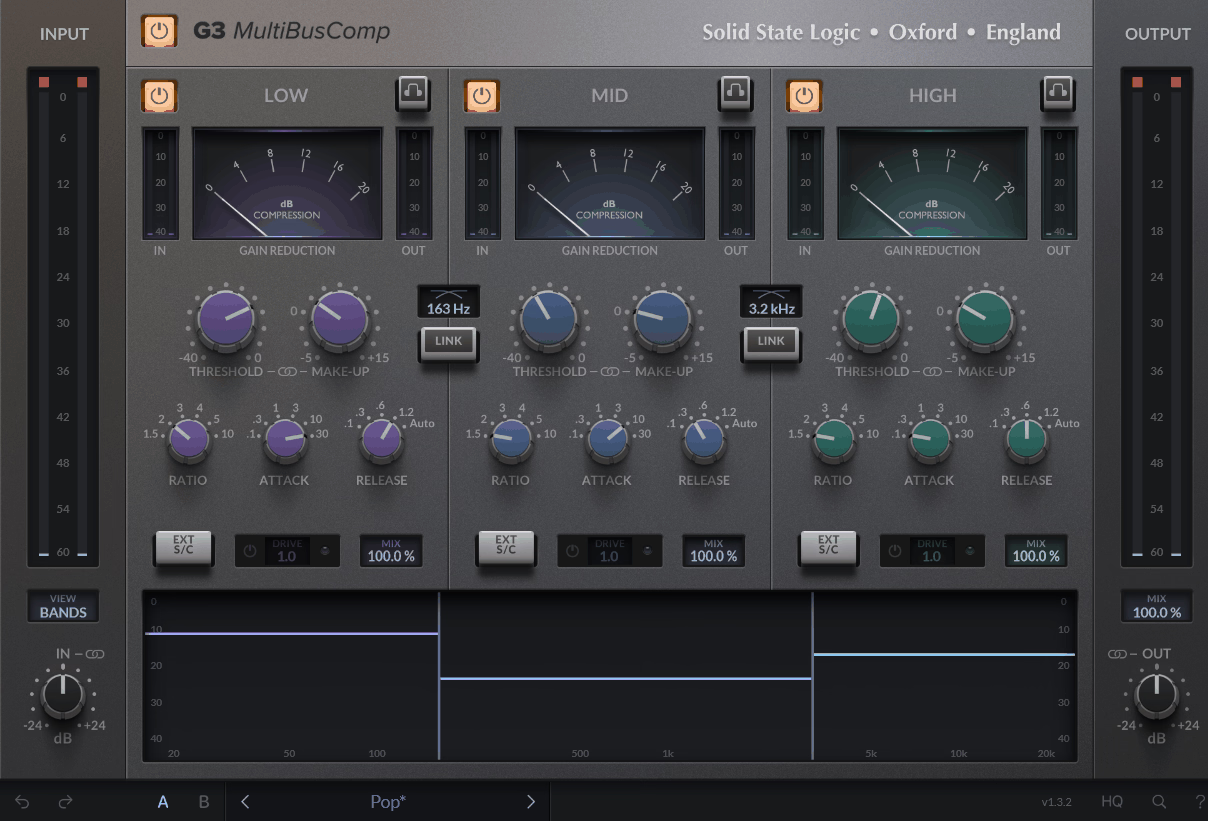
SSL G3 MultiBusComp makes more sense to me when I want the different frequency ranges to remain part of one coherent compression approach.
It brings SSL-style compression character to the low, mid, and high ranges while keeping the overall result suited to buses and groups.
- Three Glue Bands
It can work on drum buses because you can control cymbals or low-end movement without making the whole kit pump together.
- 4K Drive Per Band
The Drive control is inspired by SSL’s 4K console circuit and adds gain-compensated saturation to individual bands. I would use it sparingly when one frequency range needs a little more weight or density while the rest of the source already sounds right.
- Unlinked Sidechain Filtering
Separate high-pass, low-pass, and bell filtering can shape what triggers the compressor without moving the actual band crossover. That means you can decide where the processing happens and separately decide what makes the compressor react.
9. PSP oldTimerMB
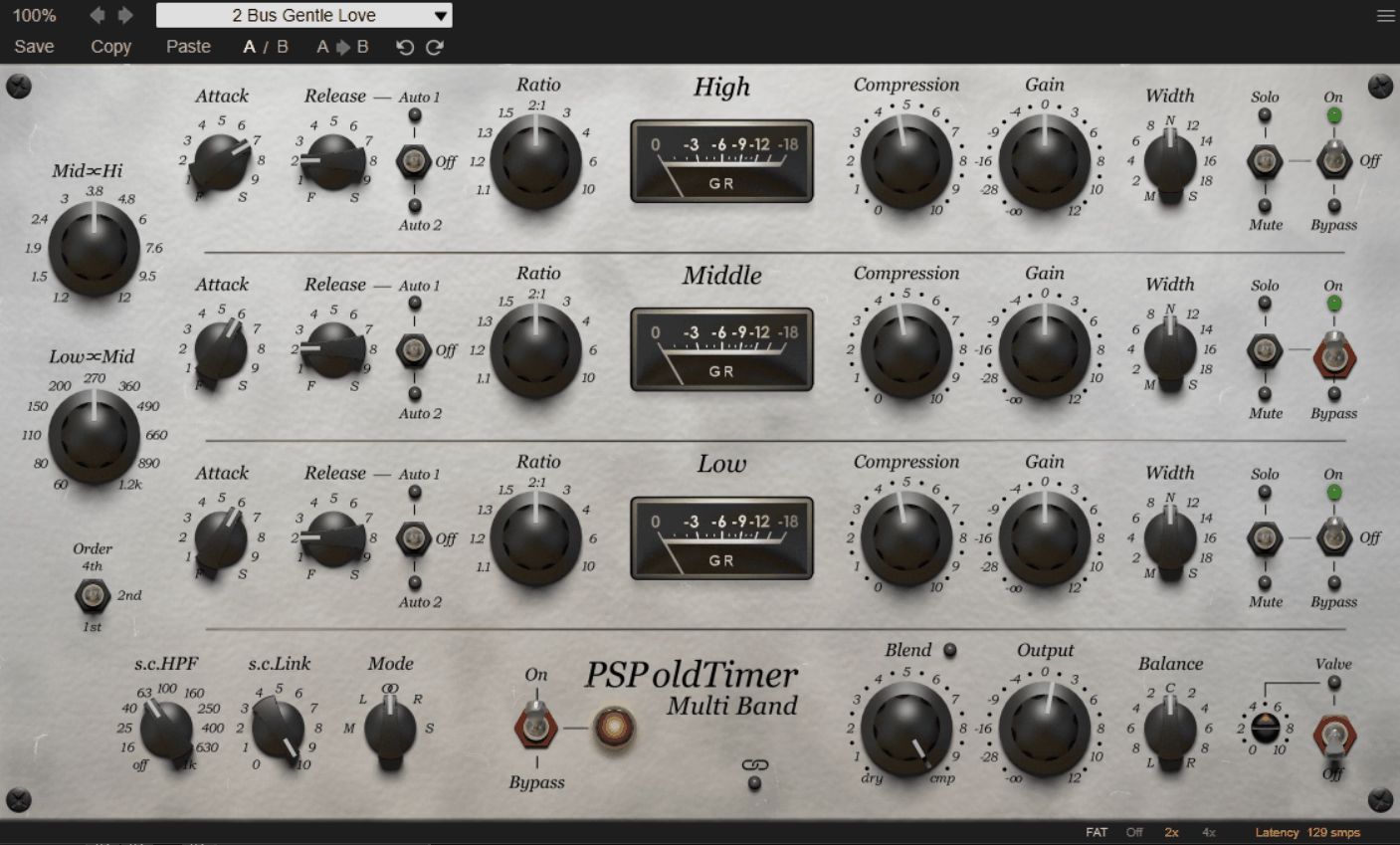
Sometimes I want the multiband stage itself to contribute some tone and PSP Audioware oldTimerMB is great for that because it carries the character of the original oldTimer into three frequency ranges and not behave like a completely neutral processor.
That makes it more appropriate for buses and groups where gentle coloration and musical compression matter more than pinpoint corrective control.
- Three-Band Vintage Engine
- Vintage Ratio Character
Lower ratios use a smoother transition, while higher ratios move toward a more pronounced old-style compression behavior. It can come in handy as you can move from gentle bus control to a more obvious character change by adjusting the ratio
10. Softube Drawmer 1973
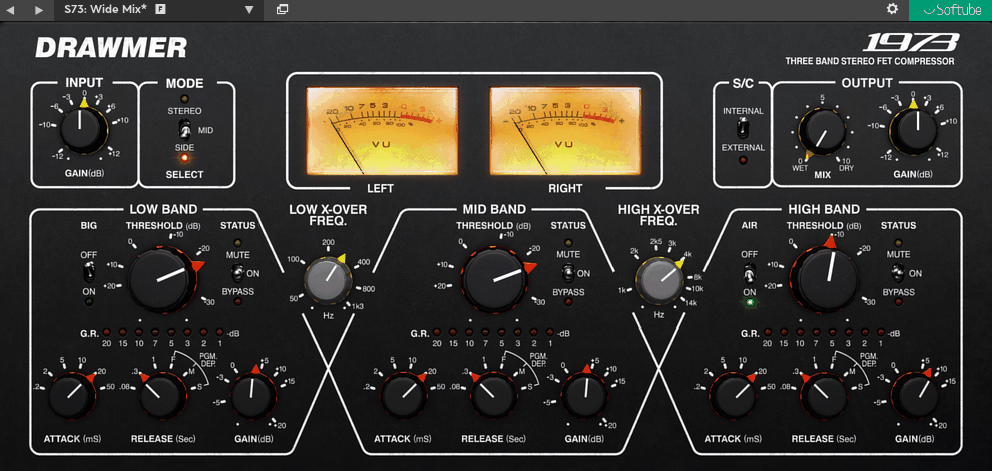
I find this oneespecially useful on pianos, acoustic guitars, drums, and full mixes, where I want to preserve the character of the source.
When an EQ cut would remove too much of the source, I often prefer letting the dynamics respond only when a certain range actually becomes excessive. Softube Drawmer 1973 takes that approach.
- Big And Air Switches
Big adds low-frequency weight while Air emphasizes the upper range. They can be useful when the dynamics are already working and you want a small tonal adjustment as well.
- Adjustable Crossover Points
The crossover frequencies can be moved to fit the source
- Program-Dependent Release
I tend to use the program-dependent behavior on more complex sources and choose a fixed response when I want the compressor to behave in a more repeatable way.
- Mid-Side Processing
If the center needs tightening but the stereo information already feels good, this can save you from processing the entire image together.
Freebies:
1. Xfer Records OTT
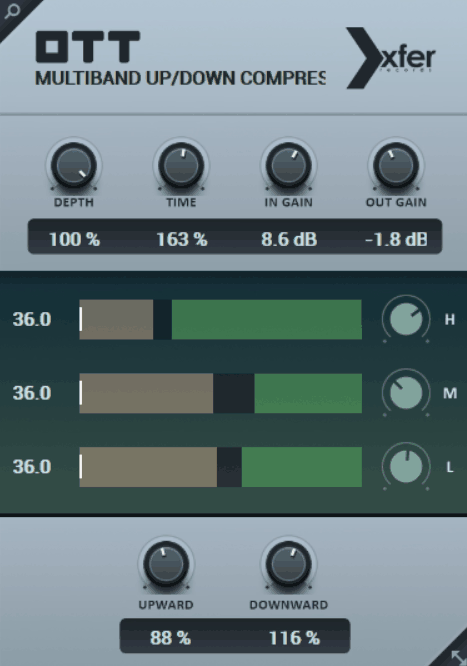
OTT is useful when you want aggressive upward and downward compression. I would not put it ahead of Pro-MB, C6, or the more transparent options for general corrective work, because that is not really its role.
It is better thought of as a creative density tool for electronic drums, synths, basses, vocals, and effects, where heavier compression is part of the sound. Xfer Records OTT remains relevant because it gives you that behavior with very little setup and makes the amount of it easy to scale back with Depth.
- Three Frequency Bands
- Bi-Directional Compression
Downward and upward compression work simultaneously across the three bands. That pulls quieter material forward while controlling louder peaks, producing the dense character OTT is known for.
I usually keep the Depth relatively low at first because you can get the basic character without using the full amount of compression available.
2. Sixth Sample & Integraudio Cramit
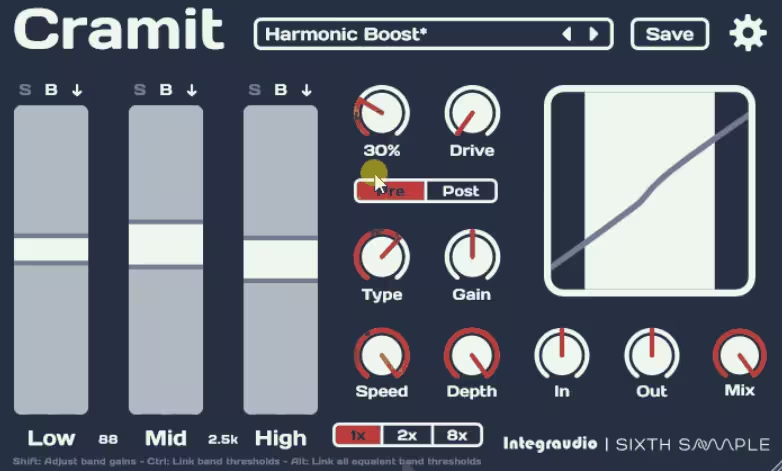
Cramit takes the familiar OTT-style dynamic structure and adds distortion, which changes its role from simple multiband compression into something more suited to sound design.
The ability to place distortion before or after the compression also gives you another way to shape how the dynamics and saturation interact.
The core dynamics section handles upward and downward compression, along with expansion, across three bands so if you want a denser signal but also need the option of increasing dynamic range in specific areas, this gives you more flexibility than a simple OTT-style effect.
- Pre Or Post Distortion
The distortion section can be placed before or after the compression stage, and the order changes the result. I usually start with post-compression distortion for a direct, simple approach, then move it before the compressor when I want the saturation itself to affect the way the dynamics respond.
3. Analog Obsession KolinMB
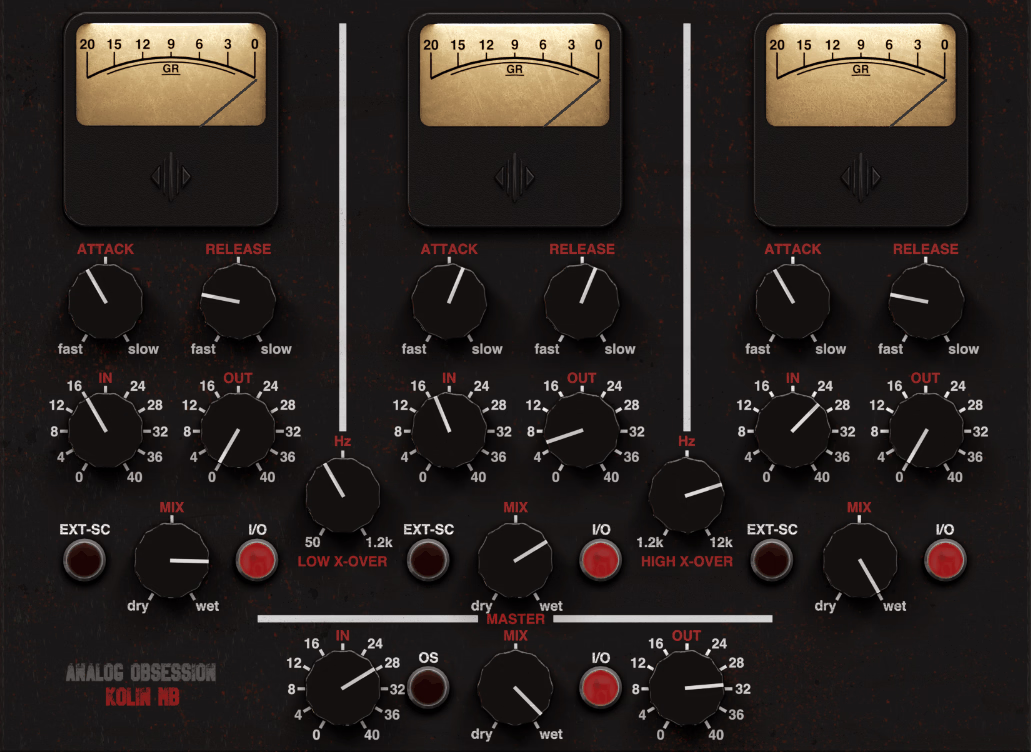
Some free multiband compressors focus almost entirely on getting maximum density from the source, while this one is more about combining dynamics with a colored signal path. I would not choose it merely because it is freeware; the appeal is the tube-style character and per-band control, which give it a different purpose from OTT and Cramit.
Analog Obsession KolinMB makes more sense when you want three-band compression that can also become part of the tone on buses, drums, instruments, or other material where a cleaner processor feels too plain.
- Vintage Tube Character
Each band runs through the modeled tube-style circuit, so the three ranges are not treated as completely neutral digital compression stages. I find this more useful when you want the dynamics processing to affect the tone as well.
- Adjustable Crossovers
The low and high crossover points can be adjusted across their available ranges. That means you can decide where the three sections meet instead of being stuck with one fixed split, making it easier to adapt the processor to different sources.
- Per-Band External Sidechain
Each band can respond to an external sidechain source independently and it can serve you well when you want another track to influence only one part of the frequency spectrum, such as creative ducking or more focused dynamic control.

Hey, I’m Vil, I started this site to help you find the best audio plugins covering various categories including synths, pianos, strings, and effect tools of all sorts as well. I pick these plugins based on various criteria so it best matches the actual topic.