When you purchase through the links on my site, you support the site at no extra cost to you. Here is how it works.
If you’re looking for the best linear phase EQ plugins, this roundup brings together a mix of modern and established EQs that have proven themselves over time.
Some give you multiple phase modes for mixing and mastering, while others focus entirely on linear phase processing. Features such as dynamic EQ, mixed-phase operation, low latency, mid/side routing, and precise filter control can make a much bigger practical difference than simply having a linear phase switch.
You’ll find FabFilter Pro-Q 4, Kirchhoff-EQ, Softube Weiss EQ1, and DMG Audio EQuality, along with more specialized options such as Blue Cat’s Liny EQ. There are free plugins too, including iZotope Ozone EQ, lkjb QRange, and Voxengo Marvel GEQ, so there are ways to explore linear phase EQ without spending money.
We’ll start with FabFilter Pro-Q 4, one of the most flexible options in the lineup.
1. FabFilter Pro-Q 4
FabFilter Pro-Q 4 is a general-purpose parametric EQ with Zero Latency, Natural Phase, and Linear Phase modes, so I can choose the processing that suits the track instead of running every instance in linear phase. If you are mixing as well as mastering, that means you do not need a separate EQ just because one track needs a different phase mode.
What makes it particularly useful here is Spectral Dynamics, which can put an individual band into linear phase processing while the rest of the EQ remains in Zero Latency mode. That is practical when only one problem frequency needs phase-linear treatment, because I can keep the rest of the processing lighter.
- 24 Bands and Flexible Slopes
Pro-Q 4 provides up to 24 bands with bells, shelves, notches, and other filter types, including fractional slopes. I find that useful for corrective work because I can choose something between a gentle and steep filter rather than being limited to standard 12 or 24 dB/octave settings. If you are trying to make a subtle cleanup without making the filter obvious, that extra control is useful.
- EQ Sketch and Spectral Dynamics
EQ Sketch lets me draw a target curve and have Pro-Q build the bands around it. Spectral Dynamics then lets individual bands react dynamically, which can be more useful on harsh vocals or resonances than making a permanent cut when I want to keep more of the original character.
- Character Modes
The Gentle and Warm modes add subtle saturation to the EQ, giving me a way to soften a clean digital pass without immediately adding another processor.
- Dolby Atmos Support
Pro-Q 4 supports immersive configurations up to 9.1.6, which makes it a practical option for mastering or mixing work that extends beyond stereo. If you occasionally receive immersive projects, you can keep the same EQ in your workflow.
- Instance List
The Instance List gives me a central view of Pro-Q instances in a session and provides access to tools such as EQ Match, which I can use to get close to a reference before refining the result by ear. If you work quickly between references, that can save you time without turning the match into the final decision.
2. Three-Body Technology Kirchhoff-EQ
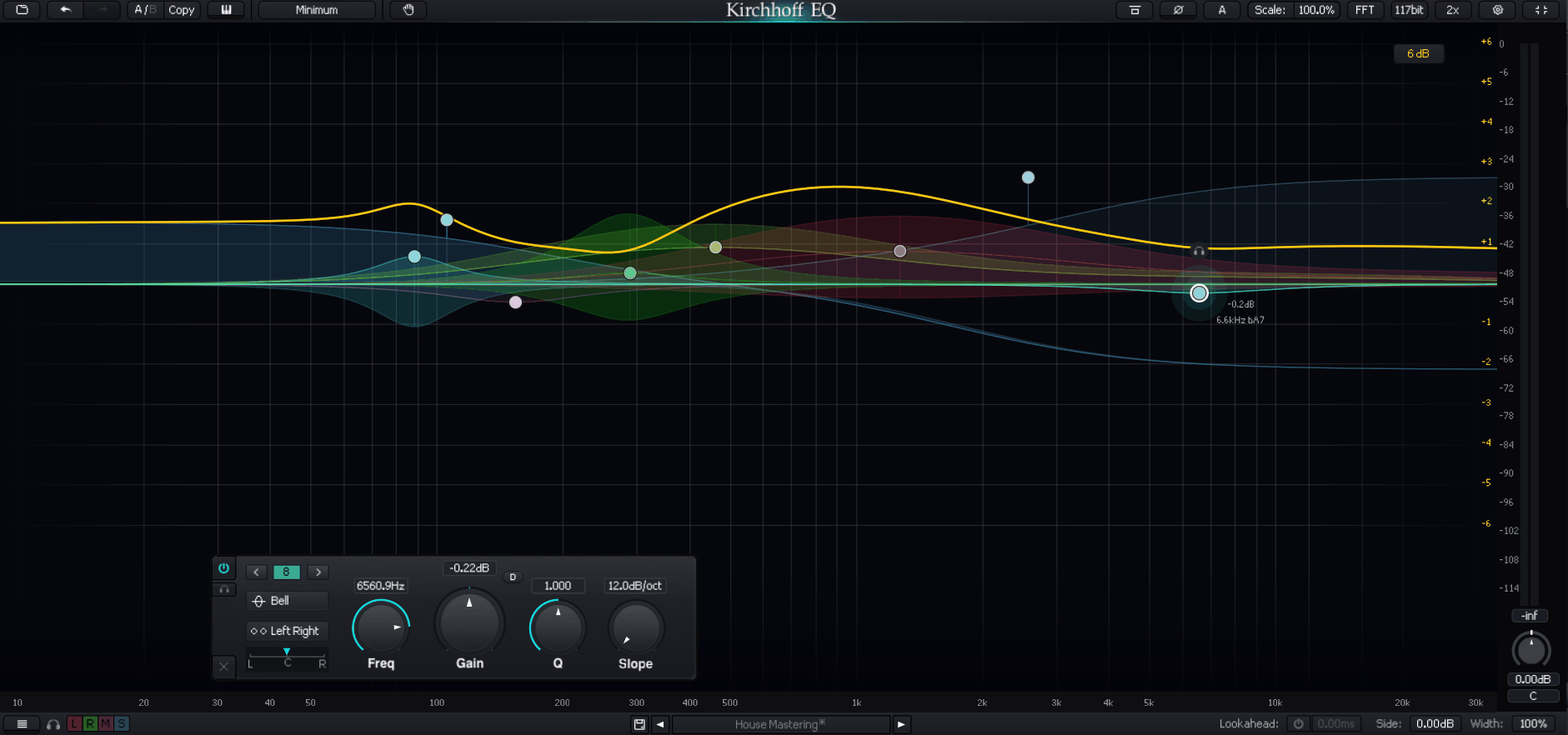
Kirchhoff-EQ is especially interesting because its Mixed Phase mode blends phase behavior across the spectrum rather than forcing the whole EQ into one approach.
Lower frequencies can stay closer to zero-latency behavior while higher frequencies move toward linear phase processing, which is useful when I want to control latency without giving up phase coherence where it matters most. If you are trying to keep the low end responsive while getting cleaner phase behavior higher up, this approach can be useful.
- 32 Filter Types
The plugin includes a large collection of filter and EQ models, including vintage-inspired curves. Its Nyquist-matched processing is designed to maintain more consistent behavior near the top of the digital spectrum, while still allowing continuous frequency adjustment.
- Variable Slopes
Many filters can use slopes from very gentle through 96 dB/octave, which gives me more control when a standard 12 or 24 dB/octave setting feels too obvious. If you need a very specific rolloff, you can get much closer to it without stacking several filters.
- Two-Way Dynamic EQ
I can define independent behavior above and below the threshold, adjust onset timing, and use relative detection. The same dynamic approach can also be applied to the modeled filter types, which gives you more control when the problem changes with level.
- Sword Filter
The Sword filter is designed for narrow resonance removal. I use it when a conventional bell filter feels too broad for a specific problem, especially when you want to remove one sharp resonance without taking too much surrounding material with it.
- Adaptive Filter Topology
Kirchhoff-EQ changes its internal filter structure according to the target frequency, helping it maintain consistent behavior across the spectrum. I rarely think about the implementation while mixing, but it contributes to the plugin’s overall precision.
3. MeldaProduction MAutoEqualizer
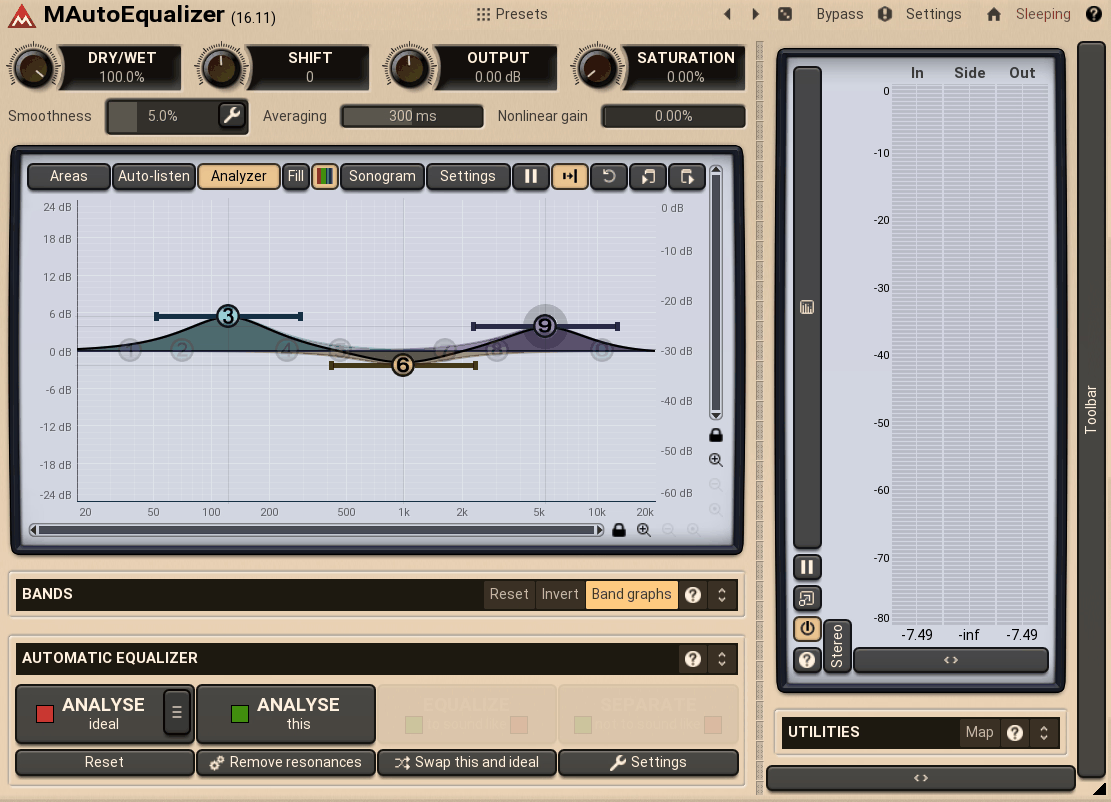
MAutoEqualizer is built around automated tonal matching. It can analyze a track, reference, or manually drawn target and use its Filter Adaptation technology to move the EQ toward that curve.
For this list, the important part is MAutoEqualizerLP, which uses dedicated linear phase processing for more accurate low-frequency work. If you prefer to start from a measurable target rather than place every band yourself, this workflow can give you a faster starting point.
- Three EQ Algorithms
The plugin offers true bidirectional filtering, FFT processing, and minimum phase modes, allowing me to prioritize transparency, speed, or a more conventional phase response depending on the task. You can choose the approach that fits the material instead of committing to one processing style.
- Linear-Phase Upsampling
The upsampling options are designed to reduce aliasing during processing, which becomes more relevant when I make stronger EQ moves.
- Surround Support
MAutoEqualizer supports single-channel, mid/side, and surround routing up to eight channels, making it useful beyond normal stereo mastering. If you work on more complex delivery formats, you can keep the same tool available.
- Sonogram Metering
The sonogram shows spectral behavior over time, which can reveal resonances and buildup that are easy to miss on a static frequency display.
4. Techivation M-EQ
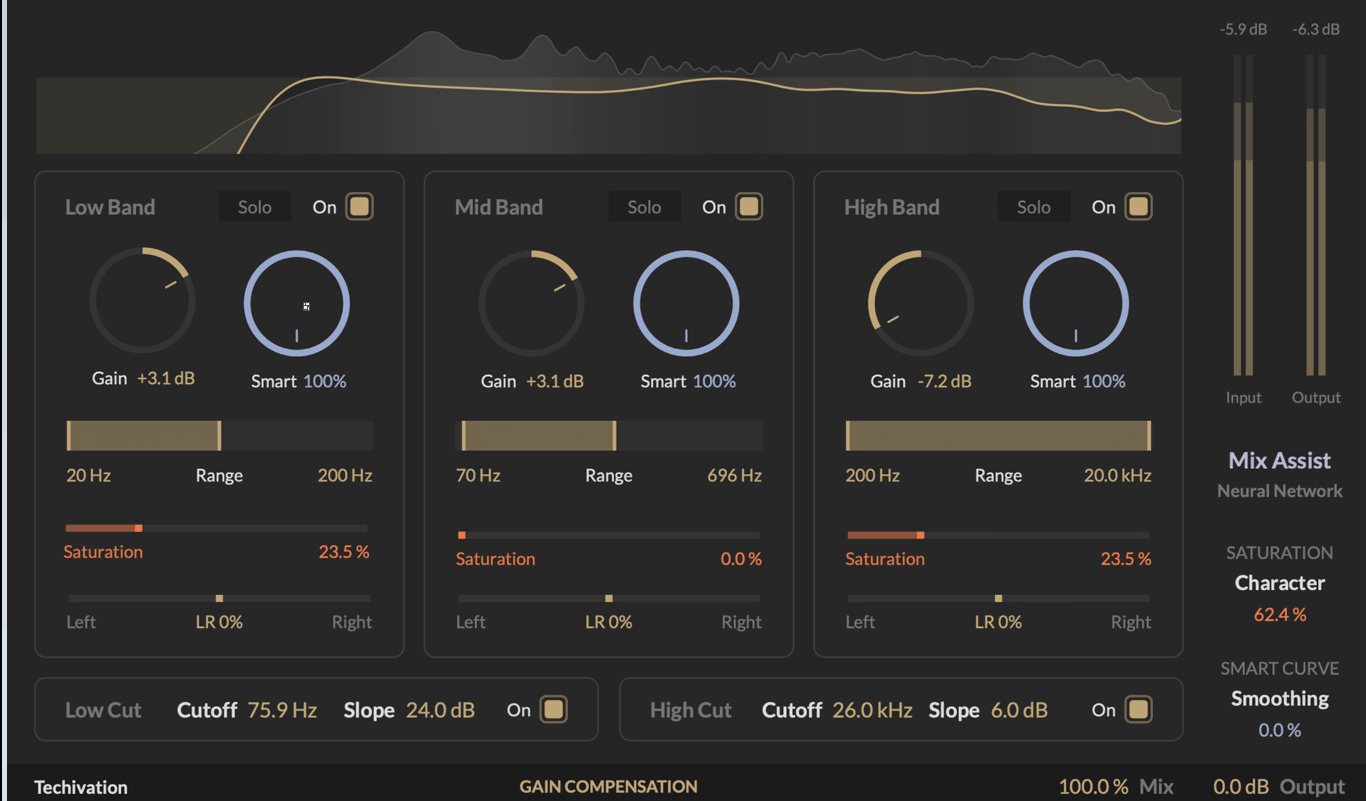
Techivation takes an adaptive approach built around three Smart Curve bands for the low, mid, and high ranges. Rather than applying the same gain across an entire range, each band redistributes energy according to what the incoming signal actually needs.
That makes M-EQ particularly useful for broad tonal shaping where I want the plugin to make a more selective adjustment than a conventional shelf or bell. If you want a faster way to shape the overall balance, the adaptive behavior can give you a practical starting point without forcing you into a fixed curve.
- Per-Band Saturation
Each Smart Band includes saturation and stereo balance, so I can add tonal character and adjust stereo contribution without immediately reaching for another plugin.
- Adaptive Gain Redistribution
A conventional boost raises the whole selected range equally. Smart Curve instead concentrates the boost where energy is lacking, which can preserve more of the existing balance. If your source already has strong areas inside the range, that can help you avoid exaggerating them unnecessarily.
- Solo and Bypass
These controls make it easy to hear what each band is actually contributing before I commit to the processing, which helps you judge whether the adaptive result is doing something useful rather than simply looking impressive.
- Linear Phase Default
M-EQ runs linear phase by default, which keeps the workflow simple but means I have less phase-mode flexibility than with a plugin such as Pro-Q 4. If you need to move frequently between zero-latency and linear phase behavior, that difference matters.
5. Softube Weiss EQ1
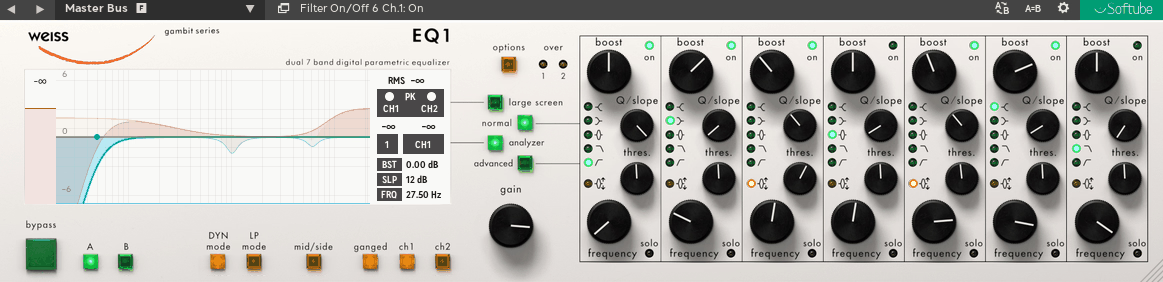
The Weiss EQ1 is based closely on the original Weiss mastering hardware, with Softube describing the plugin as a line-by-line code port of the original DSP implementation. It provides seven full-range parametric bands, each with Minimum Phase, Linear Phase, and Dynamic options.
This makes it useful not only for transparent mastering EQ but also for situations where the tonal problem changes over time. If you are dealing with a resonance that only appears on certain sections, you can use the dynamic behavior instead of committing to a fixed cut across the entire master.
- Dynamic Advanced Mode
This mode exposes threshold, attack, release, and ratio controls per band, giving me much more control over dynamic tonal corrections than a conventional static EQ.
- High-Resolution Processing
The plugin runs internally at 32-bit / 192 kHz, providing substantial processing headroom for detailed mastering work.
- Wide Gain Range
Each band offers -39 to +18 dB of gain, although for mastering I would normally use only a small portion of that range. You have plenty of room when you need it, but the useful part is the precision at modest settings.
6. DMG Audio EQuality
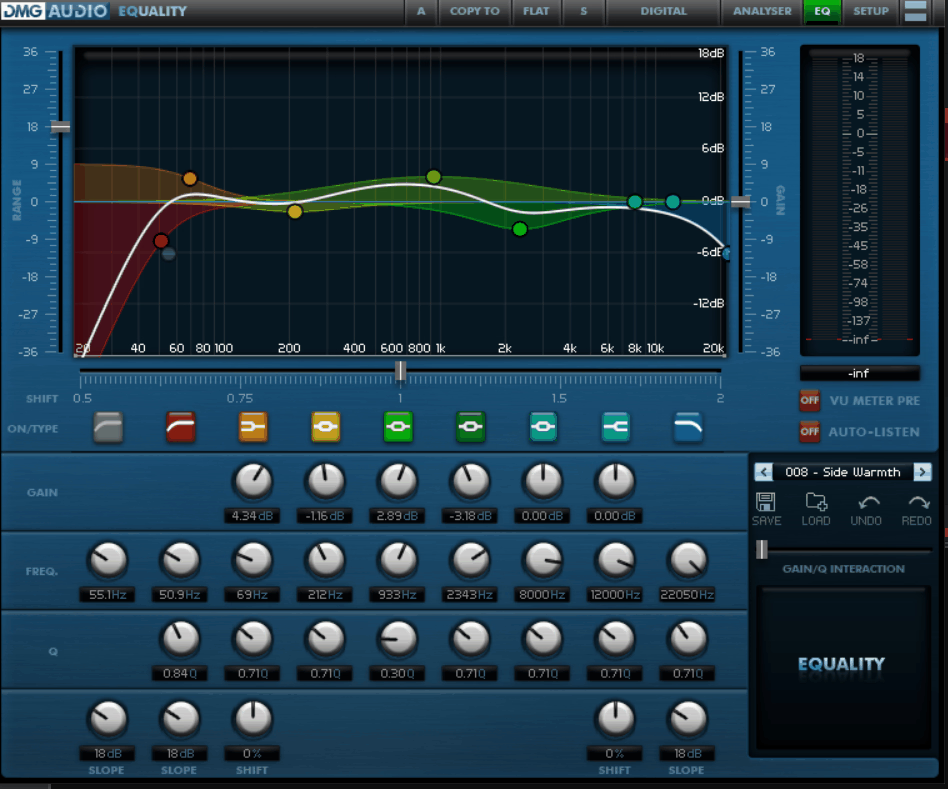
This EQ is designed as a flexible digital EQ rather than an emulation of one specific piece of hardware. Its main advantage is the range of processing approaches available in one plugin: Digital, Digital+, Minimum Phase, Analogue Phase, and Linear Phase.
That flexibility makes EQuality useful when I want one EQ to cover both conventional mixing and phase-critical mastering work. If you move between tracking, mixing, and mastering, you can keep the same processor and change its behavior to suit the job.
- Six Parametric Bands
There are six main parametric bands plus separate high- and low-pass filters, with a Q range from 0.1 to 50 and up to 36 dB of gain.
- Configurable CPU Load
The plugin lets me trade processing quality against CPU use in several modes, which is useful when your larger session needs more headroom.
- Full Mid/Side Processing
Mid/side processing is built in, so I can treat the center and sides differently without another routing stage. If you are making detailed mastering moves, that keeps the workflow self-contained.
7. Blue Cat’s Liny EQ
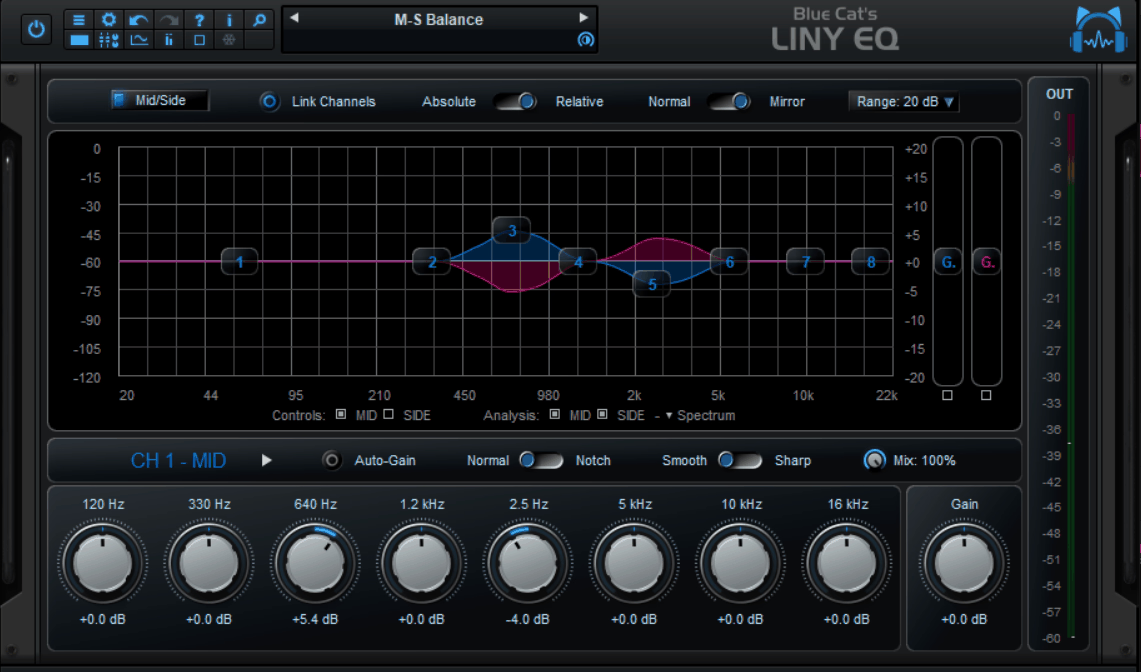
Blue Cat’s Liny EQ is interesting because it keeps linear phase latency unusually low, with the developer specifying under 3 ms at 44.1 kHz. That makes it much more realistic for tracking and latency-sensitive work than most linear phase EQs. If you need to monitor through the plugin while recording, that difference can matter.
- Eight Bands
The EQ provides eight bands, four filter shapes, and up to ±40 dB of gain, which is enough for both corrective and tonal work without becoming overly complicated.
- Spectrogram Analyzer
The spectrogram shows how frequency content changes over time, making it easier to identify resonances and buildup that a conventional analyzer may hide.
- Automatic Gain Compensation
Automatic gain compensation keeps the output level more consistent while I make EQ changes, making it easier to judge the tonal result rather than reacting to increased loudness.
- Three Plugin Variants
Mono, stereo, and dual-channel versions let me choose the processing format I actually need, while the dual-channel version adds independent left/right or mid/side control. If you only need a simple mono or stereo instance, you can avoid loading a more elaborate version than necessary.
8. IK Multimedia Linear Phase EQ
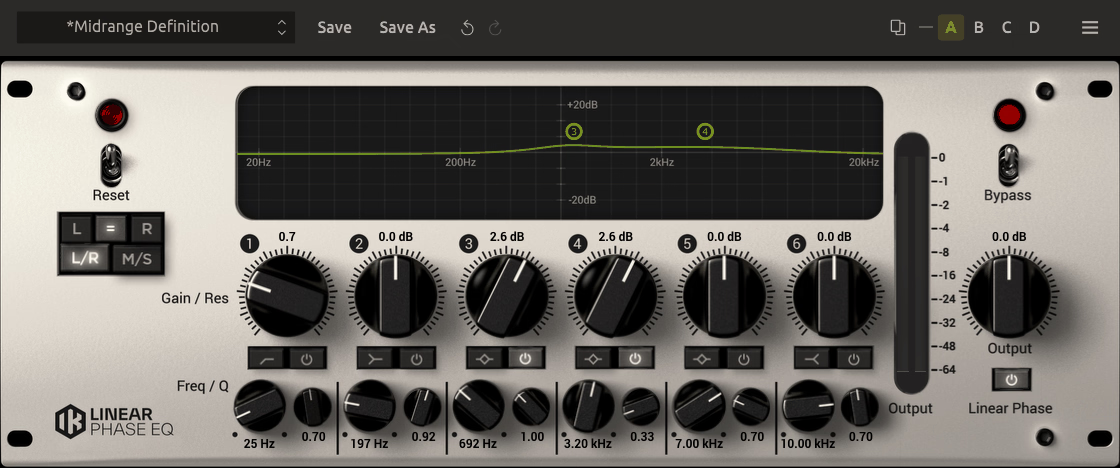
This one is more focused tool inside T-RackS. IK Linear Phase EQ provides six fully parametric bands, each capable of high-pass, low shelf, peaking, high shelf, or low-pass filtering, with every band running in linear phase.
There is no minimum phase alternative, which keeps the plugin simple and makes its purpose clear. If you want dedicated linear phase processing without a large set of secondary features, that narrow focus can be useful.
- Six Flexible Bands
Each band can use any of the five available filter shapes, giving me enough flexibility for both broad tonal shaping and corrective work.
- Companion Tool Design
IK positions the plugin as a dedicated linear phase tool that can work alongside a separate coloring EQ. I like that approach when I want the phase correction and the character processing to remain separate, and you can build the chain around whichever other tools you prefer.
- Bundled in T-RackS
If I already own a larger T-RackS package, the plugin may already be included, making it an easy option to try before buying another EQ.
9. Crave DSP Crave EQ
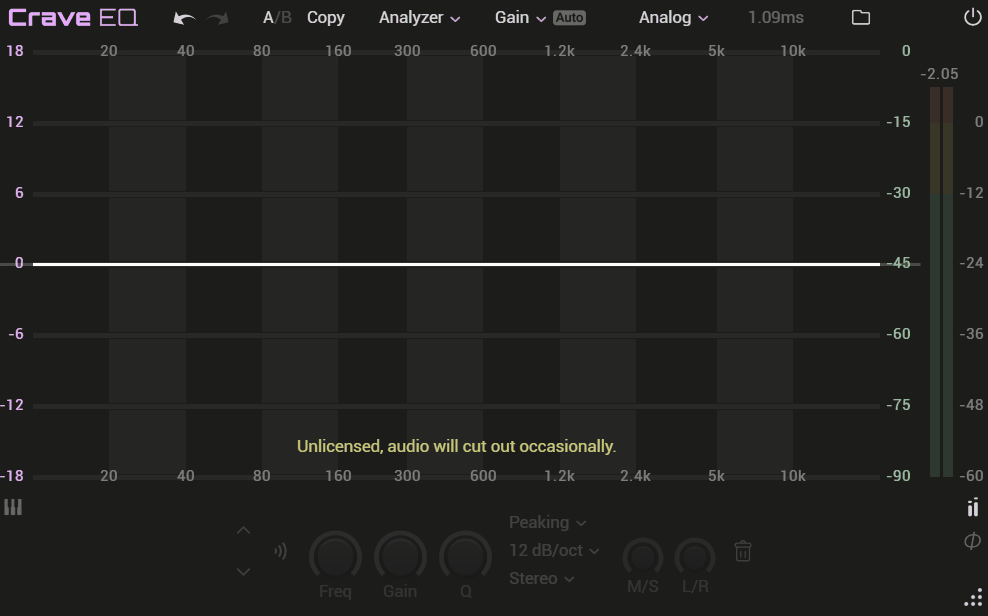
If you want a frequency-dependent compromise rather than one global mode, this is one of the more unusual options here.
Crave EQ offers Digital, Analog, Transparent, and Linear phase models. The most interesting is Transparent, which combines analog-style phase behavior at lower frequencies with a gradual move toward linear phase higher up the spectrum.
That gives me another way to control the latency and phase tradeoff instead of treating linear phase as an all-or-nothing decision.
- Four Phase Models
The four modes cover everything from conventional zero-latency processing to full linear phase, with Transparent acting as a frequency-dependent compromise.
- Directional Stereo EQ
Peaking and shelving filters can be positioned within the stereo image, which is useful when I want to adjust the sides differently from the center. If your master needs a slightly different treatment in the center and sides, you can make that change inside the EQ.
- Apple Silicon Native
Version 2.1 added native processing for Apple Silicon, which avoids relying on compatibility translation on newer Macs.
10. Waves Linear Phase EQ
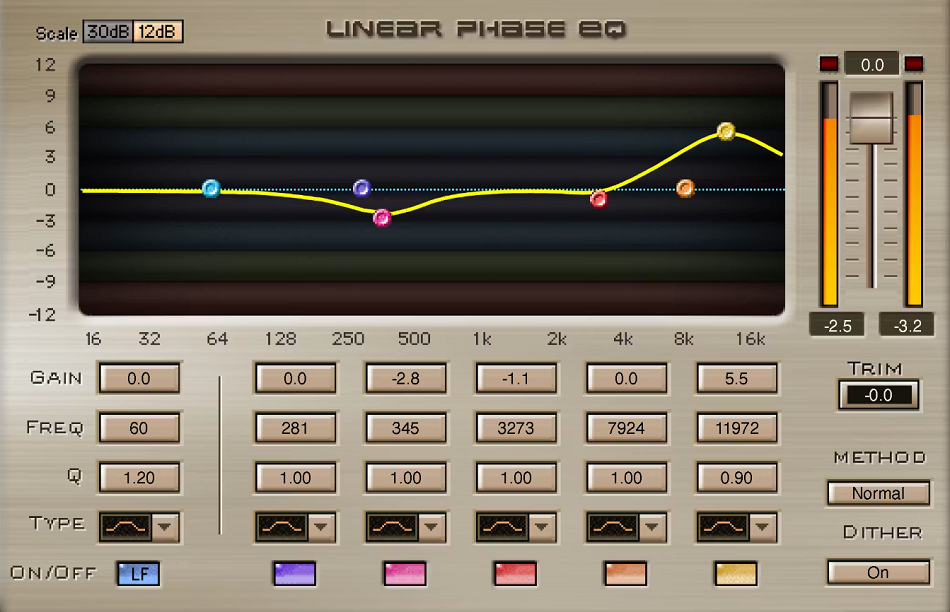
Waves Linear Phase EQ is one of the more straightforward options here because it focuses specifically on linear phase mastering rather than trying to be a complete mixing workstation.
It provides five paragraphic bands plus a dedicated low-frequency band, with the low end treated separately from the broadband section.
- Dedicated Low Band
The dedicated low-frequency section gives the bottom end its own processing path, which is useful when I want to make low-end changes while maintaining controlled behavior.
- Nine Filter Types
The plugin includes bell, resonant shelf, V-slope shelf, resonant and V-slope high- and low-pass, and notch filters, covering most of the situations I would expect during a mastering pass.
- No Mode Switching
Every band stays in linear phase, which limits flexibility but also removes another layer of configuration. If you already know that linear phase is what you need, you can work without worrying about the mode for each band.
- Fast, Simple Interface
The straightforward design is useful when I want dedicated linear phase processing without a large feature set getting in the way.
Freebies:
1. iZotope Ozone EQ
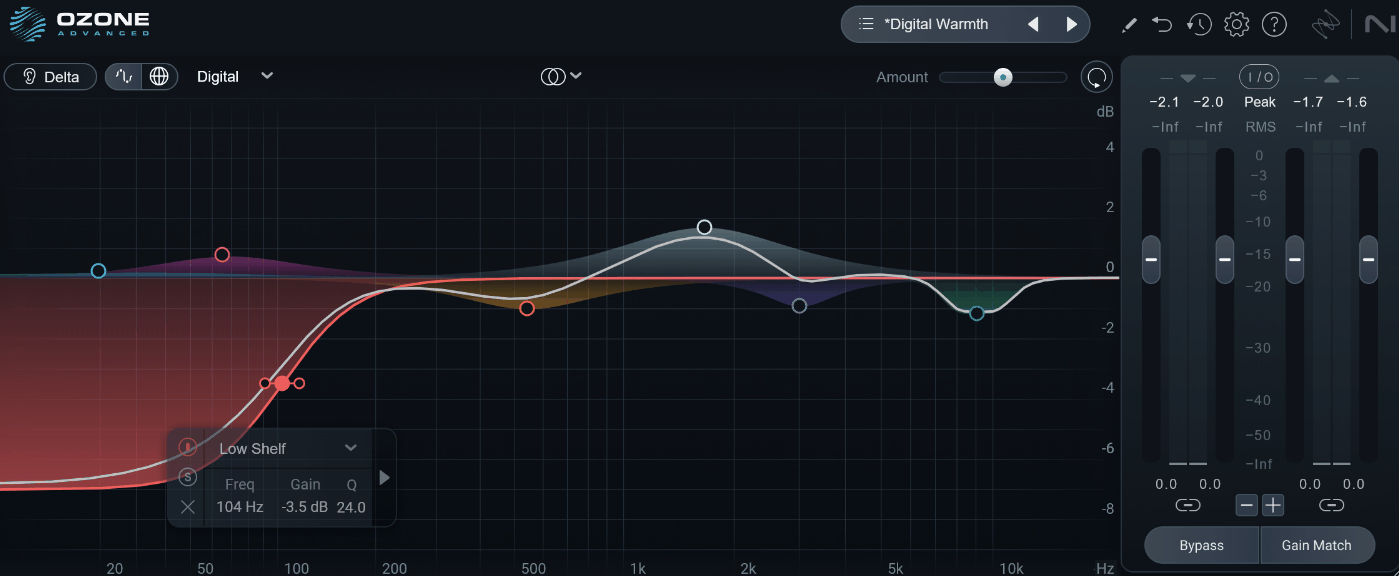
iZotope Ozone EQ is honestly one of the strongest free options because it comes from a full mastering suite and still provides a substantial EQ workflow. In Digital mode it uses linear-phase FIR filtering, while Analog mode uses a minimum-phase response.
If you are learning how the two approaches respond differently, having both in the same EQ also makes comparison easier.
- Transient/Sustain Mode
This lets me EQ the transient and sustain portions of a signal separately, which is particularly useful for drums when I want to change the attack without applying the same change to the tail. If you are trying to keep the body of a drum intact while changing its front edge, this is a practical option.
- Mid/Side Processing
Mid/side processing lets you correct the stereo sides without automatically changing the center, which is useful for mastering.
- Surgical Mode
Surgical mode prioritizes precision, making it useful for narrow resonances and corrective work where a more musical filter shape would be too broad.
- Resizable Window
The interface remains practical and resizable, which is a small but worthwhile advantage for detailed mastering work.
2. lkjb QRange
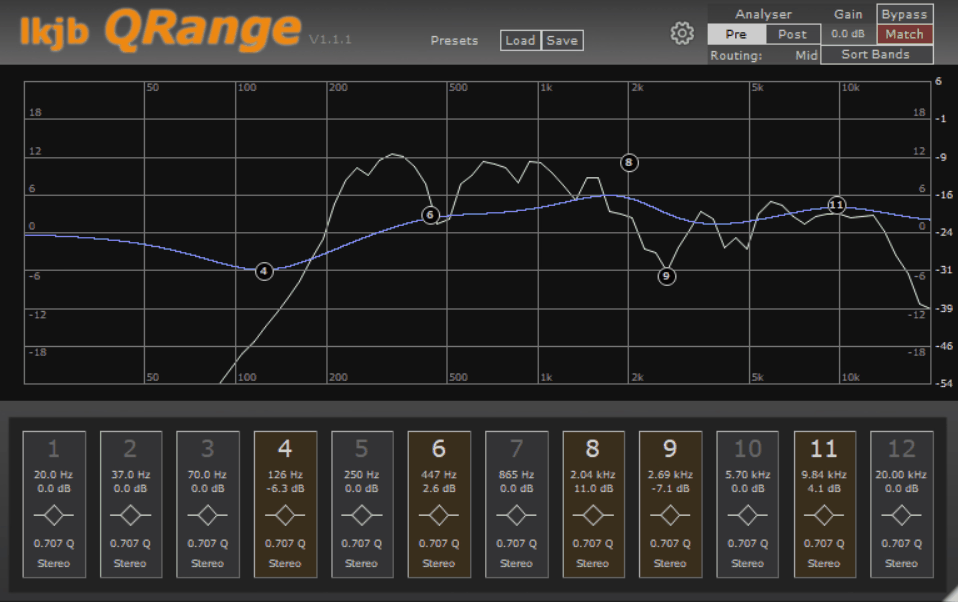
A straightforward transparent linear phase EQ with 12 sortable bands where each supports peak, shelf, or cut filtering, with several steepness options for more controlled rolloffs. d
It’s designed for detailed corrective and mastering work. It combines flexible filtering with practical stereo control without piling on unnecessary features. lkjb QRange is especially useful when you want one EQ that can handle both precise tonal shaping and stereo-focused adjustments.
- Full Stereo Routing
Every band can target Stereo, Left, Right, Mid, or Side, which gives me a surprising amount of control for a free plugin. If you are doing detailed stereo mastering, you can keep those decisions inside one EQ.
- Optional Minimum Phase
The plugin can switch away from linear phase when latency matters more, so I can keep the same EQ available for both mastering and lower-latency work. That makes it easier to stay within one workflow when your priorities change.
- Global Gain Match
Gain Match helps keep the overall level consistent while I adjust the curve, making tonal changes easier to judge without letting louder simply sound better.
3. Stone Voices Moss Equalizer
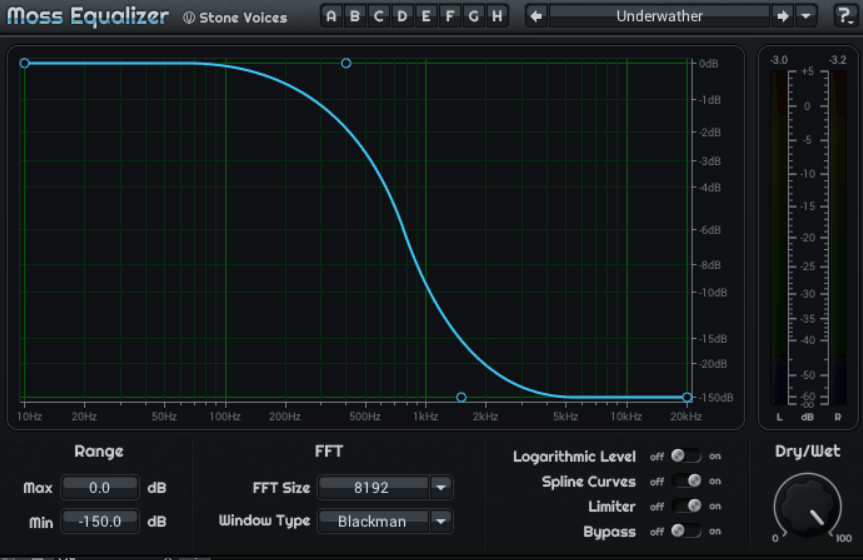
This free EQ takes the surgical approach much further than the most.
I would not use it this my main mastering EQ, but that level of resolution is useful when I need to remove a very specific hum or narrow resonance without affecting the surrounding frequencies more than necessary. If you are chasing a problem that needs very fine control, that is where the plugin becomes interesting.
Moss Equalizer provides 265 FFT bands with roughly 1/24-octave resolution, covering 10 Hz to 20 kHz.
- Adjustable FFT Size
FFT size can be adjusted to balance frequency resolution against processing requirements.
- Extreme Gain Range
The plugin offers -150 to +60 dB, which is far beyond normal tonal EQ needs but useful for extreme corrective tasks.
- Bonus Comb Presets
The musical-key comb presets add a creative option to an otherwise highly technical corrective EQ.
- Windows Only
The main limitation is that it is currently Windows only, so Mac users will need to look elsewhere.
4. ZL Equalizer 2
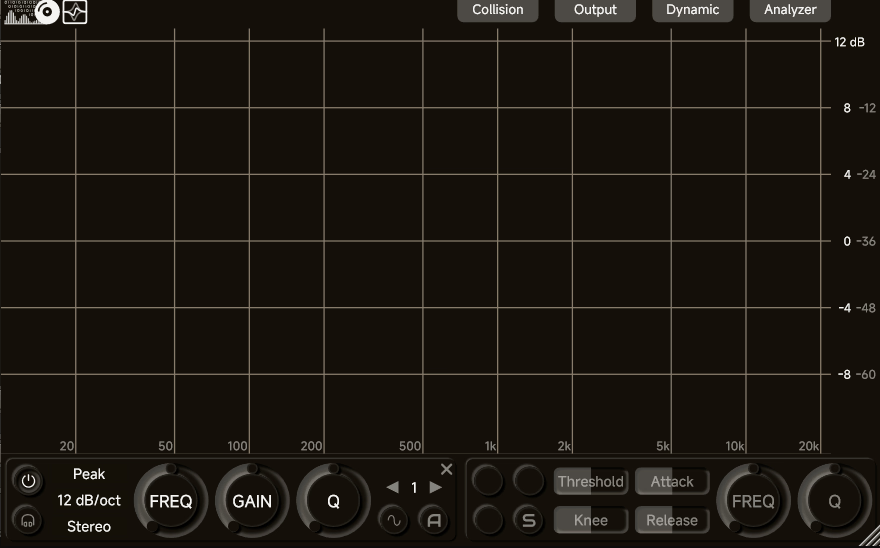
ZL Equalizer 2 provides a modern parametric workflow with interactive nodes, spectrum analysis, dynamic processing, and extensive per-band routing.
You get:
- Zero Phase Mode
Zero Phase is the setting I would use when phase coherence matters most, although the added latency makes it more suitable for mastering than real-time tracking. If you need to work live through the plugin, you should keep that latency in mind.
- Per-Band Routing
Every band can target Stereo, Left, Right, Mid, or Side, allowing you to keep corrective moves tightly focused.
- Collision Detection
Collision Detection warns when multiple bands are competing in the same frequency area, while EQ Match can quickly generate a starting curve from a reference. I find that useful when I want to get into the right area quickly and then make the final decisions myself.
- Latency in Precision Modes
Some precision modes can introduce substantial latency, reaching around 43 ms in certain configurations, so I would avoid using those modes in latency-sensitive workflows.
5. Voxengo Marvel GEQ
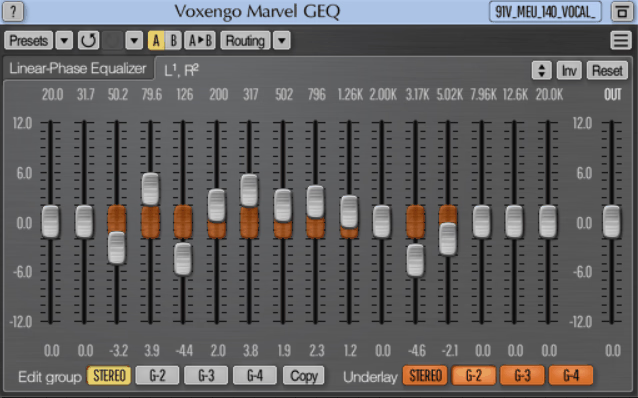
For quick, broad tonal shaping, a 16-band graphic EQ can be more intuitive than a conventional parametric layout. It runs in linear phase by default and offers ±12 dB of gain per band. Marvel GEQ is particularly useful when you want to shape an overall tonal curve quickly rather than fine-tune individual parametric bands.
- Freehand Drawing
Draw the EQ curve directly on the display, making broad tonal shaping quick and intuitive.
- Mid/Side Processing
Mid/side processing adds flexibility for mastering and stereo EQ work.
- 64-Bit Processing
64-bit internal processing helps maintain clean results during larger gain adjustments.

Hey, I’m Vil, I started this site to help you find the best audio plugins covering various categories including synths, pianos, strings, and effect tools of all sorts as well. I pick these plugins based on various criteria so it best matches the actual topic.