When you purchase through the links on my site, you support the site at no extra cost to you. Here is how it works.
Dynamic EQ is one of those tools that genuinely changes how you approach mixing once it clicks. I think the easiest way to understand it is this, a regular EQ cut or boost stays there all the time, whether the problem is actually happening or not. A dynamic EQ only steps in when a specific frequency crosses a threshold you set, which means it fixes the issue without dulling the rest of the performance.
For this list, I picked plugins that handle that job in genuinely different ways, from surgical, node-based tools built for mastering to AI-powered EQs that learn your audio and generate a curve for you. Some of these come from names you’d expect, like SSL, Waves, and FabFilter, while others are lesser-known developers doing seriously impressive work.
I’ve also included a section at the end covering the best free dynamic EQs, since a few of them genuinely hold their own against plugins that cost real money.
Now let me get the remaining plugins: Initial Audio Dynamic EQ 2, Oxford Dynamic EQ, Waves F6, ZL Equalizer, Maniac Audio DarkQ, and TDR Nova.Now let’s get the remaining free tools: ZL Equalizer, Maniac Audio DarkQ, and TDR Nova.# 9 Best Dynamic EQ Plugins for Mixing & Mastering Music
Jeesonic EQ Pro
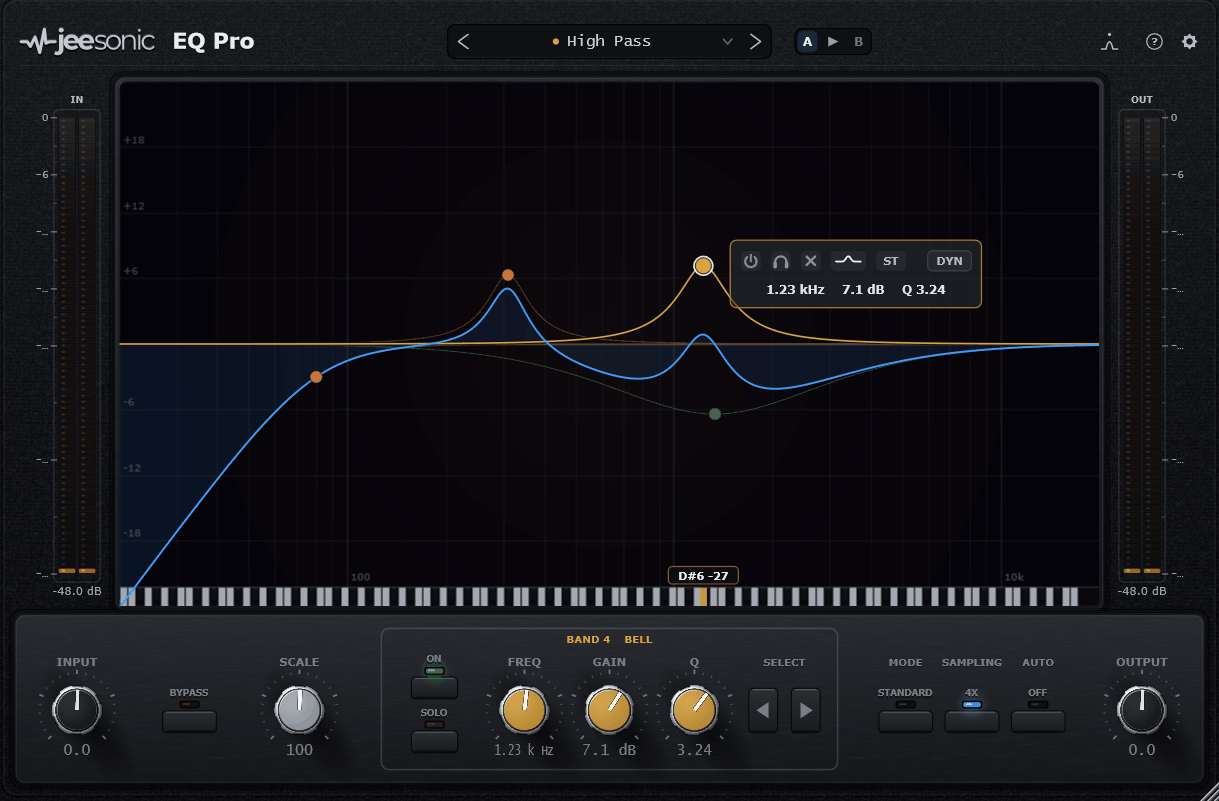
Jeesonic EQ Pro is proof that you don’t need a big brand name to build something genuinely competitive with the paid heavyweights. It’s completely free, and it gives you up to 24 freely placed bands on one interactive curve, which is honestly more than most paid EQs offer.
What really caught my attention is that every single band can become dynamic. Each dynamic band is a full compressor with threshold, ratio, knee, attack, and release, so you’re not limited to a couple of preset dynamic slots like on a lot of other EQs.
- Deterministic Auto Gain
This is the feature I’d say most people talk about first. The Auto Gain is calculated directly from the filter response itself, including the dynamic bands, so it keeps your output level steady while you reshape the spectrum, instead of just guessing at a makeup gain value.
- Selectable Phase and Oversampling Modes
You get zero latency, natural, and linear phase modes, plus optional oversampling built right in. I like how this gives you the choice between speed and surgical accuracy depending on whether you’re tracking live or polishing a master.
- Deep Routing Per Band
Every band can run in Stereo, Mid, Side, Left, or Right independently, which is unusually flexible for a free plugin. Because of this, you can carve out mono-compatible low end while shaping the stereo image up top, all inside one instance.
- Spectrum Landmarks and Piano Keyboard
A newer addition marks the frequencies that keep standing out over time, rather than just showing momentary peaks. On top of that, a piano keyboard runs along the frequency axis, so a spot at 250Hz reads as an actual musical note instead of just a number.
FabFilter Pro-Q 4
FabFilter Pro-Q 4 landed in December 2024 with a tough job ahead of it: dethroning its own predecessor, an EQ so many engineers had already built their workflow around. Most updates in this category get politely ignored, since people don’t swap out tools they trust.
This one’s different. The core toolkit is intact, with support for up to 24 bands, but the real story is Spectral Dynamics. Rather than compressing an entire band the moment it crosses a threshold, this new mode zeroes in on just the offending frequencies inside that band and leaves the rest untouched, a level of precision traditional dynamic EQ couldn’t offer.
- Spectral Dynamics Mode
This mode brings a Soothe-style resonance suppression directly into Pro-Q, complete with a Resolution slider that controls how surgical or broad the processing is. I found tighter settings work great on vocals and cymbals, while looser settings are better suited for taming a whole mix bus.
- EQ Sketch
Instead of adding bands one at a time, EQ Sketch lets you literally draw a curve across the display in one gesture, and Pro-Q builds the bands to match. I appreciate how this speeds up rough shaping before you dial in the details manually.
- Instance List
The Instance List lets you view and control every Pro-Q 4 instance in your session from a single plugin window. This is genuinely useful on big sessions, since you’re not hunting through dozens of tracks just to tweak one EQ.
- Character Saturation Modes
New analog-style Character modes add subtle saturation and warmth on top of the EQ curve itself. It seems like a small addition, but it means you can get some tonal color without reaching for a separate saturation plugin.
SSL X-DynEQ
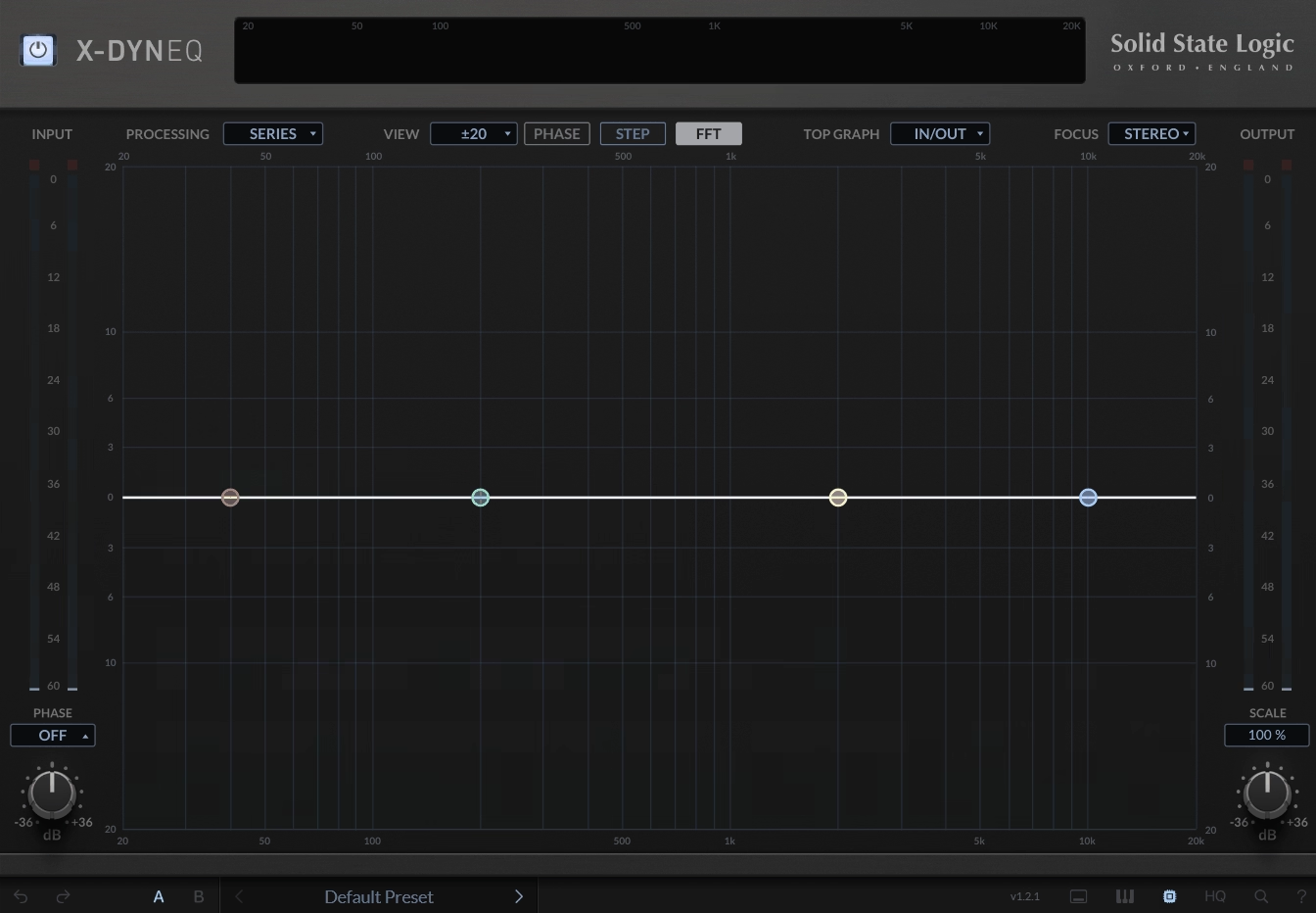
SSL didn’t build its name on plugins. It built it on analog consoles that shaped decades of hit records, and X-DynEQ marks the first time that legacy gets a dedicated dynamic EQ built specifically for it. The plugin extends their existing X-EQ 2, bringing 20 different filter types and shapes across up to 24 dynamic bands.
The standout detail is where X-DynEQ‘s dynamic behavior actually comes from: SSL’s own program-dependent time constants, the same technology under the hood of their legendary bus and channel strip compressors. Switch a node into dynamic mode and Attack, Release, and Threshold come alive, or hand it off entirely with the Auto option, which reads the incoming signal and adjusts those settings on its own.
- Advanced Per-Band Sidechaining
You can sidechain any dynamic node from the internal or external signal of any other band, not just a global sidechain input. This opens up creative routing, like having one frequency range duck another only when it becomes a problem.
- Three New Filter Types
X-DynEQ adds Notch, Bandpass, and Tilt EQ on top of the standard bell and shelf shapes. I’d say Tilt in particular is useful for broad tonal balancing without committing to a specific frequency point.
- Anti-Cramping Technology and HQ Mode
SSL’s anti-cramping EQ technology keeps the high frequency response accurate, and an optional HQ mode pushes precision even further with dynamic oversampling. This matters more than people expect, since a lot of digital EQs get noticeably less accurate near the top of the spectrum.
- Piano Roll View
A piano roll view lets you match EQ frequencies directly to musical notes instead of raw Hz values. I found this genuinely handy when you’re trying to notch out a specific pitched resonance in a vocal or instrument.
Waves Curves AQ
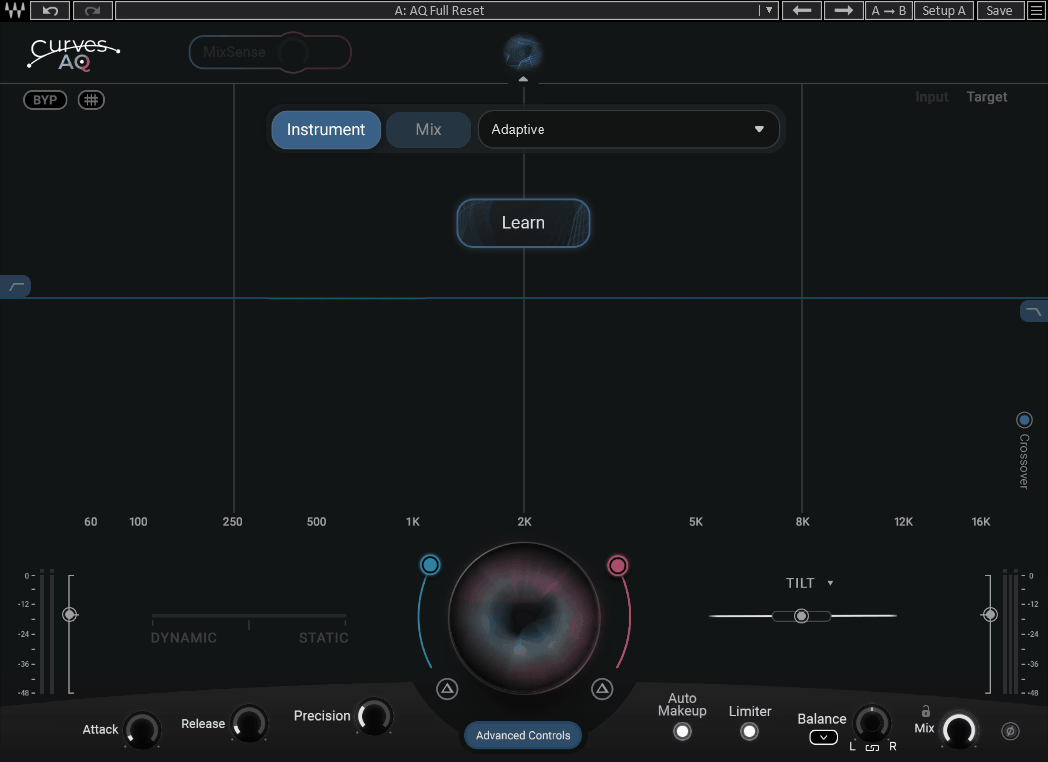
Waves describes Waves Curves AQ as the world’s first autonomous EQ plugin. You click Learn, and the AI analyzes your audio to generate five unique spectral target curves based on its actual tonal character, not generic presets. From there, you shape how much of that target gets applied.
A single slider lets you work entirely statically, entirely dynamically, or anywhere in between. I appreciate how this removes the usual either-or decision, since some material genuinely benefits from a mix of both approaches.
- Smart Tilt
Unlike a normal tilt EQ that just changes the slope of the whole spectrum, Smart Tilt actually reshapes the spectral target curve itself. This gives you a more musical, adaptive version of tonal balancing than a basic tilt control ever could.
- MixSense
This is the standout feature for me. MixSense takes a sidechain input from another track and adjusts AQ’s processing to make room for it, so your vocal and guitar aren’t fighting for the same frequency space without you having to manually carve anything out.
- Four Frequency Anchors
Every time you hit Learn, the neural network generates four anchors tailored to your track’s low end, fundamental, harmonics, and air. On top of that, you can adjust each one individually for quick, targeted tonal changes.
TBT Kirchhoff-EQ
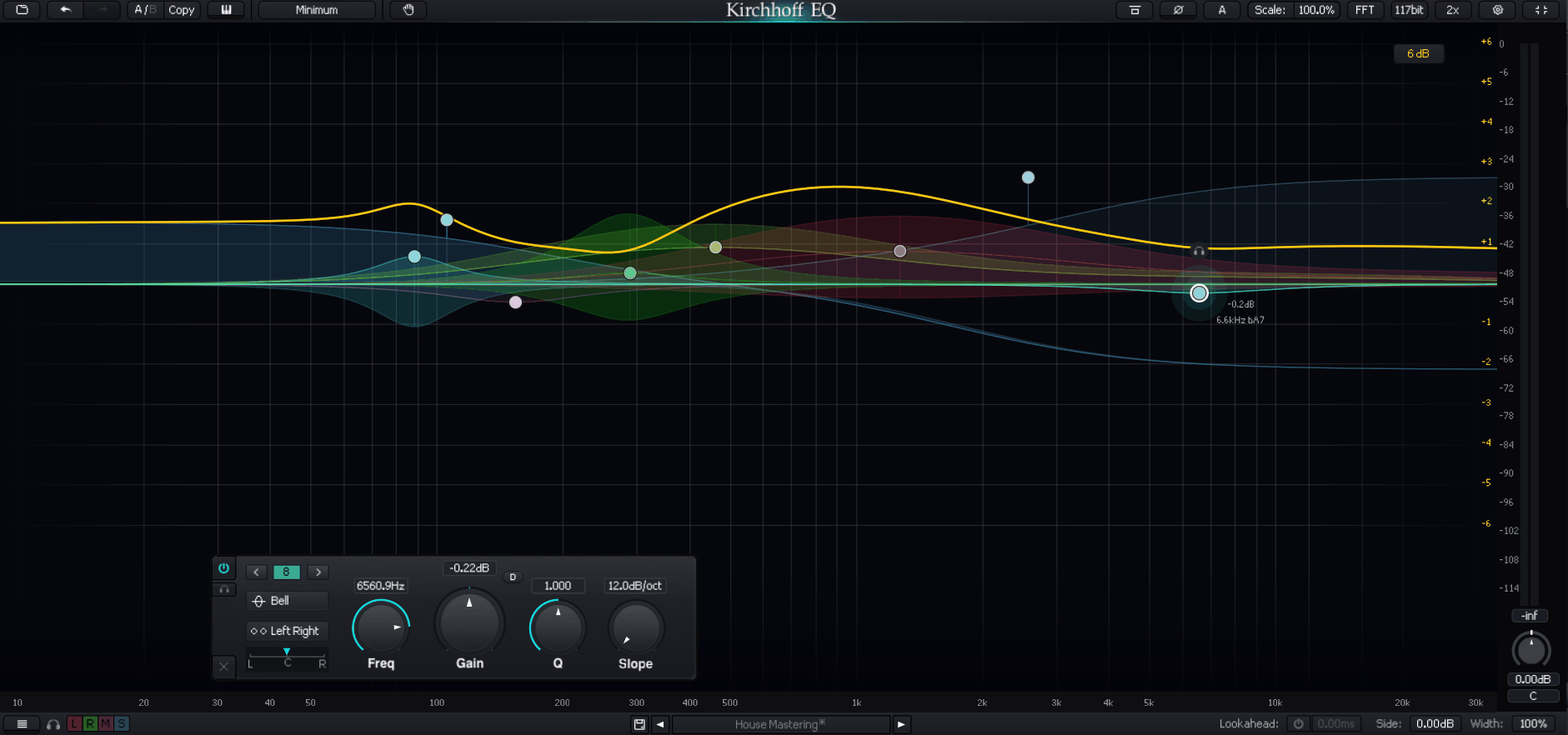
Vintage character and surgical precision usually feel like a tradeoff, you pick warmth or you pick accuracy. Kirchhoff-EQ by Three-Body Technology tries to give you both in the same plugin, and it’s built around 32 bands with 15 continuously variable filter types.
What stands out to me is the 32 vintage EQ models modeled from real hardware devices, sitting right alongside fully digital, surgical filter shapes. So you can dial in an analog-style curve on one band and a precise notch filter on the next.
- Robust Nyquist-Matched Transform
This is Kirchhoff-EQ’s own technology for making the digital filter response match its analog counterpart more closely, without the high-frequency cramping you get from typical IIR equalizers. I found this genuinely improves how natural boosts feel near the top of the spectrum.
- Bidirectional Dynamic Processing
The dynamic EQ here supports two-way thresholds, meaning a band can compress and expand at the same time depending on where the signal sits. This lets you squash a resonance while simultaneously bringing up quieter detail around it.
- Four Phase Modes
You get Zero Latency, Analog, Linear Phase, and Mixed Phase modes to choose from. I’d recommend Mixed Phase specifically, since it uses zero latency for low frequency bands and linear phase for higher ones, giving you a practical middle ground.
- 117-Bit Internal Precision
Kirchhoff-EQ processes internally using a technique called “Double-Double,” pushing precision up to 117 bits. It’s a technical detail most people won’t think about day to day, but it’s part of why the plugin sounds this clean even under heavy processing.
Slate Digital Infinity EQ 2
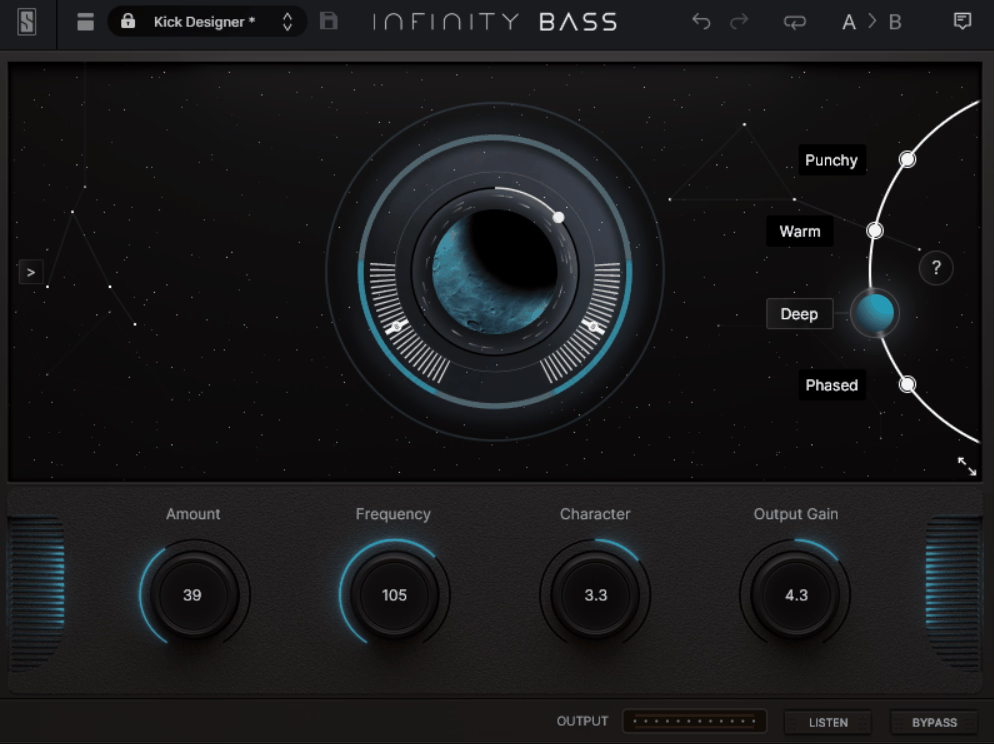
The original Infinity EQ built a loyal following for its streamlined, minimal-clicks workflow, which made the follow-up a little risky to get right. Slate Digital’s answer was Infinity EQ 2, and the headline addition is dynamic filters finally joining the plugin.
Every bell and shelf band can now apply transparent compression or expansion once the signal crosses a set threshold. I like that this was added without disrupting the fast, mouse-light workflow the original was known for.
- Two Dynamic Timing Modes
You get Tight and Smooth timing options for the dynamic bands. Tight reacts fast and works well for de-essing, while Smooth uses a slower release that lets more transient energy through, which I found better suited for bus-level tone control.
- Three New Filter Shapes
Infinity EQ 2 adds Notch, Tilt, and Bandpass filters to the original set. This gives you more targeted options for narrow surgical cuts as well as broad tonal shaping, all without leaving the plugin.
- Analog-Matched Curves with No Added Distortion
The filters are designed to have perfect analog-matched shape and introduce no distortion up to the Nyquist frequency. On top of that, CPU performance was improved over the original, so running multiple instances is less of a strain.
- Fully Scalable Interface
The GUI now scales fluidly to fit any display size. It’s a small workflow detail, but I’d say it makes a real difference during long sessions on a laptop screen versus a large studio monitor.
Initial Audio Dynamic EQ 2
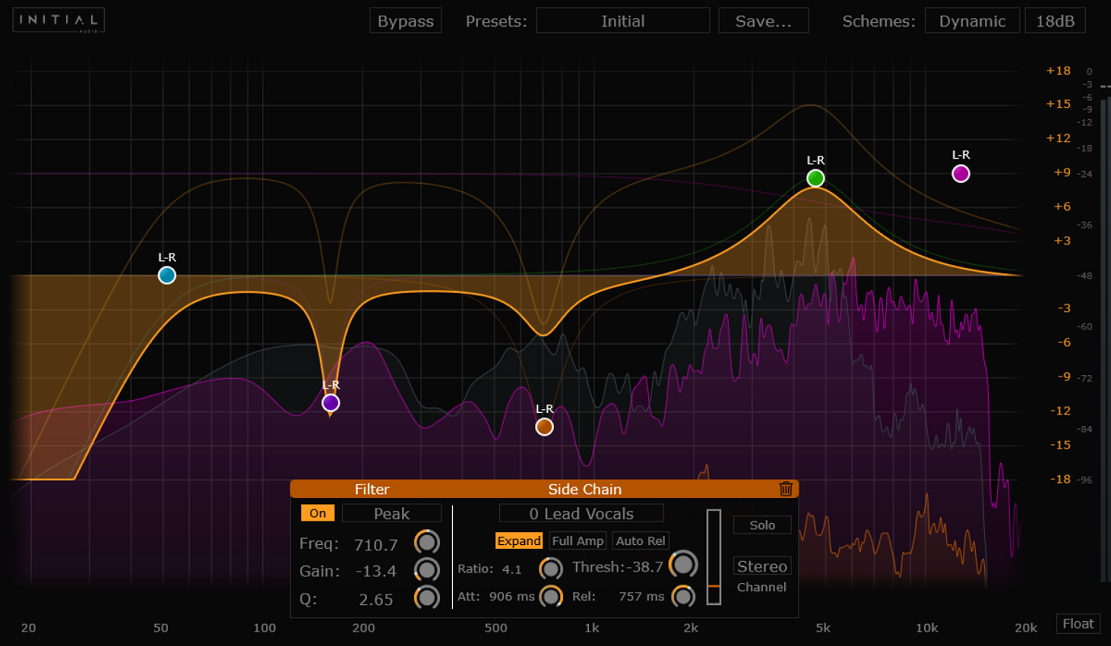
What’s cool about this plugin is that instances of the Dynamic EQ 2 can actually communicate with each other across your DAW. Load one on your kick and one on your bass, and the bass instance can “see” the kick’s signal and automatically duck the colliding frequencies, no manual sidechain routing required.
- Inter-Instance Sidechain
This is the feature I keep coming back to. It listens to one track and reacts on another, which means your bass naturally makes room for the kick only when the kick actually hits, instead of ducking constantly.
- Intelligent Multiband Dynamics
Each band reacts independently, so it can cut mud only when it builds up or boost air while automatically clamping down on harsh “S” sounds. I appreciate that this maintains the natural body of the sound instead of just flattening everything.
- Auto Listen
Turning this on automatically solos a band while you’re adjusting it, which makes hunting for problem frequencies noticeably faster. It’s a small workflow touch, but it saves a lot of repetitive soloing and un-soloing.
- Dedicated Mono Version
There’s a separate mono-optimized version built specifically for single instruments like vocals or bass, where full stereo processing isn’t needed. I’d recommend this version whenever you’re treating a mono source, since it keeps things simpler and lighter on CPU.
Oxford Dynamic EQ
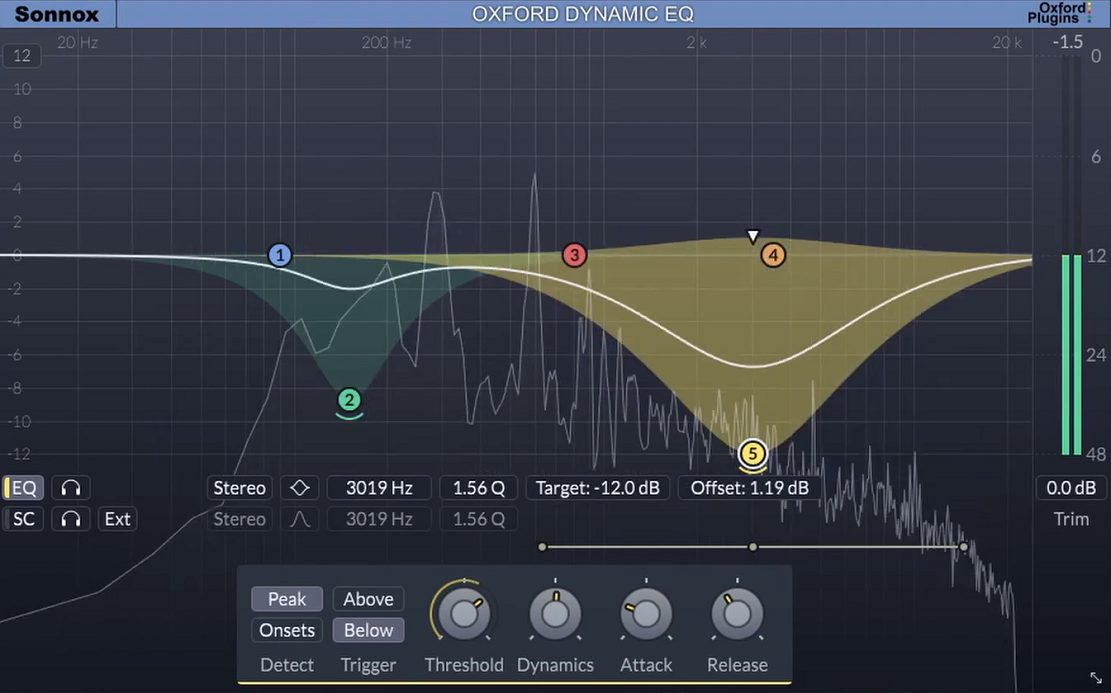
There’s a specific kind of mastering problem where a mix sounds fine everywhere except one section, maybe the chorus gets a little harsh or a vocal pokes out only when the singer pushes harder.
Fixing that with a static EQ usually means compromising the rest of the track. Sonnox built the Oxford Dynamic EQ specifically to solve this without that tradeoff.
It splits the signal into five overlapping bands of Sonnox’s Type-3 EQ curve, and unlike a typical multiband compressor, the bandwidth of each band stays constant rather than narrowing as you increase gain. I found that alone makes the processing sound noticeably more natural than most alternatives.
- Onset Detection Mode
Instead of only reacting to level, you can trigger a band by transient onset, which is especially useful on drums and percussion. This lets you catch the attack of a hit precisely, rather than reacting slightly after the fact.
- True Mid/Side Processing
Each band can process and detect from mono, stereo, mid, or side channels independently. I like using this to add presence to a vocal without touching the side channel’s balance, or to tighten up low end by focusing it toward the center.
- Fluid Band Overlap Without Phase Artifacts
Bands can overlap freely without the static phase distortion typical multiband compressors introduce at their crossover points. This is honestly one of the biggest reasons engineers reach for it over a standard MBC when doing delicate mastering work.
- Flexible Sidechain Controls
Every band offers internal and external sidechain options per band. On top of that, the interface stays clear and uncluttered despite all this flexibility, which isn’t always the case with plugins this deep.
Waves F6
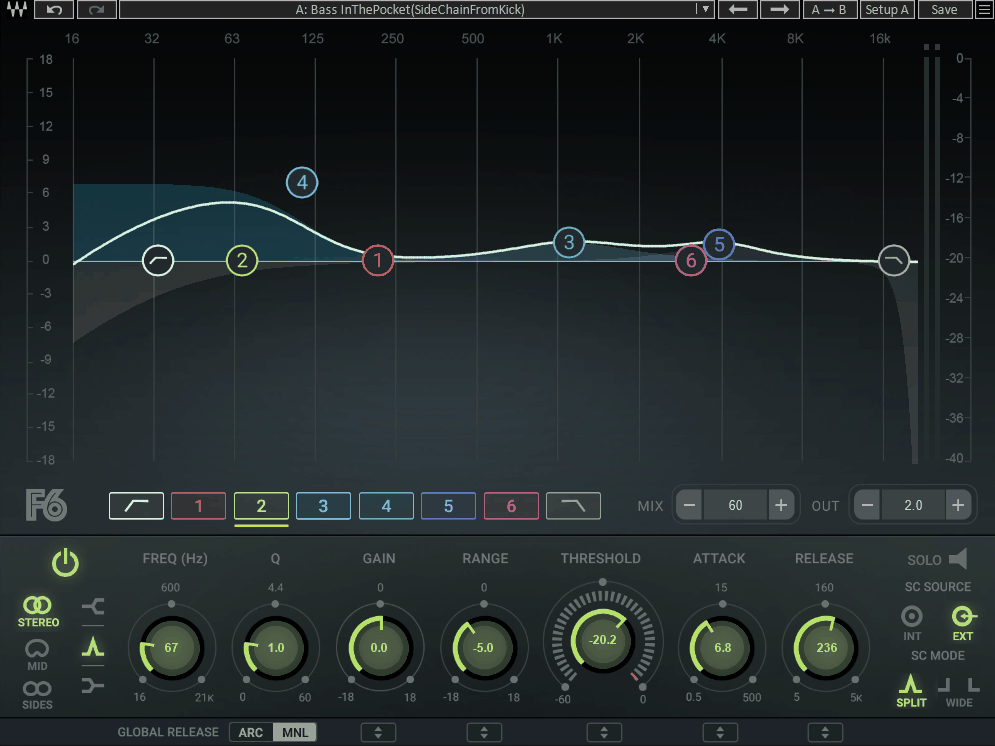
Waves F6 gives you six floating, fully adjustable parametric bands that can be placed anywhere in the spectrum and overlap freely.
Each one includes both EQ shaping and compression/expansion controls, so the plugin reacts to your signal’s dynamics instead of applying a fixed cut or boost.
- Real-Time Analyzer
A built-in RTA shows adjustable resolution from 1 to 1/24th octave, along with pre, post, and sidechain monitoring options. I found this makes it much easier to actually see what the dynamic processing is doing to the signal, not just hear it.
- Split and Wide Sidechain Modes
Beyond a standard internal or external sidechain, F6 offers Split and Wide side chain modes for more flexible triggering. I’d suggest experimenting with these when you need one band to react differently than the rest of the signal.
- Touch-Friendly Interface
The interface is built for multipoint touch displays, which is a nice bonus if you’re mixing on a touchscreen console or tablet setup. It’s a detail that shows this plugin was designed with live engineers in mind, not just studio users.
Freebies
ZL Equalizer
Free plugins usually come with an asterisk, some feature missing or some corner cut compared to the paid competition.
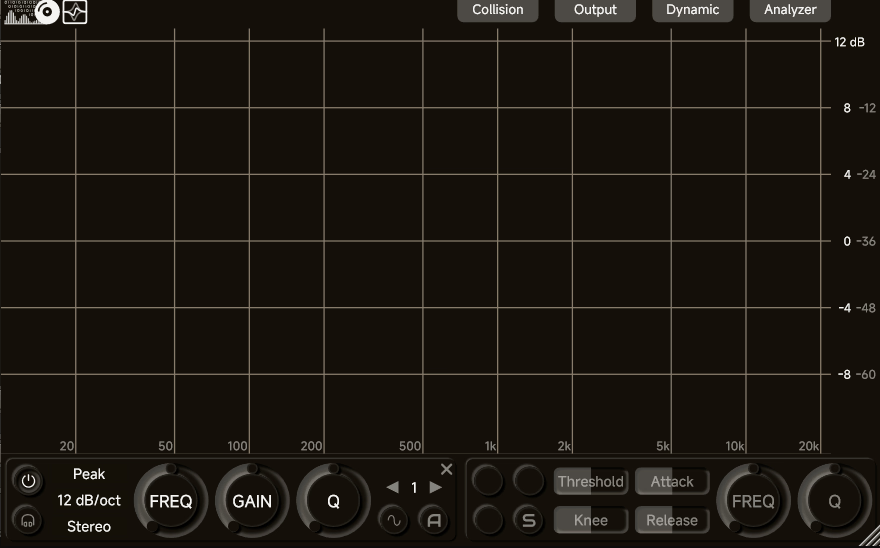
ZL Equalizer is open-source, inspired by the FabFilter Pro-Q workflow, and gives you up to 24 bands with 6 filter structures, 8 filter types, 5 stereo modes, and 7 slopes reaching up to 96dB/oct.
I have to say, the sound quality holds up too. Everything runs in 64-bit floating point with de-cramping technology, so the low end and high end both stay accurate even under heavy processing.
- Dynamic EQ with Learning Modes
Every band can go dynamic with full threshold, attack, release, and knee control, plus Dynamic Learning and Relative modes that adapt the trigger behavior to your material automatically. I appreciate how this makes dynamic EQ feel less like guesswork and more like the plugin is actually listening to your track.
- Five Phase Options
You can choose between Minimum, Parallel, Matched, Mixed, and Zero Phase styles. This gives you a real choice between everyday EQ moves, analog-leaning behavior, and higher-latency surgical work depending on the task.
- Collision Detection and EQ Match
Built-in collision detection helps you spot masking issues between your main signal and a sidechain source, while EQ Match lets you build a curve based on a reference track. Both of these are the kind of features you’d expect to pay for.
- FFT Freezing
You can freeze the spectrum analyzer to study a specific moment in the audio without it constantly moving. It’s a small addition, but genuinely useful when you’re trying to identify an exact resonant frequency.
iZotope Ozone EQ
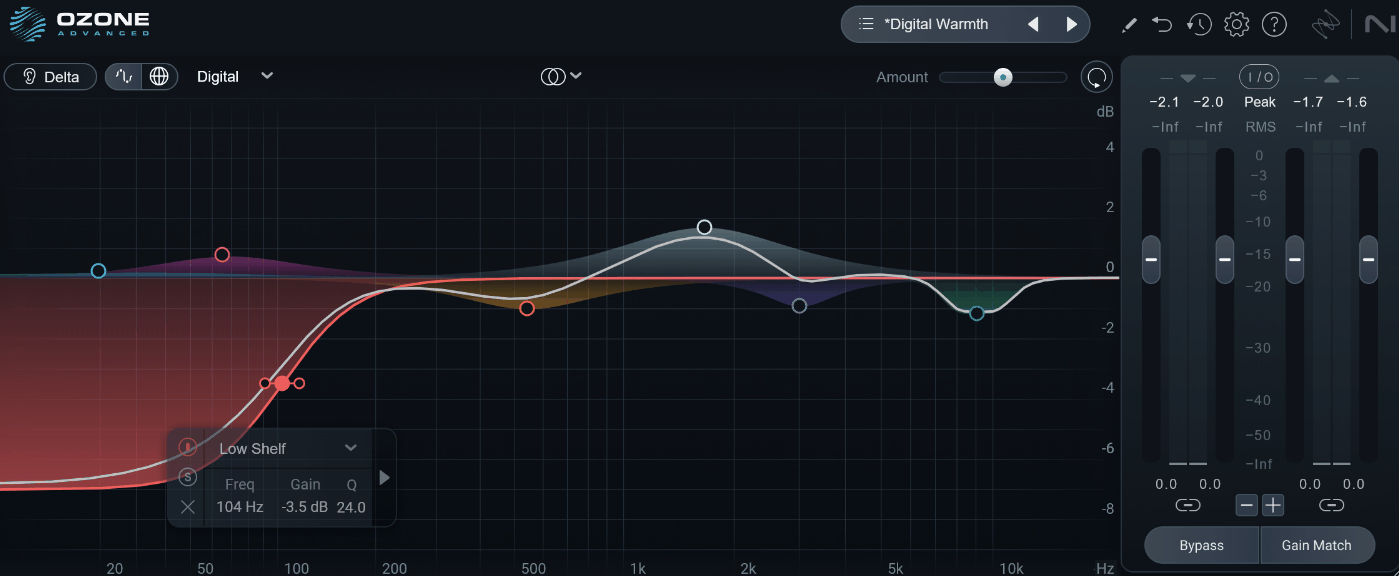
Most free EQs stop at basic bands and call it done, without any real dynamic behavior built in. iZotope Ozone EQ pulled directly from the algorithms inside Ozone, iZotope’s flagship mastering suite, and made available as a standalone plugin through the Komplete Start bundle. I have to say, this doesn’t feel like a stripped-down demo at all.
- Transient/Sustain Mode
This is the dynamic feature that sets it apart from typical free EQs. It lets you EQ the attack and decay of a sound completely separately, so you can brighten a snare’s hit without making its tail harsh, all without threshold or ratio knobs to fiddle with.
- Delta Listening Mode
The Delta button isolates just the frequencies you’re boosting or cutting, instead of the full processed signal. I found this removes a lot of the second-guessing that comes with subtle EQ moves.
- Mid/Side Processing
You can shape the mid and side channels independently, which is a genuinely advanced mastering technique to find in a free plugin. It’s not something most beginner-focused free EQs bother including.
- Analog and Digital Filter Modes
Switching between Analog and Digital filter behavior gives your curves a slightly different character. I’d recommend trying both on the same source, since the analog mode tends to feel smoother on broad tonal moves.
Maniac Audio DarkQ
Smaller developers sometimes put out tools that quietly outperform their reputation, and DarkQ FREE by Maniac Audio is a good example. It’s built on the same 24-band engine that powers the company’s paid flagship EQs, just streamlined for everyday mixing tasks.
- Full Dynamic Processing Per Band
Any band can be switched into dynamic mode with a single Dyn toggle, turning it into a threshold-based processor on the spot. I like how this keeps the workflow fast, since you’re not digging through a separate menu to unlock dynamic behavior.
- Seven Filter Types
You get seven selectable filter shapes to choose from per band, covering everything from broad shelving to precise surgical cuts. This gives you enough range for mix bus work as well as targeted vocal or drum corrections.
- Mid/Side Placement
Bands can be routed to Mid or Side independently, giving you control over stereo image alongside standard tonal shaping. I’d say this is more flexibility than you’d expect from a completely free plugin.
- Real-Time Spectrum Analyzer
A built-in analyzer with pre and post visualization lets you see exactly how your curve is affecting the signal in real time. It’s a genuinely useful reference point, especially if you’re still training your ear on where problem frequencies tend to sit.
TDR Nova
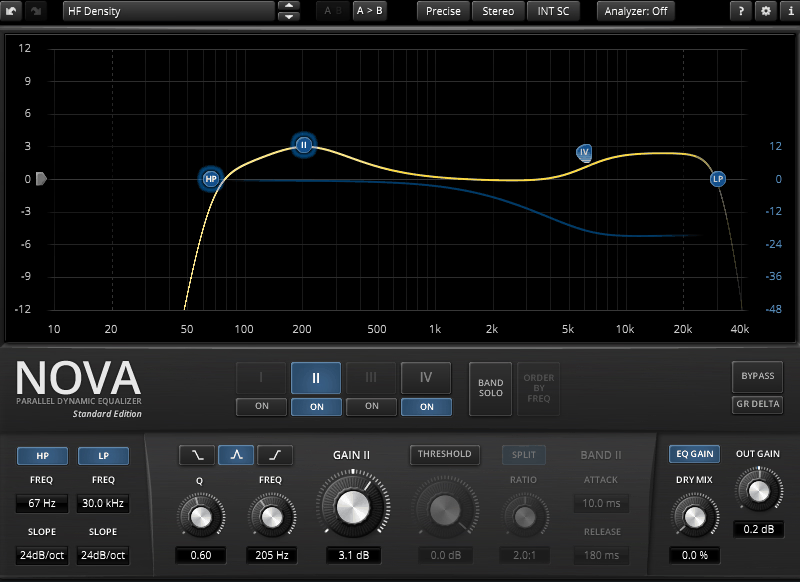
TDR Nova by Tokyo Dawn Labs has earned that reputation over years of KVR Readers’ Choice nominations, and it packs an impressive amount of functionality into something that costs nothing.
It gives you four dynamic EQ bands plus dedicated high-pass and low-pass filters, and every band includes a full dynamics section. In other words, you can use it as a straightforward parametric EQ, or let individual bands react only when a frequency crosses your set threshold.
- Frequency-Selective Compression
Each dynamic band effectively behaves like a narrow-band compressor, engaging only over the frequency range and threshold you define. I found this genuinely useful for de-essing or taming a resonance that only shows up under certain conditions, like a singer pushing volume.
- Equal Loudness Functions
Built-in equal loudness compensation helps you judge EQ changes without being fooled by simple volume differences. This is a detail a lot of paid EQs skip, and it makes A/B testing your moves genuinely more honest.
- WYSIWYG Drag-and-Drop Display
The interface pairs a draggable spectrum display with a classic knob layout, so you can shape a curve visually and then fine-tune it numerically. I appreciate having both options available depending on how precise I need to be.
- Full Workflow Toolkit
Nova includes a preset manager, undo/redo, and A/B comparison, the same workflow features you’d expect from a paid plugin. At the end of the day, it’s the kind of free tool that genuinely earns a permanent spot in a mixing template.

Hey, I’m Vil, I started this site to help you find the best audio plugins covering various categories including synths, pianos, strings, and effect tools of all sorts as well. I pick these plugins based on various criteria so it best matches the actual topic.