When you purchase through the links on my site, you support the site at no extra cost to you. Here is how it works.
Let’s talk about some of the best graphic EQ plugins that can help you make quick, decisive tonal moves on sources that need broad shaping instead of narrow, surgical cuts. I will try my best to not write too much but to cover the topic well so you can actually choose your favorite plugin.
A few worth keeping in mind: Newfangled Audio EQuivocate, Three-Body Tech Modern G-31, Waves GEQ, UAD API 500 Series EQ Collection, and Kilohearts CARVE-EQ, along with some solid free picks near the end. Full rundown on each one is below.
1. Newfangled Audio EQuivocate
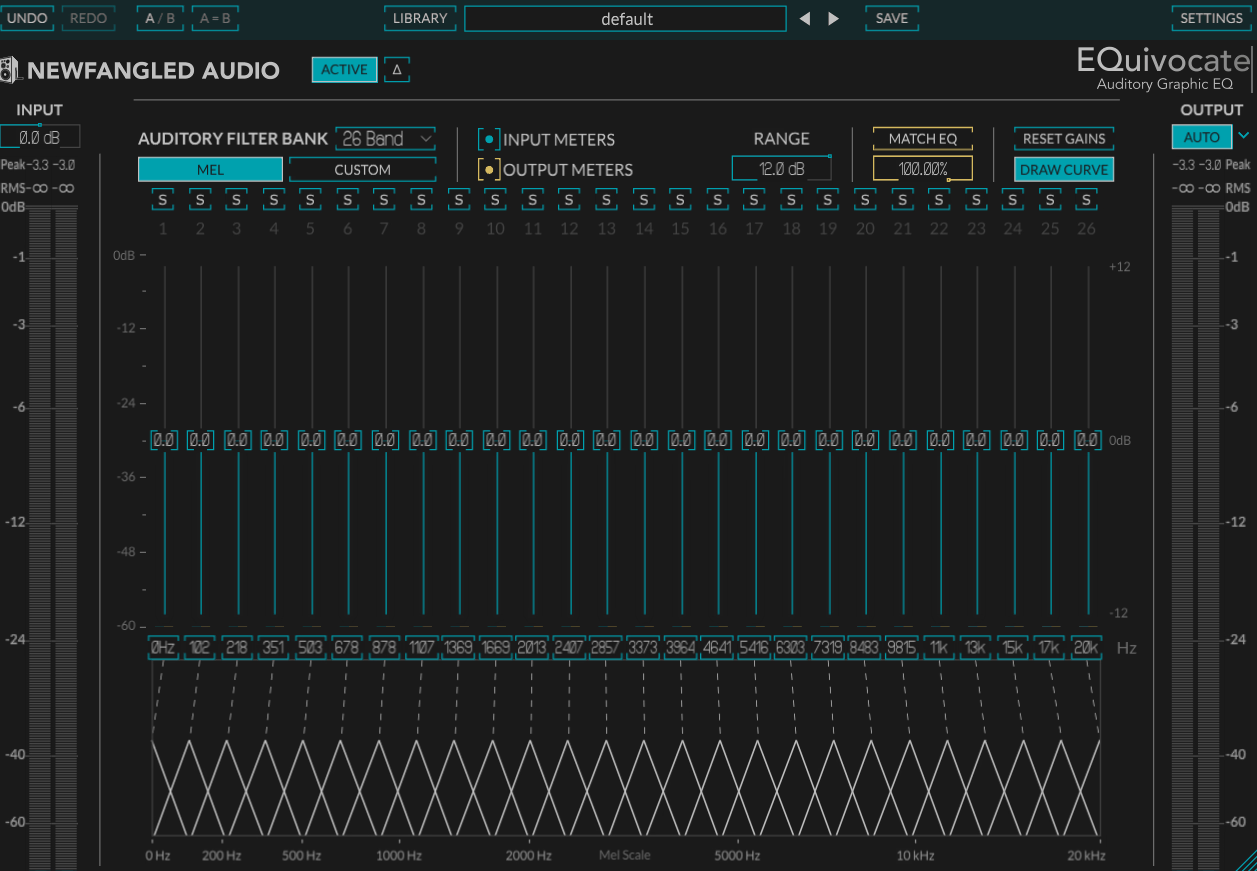
Newfangled Audio EQuivocate builds its entire 26-band layout around scale instead of even octave spacing, it causes that boosting or cutting a band affects your perception the way the ear’s own filtering would. Here, you can use anywhere from 1 to 26 bands depending on how surgical you want to get.
Other than that, You get:
- Linear-Phase FIR Filtering
I like that the filters are linear-phase FIR designs shaped like triangles instead of the rectangular shapes DSP engineers usually reach for, which mirrors how your inner ear’s own critical bands actually behave.
This keeps pre-echo and phase smearing out of the picture entirely.
- Match EQ via Sidechain
You can feed a reference track into the sidechain, and EQuivocate listens to it and matches your track’s tone to it automatically which I’ve used for matching a rough mix to a reference and for fitting a busy element into a dense arrangement.
- Customizable Center Frequencies
You’re not locked to the default Mel-scale points either, since each band’s center frequency can be shifted, technically turning this into a paragraphic EQ.
2. Three-Body Tech Modern G-31
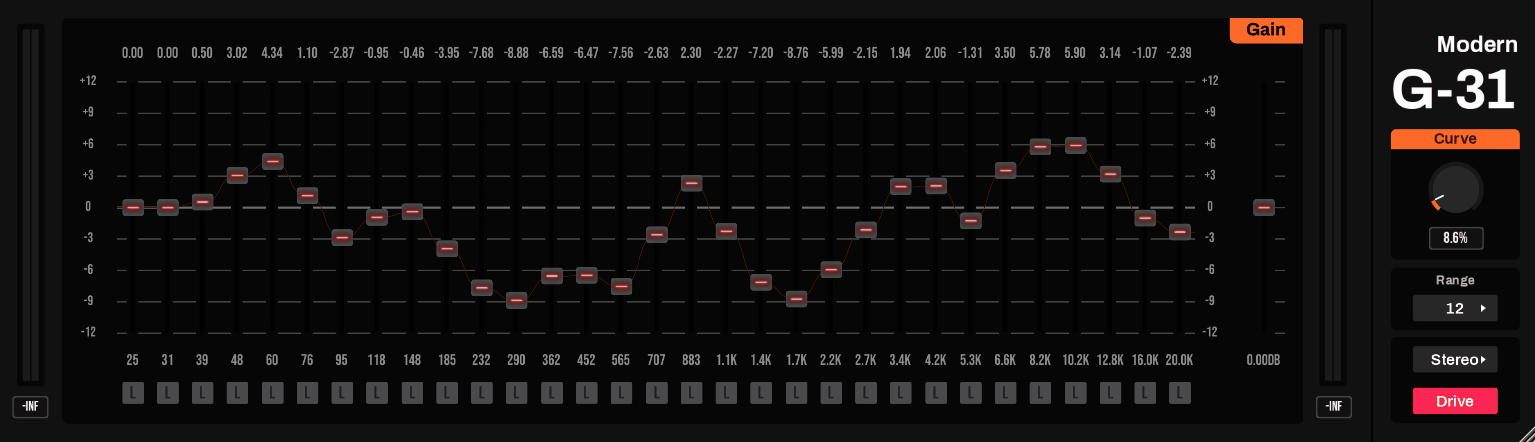
Three-Body Technology built a reputation on precision, transparent-sounding tools before turning their attention to a full graphic EQ. Modern G-31‘s 31 bands run through switchable minimal-phase or linear-phase FIR filters, avoiding the artifacts that show up when adjacent bands on a standard IIR graphic EQ interact with each other.
- 31 ISO Bands With Switchable Latency
You get 31 third-octave bands total, and switching between minimal-phase and linear-phase modes trades 0 latency for a flat, artifact-free response at 2048 samples of delay. Here, consider minimal-phase for tracking and linear-phase once you’re deep into mixing.
- Curve Knob for Slope Control
A dedicated Curve knob adjusts the slope between adjacent bands, letting you soften or sharpen how aggressively one band’s boost bleeds into its neighbors.
I feel like this single control does more to shape the EQ’s overall character than any individual band fader.
- Drive Saturation Model
I like that the Drive function models the harmonic distortion of vintage analog consoles, giving you a way to add warmth without reaching for a separate saturation plugin. It’s subtle at low settings and genuinely gritty once you push it.
- Stereo, Mid/Side, and L/R Processing
You can process in full stereo, split to mid/side, or work on left and right channels independently, all from the same instance. This flexibility alone makes it worth keeping loaded on a mix bus.
3. Waves GEQ
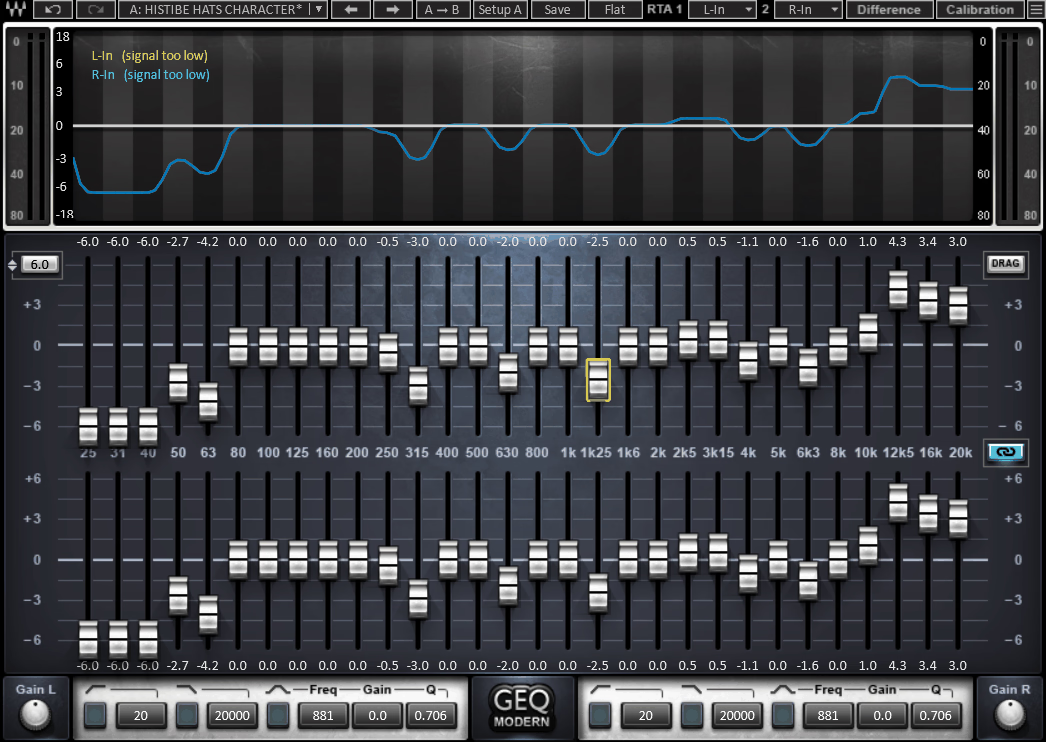
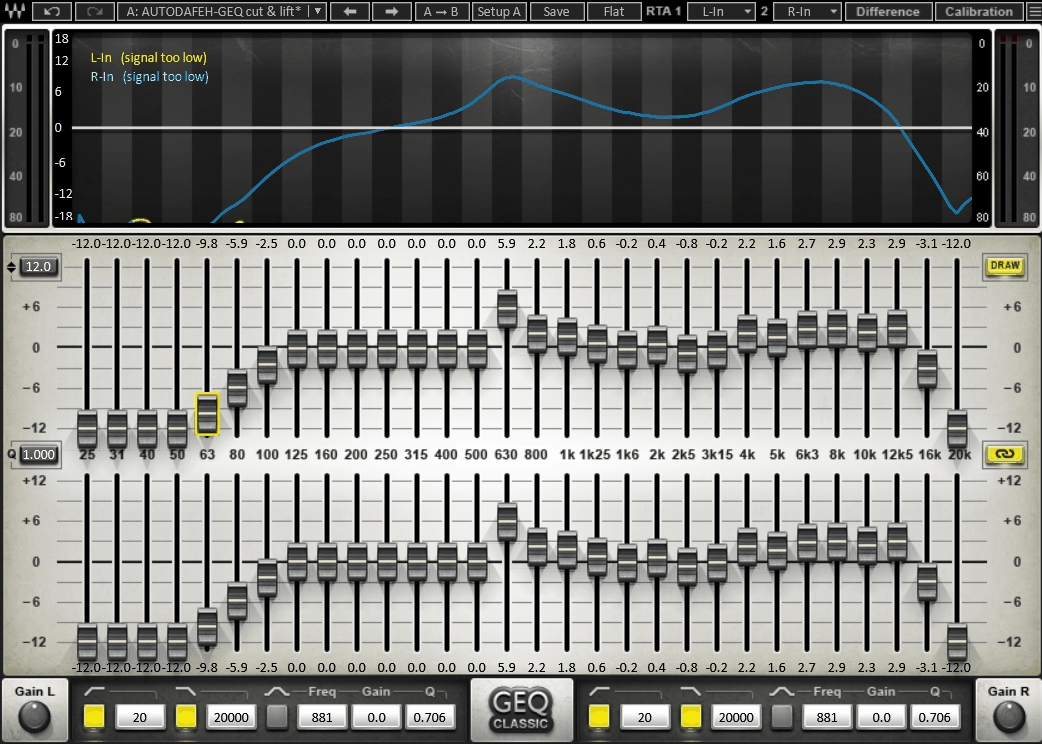
Built with both live sound engineers and studio mixers in mind, Waves GEQ gives you 30 ISO bands split across two distinct filter designs you can switch between depending on the job.
Classic mode uses proportional Q filters inspired by the old DN series 1/3-octave units, while Modern mode uses Flat-Top filters that eliminate band interaction entirely.
- Classic and Modern Filter Modes
Classic components narrow their filter width as you increase a band’s gain, the same behavior you’d get from vintage hardware. Modern components use Flat-Top filters instead, holding a consistent width regardless of gain for a cleaner, more surgical curve.
- Dual-Input Real-Time Analyzer
That said, you get two separate RTA inputs plus a Difference mode that shows exactly how one signal’s frequency response compares to another. I find that this can be useful for matching a mix against a reference without guessing.
- Draw Curve or Set Bands Individually
You can set each of the 30 bands one at a time, or just draw your target curve directly across the display with a mouse or touchscreen. I usually draw a rough shape first and then fine-tune individual bands afterward.
- Independent High-Pass and Low-Pass Filters
Beyond the graphic bands themselves, you get separate high-pass and low-pass filters plus a floating parametric bell filter for anything the fixed bands can’t quite reach.
4. IK Multimedia EQ-PG
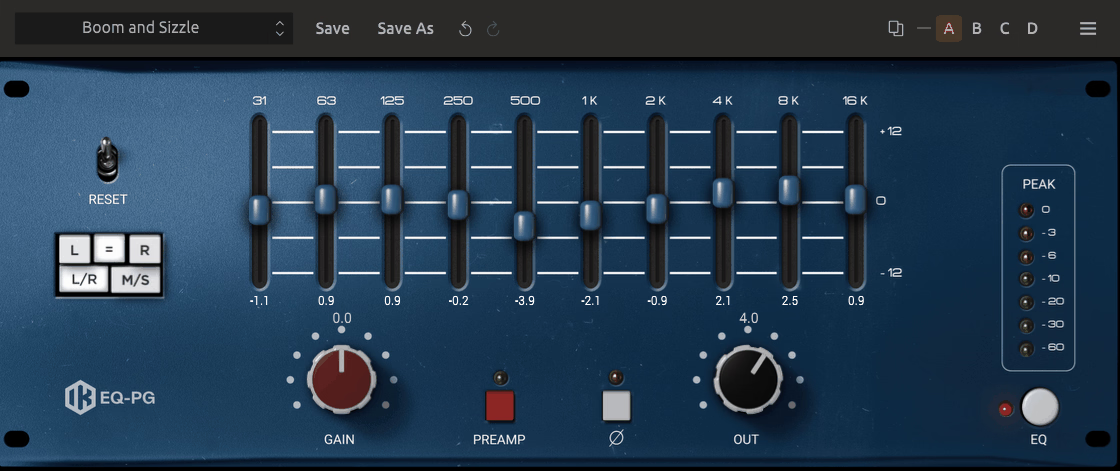
American console EQs from the late 60s and 70s usually came as three or four-band semi-parametric modules, all built around the same discrete, proportional-Q circuit design. You get a graphic take on that same circuit from IK Multimedia EQ-PG, which swaps the semi-parametric layout for ten fixed graphic bands while keeping the original op-amp coloration intact.
- Ten-Band Graphic Layout
You get ten vertical sliders instead of sweepable frequency and gain knobs, which I think makes broad tonal moves across large sections of the spectrum noticeably faster than working through the semi-parametric EQ PA and EQ PB modules.
- Custom Op-Amp Coloration
I like that this “beefy” American character carries over even though the band layout is completely different. The core circuitry retains the same custom op-amp modeling as IK’s other EQ PA and PB modules
- Bonus Preamp Stage
A built-in preamp stage adds its own harmonic distortion on top of the EQ itself. This is where the plugin earns the credit, since pushing the preamp genuinely changes the character instead of just adding volume.
- T-RackS Integration
It works both as a standalone module inside the T-RackS CS application and as a standard plugin, with full oversampling and latency compensation support up to 192 kHz.
- Reciprocal Band Design
Because the bands are reciprocal by design, undoing a boost is as simple as applying the equivalent cut, which I find speeds up corrective work considerably compared to hunting for the exact inverse setting by ear.
5. Red Rock Sound EQ302
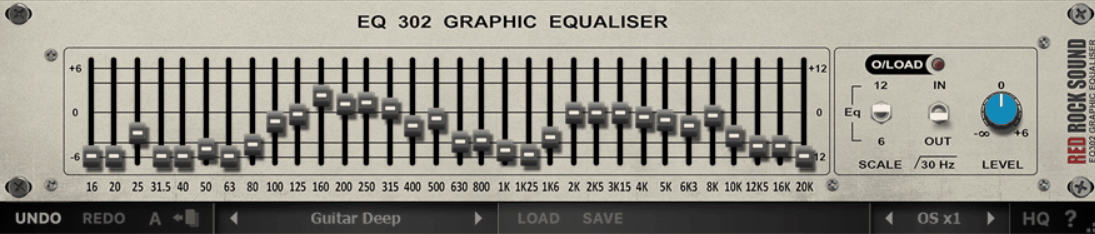
Let’s make this one short. With EQ302 you get 32 bands spaced in precise 1/3-octave increments across the full audible range, which I think gives you enough resolution for genuinely surgical corrective work, not just broad tonal shaping.
Then there is more to it:
- 12 dB or 6 dB Range Switch
Each band offers up to ±12 dB of cut or boost, and I like that you can switch to a tighter ±6 dB range when you want finer control over smaller moves.
- Switchable 30 Hz Low Cut
A dedicated low cut filter at 30 Hz is built in for cleaning up rumble or unwanted sub-bass content without needing to reach for a separate high-pass filter first.
- Free Companion to SA60
It’s designed to pair with Red Rock Sound’s free SA60 spectrum analyzer, and I’d recommend grabbing both together since seeing the analyzer response while you adjust the EQ makes corrective work considerably more precise.
6. UAD API 500 Series EQ Collection
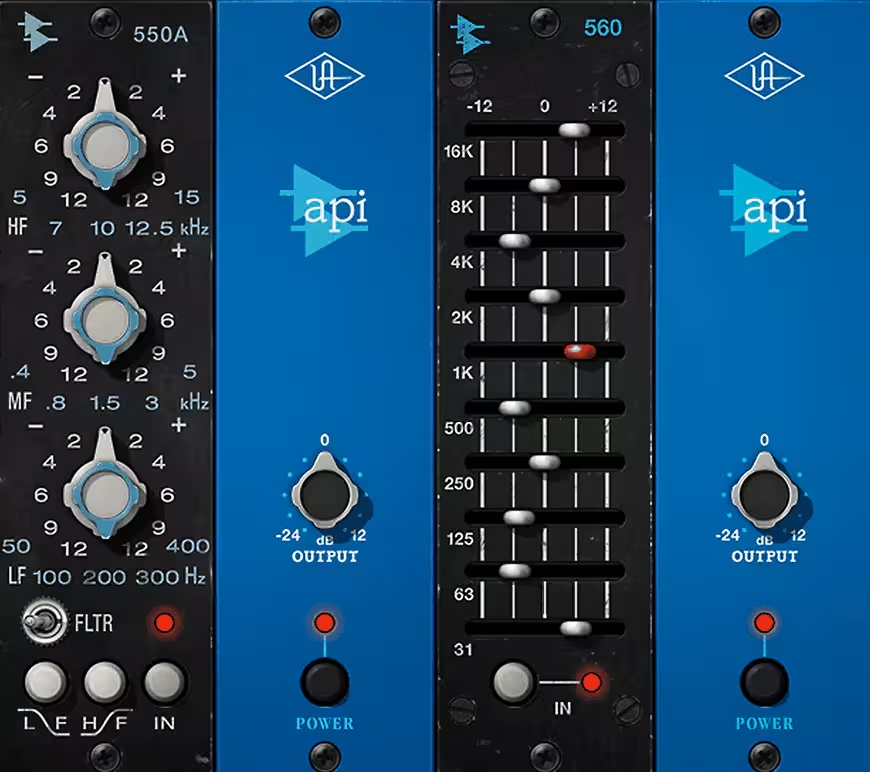
API’s 550A and 560 modules defined the sound of countless records throughout the 60s and 70s, built around designer Saul Walker’s signature 2520 op-amp and proportional-Q circuitry..
The unit that finally brought both of those circuits into UAD, painstakingly modeled from pristine early-70s hardware, is the UAD API 500 Series EQ Collection, capturing the filter shapes and clipping behavior no simpler emulation manages.
You get:
- API 550A Parametric Module
The 550A gives you three overlapping bands of parametric EQ across 15 fixed points, with the high and low bands individually switchable between peaking and shelving behavior.
- API 560 Graphic Module
The 560 offers 10 bands spaced one octave apart starting at 31 Hz, each with ±12 dB of cut or boost, and I think it’s genuinely one of the tightest, punchiest graphic EQs available for drums and bass specifically.
- Proportional Q Circuit Modeling
Both modules use API’s proprietary Proportional Q design, which widens filter bandwidth at low boost/cut levels and narrows it as you push harder, mirroring exactly how the original hardware behaved
- Musical Filter Amp Clipping
I like that the modeling captures the filter amp’s own clipping behavior under heavy drive, not just the frequency response, since that distortion character is a huge part of what made the originals sound the way they did
- Artist Preset Library
You get preset starting points from engineers like Ross Hogarth, Darrell Thorp, and Vance Powell, and I’ve found these genuinely useful as a reference point even when I end up rebuilding the curve myself.
7. Waves API 560
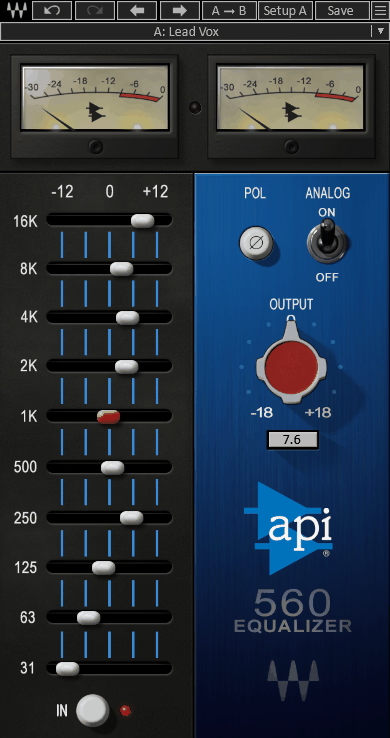
1967 was the year API’s Saul Walker put together the graphic EQ circuit that would go on to define countless recordings. Waves API 560‘s ten sliders recreate that circuit directly, developed in partnership with API instead of reverse-engineered from the outside.
- Ten-Band Proportional Q Design
You get 10 bands on one-octave centers, each with 12 dB of boost or cut, and the Proportional Q behavior means the filter width automatically narrows as you push a band harder.
- Identical Boost and Cut Curves
Because the boost and cut characteristics mirror each other exactly, undoing a previous move is as simple as flipping the same slider to its opposite position. I find this makes corrective EQ moves far less fiddly than usual.
- Analog Switch for Harmonic Character
Flipping the Analog switch on introduces the harmonic distortion and hiss of the original 1967 hardware, and I’d recommend using it selectively instead of leaving it on every instance.
- Fast, Visual Workflow
I like that moving sliders by hand feels faster than sweeping frequency and Q knobs on a standard parametric EQ, especially for broad decisions like brightening an overhead mic or taming a boomy room.
- Built for Complex Sources
It’s particularly suited to mic overheads, pianos, and other sources with a lot of simultaneous frequency content, since the graphic layout makes it easy to see and shape the whole spectrum at once.
8. Kuassa Efektor PAten
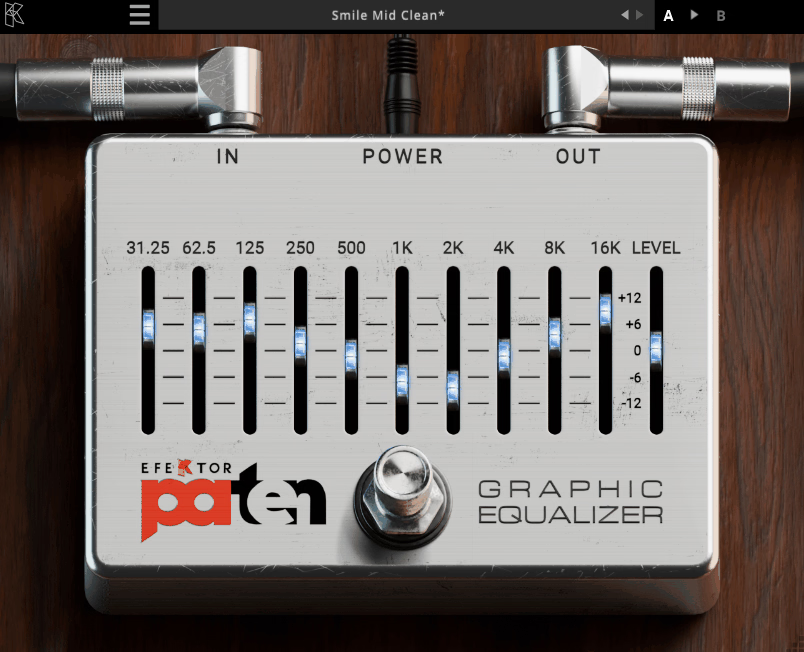
Proteus, the shape-shifting sea god of Greek mythology, lent his name to the algorithm driving this one. You get a 10-band graphic EQ from Kuassa Efektor PAten that dynamically adapts its Q curve as you adjust each band, keeping the response smooth whether you’re boosting or cutting.
- 10 Bands, One Per Octave
Each of the 10 bands covers a specific octave point across the spectrum, and I like that the spacing keeps things intuitive if you’re already used to reading a standard graphic EQ layout.
- Protean Algorithm
The Protean Algorithm adjusts the Q curve dynamically as you move each slider, minimizing the phase issues and comb filtering that plague simpler graphic EQ designs. I think this is the actual reason it sounds smoother than its low price suggests.
- Parallel Architecture
Bands are processed in a parallel signal path instead of in series, which keeps each band’s adjustment genuinely isolated from its neighbors instead of compounding unpredictably.
- Low CPU Usage
I’ve stacked several instances of this across a session without noticing any real performance hit, which matters if you’re the type to reach for a graphic EQ on every individual track instead of just the mix bus.
9. Kilohearts CARVE-EQ
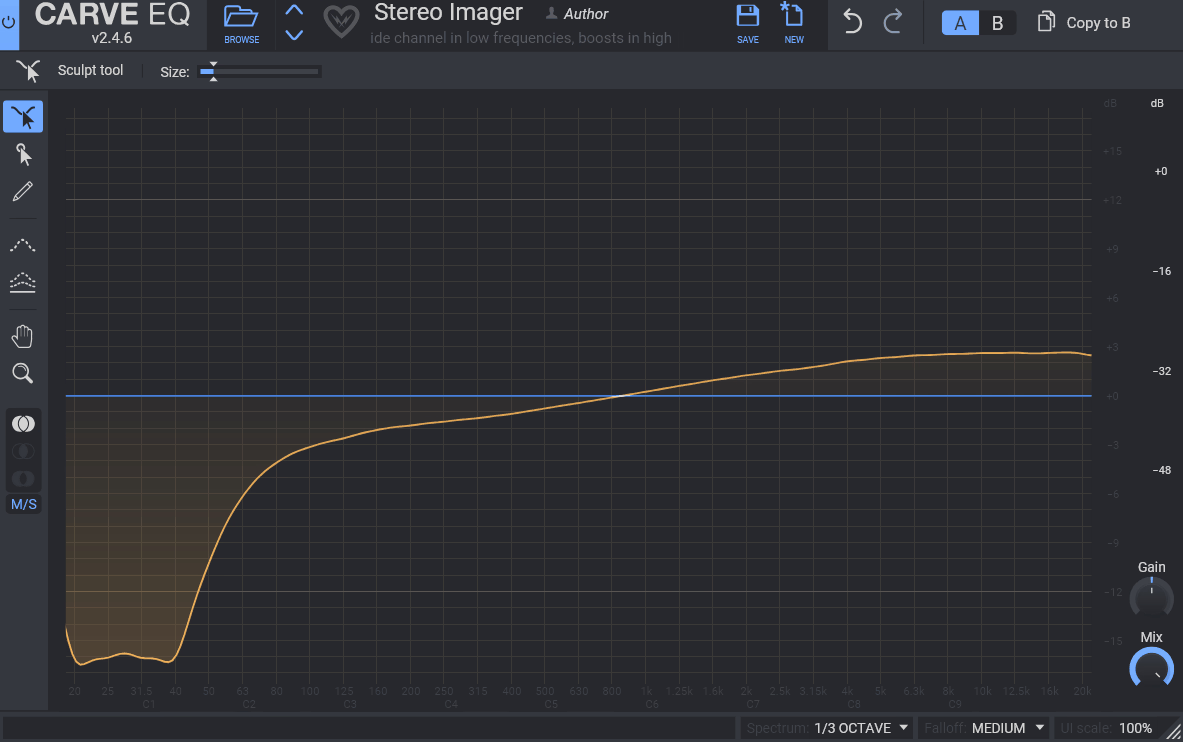
Graphic equalizers have mostly looked and worked the same way for decades: a row of sliders, one per band, nothing more. The plugin that actually reinvents that formula, replacing rows of faders with a genuinely different way to sculpt a curve, is Kilohearts CARVE-EQ, built around 31 third-octave bands.
- Sculpt Tool
Instead of dragging individual sliders, the Sculpt tool lets you grab a section of the response curve directly and pull it into shape, affecting every band underneath it in one smooth motion.
- Point Select Tool
You can select single bands with precise control using labeled axes, or select multiple points at once and adjust them together. I like switching between Sculpt and Point Select depending on whether I’m shaping broadly or fixing something specific.
- EQ Match Tool
A built-in Match tool automatically applies the frequency profile of a reference track to your own audio, and it ships with a library of EQ profiles pulled from famous songs alongside the option to import your own reference.
- Stereo, L/R, and Mid/Side Modes
You get full stereo, independent left/right, and mid/side processing options, all switchable from the same interface without needing a separate plugin instance for each mode.
- Snapin Compatibility
It works as a standalone plugin or inside Kilohearts’ Snap Heap and Multipass hosts, and I think that modularity is genuinely useful if you’re already building effect chains inside the kiloHearts ecosystem.
Freebies
1. KUASSA Efektor GQ3607
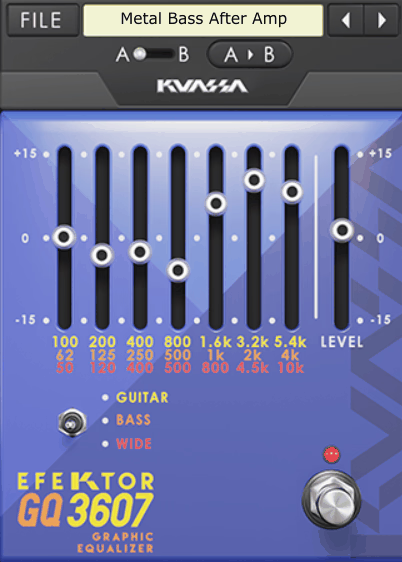
Efektor GQ3607 is now free! It’s modeled after the kind of simple EQ pedals guitarists and bassists have used for decades to shape tone before it ever reaches an amplifier. It’s not based on one specific piece of hardware, but the layout and seven-band approach will feel instantly familiar if you’ve used a hardware EQ pedal before.
- Seven Bands, Three Switchable Ranges
You get seven EQ bands total, and a range switch lets you retune those same seven points across Guitar, Bass, and Wide frequency modes. I like that this effectively gives you three different EQs in one free plugin.
2. Viator Graphic EQ
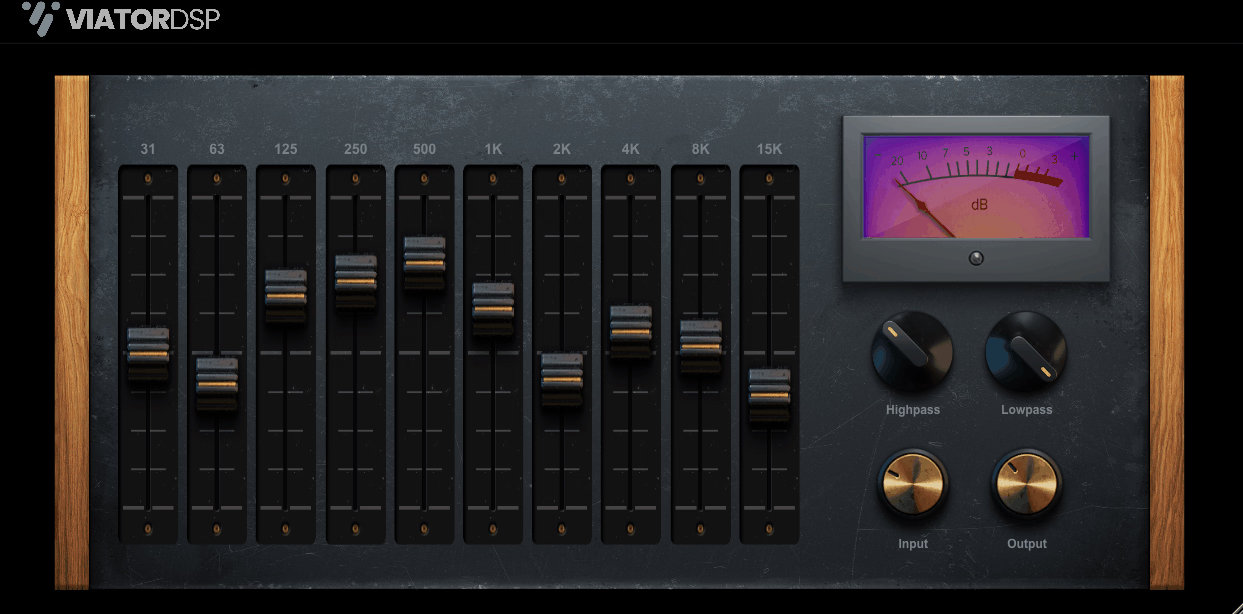
This EQ mulates the dynamic filter behavior of real analog hardware across 10 bands, narrowing each filter’s bandwidth as you push the gain further from zero in either direction. Viator Graphic EQ is completely free, and I think it’s one of the more convincing analog-style graphic EQs available at no cost.
- 10-Band Precision
You get 10 bands of equalization spread across the audible spectrum, giving you enough resolution for genuine tonal shaping without overwhelming you with controls.
- Dynamic Filter Bandwidth
Positive gain narrows the filter bandwidth slightly for a harmonically pleasing result, while negative gain narrows it even further for precise, surgical cuts. I find this behavior genuinely mimics how real passive hardware reacts.
- Four Fixed, Purposeful Bands
Each band targets a specific job: 40 Hz for sub thump, 150 Hz for warmth, 1.8 kHz for vocal presence, and 16 kHz for air and brilliance. I like that the fixed points remove the guesswork of hunting for a frequency.
- Passive-Style Character
The bands are designed to behave like a passive analog EQ instead of a clinical digital one, and I’d recommend it specifically when you want a quick tonal nudge rather than surgical correction.
3. Voxengo Marvel GEQ
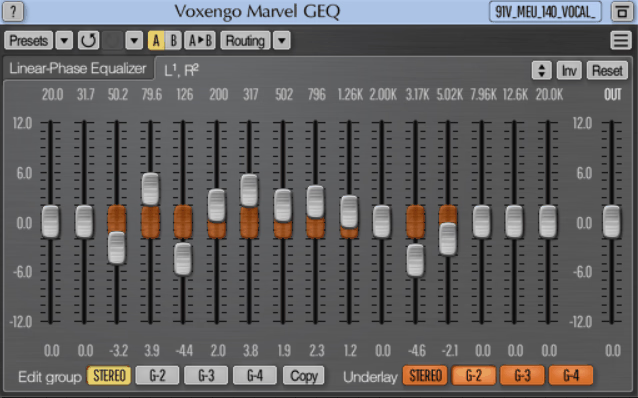
Marvel GEQ was built as a genuinely mastering-grade tool despite costing nothing, using 16 linear-phase bands to avoid the phase smearing that trips up cheaper graphic EQs. I think it’s held up remarkably well since its original 2011 release.
- 16 Linear-Phase Bands
Each of the 16 bands offers ±12 dB of gain with linear-phase filtering, so boosting or cutting won’t introduce the phase shift that smears transient detail on a standard minimum-phase design.
- Freehand Drawing Mode
You can draw your target curve directly instead of setting each band individually, which I find speeds up broad tonal decisions considerably compared to working slider by slider.
- Multi-Channel and Mid/Side Support
It supports up to 8 input and output channels along with dedicated mid/side processing, which is a surprising amount of routing flexibility for a plugin that costs nothing.
4. Manda Audio 7Q
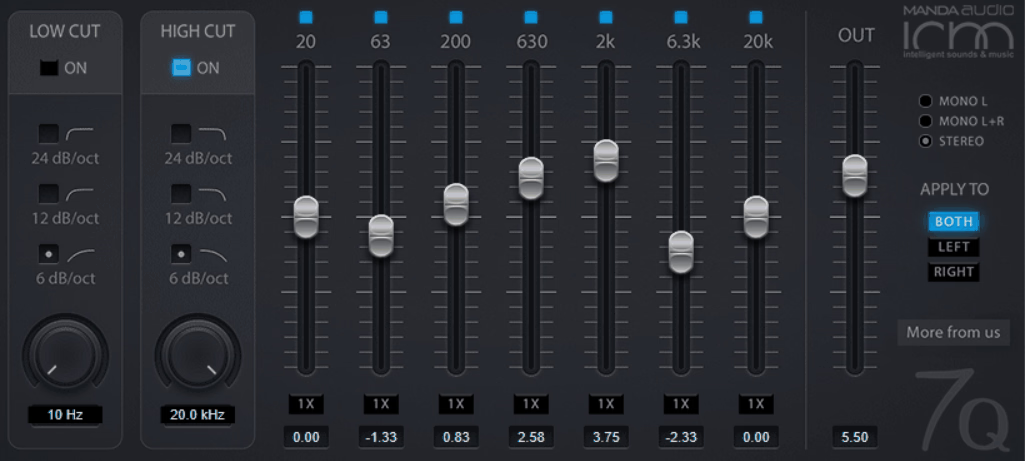
You get seven bands, musically predefined frequencies, and a design lineage that traces straight back to the discontinued Kjaerhus Audio Classic EQ. Manda Audio built 7Q as a free, lightweight alternative for anyone who missed that plugin after it disappeared from the market.
Each of the seven bands sits at a frequency and Q value chosen for musical usefulness instead of even mathematical spacing, which I think makes it faster to dial in a natural-sounding curve by ear.
- Boost Switch Per Band
A dedicated boost switch doubles the gain range on any individual band when you need more aggressive movement than the default range allows.
- Integrated High-Pass and Low-Pass Filters
Built-in high-pass and low-pass filters let you clean up a track’s extremes before the signal even reaches a compressor, and I’d use this as a fast first pass on rough vocal or instrument recordings.

Hey, I’m Vil, I started this site to help you find the best audio plugins covering various categories including synths, pianos, strings, and effect tools of all sorts as well. I pick these plugins based on various criteria so it best matches the actual topic.