When you purchase through the links on my site, you support the site at no extra cost to you. Here is how it works.
A kick drum and a bass part competing for the same low-end space is one of the most common problems in modern mixing, and it’s the reason sidechain compression is so widely used.
Today I’ll cover the best sidechain plugins, including several free options.
The list includes Sweetsonics Laser 2, Devious Machines Duck 2, Xfer Records LFO Tool, FabFilter Pro-C 3, Plugin Boutique ShapeMod, and several more.
1. Sweetsonics Laser 2
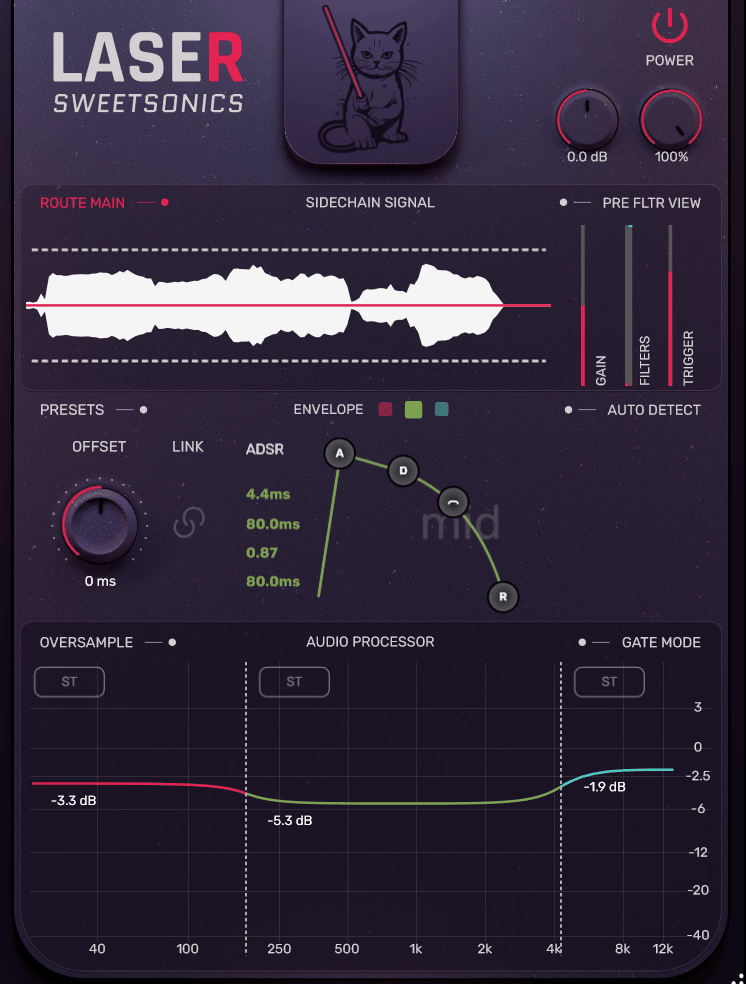
Sweetsonics Laser 2 reads your incoming sidechain signal and creates a reduction envelope based on what that signal is doing in real time.
I noticed this matters most when the trigger has a changing envelope, because a kick with a longer decay produces a different reduction shape from a short, snappy one. It runs in transient mode for fast percussive material or continuous mode for sustained sources, and the difference between the two can be useful when matching the ducking to the source.
- Dynamic Multiband Sidechaining
You can split processing across up to three bands and duck only the low end under a kick while leaving the highs untouched. Each band can operate independently in stereo, mid, or side mode, and each has its own reduction range down to minus infinity.
- Sidechain Filters
You can EQ the trigger signal before it reaches the detector, which helps when a busy or rumbly source causes uneven reduction. It’s useful when a kick has low-end material confusing the trigger, because filtering the sidechain changes the detection without changing the processed audio.
- Offset Control
This shifts the reduction envelope forward or backward relative to the trigger. I’ve found it useful when compensating for latency elsewhere in the signal chain.
2. Devious Machines Duck 2
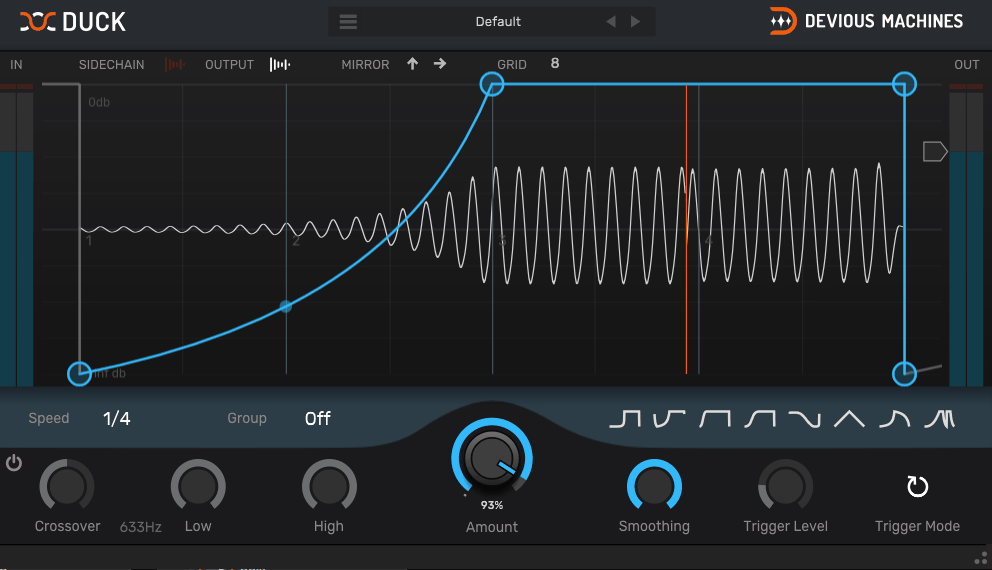
Bass fighting a kick drum for the same frequency space is one of the most common problems in modern mixing. Manually automating a compressor can work, but it is slow and makes it harder to create an exact shape.
At the heart of Devious Machines Duck 2 is a multi-segment envelope editor that lets you draw the volume curve your audio follows, node by node.
- Trace Envelope
This analyzes an imported audio file or your live sidechain input and converts its dynamics into a ducking shape. I find this useful when I want the envelope to follow a kick or other trigger closely without drawing the curve manually.
- Multiband Mode
Duck 2 runs in a two or three-band configuration with crossover slopes up to 48 dB and an optional linear-phase setting, so you can duck the lows while keeping the upper frequencies separate.
- Groups
Up to four separate instances can share the same envelope shape, and editing the curve in one grouped instance updates the others.
- Preset Library
The plugin includes more than 200 presets across ducking, envelope shaping, and creative categories. I find the tagged browser useful when I want a quick starting point rather than building a shape from scratch.
3. Xfer Records LFO Tool
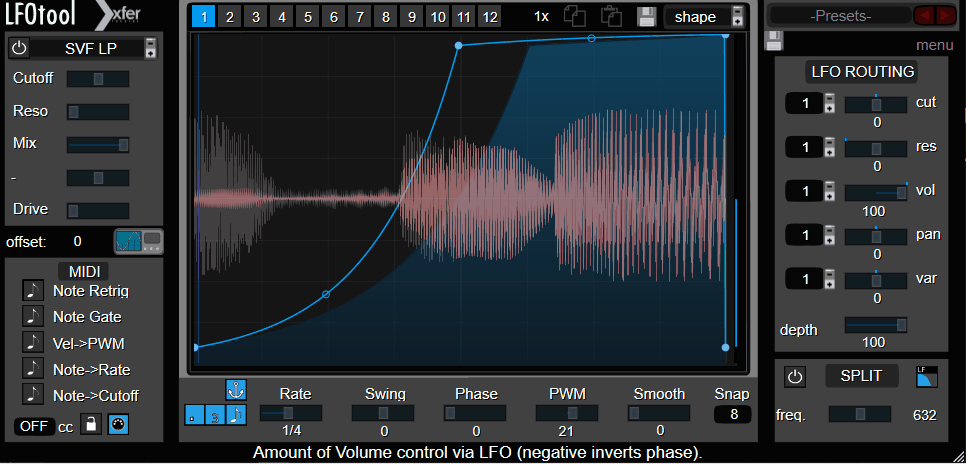
With Xfer Records LFO Tool, you can build tremolo, auto-pan, trance-gate, sidechain-style ducking, and wobble effects from the same customizable curve editor.
Its point-and-tension editor supports up to 12 graphs per preset, switchable through MIDI notes or automation, which makes it useful for evolving modulation sequences rather than one fixed shape.
- Four Simultaneous Graphs
You can run up to four graphs at once, targeting cutoff, resonance, and pan alongside volume. That lets one instance handle several related modulation tasks.
- Built-In Filter Section
The filter section includes a crossover control that lets you isolate processing to the low or high frequencies. I use this when I want to modulate only the sub of a bass patch while leaving the upper harmonics intact.
- Formant Filters
The formant filters alter the tonal character of the signal and add another sound-design option to what is otherwise a modulation-focused plugin.
4. FabFilter Pro-C 3
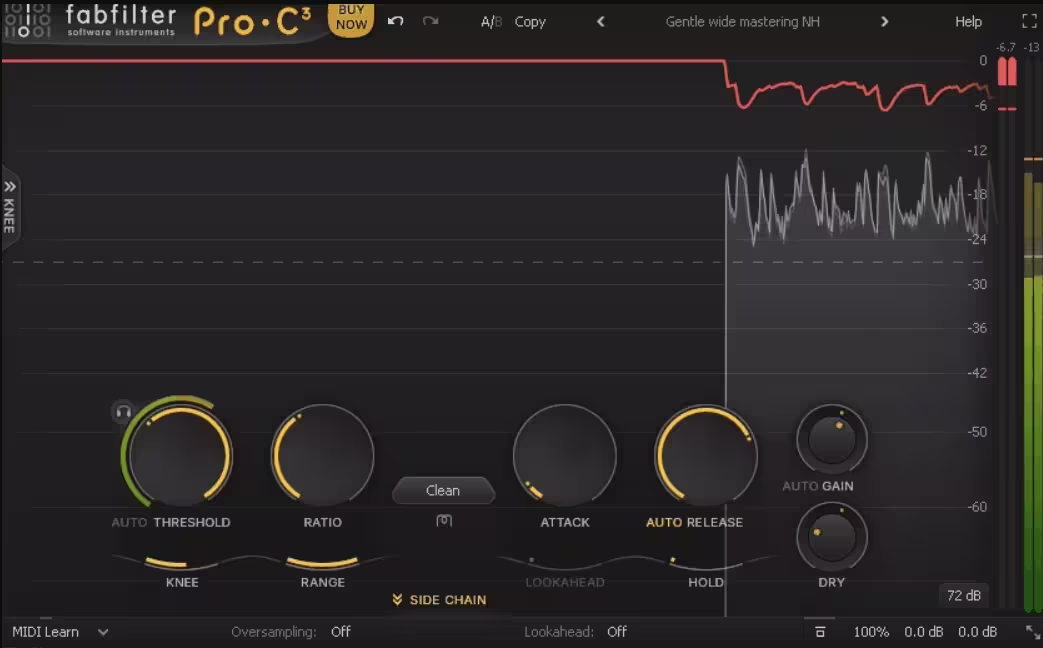
FabFilter Pro-C 3 offers 14 compression styles, including Vari-Mu, El-Op, Upward, and TTM, so you can use the same compressor for transparent dynamics, bus compression, or more pronounced sidechain pumping.
I think that range is one of its main strengths for sidechain work because you are not limited to one compression behavior.
- Character Modes
Tube, Diode, and Bright saturation options add analog-style coloration, with adjustable Drive and pre- or post-compression routing.
It’s handy when you want pumping effect to contribute some tone instead of reaching for another saturator.
- Six-Band Sidechain EQ
The sidechain section borrows filter shapes from Pro-Q, including all-pass curves and brickwall slopes up to 96 dB per octave. Consider this to remove unwanted low end from a trigger before it reaches the detector.
- Auto Threshold
Auto Threshold adjusts the threshold as the input level changes, helping keep gain reduction more consistent on sources with less predictable dynamics, such as live vocals. I’ve found that useful when the trigger varies more than a regular four-on-the-floor kick.
5. Plugin Boutique ShapeMod
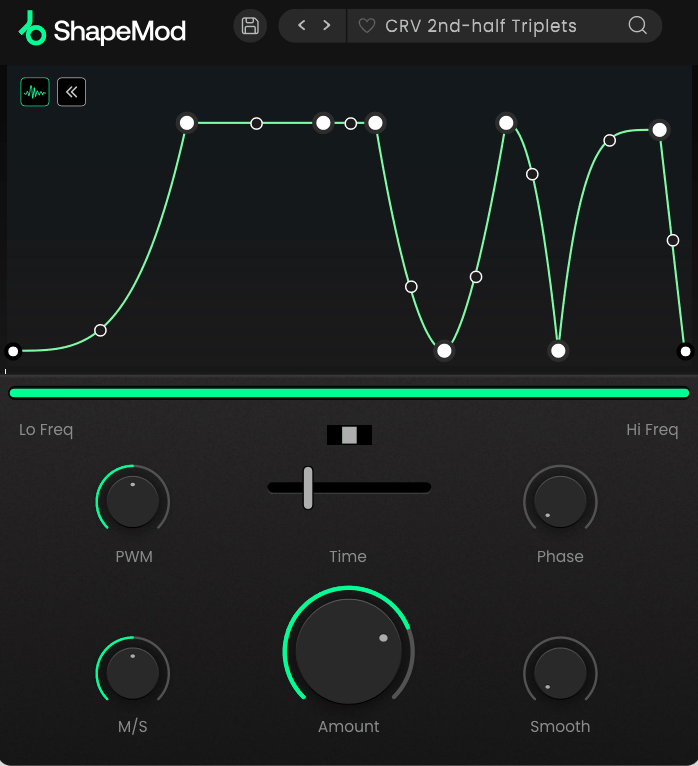
Plugin Boutique ShapeMod keeps the main workflow simple. Its envelope section gives you an unlimited number of modulation nodes, while hi and lo frequency sliders let you focus the shape on a specific part of the spectrum.
- 75 Presets
The library covers ducking, tremolo, and gating starting points. I still draw custom shapes when I need something more specific to the track.
- Time Sync Range
The Amount control sets the depth of the ducking, while the time interval determines the envelope cycle, syncable from 1/32 to 32 bars across straight, dotted, or triplet rhythms. I find that range useful for moving from quick stutters to slower multi-bar movement.
- Mid/Side Balance
You can focus the modulation on the mid or side signal, which I find useful for ducking a stereo synth without collapsing its width.
6. Cableguys VolumeShaper 7
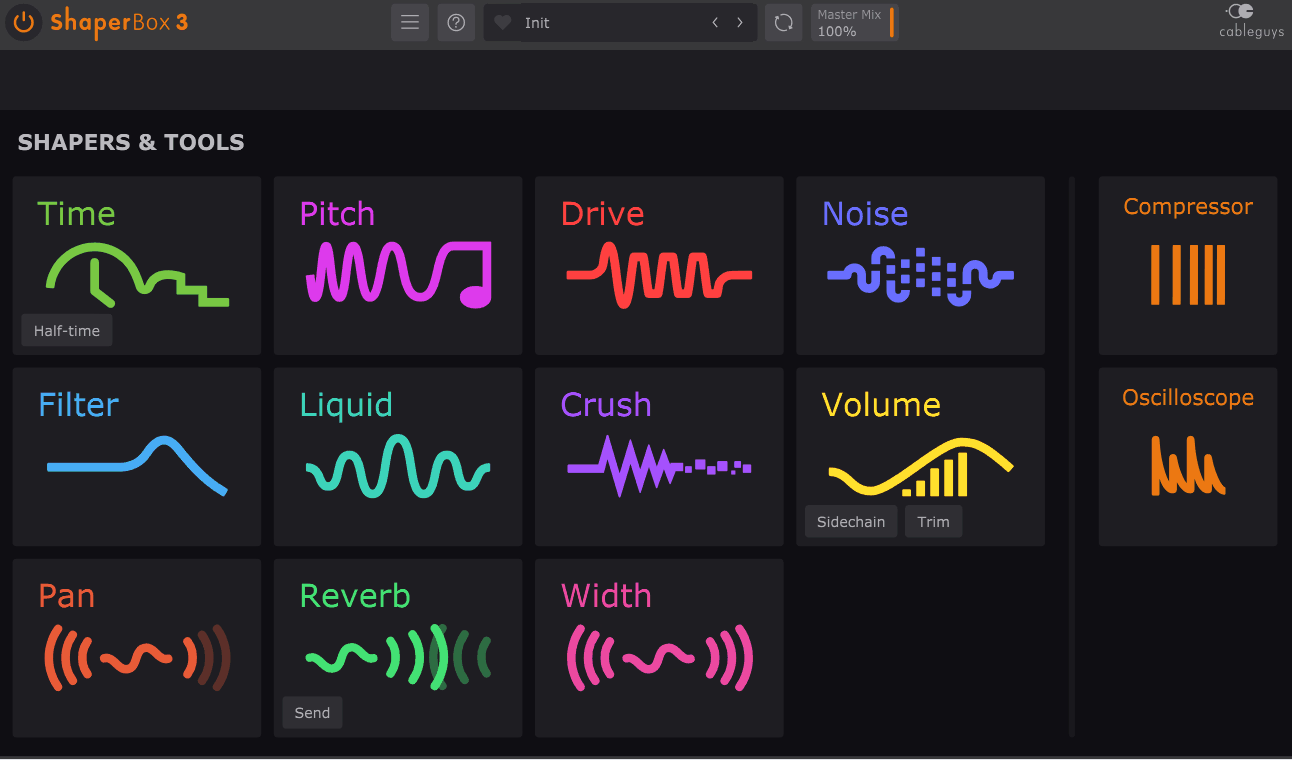
Cableguys built its Shaper system around drawable LFO modules that target different aspects of a signal. VolumeShaper 7 focuses specifically on volume, with modulation across three frequency bands and triggering from beats, MIDI, or incoming audio transients.
I like this approach when I want precise ducking but also want to keep the rest of the ShaperBox workflow available for the same track.
- Show External Sidechain
This overlays the kick waveform behind the bassline you’re editing, so you can line up the ducking curve against the actual transient. It comes handy when the kick has a different shape from the grid pattern, while click-free lookahead smoothing helps avoid artifacts on fast percussive material.
- Multiband Sidechain Ducking
Independent control across three frequency bands lets you duck only the low end while leaving the mids and highs untouched.
- ShaperBox Stacking
Because VolumeShaper works within the ShaperBox environment, you can combine it with pitch, filter, or drive modulation without adding separate routing chains. I would recommend this when several rhythmic changes belong to the same sound.
7. Nicky Romero Kickstart 2
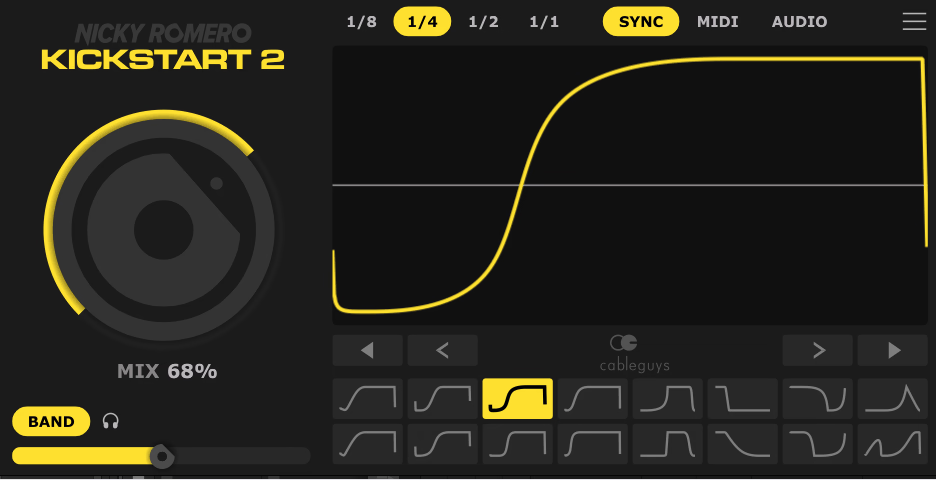
Not every sidechain job needs a detailed curve editor. Nicky Romero Kickstart 2 is designed for quickly creating the familiar pumping effect, with 16 sidechain shapes and a workflow built around fast adjustments.
Version 2 adds audio triggering, so the plugin can follow an actual kick pattern rather than assuming a fixed 4/4 grid. I’ve found that particularly useful when working outside four-on-the-floor material.
- Audio Triggering
Kickstart 2 can follow an audio trigger, allowing the ducking to respond to real kick patterns. I would use this when the kick pattern contains syncopation or changes from bar to bar, because the envelope can follow the actual trigger instead of a fixed rhythmic assumption.
- Movable Slope
You can drag the curve to match the kick’s length, with the kick waveform overlaid behind the envelope display.
- Band Split
A frequency slider from 20 Hz to 5.12 kHz lets you duck only part of the signal, while the split can be switched on or off for quick comparison.
8. Slate Digital Submerge
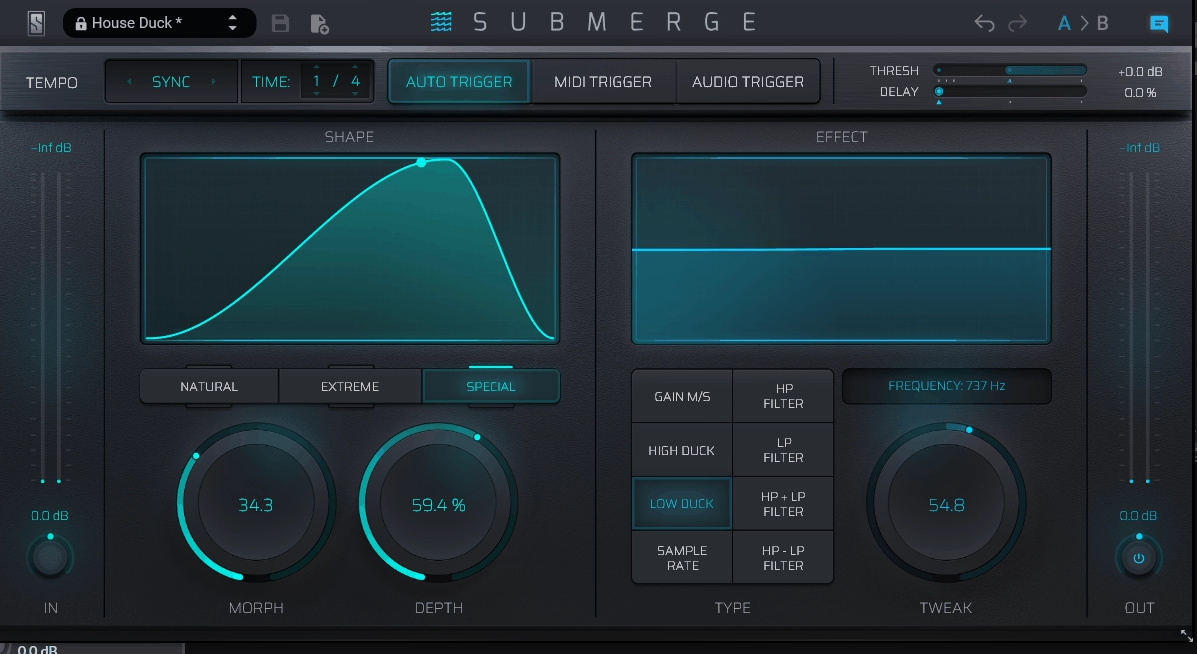
Slate Digital Submerge combines sidechain ducking with eight built-in creative effects. You can duck the center or side channel, add distortion, reduce the sample rate, or sweep a filter across the ducked signal, all from the same trigger.
In addition, it also provides auto sync, MIDI, and audio triggering, so you can choose the source that fits your session.
- Control Curve Modes
Three curve behaviors provide different ducking responses, from subtle volume reduction to more pronounced pumping. I would use these to change the character quickly rather than redrawing the whole envelope.
- Morph, Depth, and Tweak Knobs
These controls give you quick access to the main shape and intensity parameters without opening a detailed curve editor. I find them useful when I need to make a quick adjustment during a mix.
- Independent Mid-Side Processing
You can shape the center and side signals separately, which is useful when you want to duck a stereo synth without reducing its overall width.
9. Thenatan PUMP
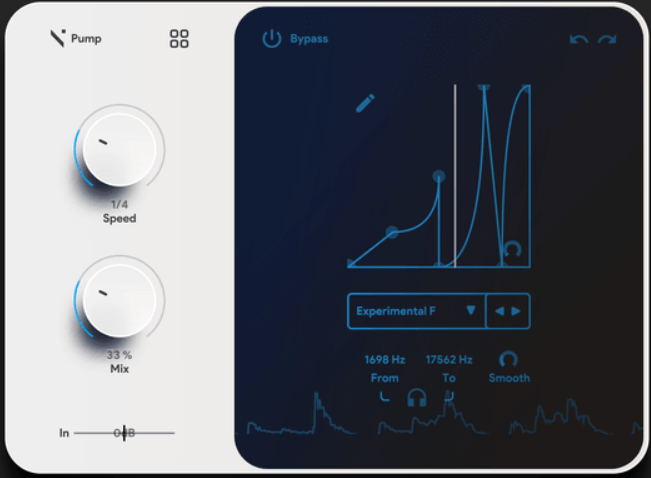
Most sidechain tools require you to route a trigger track first. Thenatan PUMP instead starts with tempo-synced ducking and provides 50 preset sidechain curves plus an editable curve table.
That makes it suited to quick rhythmic pumping while still giving you a way to draw a custom shape.
- Editable Curve Table
You can place and move points to build custom sidechain shapes rather than relying only on presets. I use this when the preset curves do not match the kick’s envelope.
- Multiband Frequency Targeting
From and To sliders let you target a specific frequency range, so you can duck only the low end of a bass while leaving its upper harmonics untouched.
- Real-Time Visualizer
The display shows the modulation shape moving with the audio, making it easier to check whether the envelope is lining up as intended
- 120 Factory Presets
The plugin includes 120 factory presets covering different sidechain shapes and starting points, while its low CPU use makes multiple instances practical.
Freebies
1. Rewired Records SideKick2
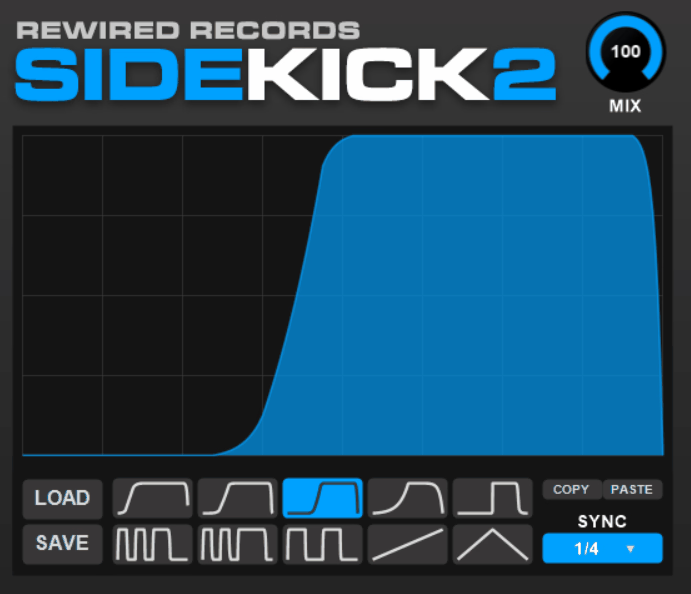
A simple sidechain plugin can be enough when all you need is a tempo-synced volume curve. Rewired Records SideKick2 provides that through a fully editable shape graph.
I see it as a straightforward option for learning and applying basic ducking without a larger modulation system.
- Editable Shape Graph
You can place and drag nodes to create a custom volume curve from scratch.
There is no multiband processing, audio triggering, or MIDI input, so the plugin is focused on basic rhythmic ducking.
- Rhythmic Time Divisions
Options include 1/4, 1/8, 1/2, and 1/1. I find that enough for common four-on-the-floor pumping patterns, although it is more limited than several of the paid options above.
2. Caelum Audio Flux Mini 2
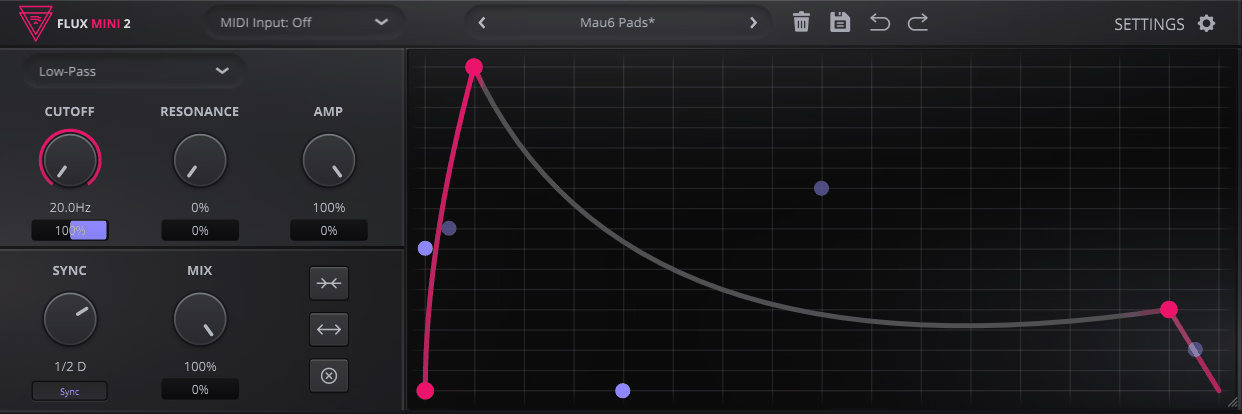
Caelum Audio Flux Mini 2 is more of a modulation source than a dedicated sidechain plugin. Its customizable Bezier curve can drive up to four parameters simultaneously, including filter cutoff, resonance, amplitude, and dry/wet mix.
I find that approach useful when you want the same rhythmic shape to control both level and tone.
- Three Filter Modes
Low-pass, band-pass, and high-pass modes let the same modulation curve shape the frequency response as well as the volume.
- MIDI CC Output
The graph can output MIDI CC data, allowing the same modulation shape to control parameters in another plugin. I use this when one rhythmic movement needs to affect several processors at once.
3. TAL-Filter-2
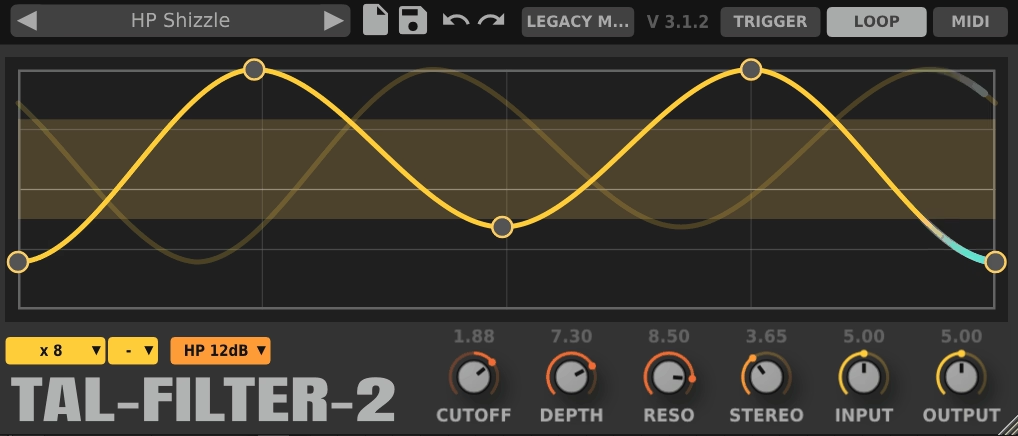
TAL-Filter-2 combines a 4x oversampled filter with a spline modulation editor that can control volume, pan, or filter parameters.
Although it is not specifically a sidechain plugin, switching the modulation target to Volume turns it into a tremolo or trance-gate tool. I’ve also found the same editor useful when rhythmic filtering needs to follow the same pattern.
- Modulation Targets
The spline editor can control LP, BP, or HP filtering, pan, or volume.
You can therefore use it for sidechain-style volume movement, rhythmic filtering, or stereo modulation from the same curve.
- Self-Oscillating SVF
The state-variable filter can self-oscillate when resonance is pushed high enough, effectively producing a sine-like tone.
That is separate from the sidechain workflow, but it gives the plugin another useful role when you are designing sounds.
4. Audio Damage Rough Rider 3
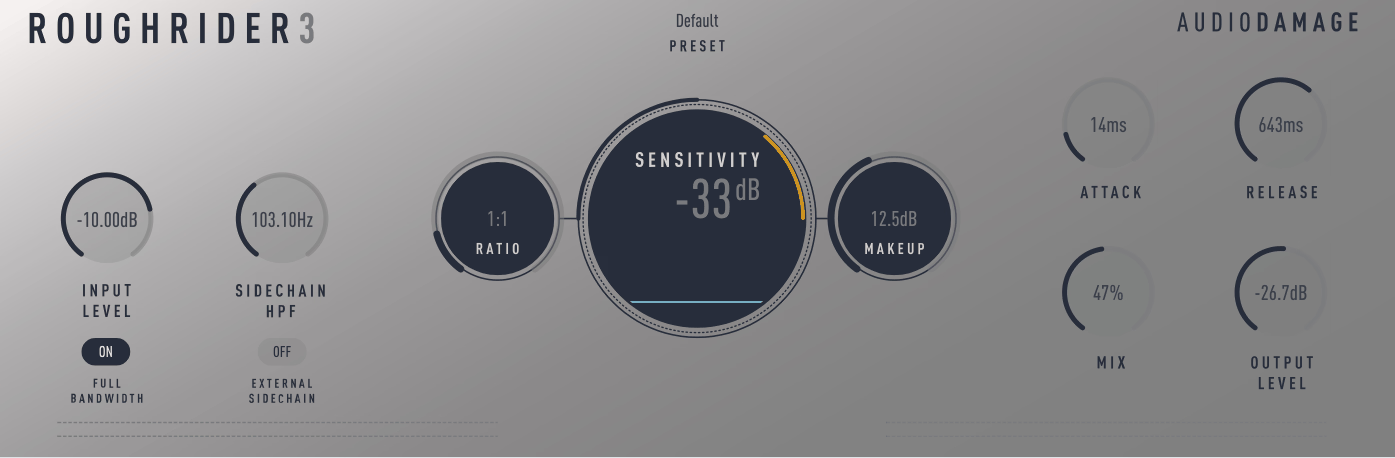
Not every compressor needs to be transparent. Audio Damage Rough Rider 3 is designed more around character and aggressive compression, while still providing the features needed for sidechain work.
It can be helpful when you want the compression itself to become part of the sound. It is less suited to transparent ducking than the dedicated envelope tools above, but the character can work well on drums, bass, and other sources that benefit from obvious movement.
- External Sidechain Input
The plugin provides an external sidechain input with a dedicated high-pass filter, allowing you to control what reaches the detector.
I’ve found that useful when the trigger contains low-frequency rumble that would otherwise cause unwanted pumping.
- FULL BANDWIDTH Switch
The FULL BANDWIDTH switch removes the internal warming filters for a cleaner response. It’s good to use when you want to retain some of Rough Rider’s compression behavior while reducing its normal tonal coloration.

Hey, I’m Vil, I started this site to help you find the best audio plugins covering various categories including synths, pianos, strings, and effect tools of all sorts as well. I pick these plugins based on various criteria so it best matches the actual topic.