When you purchase through the links on my site, you support the site at no extra cost to you. Here is how it works.
Today I will talk about some of the best mastering plugins I found on the web with many offering trials as well.
If you’ve ever bounced a mix, felt good about it, and then compared it to a commercial release, you already know why mastering exists as its own step.
Some of the plugins on this list hand you a full analog-modeled console, while some give you one knob and get out of your way, and a couple actually use AI to do a first pass while you keep the final say.
I’ve tried most of these in one form or another, and I’d say the honest takeaway is that no single one of them is “the” answer. What works for you really depends on how hands-on you want to be, and I’ll walk through what makes each one different as we go. Let’s dive in:
1. Musik Hack Master Plan
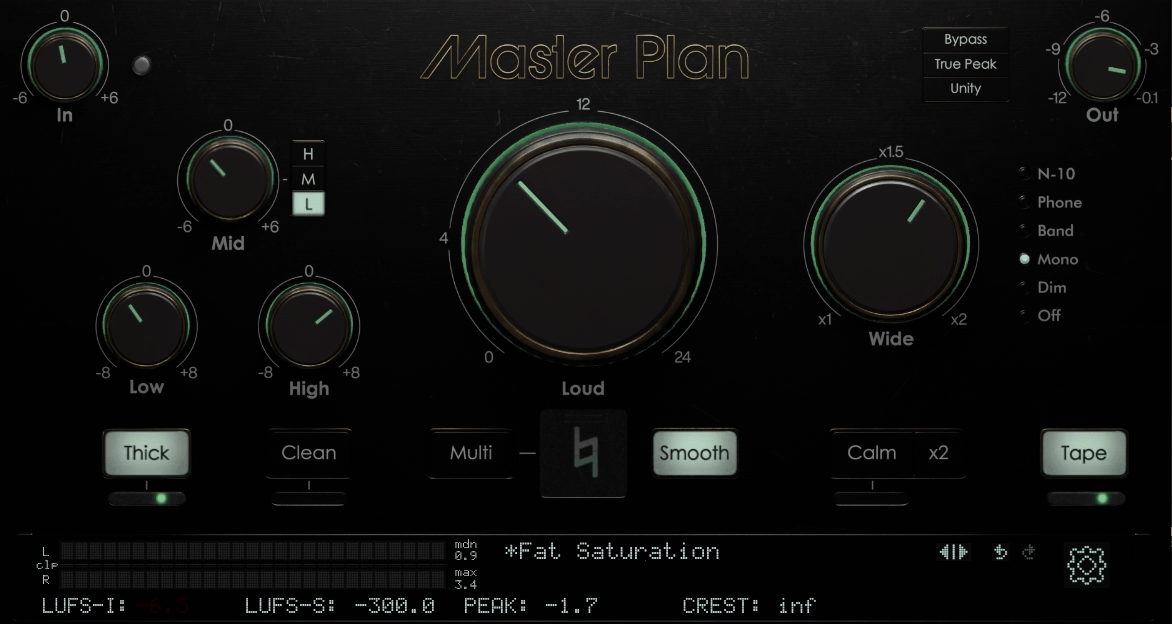
Musik Hack Master Plan combines clipping, limiting, EQ, saturation, and compression into a single chain, and the whole thing is built around expertly tuned curves rather than raw power.
A single Loud control sits at the center and functions as your limiter, managing peaks impressively well once you switch on TruePeak mode..
- Loudness With Peak Control
The Loud knob is a transparent loudness processor that keeps peaks in check even when you push it hard, and I found the TruePeak mode makes a noticeable difference in how controlled things stay under pressure. You get dedicated input and output level controls too
- Two-Band EQ
Low and High controls give you ±6 dB and ±8 dB of adjustment respectively, and I like how restrained that range is. It keeps you from overcorrecting
- Analog And Tape Saturation
A dedicated saturation section adds warmth without ever tipping into a wall of noise, and I’d recommend using it lightly at first since it stacks with the rest of the chain
- Unity Mode And Playback Filters
Unity mode matches your master’s volume to the source so you can judge tone and dynamics honestly when you bypass the plugin, instead of just being fooled by extra loudness. On top of that, you get output filters simulating mono, phone speaker, and other real-world playback scenarios, which I think is useful when you’re checking how a track will actually be heard.
2. LANDR Mastering Plugin Pro
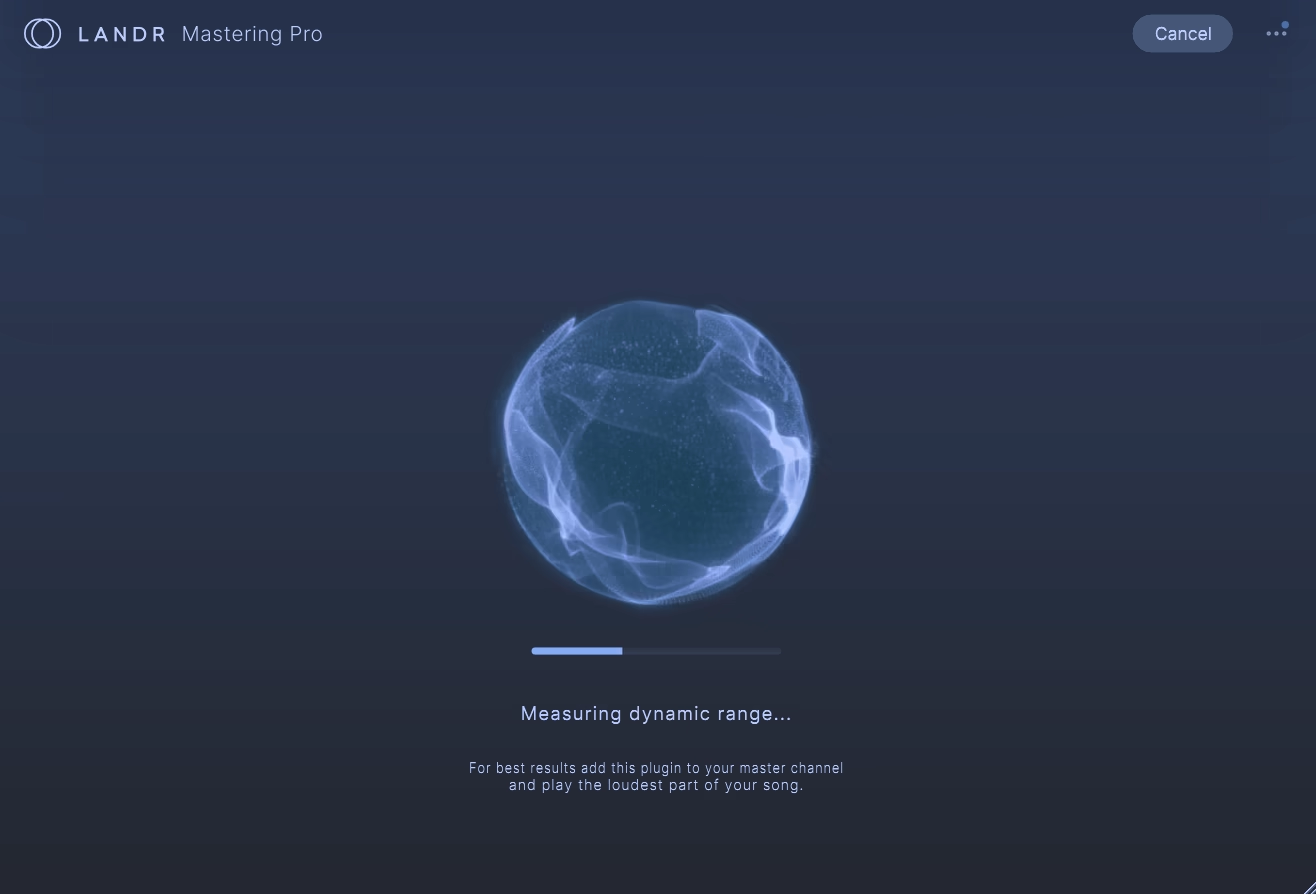
LANDR built its mastering engine over more than a decade of AI-driven work, and Mastering Plugin Pro is really just that same engine finally running inside your DAW instead of sitting behind a web upload.
You hear the mastered result in real time, directly on your mix bus, while you’re still making decisions about the mix itself.
- Three Styles
You get three distinct styles – Warm, Balanced, and Open, each with unique character. What I like is that each sound transparent enough to not break your master, so if you apply let’s say Warm, it won’t make your low end too big and ruin your track
- Full Revision Controls
You can reshape any of the three results using EQ across high, mid, and low energy, plus Compression, Saturation, Presence, and a De-Esser
- Loudness With LUFS Metering
A Loudness control paired with a LUFS meter lets you hit a specific delivery target, and given how much loudness targets vary by streaming platform these days, you’ll want that kind of precision on hand.
- Gain Match
A gain match function keeps your raw mix and processed master level-matched, which is the only fair way to tell if a master is actually better or just louder
3. Brainworx bx_masterdesk PRO
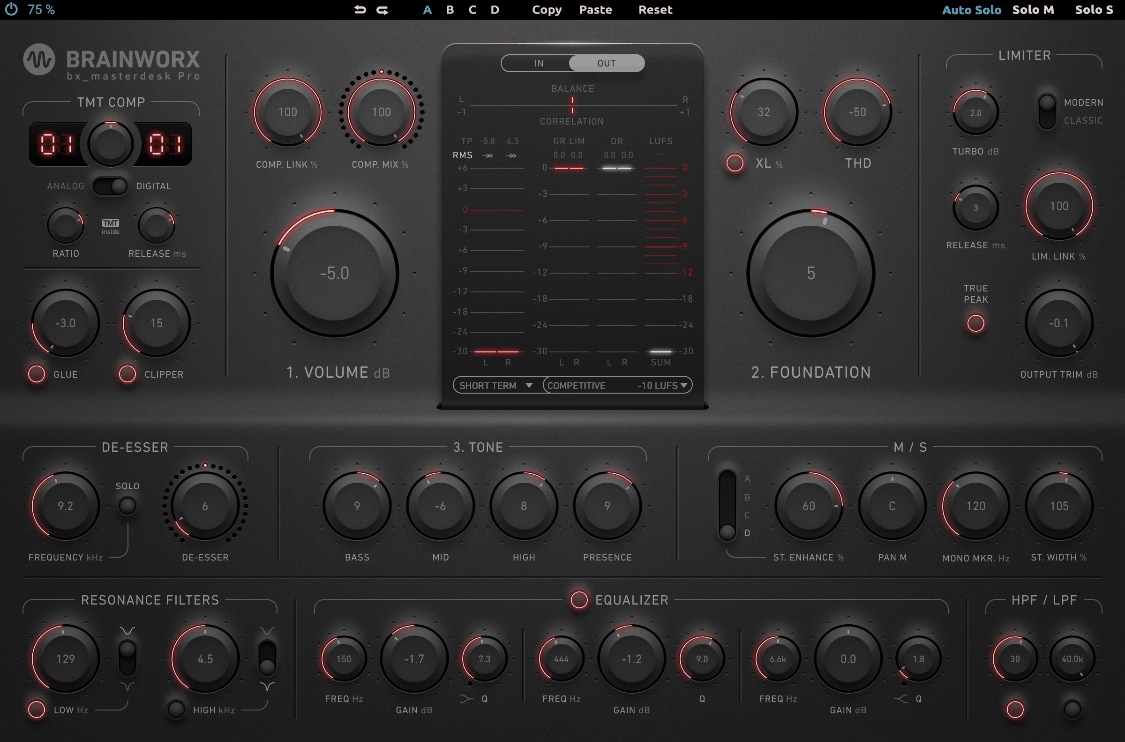
A compressor, limiter, EQ, and full set of stereo tools sit inside Brainworx bx_masterdesk PRO, and the presets alone can get you a solid-sounding master in under a minute. Past the main dials though, there’s real depth here once you start digging.
I like that it doesn’t punish you for wanting more control later, since the simple entry point never boxes you in.
- Upgraded Compressor And Limiter
The Pro version adds variable release times and linking options to both sections, plus a CLIPPER and a new GLUE feature for analog-style compression that gels a mix together before the final stage. I like how the limiter also got a modern versus classic switch, since that alone changes the character quite a bit
- 3-Band Parametric EQ
Beyond the original’s simple tone stack, this version adds a fully featured 3-band parametric EQ with expanded frequency ranges, along with high-pass, low-pass, and dual resonance filters for cleaning up rumble or taming harsh transients
- Stereo Enhancement Modes
New M/S features include a Mid Signal Panorama option and a Stereo Enhance knob, on top of the existing Mono-Maker and Stereo Width controls. I found these expand what you can do with the stereo field beyond just narrowing or widening it
- Volume, Foundation, And Tone
The core workflow still comes down to three key dials, which I think is what makes this approachable even if you’re new to mastering. You get the depth when you want it and the simplicity when you don’t.
4. FabFilter Pro-L 2
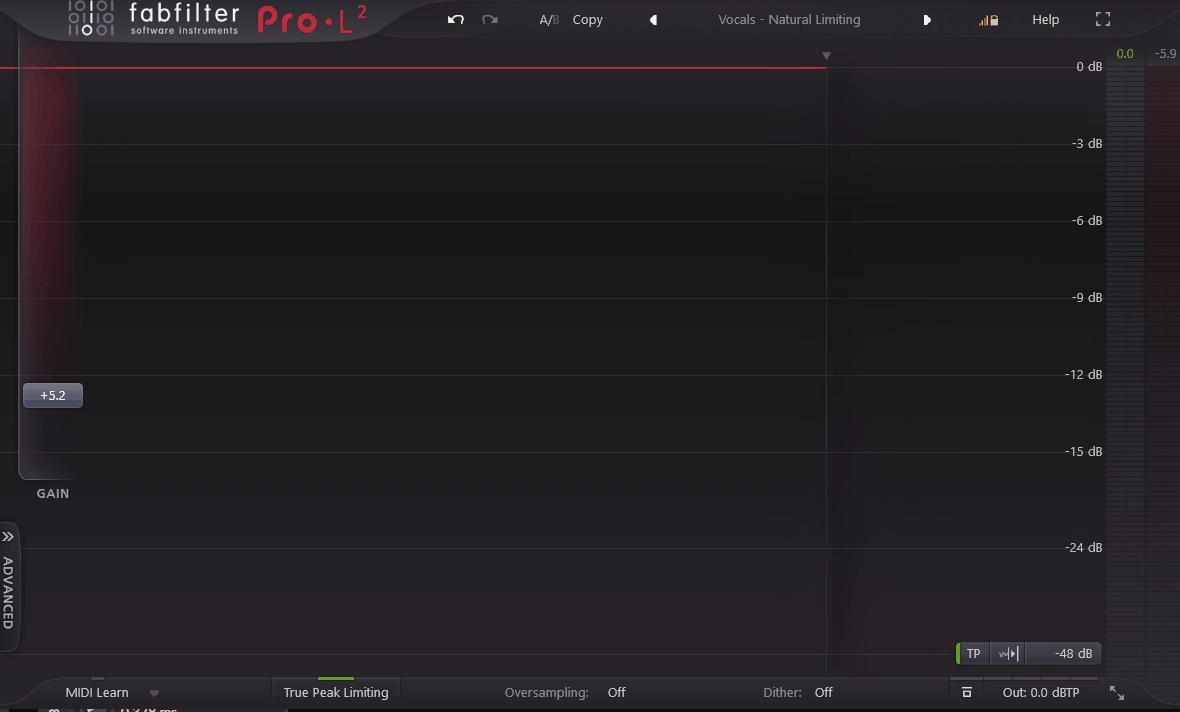
Eight distinct limiting algorithms sit inside FabFilter Pro-L 2, each genuinely different in character rather than being variations on one curve, and I’d say that range alone explains why it comes up so often when engineers compare limiters against each other.
True peak limiting is handled in a way that makes hitting a specific target almost boring, in a good way. The real-time level display is, in my opinion, one of the most informative you’ll find in any limiter on the market.
- Eight Limiting Algorithms
You get algorithms like Modern for general-purpose work, Aggressive for EDM and rock, Bus for drums and individual tracks, and Safe for avoiding distortion entirely. I appreciate having that range in one plugin instead of needing separate limiters for different jobs.
- Extensive Loudness Metering
Pro-L 2 supports EBU R128, ITU-R BS.1770-4, and ATSC A/85 standards, which covers pretty much any loudness normalization job you’ll run into. I found the Infinite display mode especially useful for seeing an entire session’s loudness profile at once..
- Surround And Stem Mastering Support
Full Dolby Atmos support up to 9.1.6 with flexible channel linking, plus external sidechain triggering for stem mastering, makes this plugin genuinely useful beyond straightforward stereo work.
5. Lurssen Mastering Console
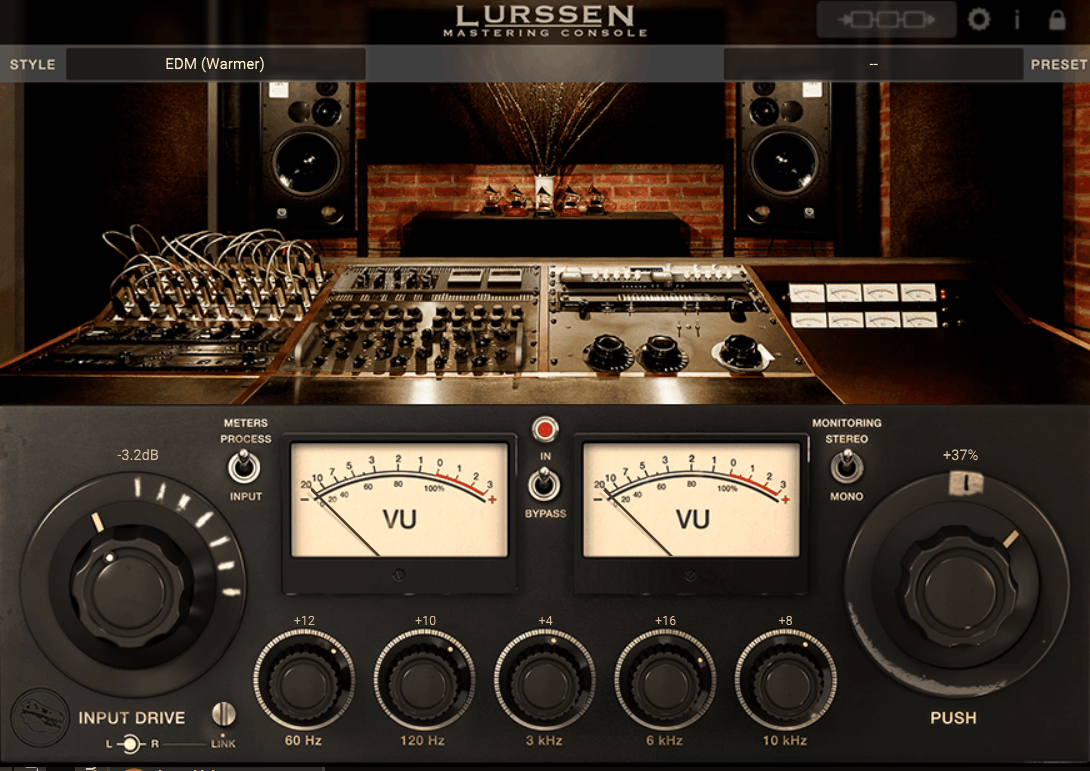
Gavin Lurssen and Reuben Cohen of the multi-Grammy-winning Lurssen Mastering studio built this alongside IK Multimedia, and Lurssen Mastering Console recreates their actual signal chain rather than a generalized version of what a mastering chain should look like.
You’re working from their real studio settings, down to specific gear hookup interactions they use every day which is quite cool!
- Genre Templates
A range of style templates load processing chains tuned to specific genres, from hip-hop to rock to pop, giving you a real head start no matter what you’re working on. I’d recommend starting there even if you plan to tweak everything afterward.
- Three Core Controls
You get an Input Drive, a five-band EQ, and the standout PUSH knob, which subtly and uniformly nudges the EQ so you can ride the flow of a song and highlight specific sections.
To me, that PUSH control is honestly what makes this feel different from a typical mastering chain.
- Waveform And Chain Views
A waveform display lets you loop audio and view automation, while the Chain view exposes the individual components in each style template so you can adjust gain reduction on specific pieces of gear.
- Standalone Or Plugin Use
It runs as a standalone application or inside your DAW
6. Maor Appelbaum Mastering & Hendyamps THE OVEN
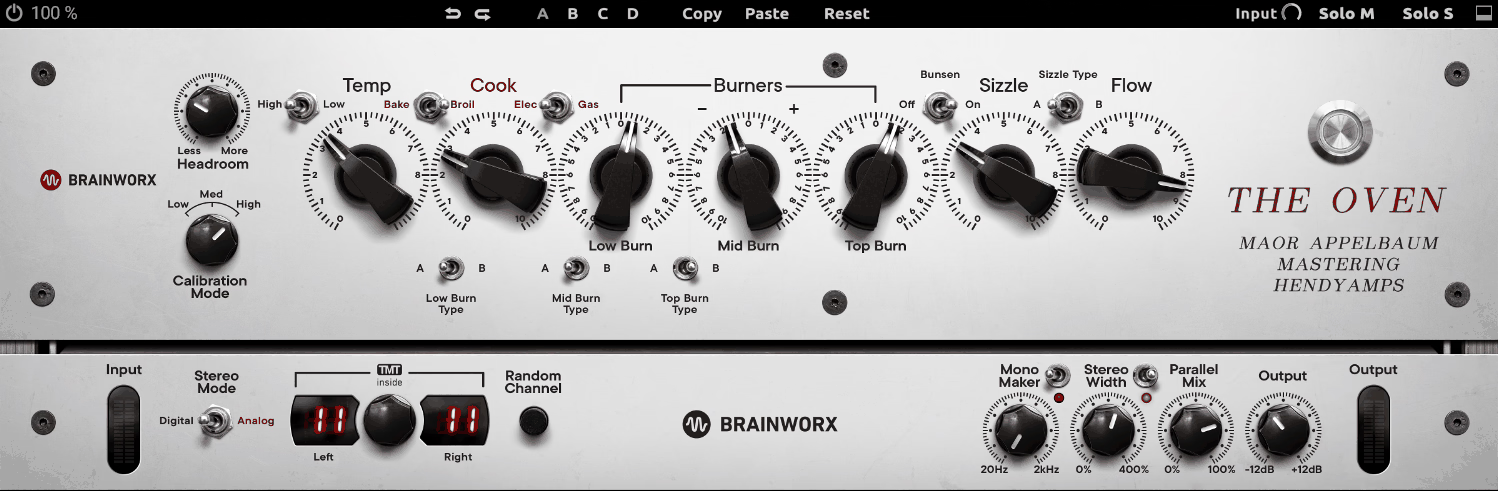
COOK, BAKE, BROIL, BURNERS, SIZZLE. THE OVEN names its controls like a kitchen instead of a studio, but it’s not a gimmick!
It was built by mastering engineer Maor Appelbaum and analog hardware designer Chris Henderson as what they call a Mojo Box, adding warmth, size, and color rather than doing clean, corrective processing. I would say once you get past the names, the controls behave exactly the way you’d hope.
- COOK And BAKE/BROIL
The COOK knob adds tube color, and BAKE/BROIL adjusts the voicing of that tube stage, while an ELEC/GAS switch changes the intensity and drive mode entirely. I found this combination gives you a surprisingly wide tonal range from what looks like a small control set.
- Three BURNERS
Each BURNER provides frequency-specific saturation, and you can adjust their BURN TYPE to move between carefully curated frequency ranges. This is where you dial in exactly which part of the spectrum gets the most color.
- SIZZLE And BUNSEN Mode
Upper-range SIZZLE or kicking the high burner into BUNSEN mode adds extra presence that genuinely opens up detail in the top end, which I’d recommend trying on anything that feels a little dull up top.
- TMT Modeling
Brainworx’s Tolerance Modeling Technology simulates channel-to-channel variance the way real analog components behave, which keeps the color from feeling too clean or synthetic.
7. IK Multimedia ONE
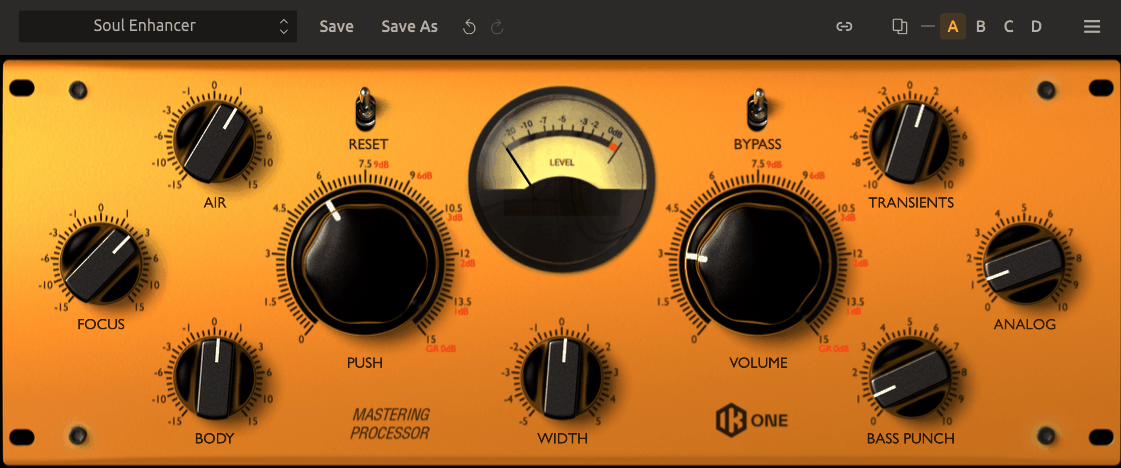
IK Multimedia ONE, packs an EQ, compressor, harmonic exciter, low-end enhancer, and limiter into that space. It runs standalone or slots into a bigger T-RackS mastering chain depending on what a session needs. The appeal here is speed without it ever feeling like you’re cutting corners.
- AIR, FOCUS, And BODY
The equalizer section uses three intuitive controls: AIR gently boosts or cuts high frequencies, FOCUS adjusts midrange intelligibility, and BODY fine-tunes low-end without upsetting the overall balance.
I like how each one maps to something you’d actually describe by ear rather than a frequency number.
- Compressor And Limiter
A dedicated compressor handles dynamic control while the limiter maximizes loudness, and together they’re tuned to get you clarity and punch without a ton of manual adjustment.
- Harmonic Exciter And Bass Punch
The exciter adds presence and detail, and the Bass Punch tool tackles low-end weight, both of which I found genuinely useful for tracks that feel flat straight out of the mix
- DSM And SCC Modeling
IK’s proprietary DSM and SCC technologies give the digital models an accurate analog hardware feel, which is part of why this plugin has held up as a favorite even as newer, flashier options have come out.
8. iZotope Ozone
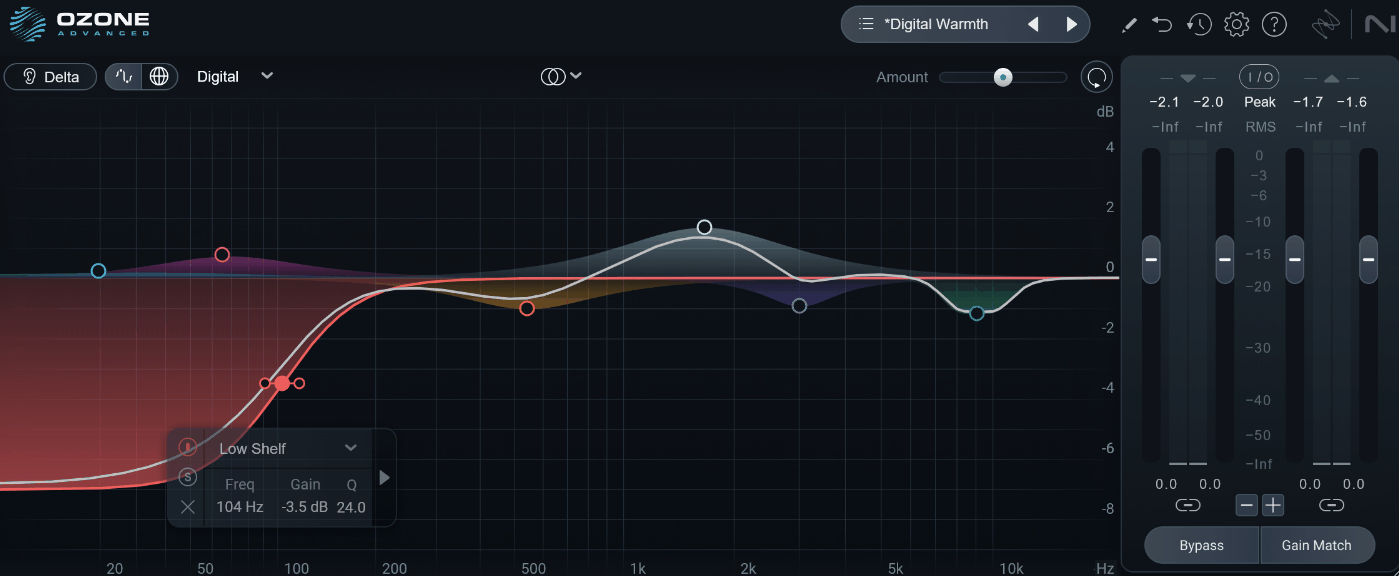
iZotope Ozone 12 covers more of the mastering process than almost anything else on this list, twenty modules spanning EQ, dynamics, exciters, limiters, and stereo imaging, tied together by an AI-powered Master Assistant that guides decisions instead of making them for you. That breadth is really the whole pitch.
What sets it apart to me is that it keeps adding genuinely new tools instead of just polishing the same ones release after release.
There is much more to it, but here are some of the latest additions:
- Master Assistant With Custom Flow
The reworked assistant now offers both an Automaster mode and a Custom Flow, letting you set specific module choices, LUFS targets, and genre references before it generates a starting point. I found the Custom Flow especially useful once you know roughly what you want and just need the tedious setup done fast.
- Stem EQ
This lets you separately EQ vocals, bass, drums, and instruments within a stereo bounce, without needing the original mix files. That’s genuinely rare in a mastering context, and I’d say it solves problems that used to be flatly impossible without going back to the mix.
- Bass Control And Unlimiter
Bass Control is a machine-learning module built specifically to refine low-end frequencies, and Unlimiter can revive overly compressed audio by restoring lost transients and dynamics. Both are the kind of tools you reach for when a mix arrives already squashed and you need to save it.
- New IRC Limiting Algorithm
An updated limiting algorithm in the Maximizer module gives you cleaner, louder results, and combined with the rest of the suite
9. United Plugins MasterMind
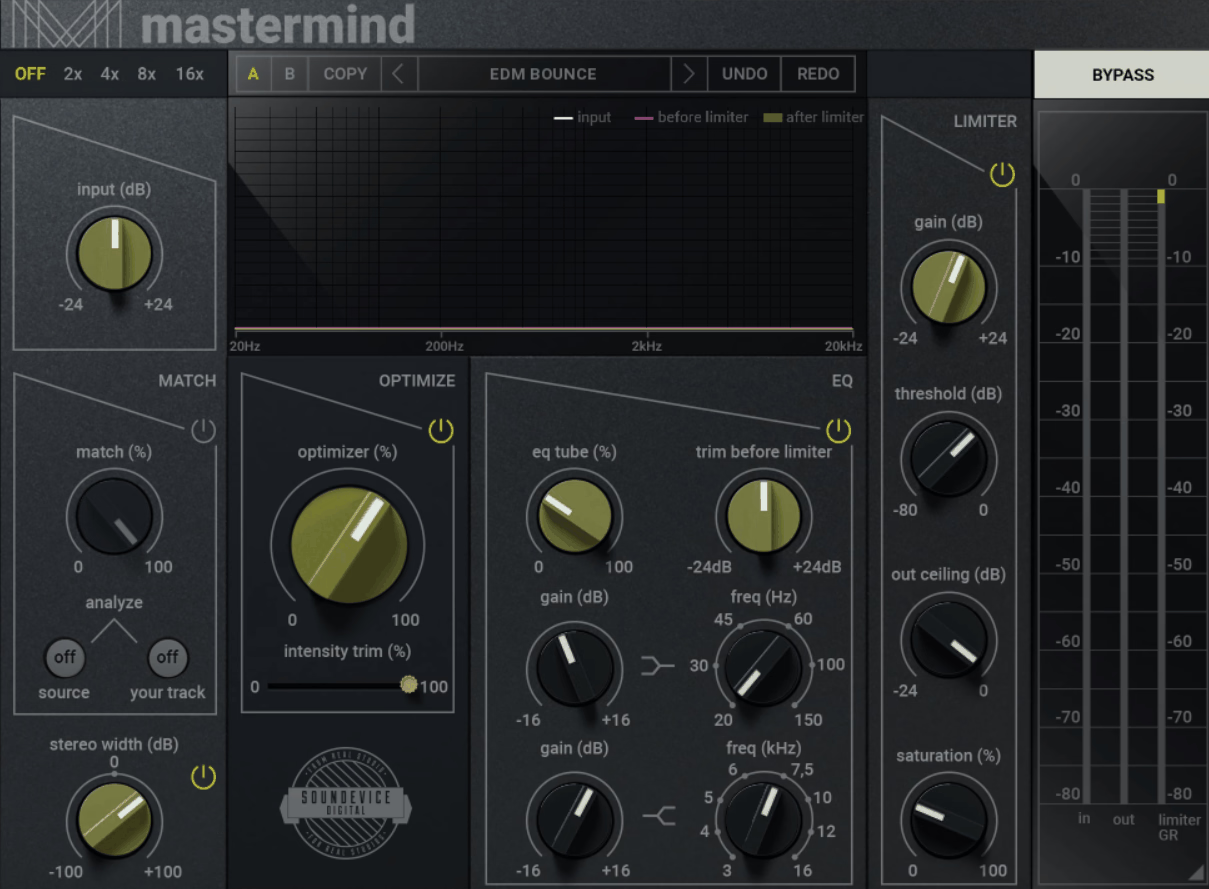
United Plugins MasterMind leans almost entirely on one section: the Optimizer, developed out of research into a large body of mastered material, and it makes a signal sound richer and psychoacoustically better with essentially one knob.
Everything else in the plugin supports that core idea rather than competing with it for attention. I found the simplicity genuinely refreshing after spending time in heavier suites, even though it’s not trying to replace them outright.
- Optimizer
This algorithm enhances your signal to sound bigger and more polished, and you control how much of that processing gets applied with a single knob.
- EQ Matching
MasterMind can analyze a reference track and match your track’s frequency curve to it, which I think is a genuinely fast way to get a consistent sound across an album or align your mix with a commercial reference you like.
- Two-Band Shelving EQ With Tube Drive
Modeled after a famous American tube EQ, this section gives you ±16 dB of low and high shelving along with input level and output trim controls, so you can push it harder for more saturation if the track calls for it.
- Limiter With Saturation
The limiter section includes gain, threshold, and out-ceiling controls plus its own saturation stage, and a real-time analyzer shows input, pre-limiter, and post-limiter signals so you can see exactly what’s happening at each stage.
10. Mastering Compressor Class A by Shadow Hills
Only 50 units of the original hardware were ever built, which tells you most of what you need to know about why this plugin exists. Mastering Compressor Class A models that extremely rare limited edition, an upgraded version of the already legendary Shadow Hills Mastering Compressor, complete with Lundahl transformers and hand-wired cabling in the original unit.
Compared to the standard Shadow Hills compressor, this Class A version runs roughly 1 to 3 dB hotter at identical gain settings, giving you a thicker, richer tone.
- Optical And Discrete Compression
You get two fully independent dynamics stages, an Optical section for smooth, musical transient control and a Discrete Class A VCA section for fast, punchy tone shaping. I found running both in sequence gives you a genuinely layered compression sound that’s hard to get from a single-stage compressor.
- Switchable Output Transformers
Three transformer options, Nickel, Iron, and Steel, each color the sound differently: Nickel adds top-end sparkle, Iron adds midrange character, and Steel brings additional harmonic distortion. I’d recommend trying all three on the same source since the difference is more noticeable than you’d expect.
- TMT And Plugin-Only Features
Brainworx’s Tolerance Modeling Technology captures the subtle inconsistencies of real analog components, and the plugin adds Mid/Side processing, Mono-Maker, Stereo Width, and Parallel Mix, none of which exist on the original hardware.
- Punchier Than The Standard Version
In direct comparisons, this Class A edition delivers a smoother compression sound with a punchier VCA and a larger sense of depth than the standard Shadow Hills plugin, which I think makes it worth the extra attention if you already own the original.
11. Safari Audio Noam’s Mastering Console
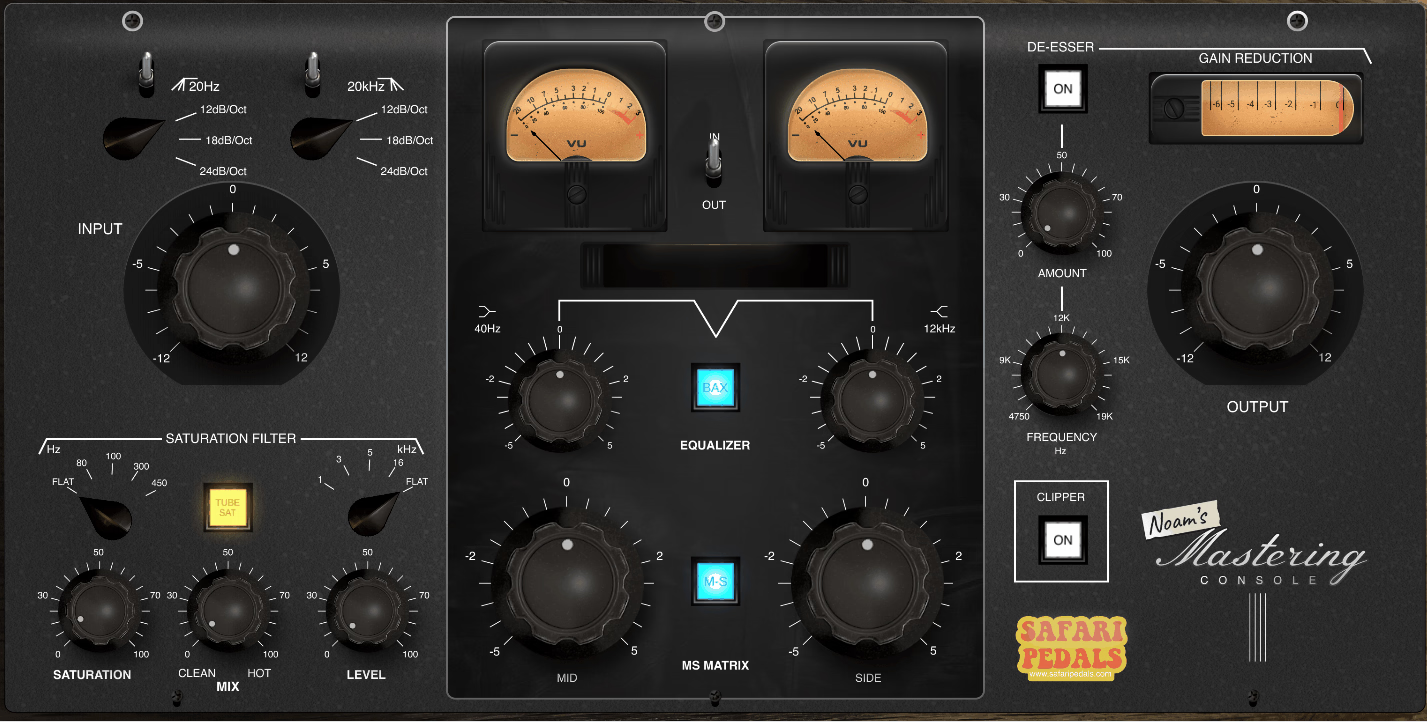
People kept asking about a specific desk they saw in Safari’s demo videos, enough times that the company decided to just build the plugin version. Safari Audio Noam’s Mastering Console recreates that one-of-one custom tube mastering desk at Safari HQ, not a generalized tube-chain concept but a faithful copy of one specific piece of gear.
I like that honesty. It’s not dressed up as more than what it is.
- Tube Saturation
You can blend continuously between clean and hot settings, getting authentic tube warmth without an all-or-nothing switch. I found the sweet spot for most masters sits somewhere in the middle
- High/Low Cut Filters
Steep, selectable filters let you control lows and tame highs at 12, 18, or 24 dB per octave slopes, giving you a good amount of control over how aggressively the cuts happen.
- Baxandall EQ And MS Matrix
A Baxandall-style EQ handles smooth high and low tone shaping, while the MS Matrix lets you sculpt the mid and side image independently for wider, more open masters. I would say this combination covers most of the tonal and spatial decisions you’d need at the mastering stage.
- De-Esser And Clipper
A transparent de-esser handles harsh high frequencies before the final gain stage, and a clipper with auto-gain pushes your mix louder in a controlled way. Together they round out what’s genuinely a complete final-stage processor in one plugin.

Hey, I’m Vil, I started this site to help you find the best audio plugins covering various categories including synths, pianos, strings, and effect tools of all sorts as well. I pick these plugins based on various criteria so it best matches the actual topic.