When you purchase through the links on my site, you support the site at no extra cost to you. Here is how it works.
Rotary speaker plugins can do more than add a simple swirling modulation effect. The better ones recreate the movement, pitch changes, speed transitions, and character of a rotating cabinet, which can make them feel quite different from a basic chorus or phaser.
For this roundup, I’m looking at Slate Digital Rotary SD-147, Eventide Rotary Mod, Arturia Rotary CLS-222, UAD Waterfall Rotary Speaker, and a few more.
Some focus heavily on realistic cabinet behavior, while others give you a more flexible take on the classic rotary effect.
The difference becomes especially obvious when you switch between slow and fast speeds. The changing pitch, stereo position, and acceleration are some of the main details I’m paying attention to when comparing each plugin.
1. Slate Digital Rotary SD-147
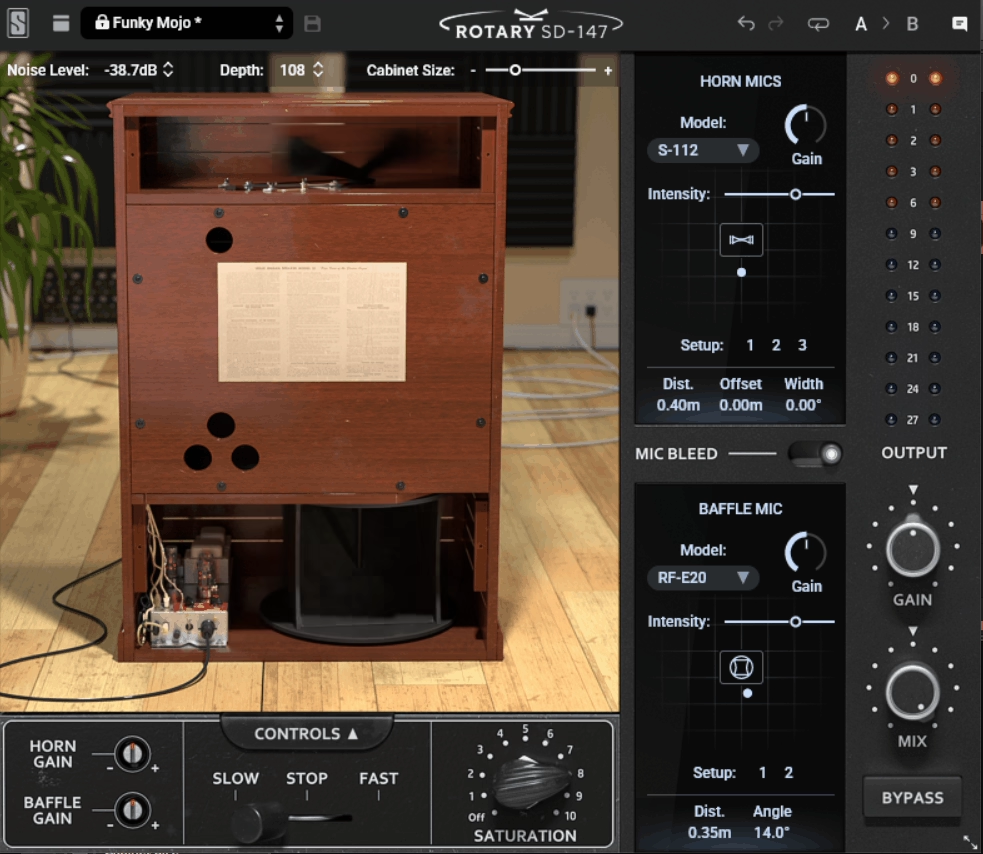
The first thing worth knowing about Slate Digital Rotary SD-147 is that it models the physical cabinet, including both rotors, internal reflections, the crossover network, tube preamp saturation, and mechanical motor noise.
The plugin also gives you controls that would be difficult to get from a real cabinet, such as silencing the motor noise, reducing mic crosstalk, or stopping the rotors at a specific angle. It gives you a way to experiment with the cabinet behavior without being limited by the physical setup.
- Virtual Mic System
The onboard ML-1A Virtual Microphone System gives me ten mic models for capturing both the horn and the baffle, with flexible positioning controls for building a custom recorded sound instead of relying on one fixed mic placement.
- Cabinet Controls
I can silence the motor noise, reduce mic crosstalk, or stop the rotors at a specific angle, which gives me more control than a real cabinet would normally provide.
- Tempo-Synced Rotation
Locking the rotor speed to my project tempo turns what’s normally a free-running mechanical effect into something that stays rhythmically aligned with the track, which I’ve found handy on programmed material.
- Independent Rotor Gain
The horn, covering mids and highs, and the drum, handling the lows, each get their own gain control, so I can rebalance the tonal relationship between the two rotors instead of relying on one fixed blend.
2. Eventide Rotary Mod
Leslie cabinets were designed primarily to add movement to Hammond organs, and many rotary plugins stay fairly close to that application.
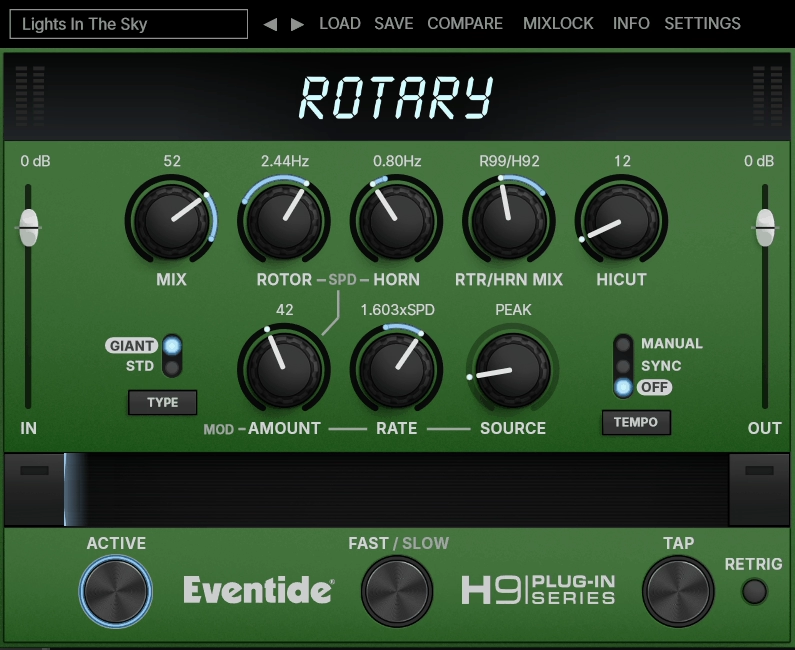
With Eventide Rotary Mod, you can push the effect further using the Ribbon control, a performance macro that morphs between two parameter setups as you move across it.
I like mapping the Ribbon to a MIDI mod wheel because I can play the effect live, increasing the modulation on a guitar lead or moving between different rotary settings during a phrase instead of keeping one static setting.
- Ribbon Performance Control
This macro morphs between two saved parameter configurations as I move it, and I would use it to blend from a gentle swirl into a more pronounced effect without touching individual knobs during a performance.
- Secondary LFO Modulation
A second modulation source can drive the rotor or horn speed independently, allowing the plugin to move beyond a conventional fixed rotary pattern.
- Selectable Cabinet Size
Switching between Standard and Giant cabinet models changes the tonal character, with the Giant setting producing a fuller low end on some sources.
- Tap Tempo Sync
I can tap in the tempo directly to lock the rotation speed to the track, which is quicker than dialing in a manual rate by ear.
3. Arturia Rotary CLS-222
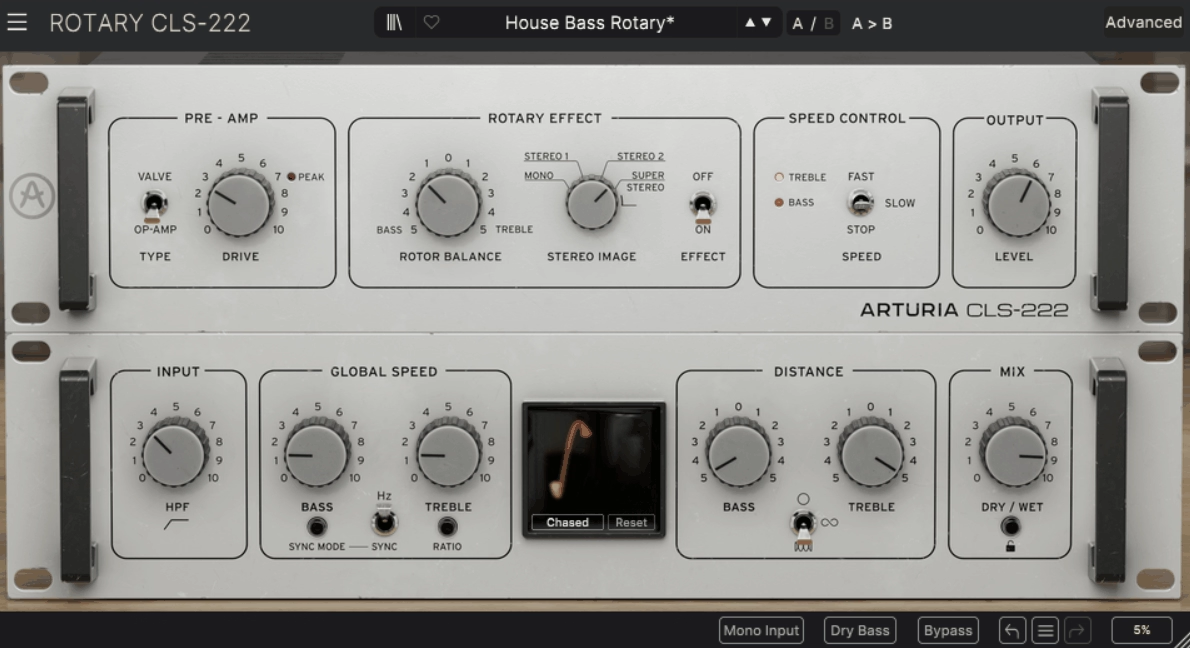
One thing that stands out about Arturia Rotary CLS-222 is that it isn’t modeling a mic’d rotating cabinet. It models the Dynacord CLS-222, a hardware unit that produced the rotary effect electronically without spinning parts.
That gives it a cleaner, more direct character than a cabinet-based emulation, while the additional controls let you move beyond the behavior of the original hardware. I appreciate that combination when I want the familiar rotary movement without committing to a specific cabinet simulation.
- Dual Preamp Modes
I can switch between a modeled op-amp preamp or an alternative tube preamp, changing the character of the drive from cleaner to warmer.
- Interactive Visualiser
A real-time display with four phase options shows how the stereo field is moving, which I find useful for checking the effect’s spatial behavior while adjusting the settings.
- Multi-Stage Distance Control
Separate distance controls for the bass and treble rotors let me shape the perceived contribution of each rotor independently rather than applying one overall depth setting.
- Extended Rotor Speeds
Bass and treble rotor speeds have separate controls with a wider range than the original hardware offered, letting you move the treble rotor into faster modulation territory when the source calls for it.
4. UAD Waterfall Rotary Speaker
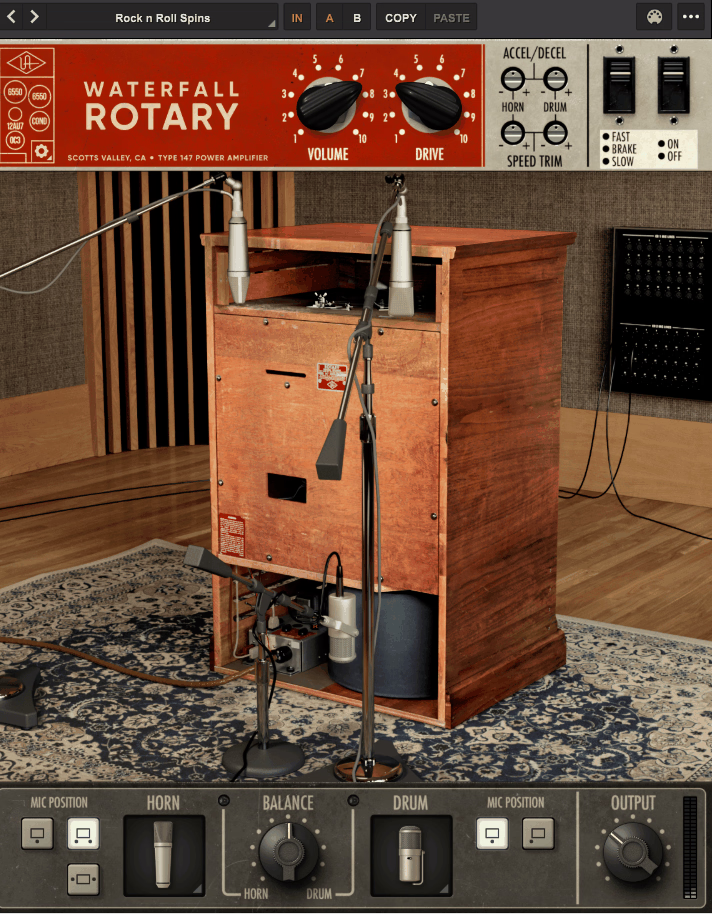
Most rotary emulations use impulse responses or simplified physical models to recreate the movement. Universal Audio instead recorded test signals at hundreds of angles less than one degree apart for several vintage microphone configurations around a real Leslie 147 cabinet.
That approach captures changes in the cabinet response as the rotors move through different positions. UAD Waterfall Rotary Speaker also models the 147’s tube power amp, giving you both cabinet movement and amplifier coloration in the same plugin.
- Sub-Degree Mic Mapping
Vintage microphone setups were recorded at angles less than one degree apart around the cabinet, giving the plugin a detailed representation of how the sound changes as the speakers rotate.
- Tube Power Amp Modeling
The 147’s actual tube power amp circuit was modeled for nonlinear saturation and distortion, so increasing the input can add the kind of harmonic coloration associated with driving the amplifier harder.
- Instrument-Tailored Presets
Presets are built specifically for vocals, guitar, bass, and keyboards rather than using one generic starting point. I appreciate that because a setting that works on an organ pad does not necessarily translate directly to a vocal or guitar.
- MIDI Parameter Mapping
Parameters can be mapped to MIDI controllers for real-time control, which I’ve used to ride the rotor speed during a performance rather than relying entirely on automation.
5. Kuassa Efektor Rotarion
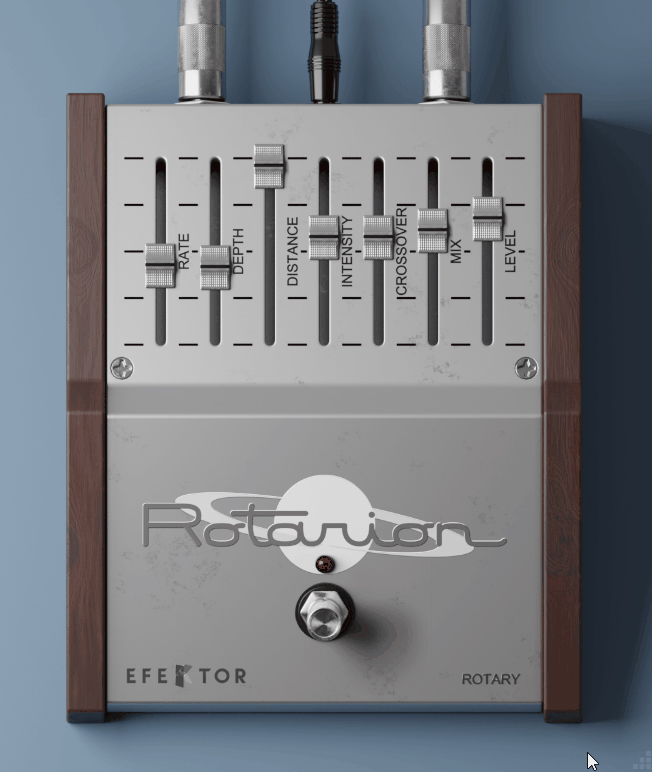
Not every session calls for a deep rotary emulation with a large collection of controls. If you need something closer to a stompbox, Kuassa Efektor Rotarion condenses the rotary effect into a handful of straightforward controls inspired by analog modulation pedals.
I find this helpful when I just want to add a rotary character to a guitar or synth quickly, without configuring mic positions or cabinet models first.
- Reverse Rotation
Flipping the direction of rotation changes the character of the modulation, and I’ve found the difference noticeable on wider stereo material.
- Four-Parameter Control
Width, depth, speed, and intensity each have their own control, which keeps the plugin quick to dial in while covering the core rotary parameters.
- Full Stereo Mode
Switching into stereo mode opens up more of the spatial movement, and I reach for it when the source already has some width and I want the rotary effect to contribute to that image.
- Pedal-Style Simplicity
Kuassa built this as part of a series based around analog-style modulation pedals, and that shows in the straightforward workflow. You can get to the main rotary controls without navigating through multiple pages.
6. T-RackS Leslie
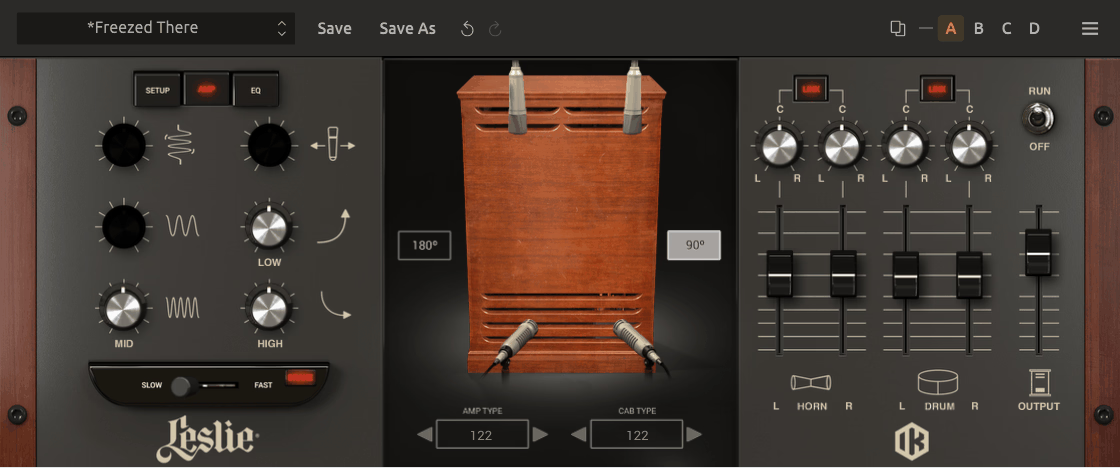
T-RackS Leslie was developed with Hammond USA and Suzuki Music Corporation, and that collaboration is reflected in its collection of five Leslie amp models and six cabinet options.
Switching between the amp and cabinet combinations changes the overall character, so you can choose a setup that suits the source rather than relying on one fixed rotary sound. I find that flexibility particularly helpful with organ, guitar, and other sustained material.
- Five Amp Models
Leslie 147, 122 Vintage, 122A, 3300w, and G-37/Studio 12 amp models are included. I switch between them depending on whether I want a more vintage tube character or the response of the newer hybrid models.
- Volumetric Cabinet Modeling
The cabinets use Volumetric Response Modeling, which captures the behavior of the physical cabinet in a room rather than relying purely on circuit modeling. That contributes to the sense of space around the rotary effect.
- Adjustable Mic Placement
You can choose 90 or 180 degree mic placement with adjustable spacing, giving you control over the stereo character before changing the rotor speed.
- Hammond Collaboration
The involvement of Hammond USA and Suzuki Music Corporation gives the plugin a direct connection to the manufacturers associated with the original rotary speaker system.
7. UVI Rotary
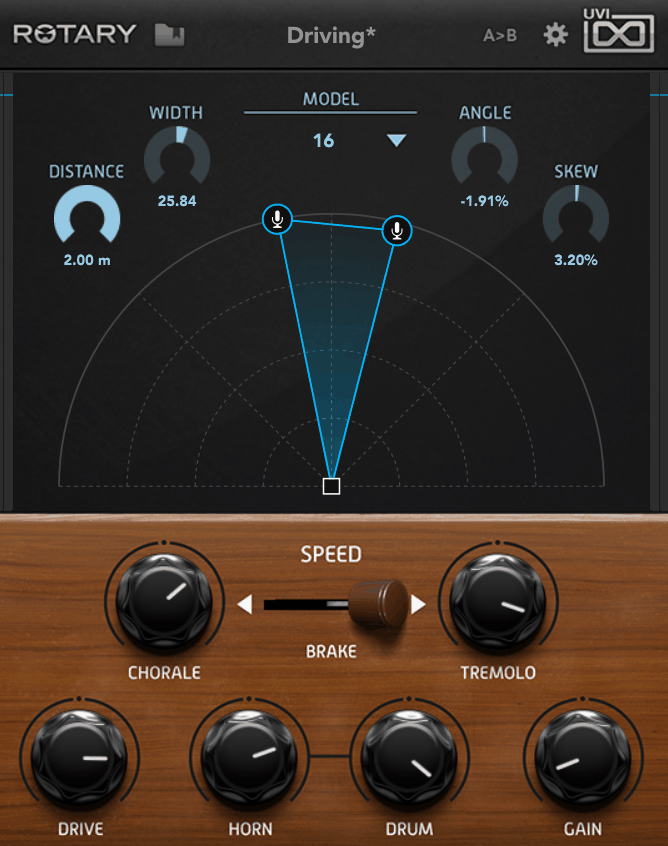
Rotary effects can sound quite different depending on microphone placement, which is why UVI Rotary gives you independent positioning for two virtual microphones around the cabinet.
You can click and drag the microphones instead of choosing from a few fixed positions, and I have spent some time experimenting with asymmetrical placement because it can change the stereo character considerably.
- Independent Mic Positioning
Two virtual microphones can be positioned independently around the cabinet. I find that moving them into asymmetrical positions can create a wider or less uniform stereo image than a symmetrical arrangement.
- Asymmetry Control
A dedicated asymmetry parameter offsets the two mic positions without requiring you to move each microphone manually.
That makes it quicker to experiment with uneven stereo placement.
- Deep Back Panel
The second page provides additional controls for cabinet diffusion and horn characteristics, giving you more ways to shape the rotary tone beyond the main controls.
- Multi-Cabinet Profiling
Multiple vintage rotary cabinets were profiled during development, giving the plugin several cabinet references rather than relying on a single source.
8. MeldaProduction MVintageRotary
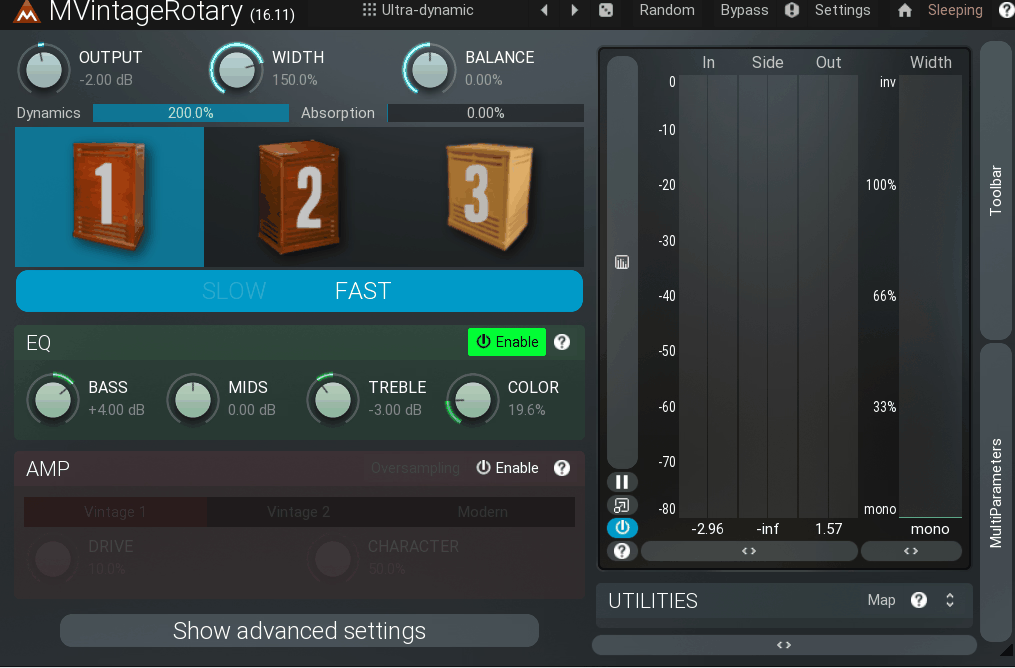
MeldaProduction tends to offer a lot of modulation control even when the interface looks relatively straightforward. MVintageRotary follows that approach, with two modulators that can operate as LFOs, level followers, envelopes, random sources, or sidechain-driven modulators.
I find those modulators particularly useful because they let the rotary effect respond to the source rather than simply running at one fixed internal rate. That gives you more options for rhythmic and dynamic movement.
- Three Rotary Algorithms
Choosing between the three included algorithms changes the underlying character of the rotary simulation. I switch between them depending on whether I want a cleaner response or something with more obvious coloration.
- Dual Modulators
Two independent modulators can each function as an LFO, level follower, MIDI or audio-triggered envelope, or randomizer.
- Sidechain-Reactive Control
Either modulator can listen to the plugin’s sidechain input, allowing the rotation speed or another parameter to respond to an external rhythm instead of following a fixed internal rate.
- Multiparameter Morphing
Multiple parameters can be linked to a single multiparameter control, which lets you morph between different combinations of settings with one movement instead of adjusting each control separately.
9. PSP L’otary
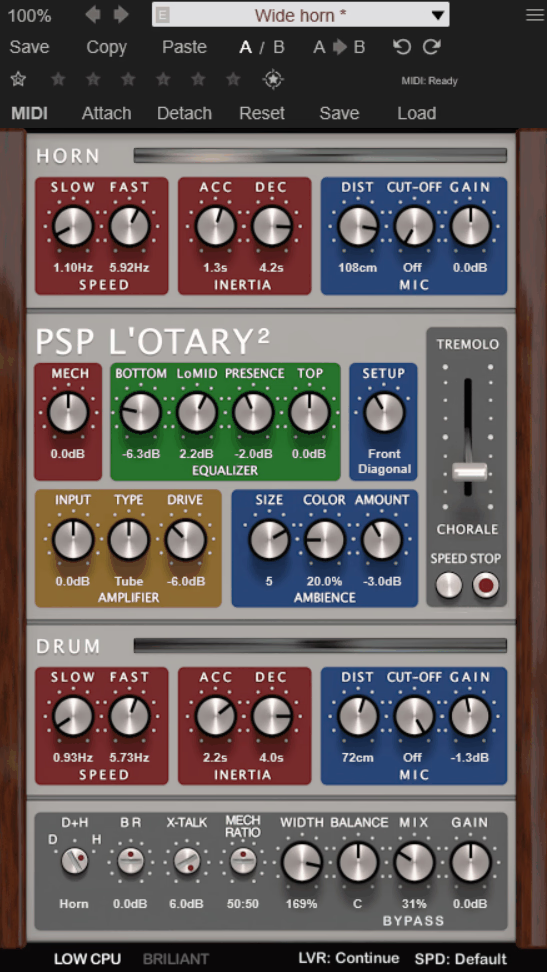
PSP L’otary focuses on two documented hardware references, the Leslie 122 and 147, rather than trying to represent every type of rotary cabinet. PSP L’otary gives you independent control over the horn and drum sections, including their speeds and behavior.
I’ve used the separate controls to make the two sections behave less uniformly, which can be helpful when you want the movement to feel less predictable than a single synchronized rotary effect.
- Independent Horn and Drum
The rotating horn and drum have separate controls, so I can set their speeds and characteristics independently instead of keeping them locked together.
- Variable Speed Lever
Instead of simply switching between chorale and tremolo, you can move continuously between the two speeds using a variable lever.
That gives you control over acceleration and deceleration rather than forcing an immediate speed change.
- Broken Engine Emulation
You can create a static drum or simulate a broken horn or drum engine, giving the rotary effect a deliberately imperfect mechanical character.
- Crossover Modeling
The plugin models the passive 800 Hz crossover that separates the horn and drum sections in the original hardware. That keeps the tonal relationship between the two sections tied to the modeled cabinet design.

Hey, I’m Vil, I started this site to help you find the best audio plugins covering various categories including synths, pianos, strings, and effect tools of all sorts as well. I pick these plugins based on various criteria so it best matches the actual topic.